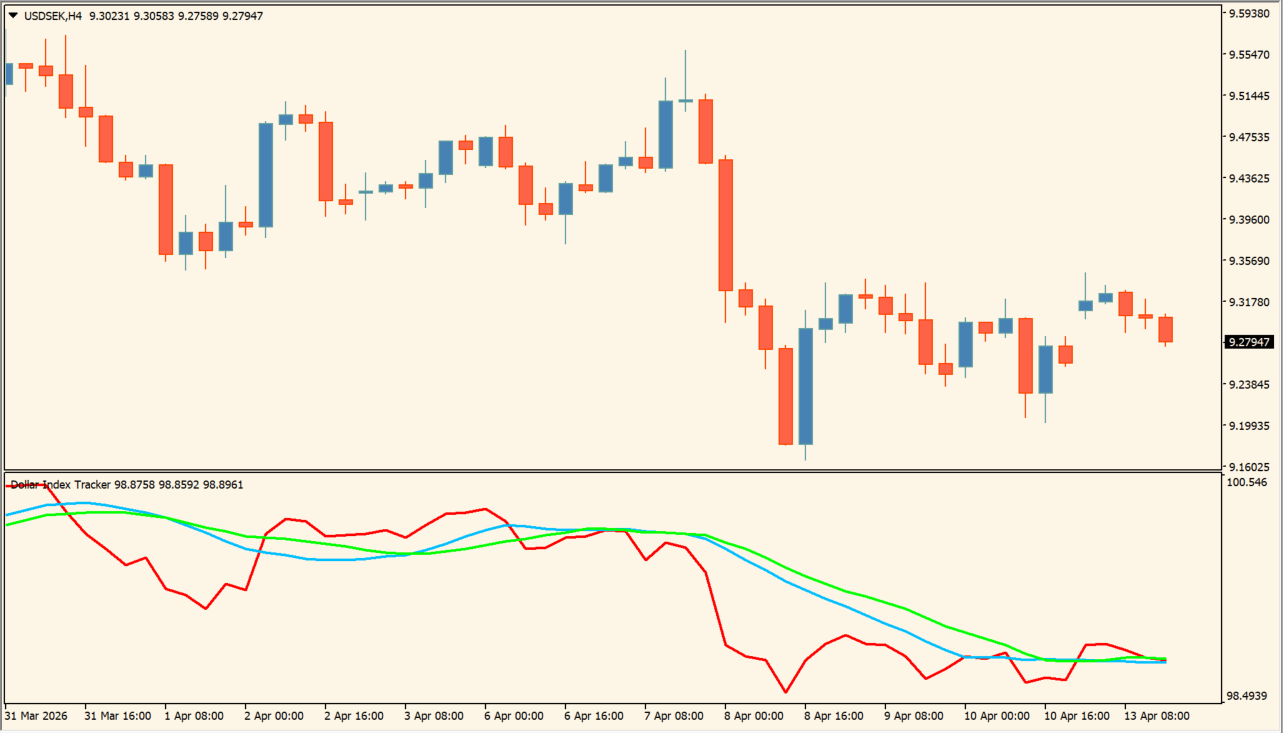
What is Dollar Index Tracker?
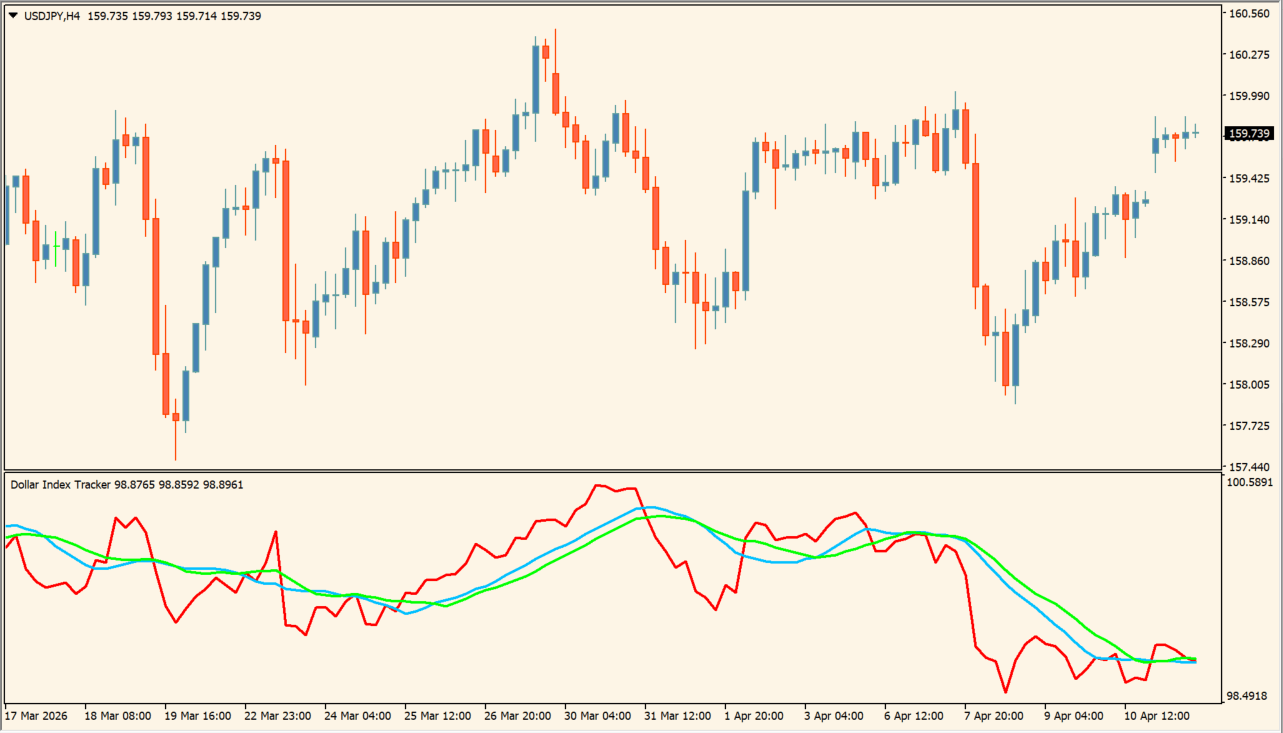
Dollar Index Tracker combines several currency pairs into a composite USDX-style line and displays it in a subwindow. The red index line represents the calculated dollar strength, while moving averages can provide additional direction context.
USD-linked pairs generally move with the index, while EURUSD and GBPUSD can show the opposite relationship. Missing broker symbols must be displayed once so the warning can clear.
How to use Dollar Index Tracker
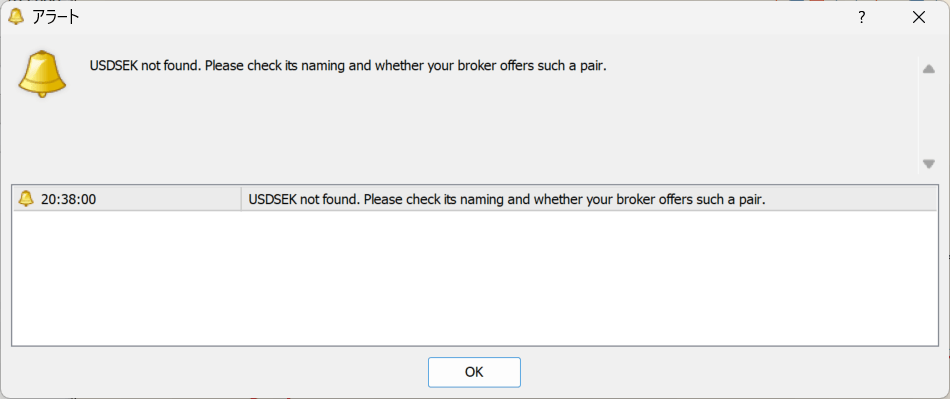
Apply Dollar Index Tracker to an MT4 chart and compare the composite line with the USD pair or inverse-USD pair you are studying.
Set USDX_PriceType, broker pair names, IndexCoefficients, IndexInitialValue, and the two moving-average periods and modes to match the source data.
Where it helps
Summarizes several currency-pair relationships in one subwindow.
Adds two adjustable averages to the index display.
Allows pair names to be corrected when the broker uses a different symbol format.
MT4 Indicator Parameters
The table below lists the available MT4 indicator parameters. You can customize these options in the MetaTrader Inputs dialog to match your trading preferences.
| Parameter | Description |
|---|---|
| IndexPairs | Controls this indicator option. Default: "EURUSD, USDJPY, GBPUSD, USDCAD, USDSEK, USDCHF". |
| IndexCoefficients | Sets this calculation or display option. Default: "-0.576, 0.136, -0.119, 0.091, 0.042, 0.036". |
| IndexInitialValue | Controls this indicator option. Default: 50.14348112. |
| MA_Period1 | Sets this calculation or display option. Default: 13. |
| MA_Period2 | Sets this calculation or display option. Default: 17. |
| MA_Mode1 | Sets this calculation or display option. Default: MODE_SMA. |
| MA_Mode2 | Sets this calculation or display option. Default: MODE_SMA. |
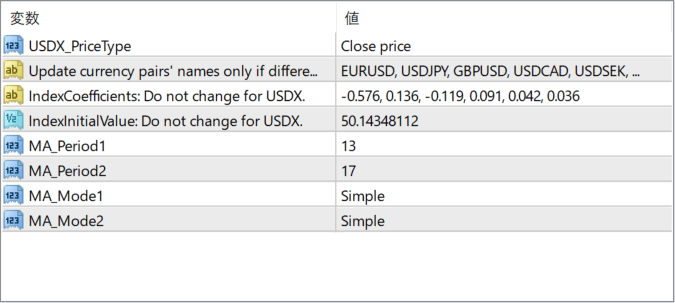
The screenshot above shows the default input parameters in the MT4 settings window.
How to Install .ex4 Indicator in MetaTrader 4
- Download the ZIP file and extract it.
- In MT4, select File → Open Data Folder.
- Open MQL4 → Indicators and copy the EX4 or MQ4 file into it.
- If the package includes library files, copy them to MQL4 → Libraries. Copy TPL files to the top-level templates folder.
- Restart MT4, find the indicator in the Navigator, and drag it onto a chart.
Test the tool on a demo account first. File contents and required folders can vary between packages.


