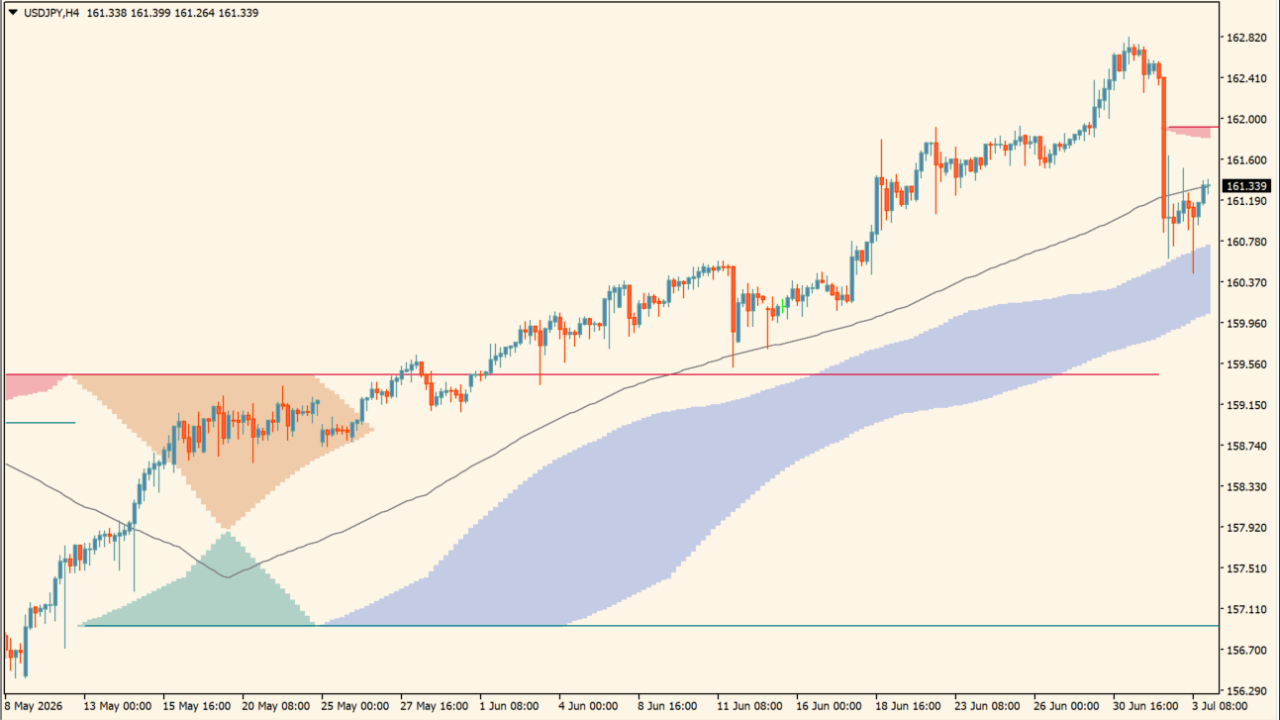
What is Donchian MA Bands?
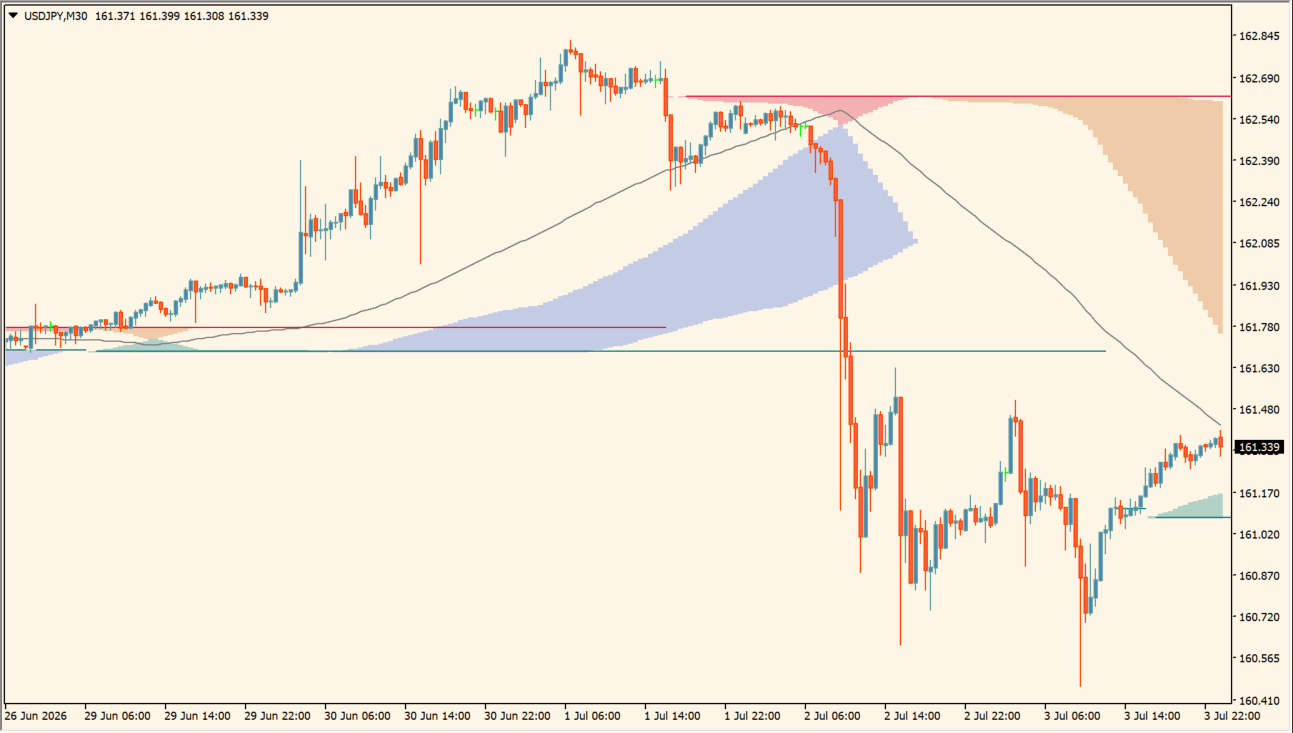
Donchian MA Bands is an MT4 indicator that combines colored Donchian-style band areas, a central moving-average reference, and horizontal support and resistance lines.
Display colors separate the band and S/R elements, while the selected moving-average method and length control the smoothing references. The chart view organizes price context without treating any band edge as a fixed reaction point.
How to use Donchian MA Bands
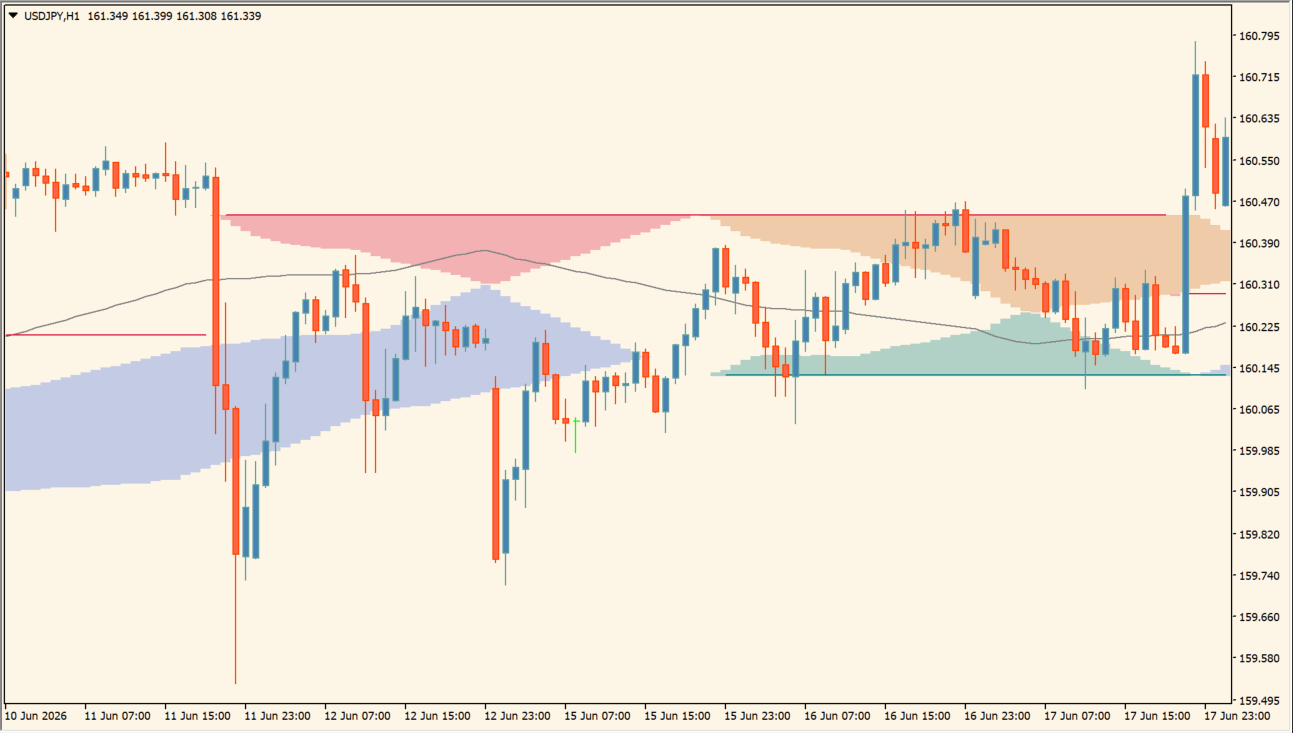
Compare the colored channel zones, central moving average, and horizontal reference lines on the chart:
- Identify the upper and lower colored zones and compare their position with the moving-average line and horizontal levels.
- Use the band width and the distance from price to the zones to organize the current chart location.
- Adjust the existing Donchian, moving-average, zone-color, and level-display inputs when a different visual layout is needed.
- Check the zone display against recent highs, lows, and candle behavior instead of reading one colored area in isolation.
Where it helps
Cloud areas show zones instead of isolated prices, the moving-average reference adds a central comparison line, and horizontal S/R levels keep related context in one view.
MT4 Indicator Parameters
The table below lists the available MT4 indicator parameters. You can customize these options in the MetaTrader Inputs dialog to match your trading preferences.
| Parameter | Description |
|---|---|
| Style | Chooses the band display style. Default: clouds. |
| Type MA | Selects the moving average calculation method used for baseline smoothing. Default: SMA. |
| Length | Sets the lookback period length for Donchian channel calculation. Default: 50. |
| Colour Bands | Sets the first band color. Default: RoyalBlue. |
| Colour Bands | Sets the second band color. Default: Chocolate. |
| Type MA | Selects the moving average calculation method for the S/R line. Default: SMA. |
| Length | Sets the lookback period for the S/R line. Default: 50. |
| Colour S/R | Sets the first S/R line color. Default: Teal. |
| Colour S/R | Sets the second S/R line color. Default: Crimson. |
| Colour Mid Donchian | Sets the display color for the central Donchian channel midline. Default: Gray. |
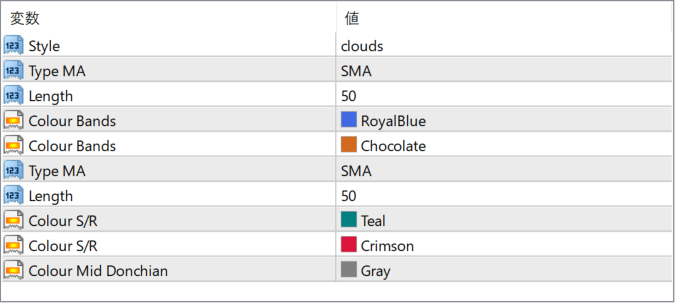
The screenshot above shows the default input parameters in the MT4 settings window.
How to Install .ex4 Indicator in MetaTrader 4
- Download the ZIP file and extract it.
- In MT4, select File → Open Data Folder.
- Open MQL4 → Indicators and copy the EX4 or MQ4 file into it.
- If the package includes library files, copy them to MQL4 → Libraries. Copy TPL files to the top-level templates folder.
- Restart MT4, find the indicator in the Navigator, and drag it onto a chart.
Test the tool on a demo account first. File contents and required folders can vary between packages.


