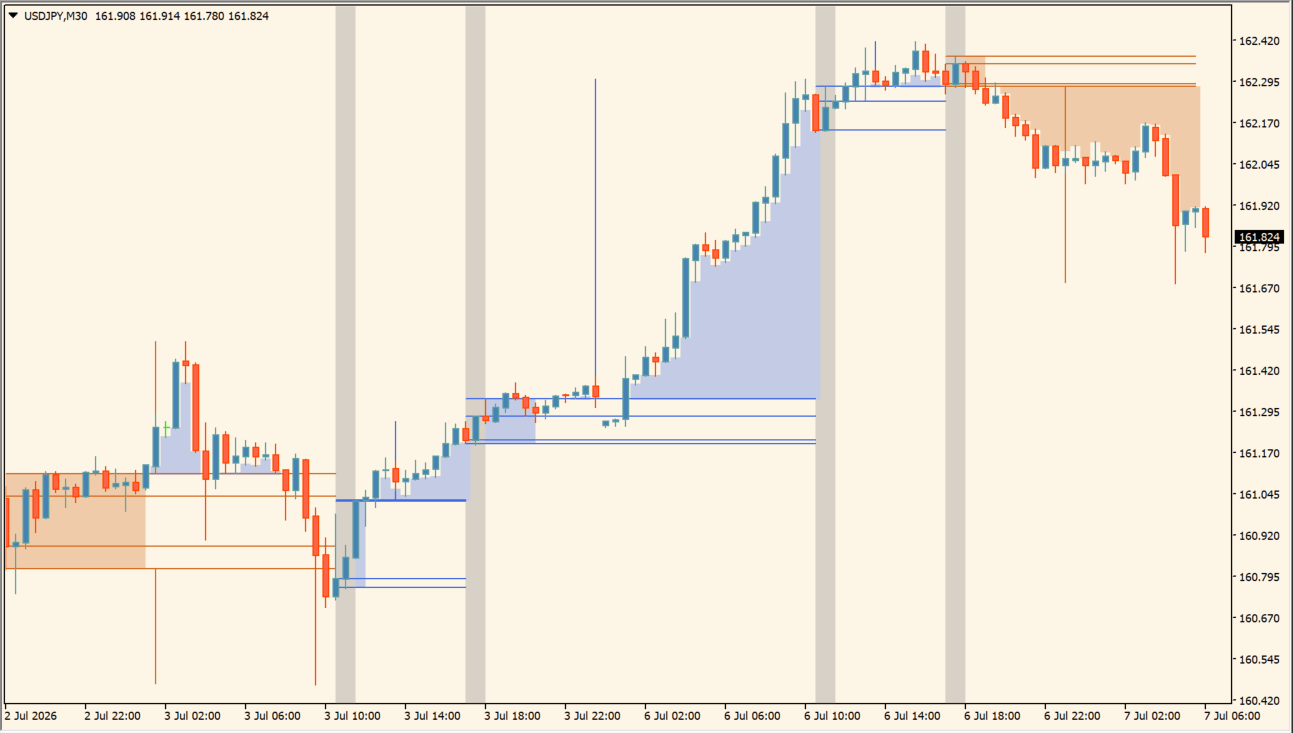
What is DR IDR Candles?
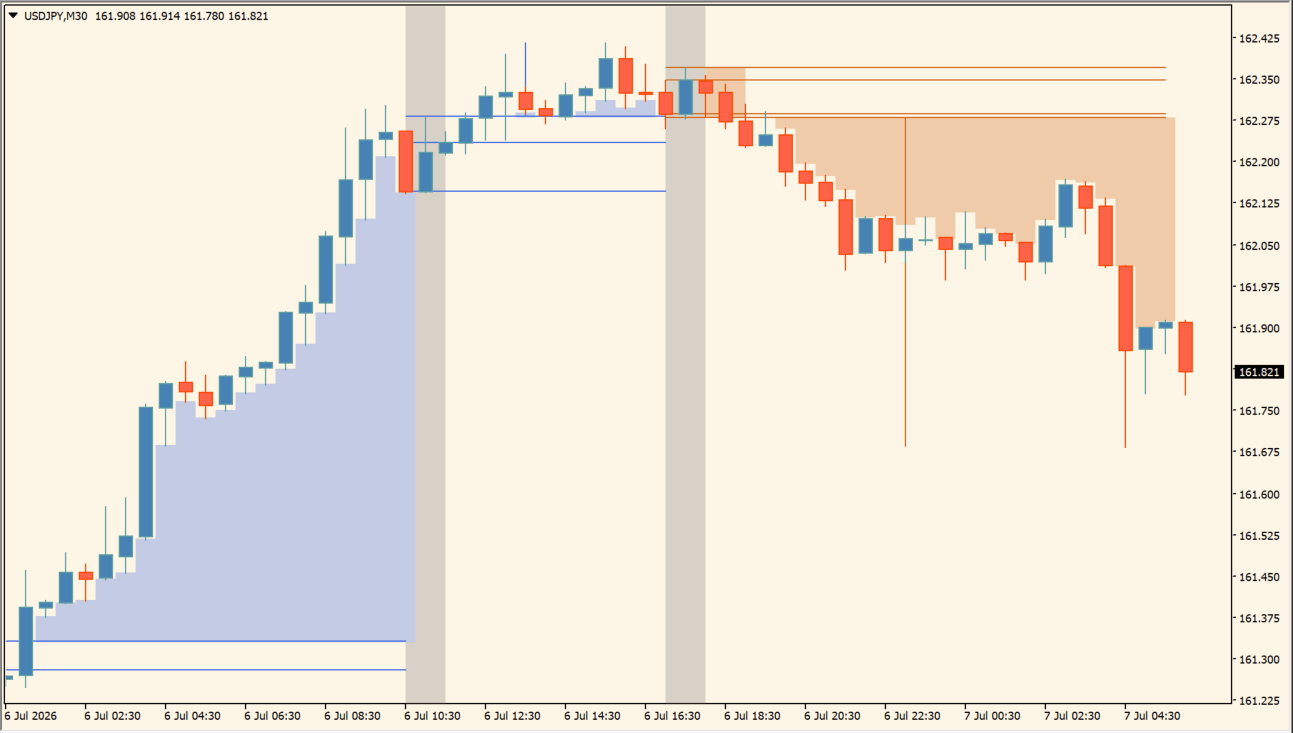
DR IDR Candles is an MT4 indicator that plots Dealing Range (DR) and Implied Dealing Range (IDR) boundaries for selected regular or overnight sessions. DR uses the session high and low, while IDR uses candle bodies for an inner reference range.
Session highlights, range fills, and optional Fibonacci levels organize the calculation window and subsequent price movement. The display provides chart context for reviewing range expansion without prescribing a breakout direction.
How to use DR IDR Candles
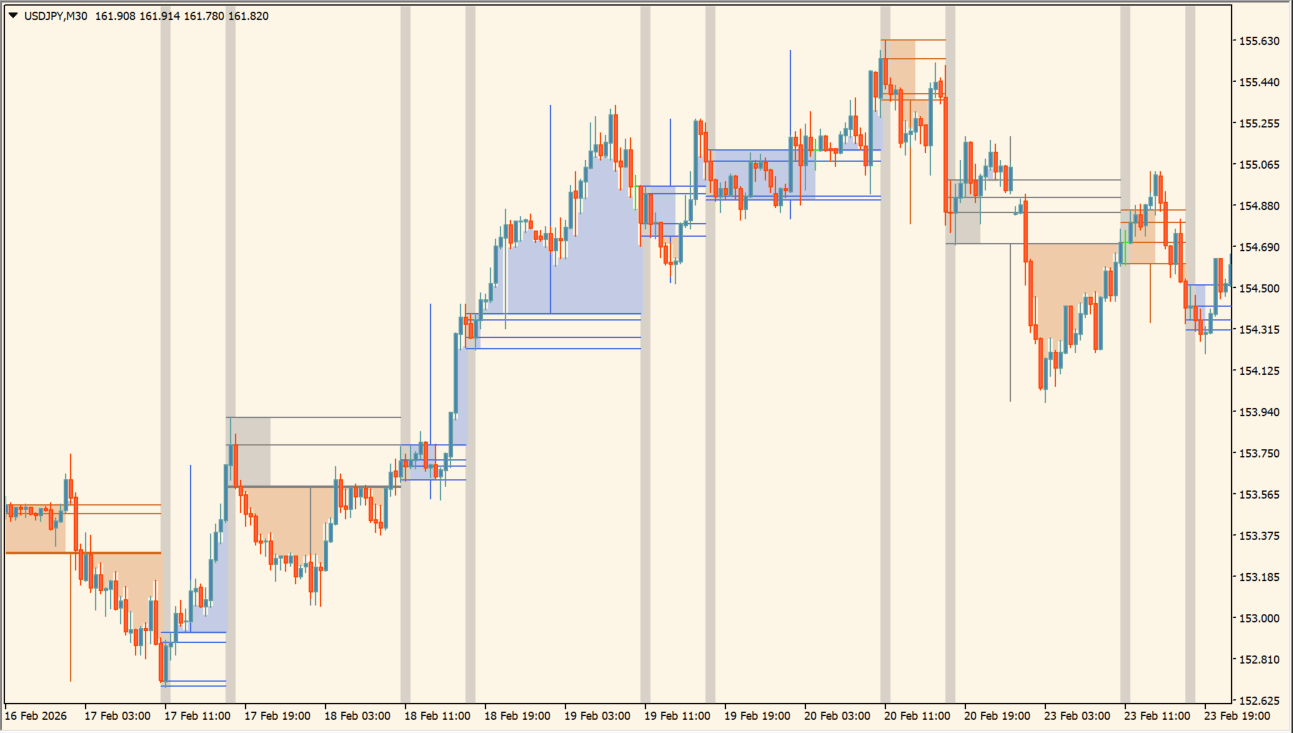
Set the session window, then compare the outer DR range, inner IDR range, and shaded expansion areas:
- Set the regular or overnight session hours and UTC offset so the highlighted session matches the time window under review.
- Read DR from the session high and low, then compare it with the body-based IDR boundaries inside that range.
- Use the range fill, wick, and session-highlight options to make the boundaries and the later expansion areas easier to distinguish.
- If enabled, compare the optional Fibonacci levels with the displayed session range as additional chart references.
Where it helps
Session highlights make calculation windows easy to locate, DR and IDR boundaries provide separate wick and body references, and optional fills or Fibonacci levels add visual structure.
MT4 Indicator Parameters
The table below lists the available MT4 indicator parameters. You can customize these options in the MetaTrader Inputs dialog to match your trading preferences.
| Parameter | Description |
|---|---|
| Candles to Calculate | Sets history depth in bars used for session range calculations. Default: 5000. |
| Use Regular Session | Enables regular RTH session range calculation window. Default: true. |
| Regular Session Start | Sets the starting time for the regular session range. Default: 1970.01.01 09:30. |
| Regular Session End | Sets the ending time for the regular session range. Default: 1970.01.01 10:30. |
| Use Overnight Session | Enables overnight session range calculation window. Default: true. |
| Overnight Session Start | Sets the starting time for the overnight session range. Default: 1970.01.01 03:00. |
| Overnight Session End | Sets the ending time for the overnight session range. Default: 1970.01.01 04:00. |
| UTC Offset | Aligns session start and end hours with UTC/broker time zone. Default: -5. |
| Fibonacci Section | Labels the Fibonacci extension settings section. |
| Reverse Fibonacci Direction | Reverses the Fibonacci extension direction. Default: false. |
| Enable Fibonacci Level 1 | Enables or disables the first Fibonacci level. Default: false. |
| Fibonacci Level 1 Value | Sets the multiplier for the first Fibonacci extension level. Default: 0.236. |
| Enable Fibonacci Level 2 | Enables or disables the second Fibonacci level. Default: false. |
| Fibonacci Level 2 Value | Sets the multiplier for the second Fibonacci extension level. Default: 0.382. |
| Enable Fibonacci Level 3 | Enables or disables the third Fibonacci level. Default: false. |
| Fibonacci Level 3 Value | Sets the multiplier for the third Fibonacci extension level. Default: 0.5. |
| Enable Fibonacci Level 4 | Enables or disables the fourth Fibonacci level. Default: false. |
| Fibonacci Level 4 Value | Sets the multiplier for the fourth Fibonacci extension level. Default: 0.618. |
| Enable Fibonacci Level 5 | Enables or disables the fifth Fibonacci level. Default: false. |
| Fibonacci Level 5 Value | Sets the multiplier for the fifth Fibonacci extension level. Default: 0.782. |
| Calculation Source | Selects whether Fibonacci levels project from DR or IDR ranges. Default: IDR. |
| Display Settings Section | Labels the visual display settings section. |
| Show DR | Shows or hides the outer Defining Range boundary lines. Default: true. |
| Show IDR | Shows or hides the inner Implied Dealing Range boundary lines. Default: true. |
| Show Wicks | Shows or hides wick-based boundary levels. Default: true. |
| Show Range Fill | Toggles colored background range fills on or off. Default: true. |
| Show Outside Areas | Highlights price expansion beyond reference range boundaries. Default: true. |
| Highlight Session | Turns vertical background session shading on or off. Default: true. |
| Above-Range Line Color | Sets the display color for levels above the range. Default: RoyalBlue. |
| Inside-Range Line Color | Sets the display color for levels inside the range. Default: Gray. |
| Below-Range Line Color | Sets the display color for levels below the range. Default: Chocolate. |
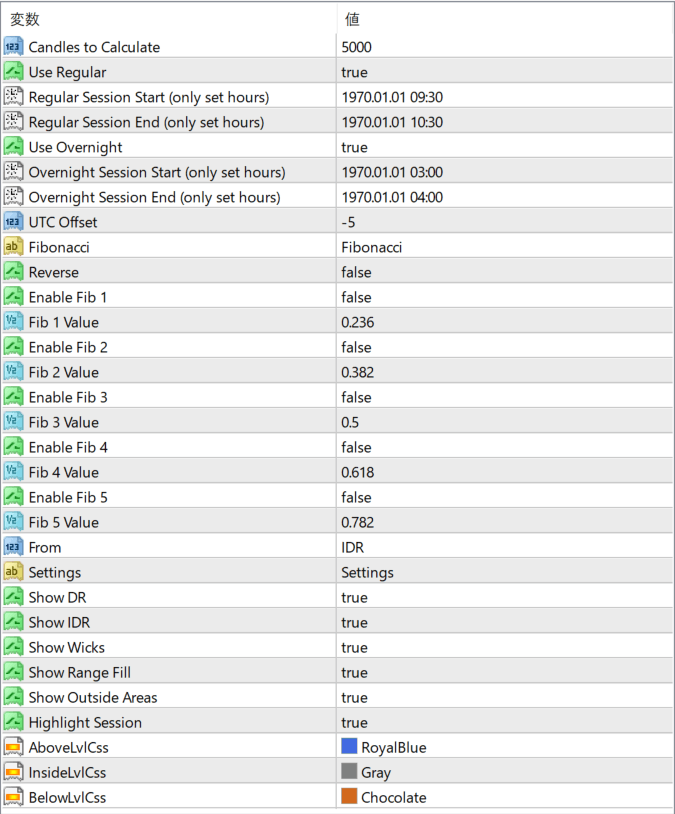
The screenshot above shows the default input parameters in the MT4 settings window.
How to Install .ex4 Indicator in MetaTrader 4
- Download the ZIP file and extract it.
- In MT4, select File → Open Data Folder.
- Open MQL4 → Indicators and copy the EX4 or MQ4 file into it.
- If the package includes library files, copy them to MQL4 → Libraries. Copy TPL files to the top-level templates folder.
- Restart MT4, find the indicator in the Navigator, and drag it onto a chart.
Test the tool on a demo account first. File contents and required folders can vary between packages.


