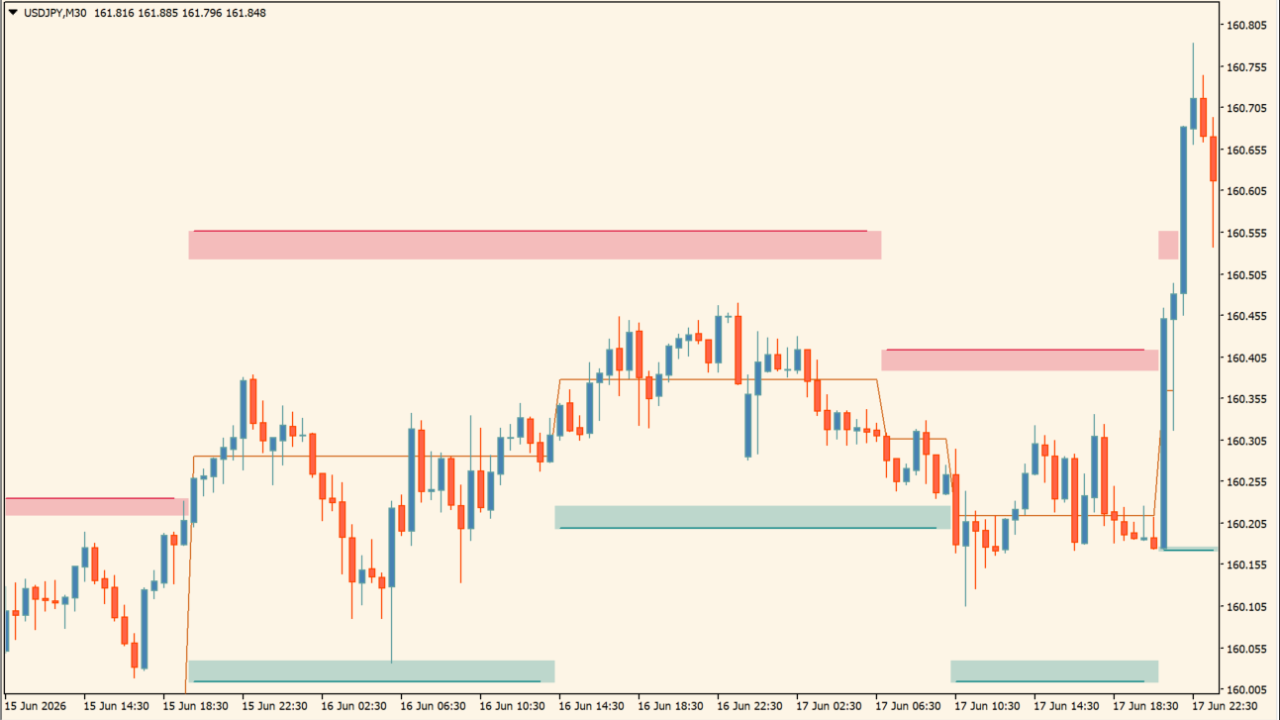
What is Dynamic Order Blocks?
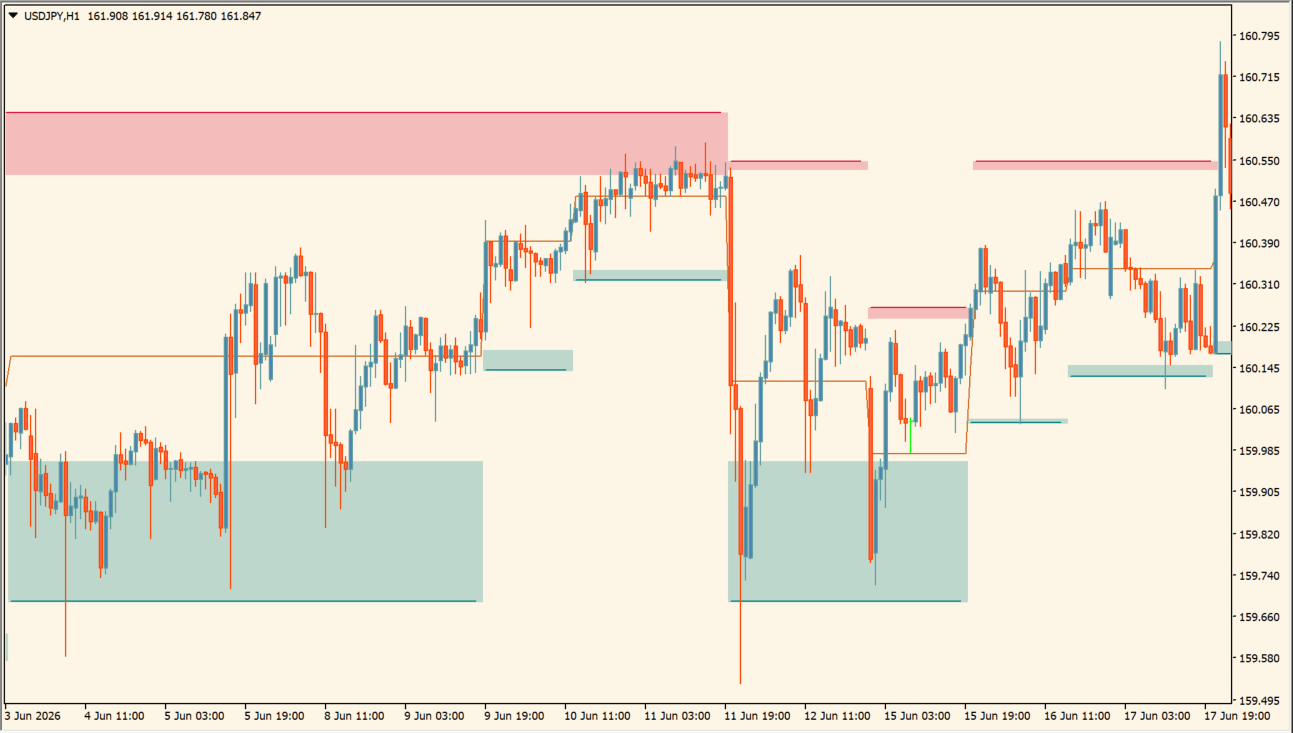
Dynamic Order Blocks is an MT4 indicator that displays bullish and bearish order-block areas derived from prior price movement. Teal and red boxes distinguish the two sides, and each box represents a price area rather than one exact level.
The zones help organize chart structure for review across recent and higher-timeframe views. A zone can change as price develops, so it should be compared with current market structure rather than treated as a fixed outcome.
How to use Dynamic Order Blocks
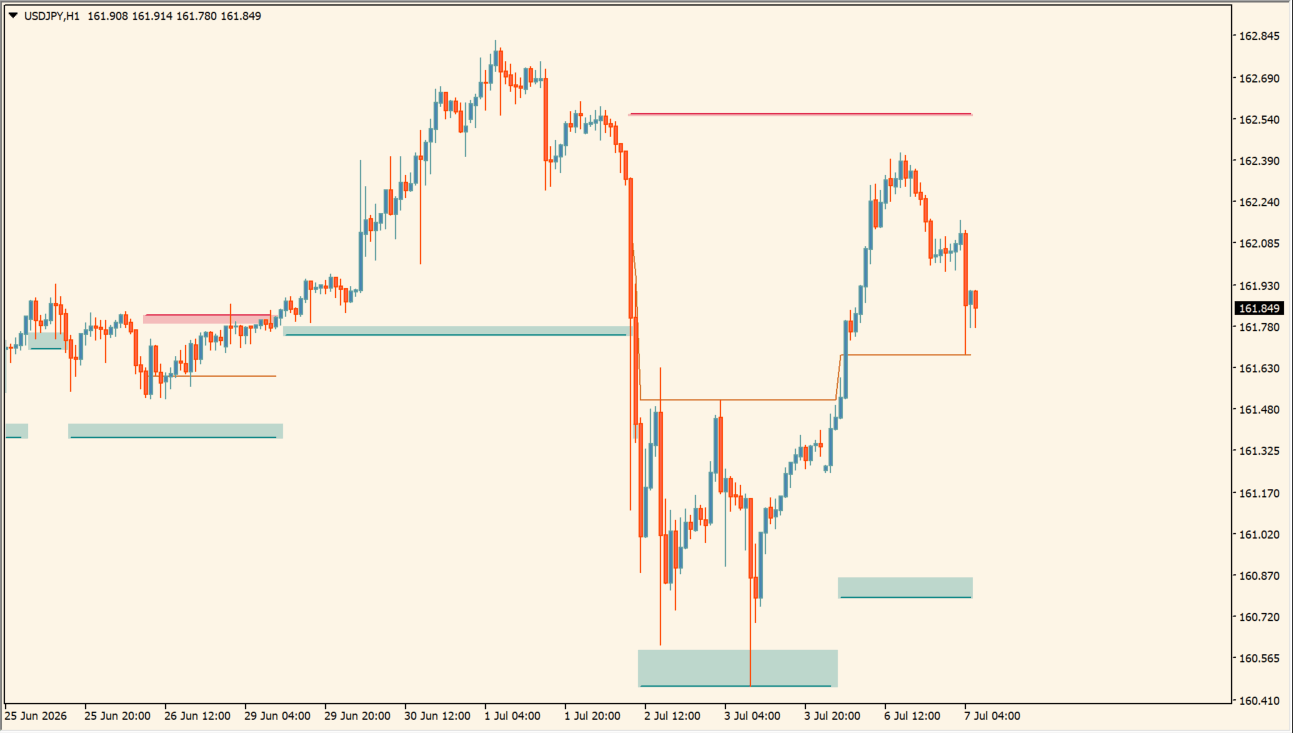
Review the teal areas below price and the red areas above price as the displayed buy-side and sell-side order-block ranges. Each area is a box with width rather than one exact horizontal price, so observe how candles behave inside the zone and whether they pass through its boundary.
Where it helps
Separate colors distinguish opposing order-block areas, boxes preserve a useful price range, and configurable display settings make structural review easier.
MT4 Indicator Parameters
The table below lists the available MT4 indicator parameters. You can customize these options in the MetaTrader Inputs dialog to match your trading preferences.
| Parameter | Description |
|---|---|
| Swing Lookback | Controls the historical candle lookback window used to identify order block swings. Default: 10. |
| Use Candle Body | Uses candle bodies rather than full wicks for order block boundary calculation. Default: true. |
| Dynamic Bullish Sweeps | Enables or disables dynamic bullish liquidity sweep zone highlights on chart. Default: true. |
| bullSweepCss | Sets the display color used to highlight bullish liquidity sweep areas. Default: Teal. |
| Dynamic Bearish Sweeps | Enables or disables dynamic bearish liquidity sweep zone highlights on chart. Default: true. |
| bearSweepCss | Sets the display color used to highlight bearish liquidity sweep areas. Default: Crimson. |
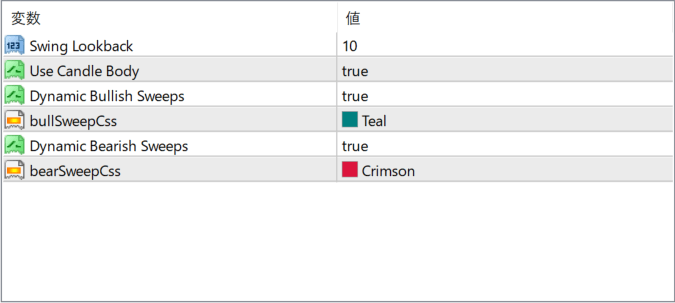
The screenshot above shows the default input parameters in the MT4 settings window.
How to Install .ex4 Indicator in MetaTrader 4
- Download the ZIP file and extract it.
- In MT4, select File → Open Data Folder.
- Open MQL4 → Indicators and copy the EX4 or MQ4 file into it.
- If the package includes library files, copy them to MQL4 → Libraries. Copy TPL files to the top-level templates folder.
- Restart MT4, find the indicator in the Navigator, and drag it onto a chart.
Test the tool on a demo account first. File contents and required folders can vary between packages.


