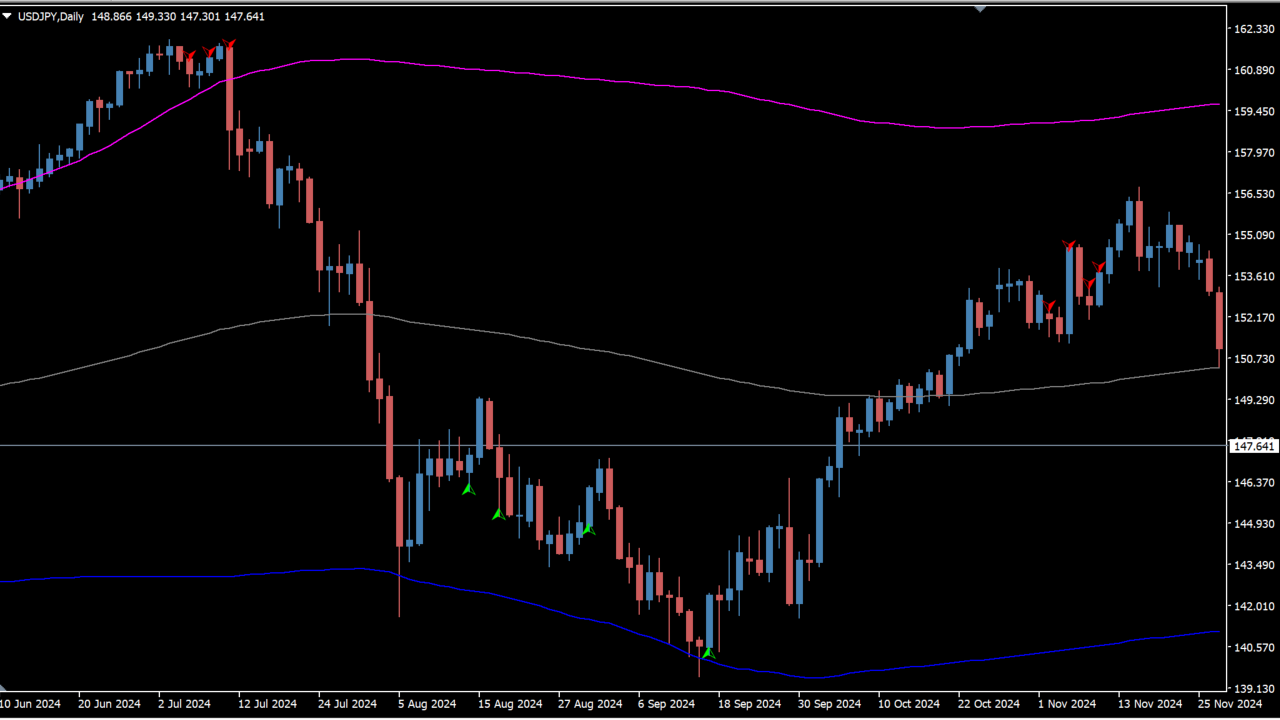
What is Extreme_Entry_with_Mean_Reversion_and_Trend_Filter?
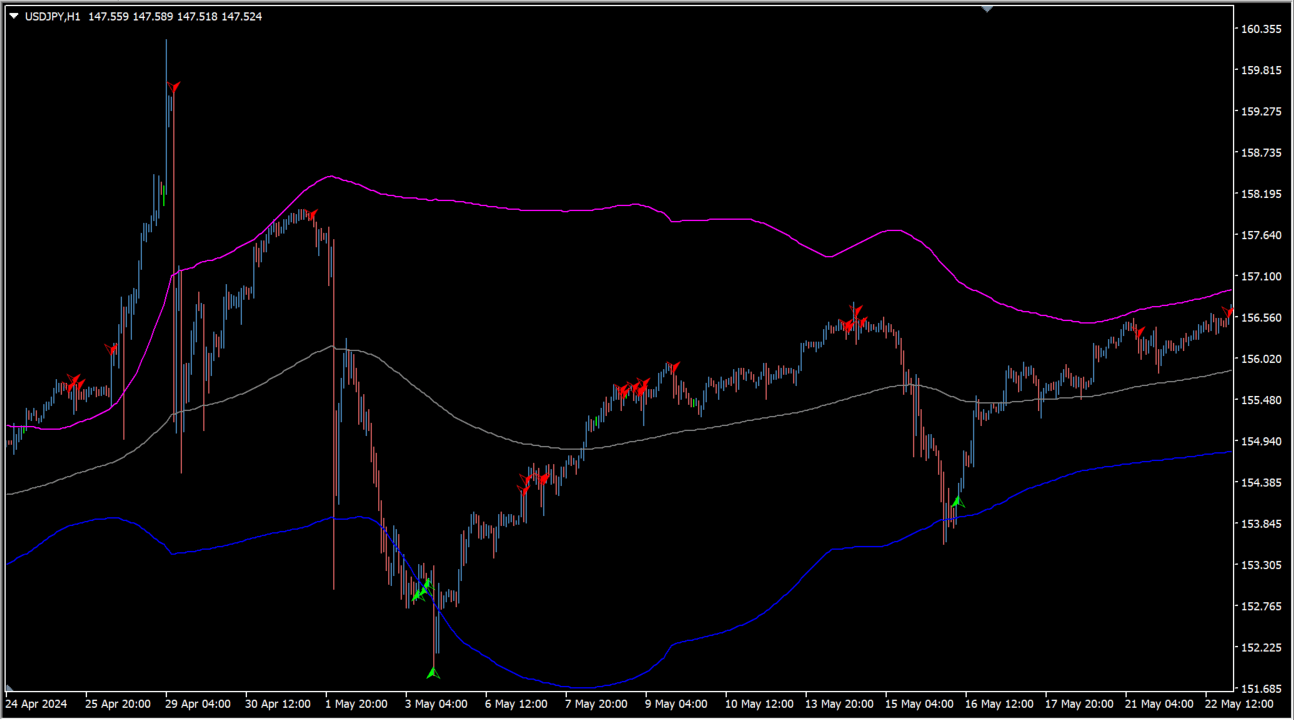
Extreme_Entry_with_Mean_Reversion_and_Trend_Filter is an MT4 indicator that builds its entry signs from CCI and filters them with RSI and an EMA. The default settings are loose, so many signs appear.
How to use Extreme_Entry_with_Mean_Reversion_and_Trend_Filter
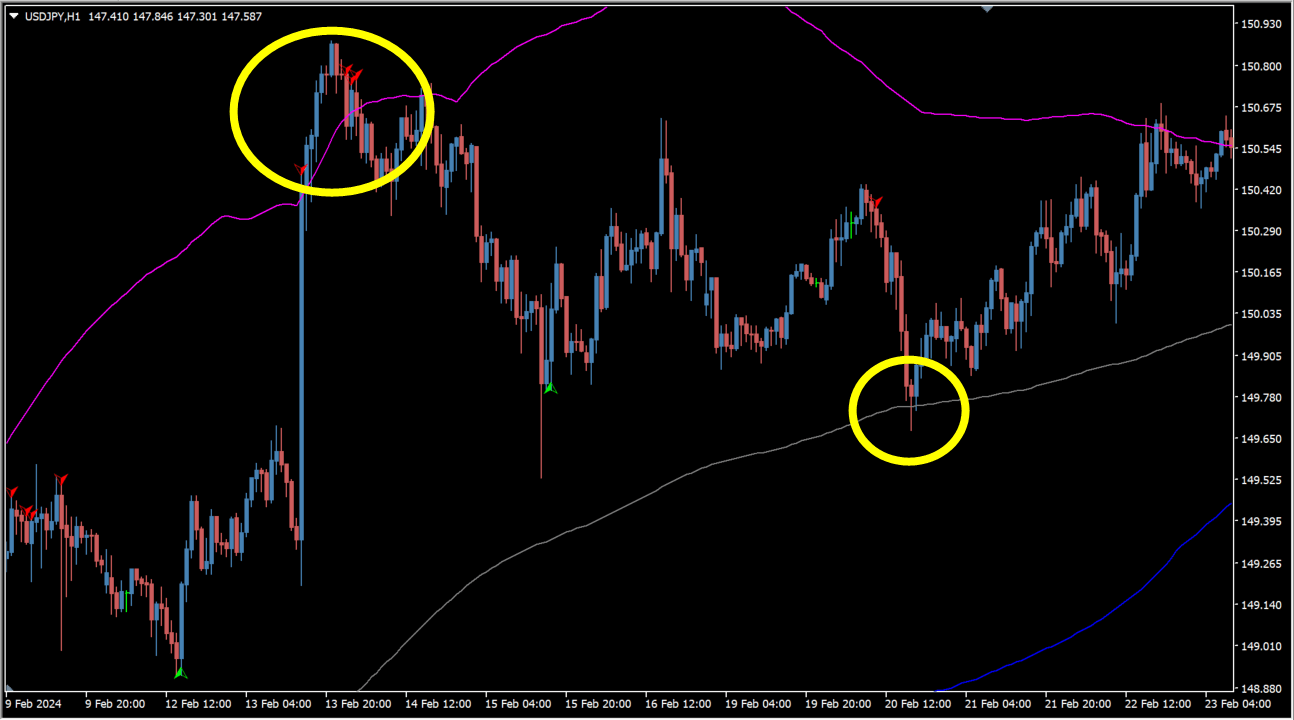
Mean reversion signs appear when price breaks the upper or lower band. The signs can be adjusted from the parameters.
Where it helps
Assess overbought and oversold levels from one reading
Organize how many signs stay on the chart
Confirm a new sign through a pop-up, push or email notification
MT4 Indicator Parameters
The table below lists the available MT4 indicator parameters. You can customize these options in the MetaTrader Inputs dialog to match your trading preferences.
| Parameter | Description |
|---|---|
| Entry Signal Source | Sets the indicator used as the base for the entry signal. |
| CCI/Momentum Length | Sets the period used for the CCI or momentum calculation. |
| Find Regular Bullish/Bearish Divergence | Controls whether regular bullish or bearish divergence is detected. |
| RSI Overbought Level | Sets the RSI overbought level. |
| RSI Oversold Level | Sets the RSI oversold level. |
| RSI Length | Sets the period used for the RSI calculation. |
| Plot Mean Reversion on the chart | Controls whether the mean reversion signs are drawn on the chart. |
| Mean Reversion Signal Filter | Selects the filter applied to the mean reversion signs. |
| MR Lookback Period (EMA) | Sets the EMA period used for the mean reversion calculation. |
| MR Bands Multiplier | Sets the multiplier applied to the mean reversion bands. |
| Enable Trend Filter | Controls whether the trend filter is enabled. |
| EMA Period (Trend Filter) | Sets the EMA period used by the trend filter. |
| Bars limit | Sets the maximum number of bars included in the calculation. |
| == Alerts == | — |
| Popup message | Controls whether a pop-up notification is enabled. |
| Push notification | Controls whether a push notification is enabled. |
| Controls whether an email notification is enabled. | |
| Play sound on alert | Controls whether a sound is played on an alert. |
| Sound file | Sets the sound file used for the alert. |
| Start external program | Controls whether an external program is started. |
| Path to the external program executable | Sets the path to the external program executable. |
| Advanced alert (Telegram/Discord/other platform (like another MT4)) | Controls whether the advanced alert notification feature is enabled. |
| Advanced alert key | — |
| Advanced alert server url | — |
| Comment2 | — |
| Comment3 | — |
| Comment4 | — |
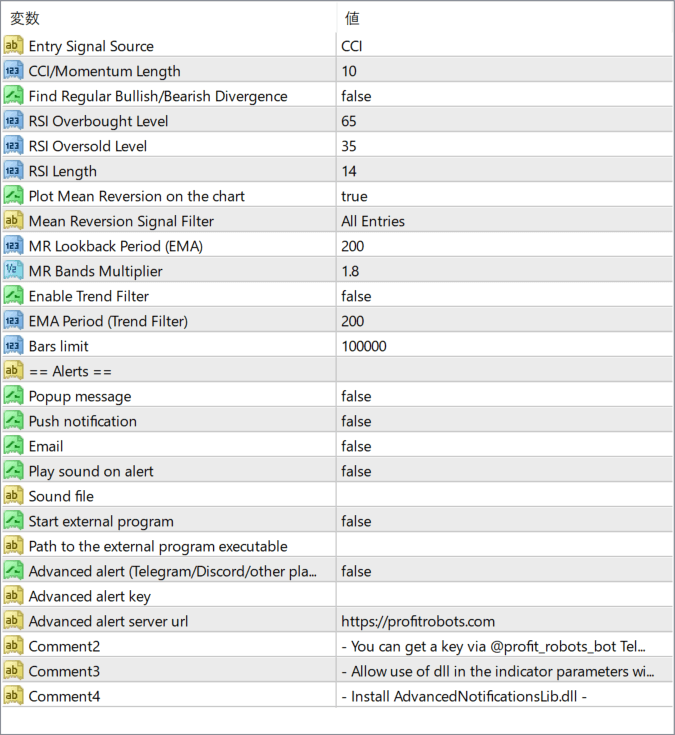
The screenshot above shows the default input parameters in the MT4 settings window.
How to Install .ex4 Indicator in MetaTrader 4
- Download the ZIP file and extract it.
- In MT4, select File → Open Data Folder.
- Open MQL4 → Indicators and copy the EX4 or MQ4 file into it.
- If the package includes library files, copy them to MQL4 → Libraries. Copy TPL files to the top-level templates folder.
- Restart MT4, find the indicator in the Navigator, and drag it onto a chart.
Test the tool on a demo account first. File contents and required folders can vary between packages.


