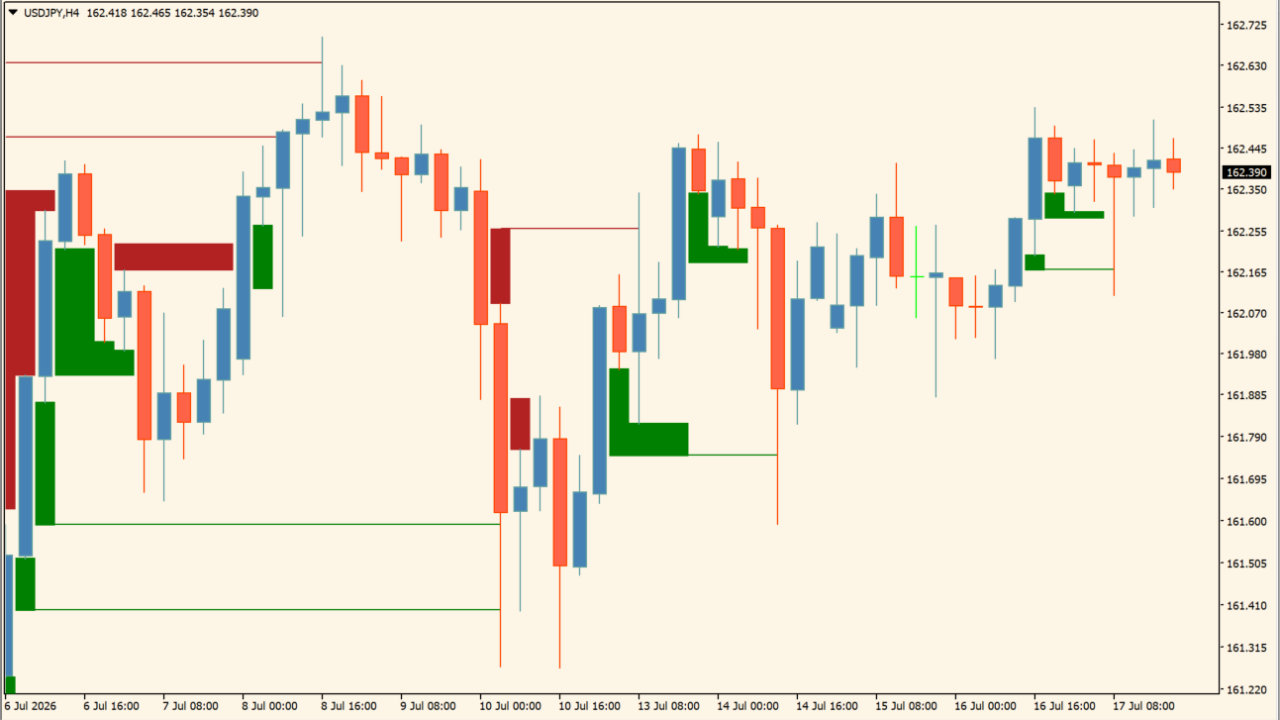
What is Fair Value Gap?
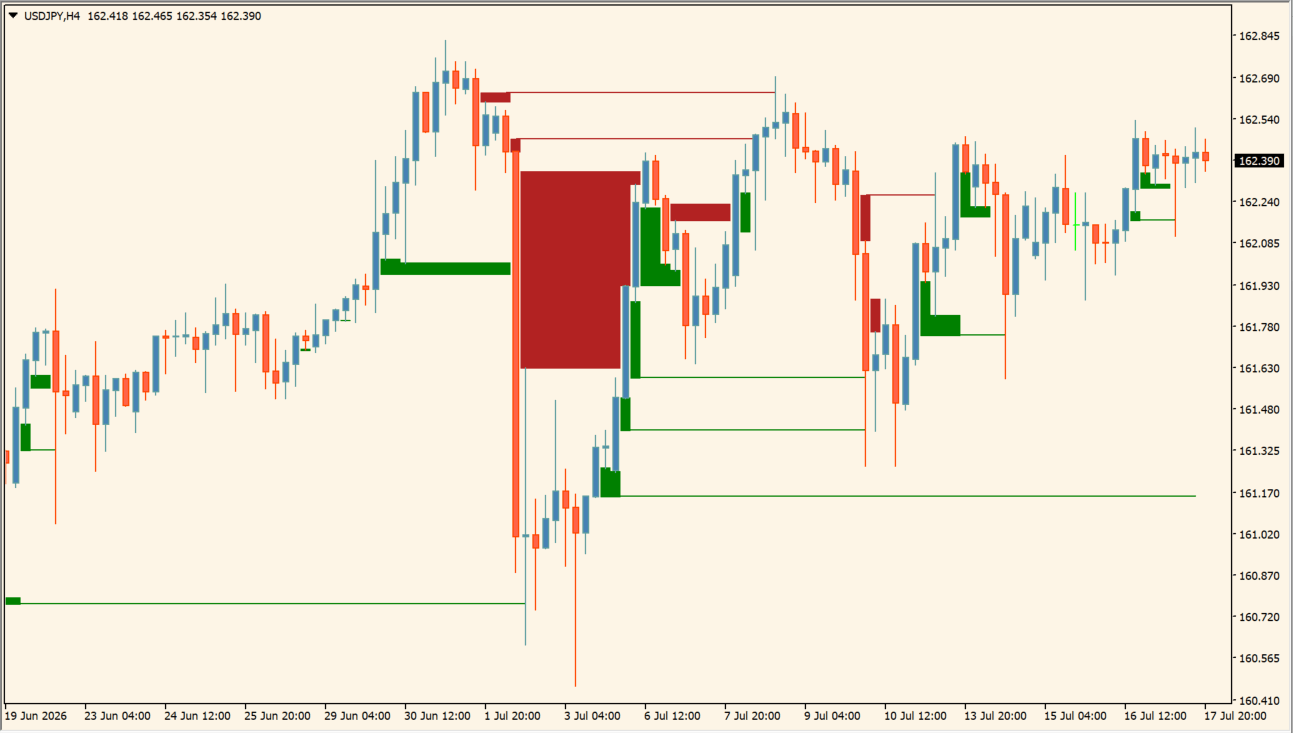
Fair Value Gap is an indicator that divides detected Fair Value Gaps into green and red zones on the chart. It uses color-coded rectangles with extending horizontal lines to track unfilled gap levels across subsequent price action.
How to use Fair Value Gap
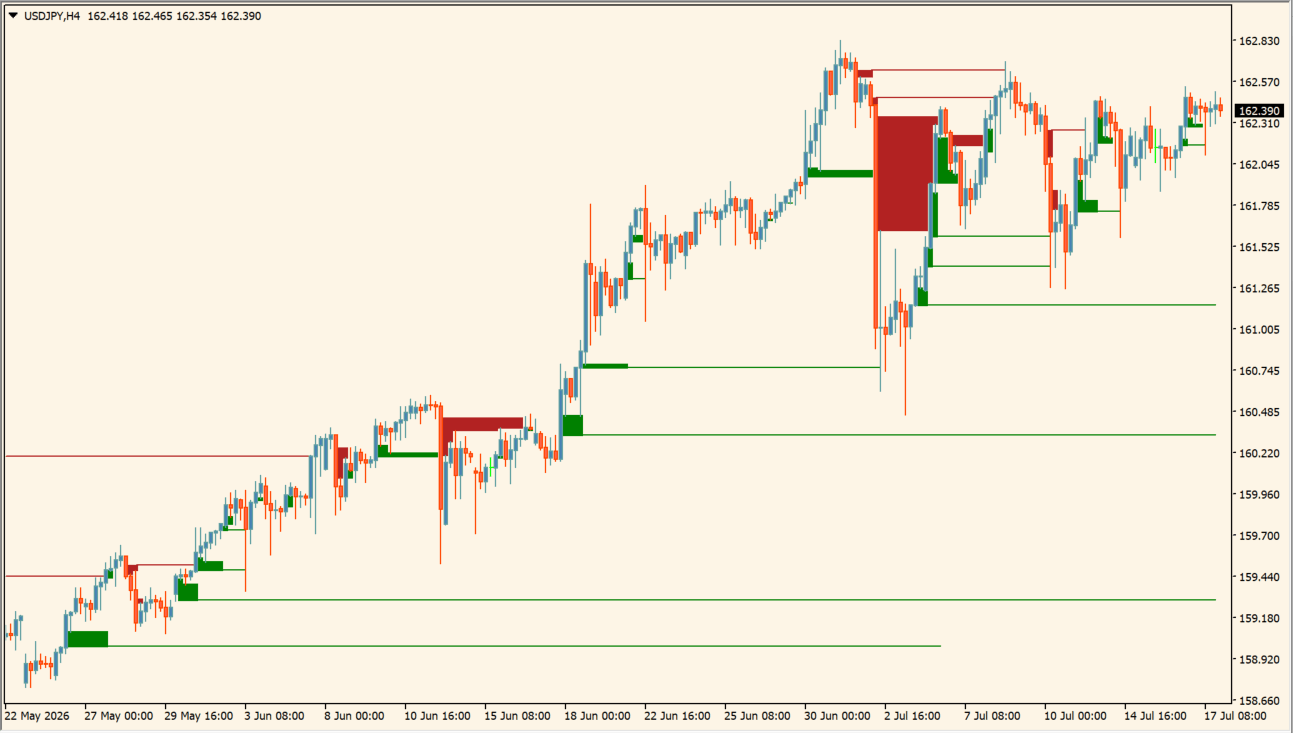
Add Fair Value Gap to an MT4 chart and identify upper red rectangles and lower green rectangles.
As price approaches a marked area, confirm candlestick reactions and trend direction rather than treating zone contact as an isolated entry reason. If price reacts there, the structure serves as a guide for potential turning areas. If price moves through it, unfilled areas remain visible after price moves away.
Use Show Last Unfilled Gaps with this effect in mind: it limits the count of active rectangles shown.
Where it helps
MT4 Indicator Parameters
The table below lists the available MT4 indicator parameters. You can customize these options in the MetaTrader Inputs dialog to match your trading preferences.
| Parameter | Description |
|---|---|
| Percentage | Sets the percentage filter for gap detection. Default: 0.0. |
| Auto Threshold | Controls automatic threshold calculation when enabled. Default: false. |
| Show Last Unfilled Gaps | Sets the maximum count of recent unfilled gaps displayed. Default: 5. |
| Show All Unfilled Gaps | When true, displays all unfilled gap zones. Default: false. |
| Timeframe | Sets the chart timeframe applied for gap detection. Default: current. |
| Bullish FVG Color | Sets the display color for bullish gap zones. Default: Green. |
| Bearish FVG Color | Sets the display color for bearish gap zones. Default: FireBrick. |
| Show Dashboard | Toggles the indicator dashboard display. Default: true. |
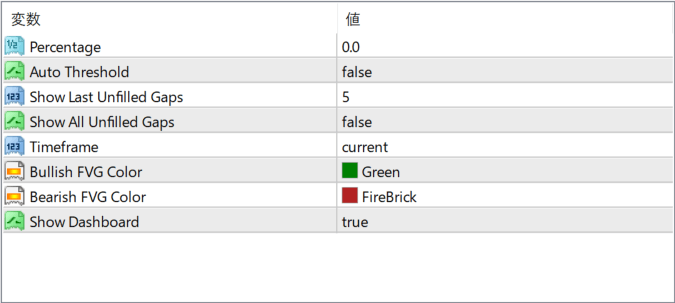
The screenshot above shows the default input parameters in the MT4 settings window.
How to Install .ex4 Indicator in MetaTrader 4
- Download the ZIP file and extract it.
- In MT4, select File → Open Data Folder.
- Open MQL4 → Indicators and copy the EX4 or MQ4 file into it.
- If the package includes library files, copy them to MQL4 → Libraries. Copy TPL files to the top-level templates folder.
- Restart MT4, find the indicator in the Navigator, and drag it onto a chart.
Test the tool on a demo account first. File contents and required folders can vary between packages.


