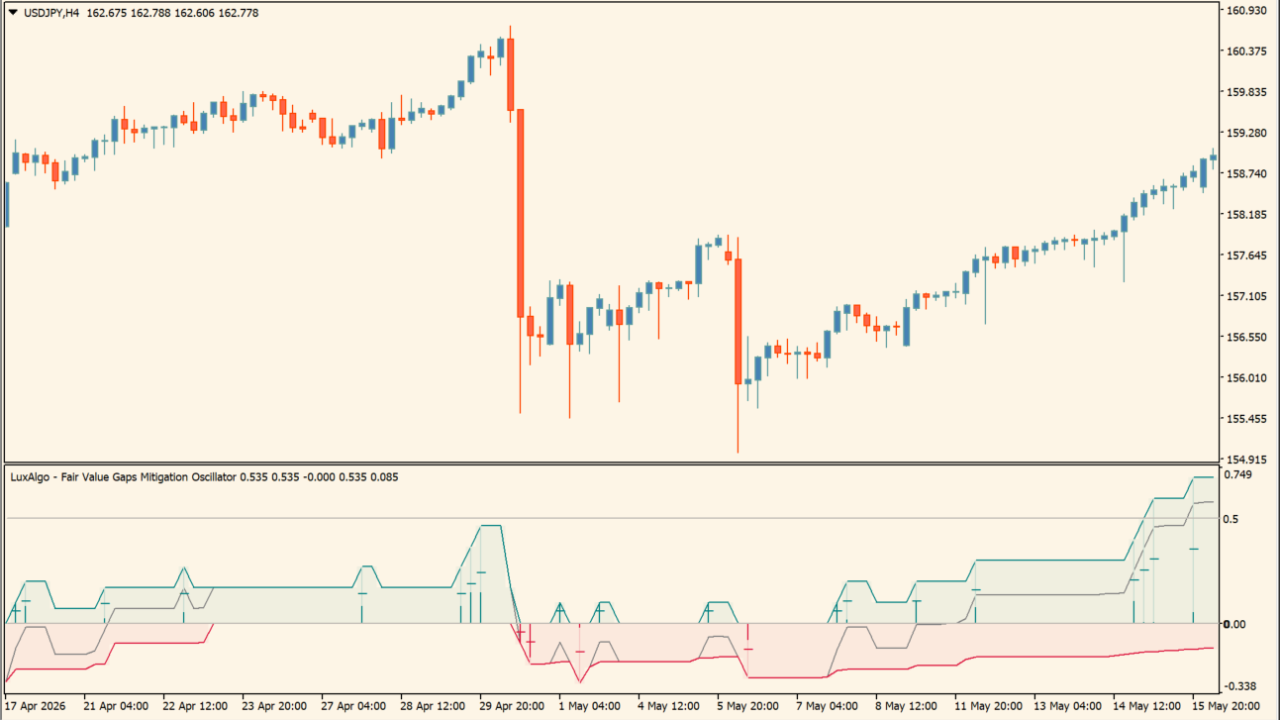
What is LuxAlgo - Fair Value Gaps Mitigation Oscillator?
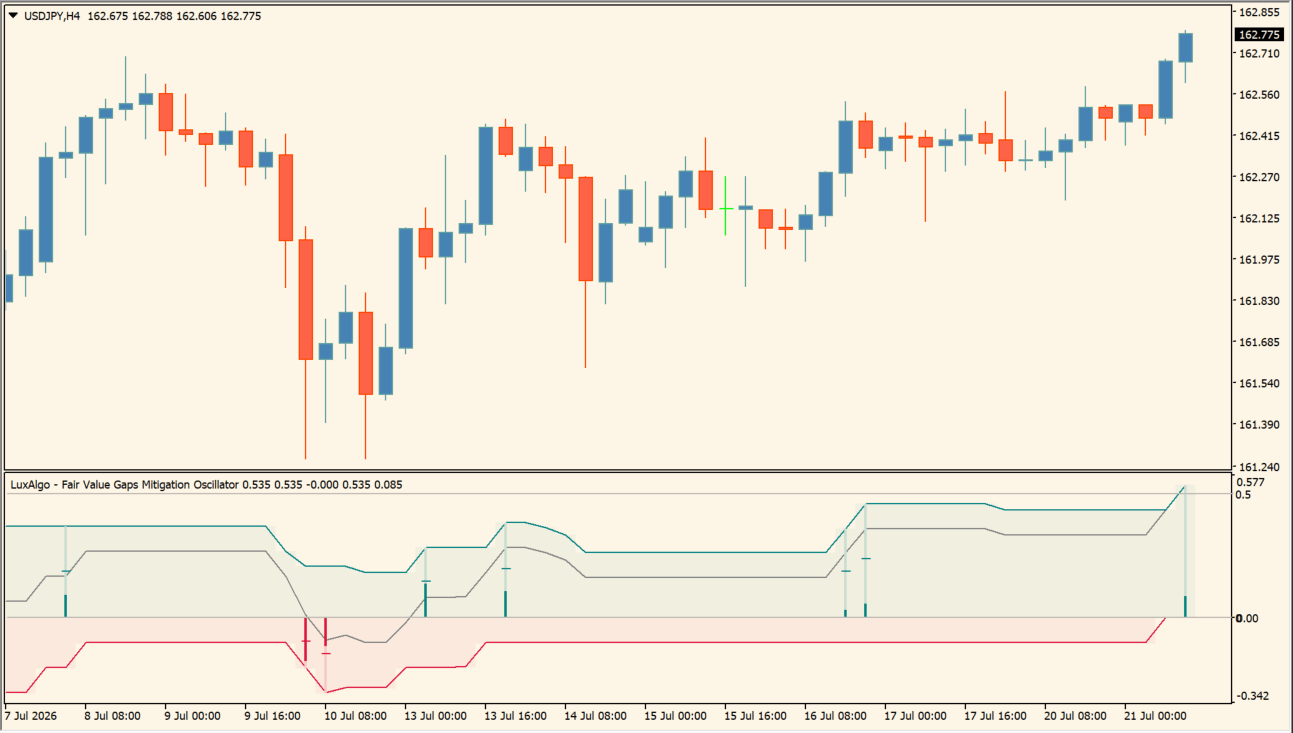
LuxAlgo - Fair Value Gaps Mitigation Oscillator is an MT4 subwindow indicator that quantifies how much detected Fair Value Gaps have subsequently been mitigated. Teal and crimson lines show bullish and bearish FVG mitigation, while a grey Net line and the background show their combined balance.
How to use LuxAlgo - Fair Value Gaps Mitigation Oscillator
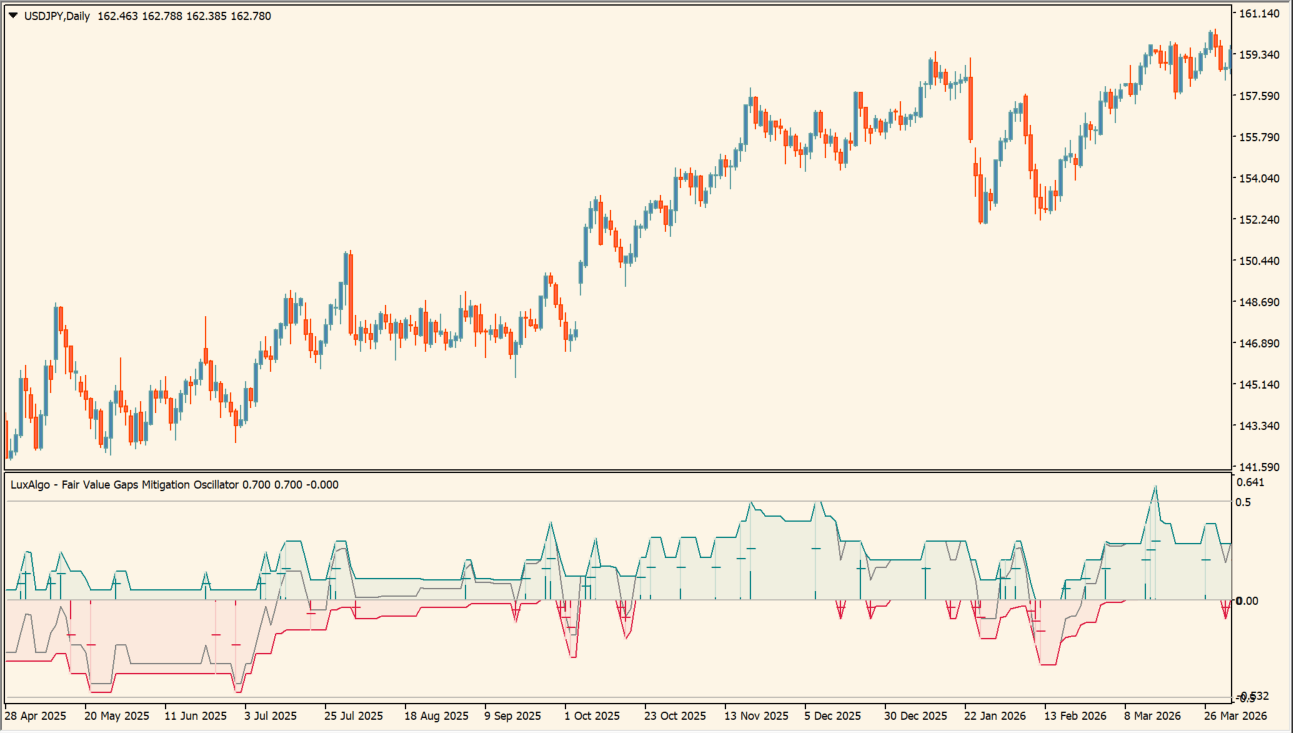
Read the teal, crimson, and grey Net lines in relation to the 0.00 line. Above 0.00 shows the displayed bullish-side mitigation state, while below 0.00 shows the displayed bearish-side state. The subwindow keeps the mitigation readings together without adding zones to the main chart.
Where it helps
MT4 Indicator Parameters
The table below lists the available MT4 indicator parameters. You can customize these options in the MetaTrader Inputs dialog to match your trading preferences.
| Parameter | Description |
|---|---|
| Parameters ######################### | Configuration group. |
| FVG Lookback | Sets the number of recent Fair Value Gaps included in the reading. |
| Style ######################### | Configuration group. |
| Bullish Color | Sets the color of bullish mitigation readings. |
| Bearish Color | Sets the color of bearish mitigation readings. |
| Net Color | Sets the color of the net balance line. |
| Show New FVG's Ratio | Shows or hides the vertical new-FVG ratio bars. |
| Show Gradient Areas | Shows or hides the bullish and bearish gradient backgrounds. |
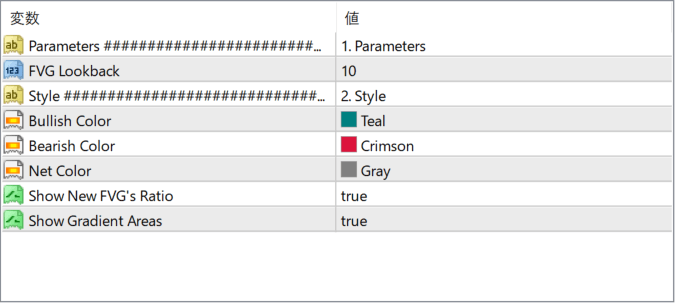
The screenshot above shows the default input parameters in the MT4 settings window.
How to Install .ex4 Indicator in MetaTrader 4
- Download the ZIP file and extract it.
- In MT4, select File → Open Data Folder.
- Open MQL4 → Indicators and copy the EX4 or MQ4 file into it.
- If the package includes library files, copy them to MQL4 → Libraries. Copy TPL files to the top-level templates folder.
- Restart MT4, find the indicator in the Navigator, and drag it onto a chart.
Test the tool on a demo account first. File contents and required folders can vary between packages.


