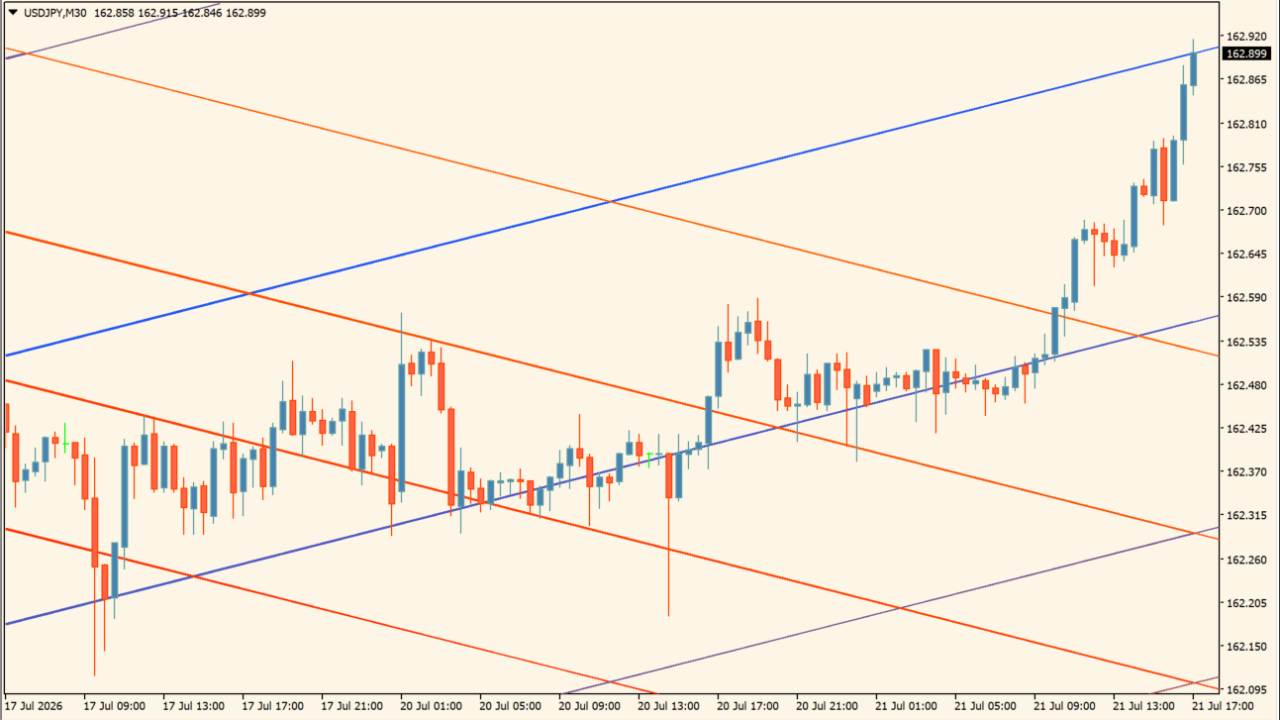
What is Fibonacci Grid?
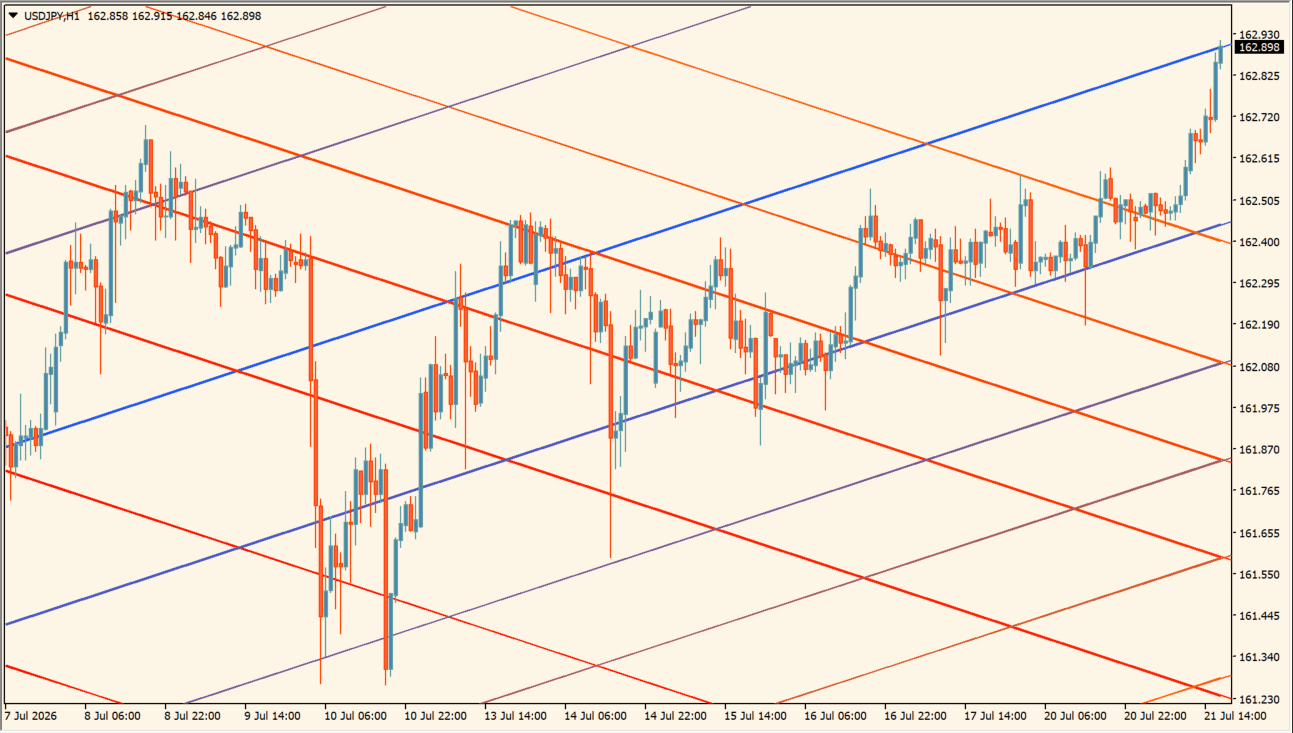
Fibonacci Grid is an indicator that automatically plots angled Fibonacci grid lines on the chart. It maps angled support and resistance lines as well as diagonal channels from Fibonacci ratios applied across price and time.
How to use Fibonacci Grid
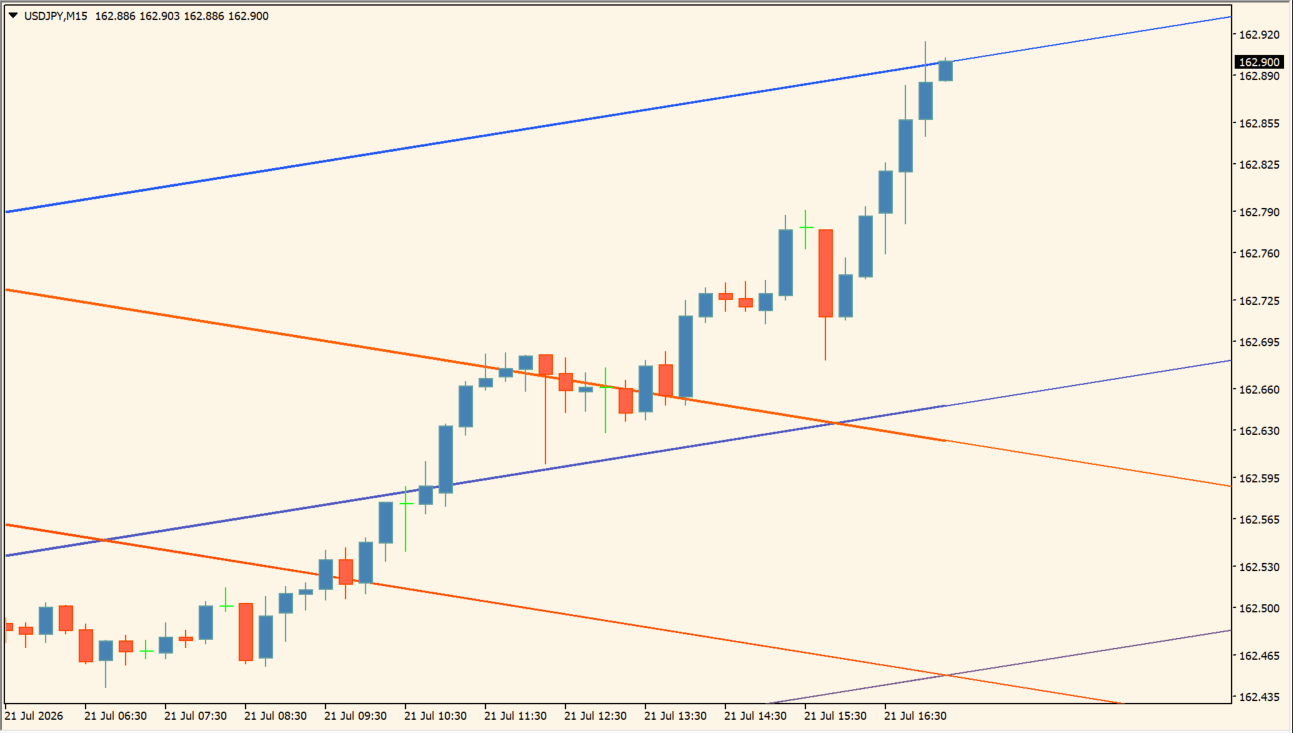
Inspect the colored diagonal grid families, their parallel spacing, and their intersections:
- Add Fibonacci Grid to the chart and distinguish the ascending, middle, and descending line families by color.
- Compare parallel lines and intersections with the chart’s diagonal structure rather than only horizontal levels.
- Adjust Length, Resolution, the Fibonacci-ratio option, and Source to change the calculation sample and grid density.
- Use the color and Extend settings to keep the diagonal grid readable over the portion of the chart being studied.
Where it helps
View angled support, resistance, and channel lines automatically without manual redraws
Identify pullback points and diagonal reaction zones in trending markets
Generate evenly spaced diagonal grid lines based on the configured Length and ratio settings
MT4 Indicator Parameters
The table below lists the available MT4 indicator parameters. You can customize these options in the MetaTrader Inputs dialog to match your trading preferences.
| Parameter | Description |
|---|---|
| Length | Sets the lookback calculation period in bars. Default: 100. |
| Resolution | Sets the grid resolution density. Default: Medium. |
| Use Fibonacci Ratios | Enables Fibonacci ratios for line spacing. Default: true. |
| Source | Sets the price source applied in the calculation. Default: Close. |
| Up Color | Sets the display color for upward lines. Default: DodgerBlue. |
| Mid Color | Sets the display color for middle lines. Default: Orange. |
| Down Color | Sets the display color for downward lines. Default: Red. |
| Extend | Extends grid lines into future bars when enabled. Default: true. |
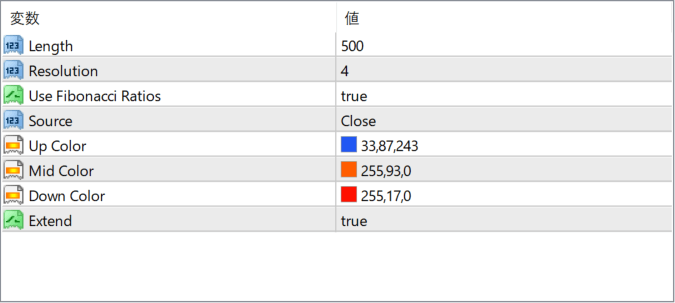
The screenshot above shows the default input parameters in the MT4 settings window.
How to Install .ex4 Indicator in MetaTrader 4
- Download the ZIP file and extract it.
- In MT4, select File → Open Data Folder.
- Open MQL4 → Indicators and copy the EX4 or MQ4 file into it.
- If the package includes library files, copy them to MQL4 → Libraries. Copy TPL files to the top-level templates folder.
- Restart MT4, find the indicator in the Navigator, and drag it onto a chart.
Test the tool on a demo account first. File contents and required folders can vary between packages.


