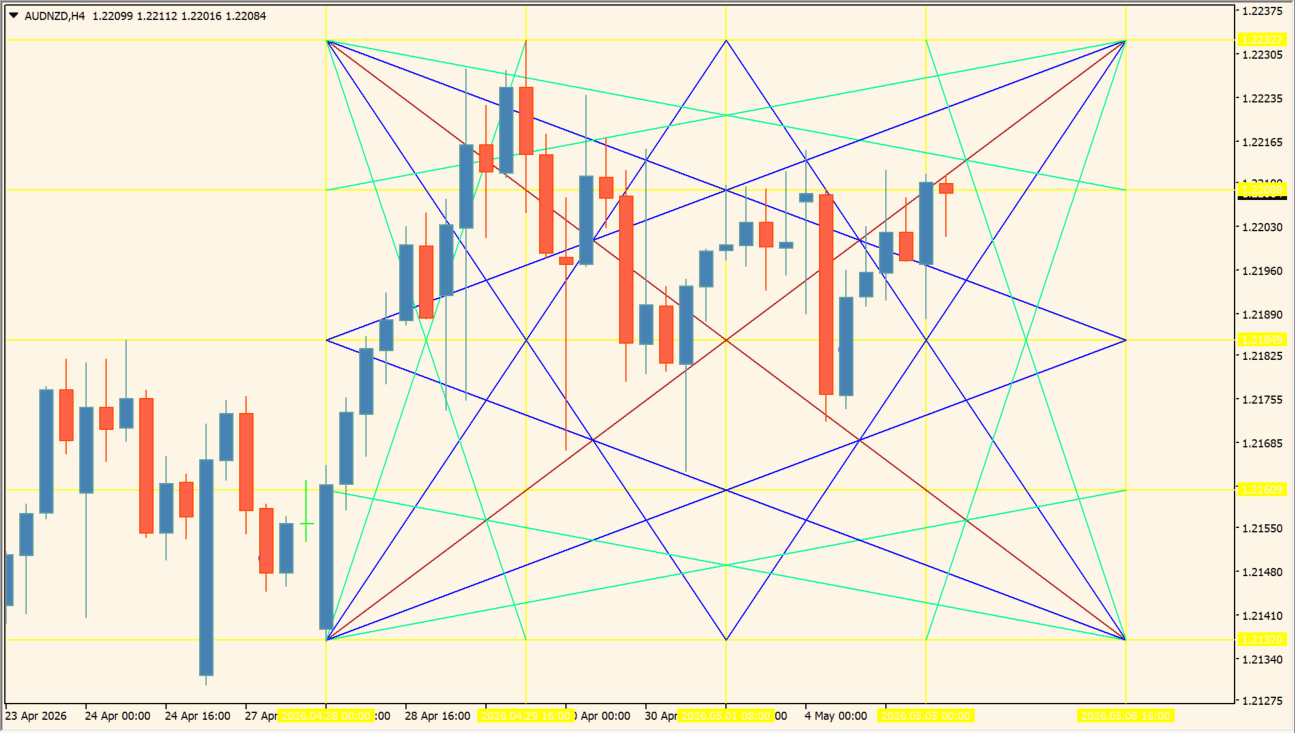
What is Forex Breakout Levels Indicator?
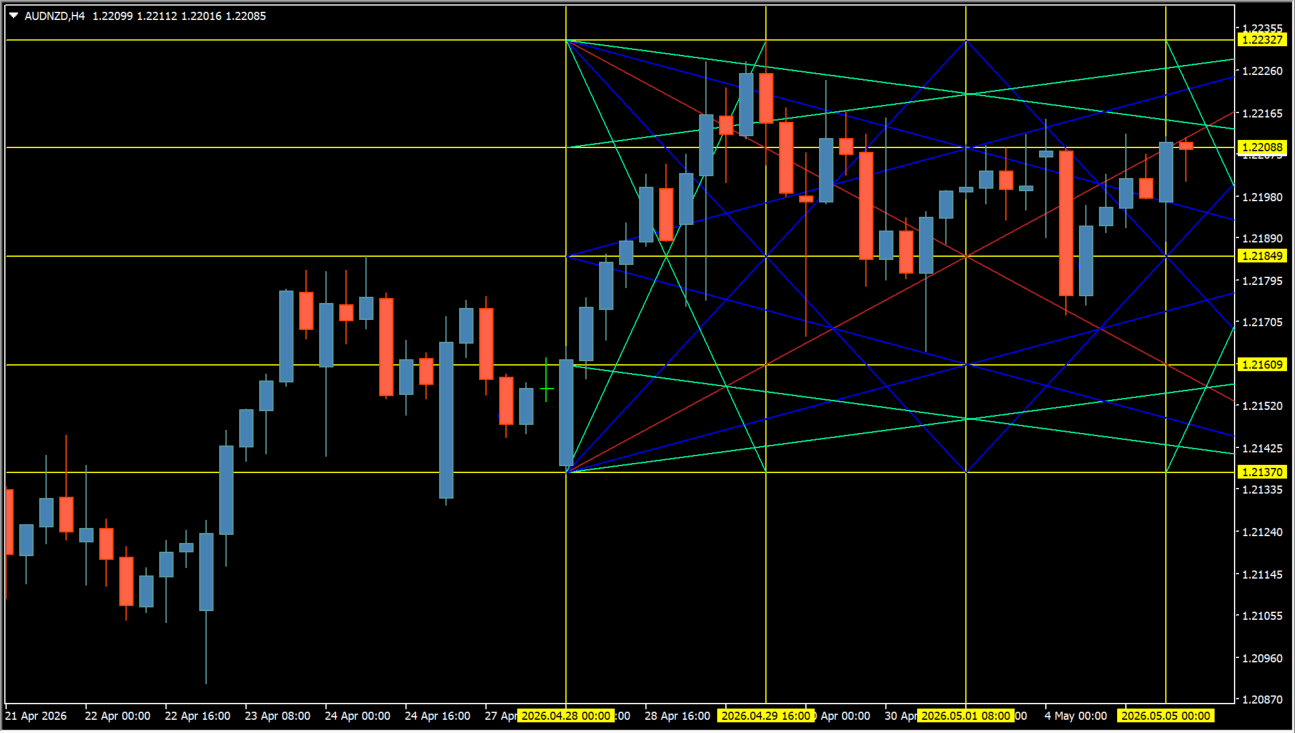
Forex Breakout Levels Indicator draws horizontal reference lines from a selected high-low range and adds diagonal lines between configured points. The combined lines make the position of a range, intersections, and line spacing visible on the chart.
Compare the drawn lines with other chart information. Its Inputs include options for point dates, time-based placement, colors, widths, and line styles.
How to use Forex Breakout Levels Indicator
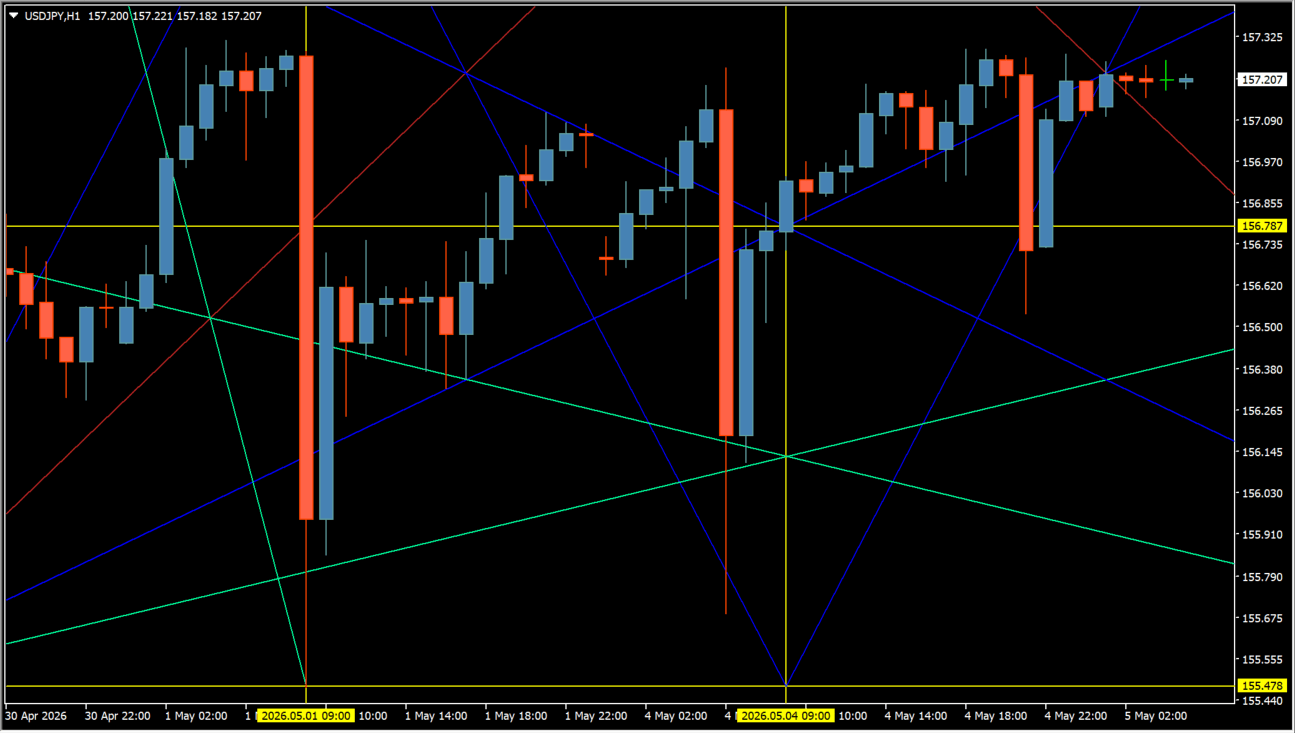
Review the horizontal lines, diagonal lines, and their intersections together with the candles and the chosen points. Treat the plotted line set as chart context rather than as a standalone prediction.
Complect, timeframe, over, offset, backgr, stopper, and save control the general display behavior. The color, style, and width inputs alter individual point, vertical, horizontal, and line groups; by_time, point1_date, point2_date, fplace, and splace control the positioning inputs.
Where it helps
The display includes both level lines and cross-lines.
Point, vertical, horizontal, and three additional line groups have separate controls.
Two point-date inputs are available for time-based placement.
MT4 Indicator Parameters
The table below lists the available MT4 indicator parameters. You can customize these options in the MetaTrader Inputs dialog to match your trading preferences.
| Parameter | Description |
|---|---|
| Complect | Sets the selected configuration set. |
| timeframe | Sets the calculation timeframe. |
| over | Controls the over-display option. |
| offset | Controls the display offset option. |
| backgr | Controls the background-display option. |
| stopper | Controls the stopper option. |
| save | Controls the save option. |
| point_col | Sets the point color. |
| vlines_col | Sets the vertical-line color. |
| hlines_col | Sets the horizontal-line color. |
| colour1 | Sets the first additional line color. |
| colour2 | Sets the second additional line color. |
| colour3 | Sets the third additional line color. |
| vlines_style | Sets the vertical-line style. |
| hlines_style | Sets the horizontal-line style. |
| style1 | Sets the first additional line style. |
| style2 | Sets the second additional line style. |
| style3 | Sets the third additional line style. |
| point_width | Sets the point width. |
| vlines_width | Sets the vertical-line width. |
| hlines_width | Sets the horizontal-line width. |
| width1 | Sets the first additional line width. |
| width2 | Sets the second additional line width. |
| width3 | Sets the third additional line width. |
| fplace | Sets the first placement value. |
| splace | Sets the second placement value. |
| by_time | Enables or disables time-based placement. |
| point1_date | Sets the first point date. |
| point2_date | Sets the second point date. |
| handycode | Controls the handycode option. |
| code | Sets the code value. |
| delpoints | Enables or disables point deletion. |
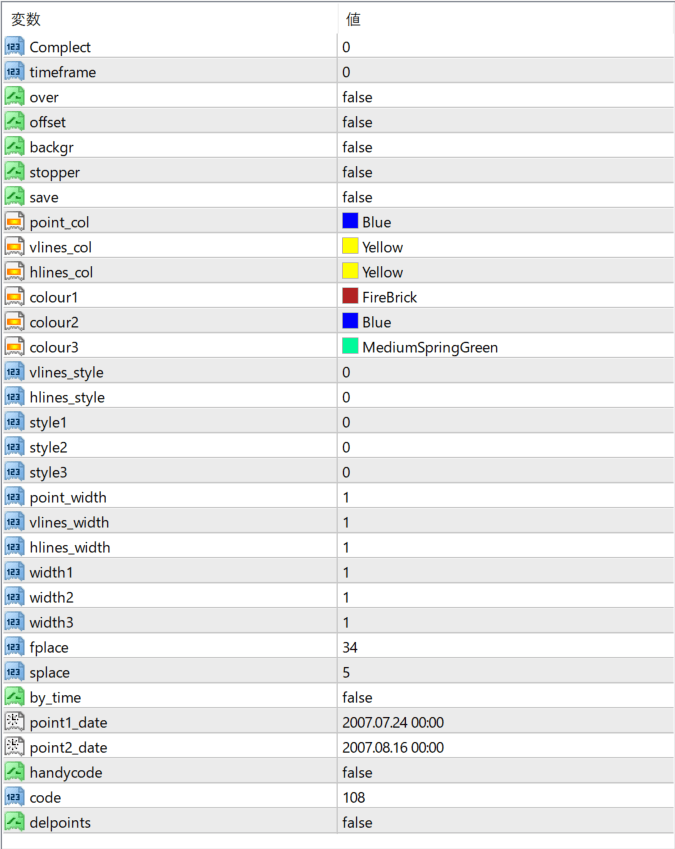
The screenshot above shows the default input parameters in the MT4 settings window.
How to Install .ex4 Indicator in MetaTrader 4
- Download the ZIP file and extract it.
- In MT4, select File → Open Data Folder.
- Open MQL4 → Indicators and copy the EX4 or MQ4 file into it.
- If the package includes library files, copy them to MQL4 → Libraries. Copy TPL files to the top-level templates folder.
- Restart MT4, find the indicator in the Navigator, and drag it onto a chart.
Test the tool on a demo account first. File contents and required folders can vary between packages.


