What is Forex Trend Channel Indicator?
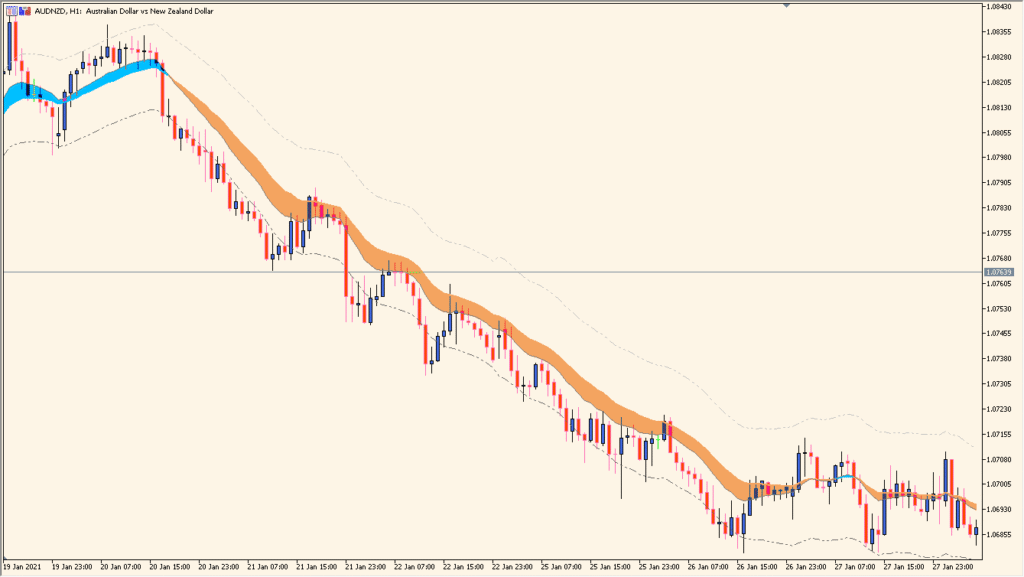
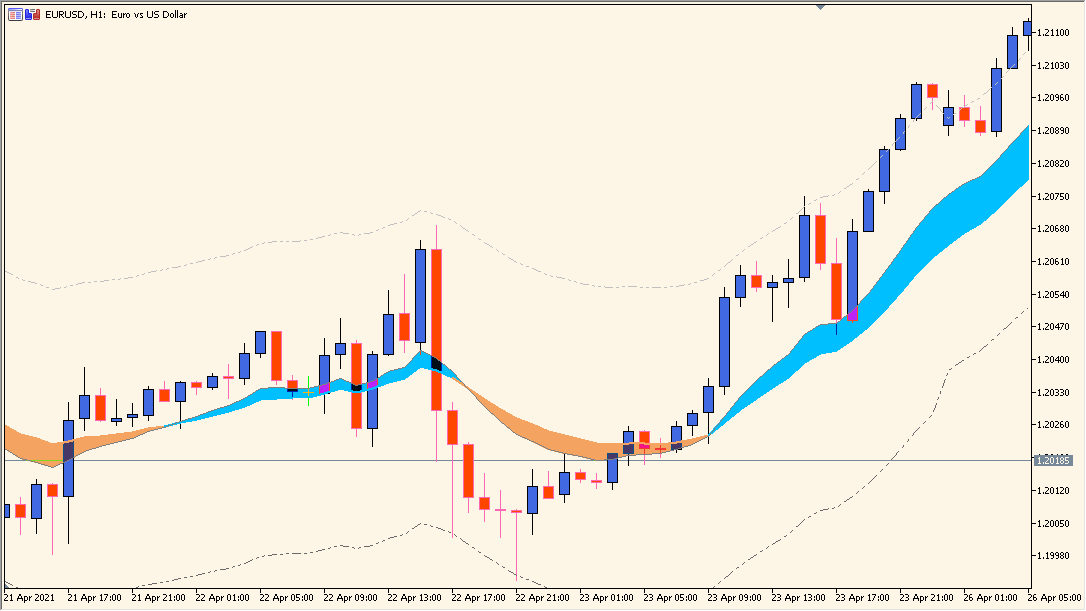
Forex Trend Channel for MT5 plots a channel from a main EMA, a faster EMA, and a volatility-based deviation range. The colored band provides a visual reference for price location, channel width, and directional movement.
EmaPeriod, FastEmaPeriod, Price, the deviation multiplier, and DeviationsPeriod control the calculation. These settings let the chart show a faster or smoother view of the same channel structure.
How to Use It in Practice
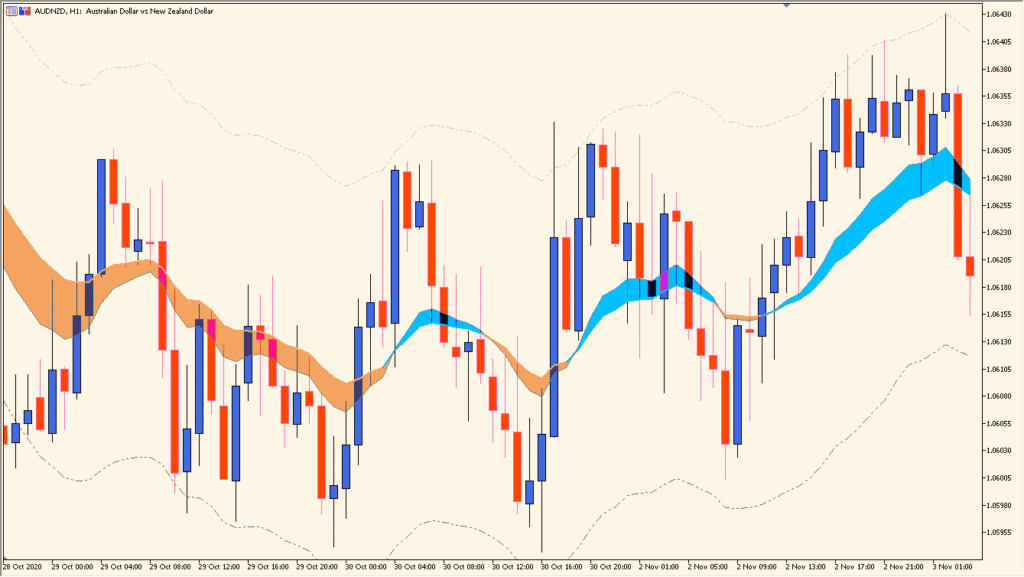
Forex Trend Channel places two EMAs and an envelope on the chart. The center EMA changes blue for an upward state and orange for a downward state; a sustained one-color slope is distinct from an alternating-color, flatter condition.
- Compare the blue or orange center EMA, its slope, the envelope boundaries, and the candle location between them.
- Adjust EmaPeriod and FastEmaPeriod to change the two EMA speeds, then select the applied Price used for the calculation.
- Change Original was 2.7 best for stock markets to alter the envelope width; it is the principal width adjustment.
- Adjust DeviationsPeriod separately; a larger value makes the envelope slightly narrower.
EMA baselines and a volatility-based range appear together, channel width can adapt through the deviation settings, and the main calculation inputs are configurable.
MT5 Indicator Parameters
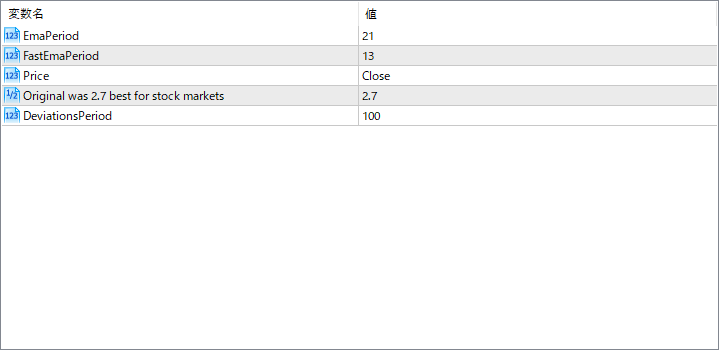
The screenshot above shows the default input parameters in the MT5 settings window.
| Parameter | Description |
|---|---|
| EmaPeriod | This sets the period for the main exponential moving average used to calculate the trend baseline. |
| FastEmaPeriod | This is the faster EMA used to detect trend shifts or momentum changes more quickly. |
| Price | Defines which price data to apply the EMA calculations to (e.g., Close, High, Low). |
| Original was 2.7 best for stock markets | This is the multiplier used for adjusting the deviation or volatility range. It defines the channel’s thickness. |
| DeviationsPeriod | Specifies the number of candles used to calculate the volatility-based deviation from the EMA line. |


