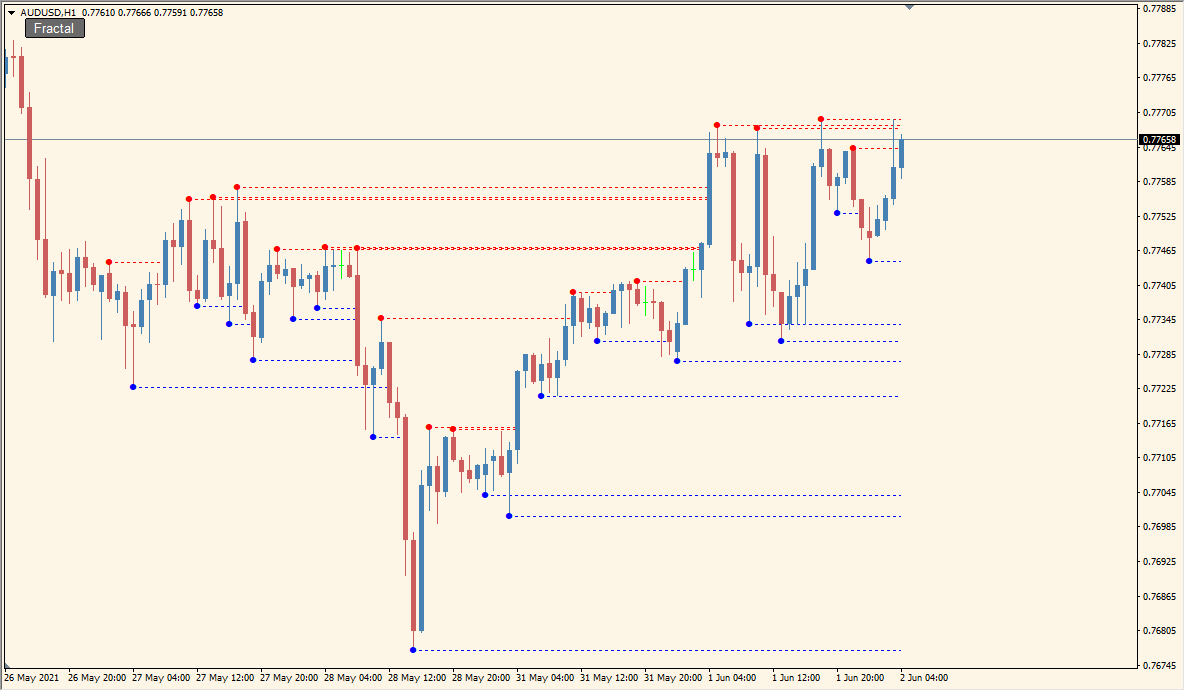
What is Fractal Lines Button Indicator?
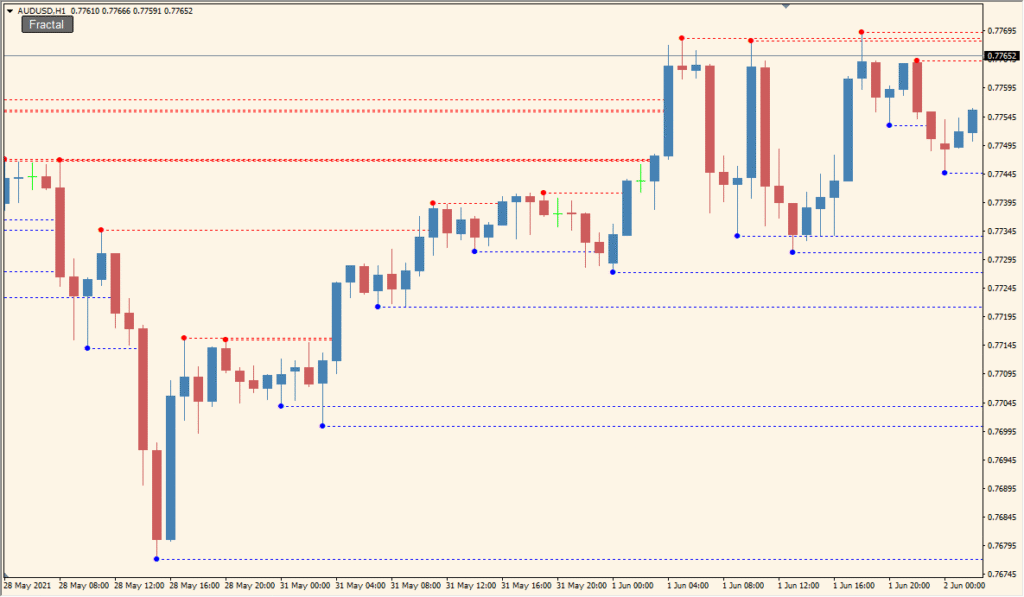
Fractal Lines Button is an MT4 indicator that marks upward and downward fractals and can extend horizontal lines from those points. Separate colors and line settings help distinguish the two fractal directions on the chart.
An on-chart button controls the visibility of the extended lines. The display organizes prior fractal locations as visual references without treating them as fixed future price levels.
How to Use It in Practice
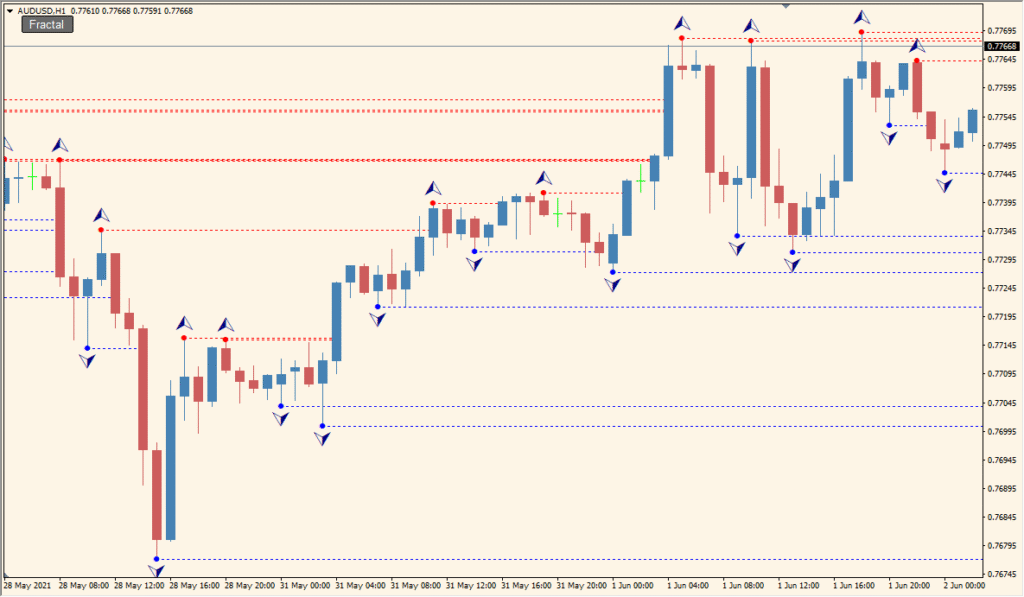
Fractal Lines Button finds five-candle fractals and extends a horizontal line from the centre candle’s high or low; the line stops when a later candle body or the latest price reaches it.
- Locate a marked fractal where the middle candle is the highest or lowest of five consecutive candles, then trace its corresponding horizontal extension.
- Use the on-chart button to toggle the extended-line layer without removing the indicator.
- Adjust Up_Fractal_Extend_Line and Down_Fractal_Extend_Line for the two line groups; Up_Fractal_Symbol and Down_Fractal_Symbol use MT4’s numerical symbol codes.
Fractal points and their horizontal references are displayed automatically, separate styling improves visual separation, and the button provides quick control over chart clutter.
MT4 Indicator Parameters
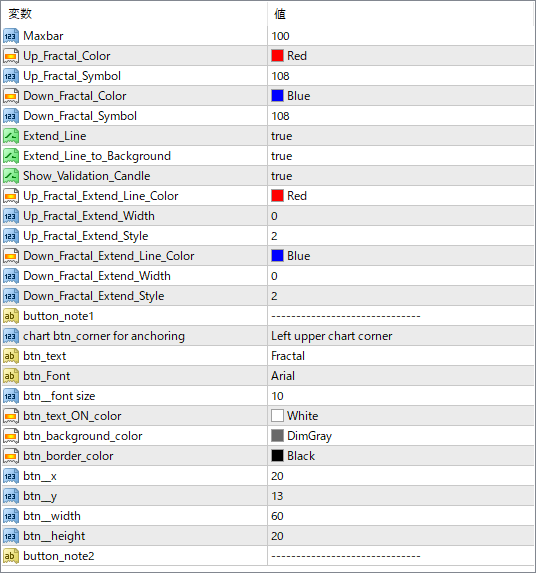
The screenshot above shows the default input parameters in the MT4 settings window.
| Parameter | Description |
|---|---|
| Maxbar | Defines the maximum number of bars to process for fractal detection. Useful for controlling indicator performance. |
| Up_Fractal_Color | Color of the upward (bullish) fractal symbol. |
| Up_Fractal_Symbol | Code for the graphical symbol used to mark bullish fractals. |
| Down_Fractal_Color | Color of the downward (bearish) fractal symbol. |
| Down_Fractal_Symbol | Code for the graphical symbol used to mark bearish fractals. |
| Extend_Line | If true, horizontal lines are extended from each fractal point. |
| Extend_line_to_Background | Places the extended lines in the background layer of the chart. |
| Show_Validation_Candle | If enabled, shows a marker on the candle that validates the fractal. |
| Up_Fractal_Extend_Line_Color | Color for the horizontal line extending from an upward fractal. |
| Up_Fractal_Extend_Width | Thickness of the line drawn from an upward fractal. |
| Up_Fractal_Extend_Style | Style of the line (solid, dashed, etc.) extending from upward fractals. |
| Down_Fractal_Extend_Line_Color | Color for the line from a downward fractal. |
| Down_Fractal_Extend_Width | Line thickness from downward fractals. |
| Down_Fractal_Extend_Style | Line style for bearish fractals. |
| button_note1 / button_note2 | Just comment lines used for visual grouping inside the settings — no functional impact. |
| chart btn.corner for anchoring | Specifies where on the chart the toggle button is displayed (e.g. top-left, bottom-right). |
| btn_text | Text displayed on the toggle button. |
| btn_font | Font style used on the button. |
| btn_font size | Font size used for button text. |
| btn_text_ON_color | Color of the button text when the fractal lines are active. |
| btn_background_color | Background color of the button. |
| btn_border_color | Border color of the button. |
| btn_x / btn_y | X and Y offset values for the button’s screen position. |
| btn_width / btn_height | Sets the size of the toggle button in pixels. |


