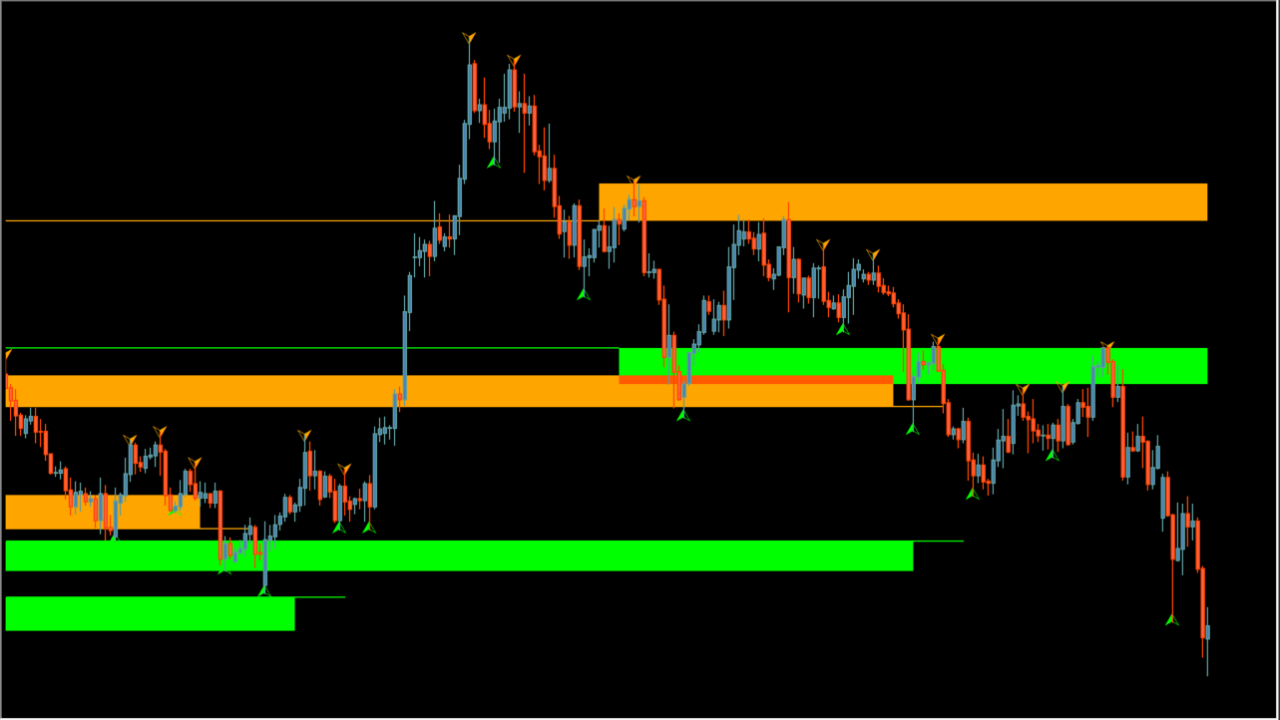
What is Fractal Support and Resistance 5D?
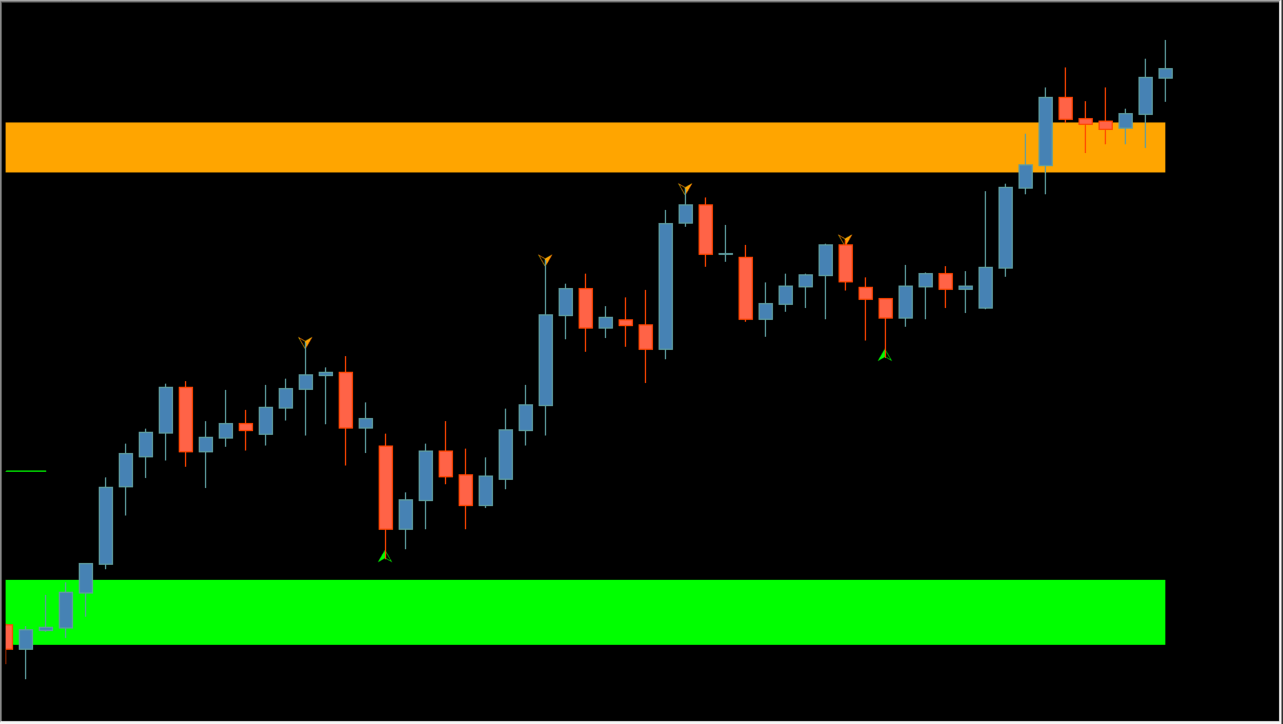
Fractal Support and Resistance 5D is an MT4 indicator whose displayed zones are areas where price reacted in the past. It uses detected fractal reactions.
How to use Fractal Support and Resistance 5D
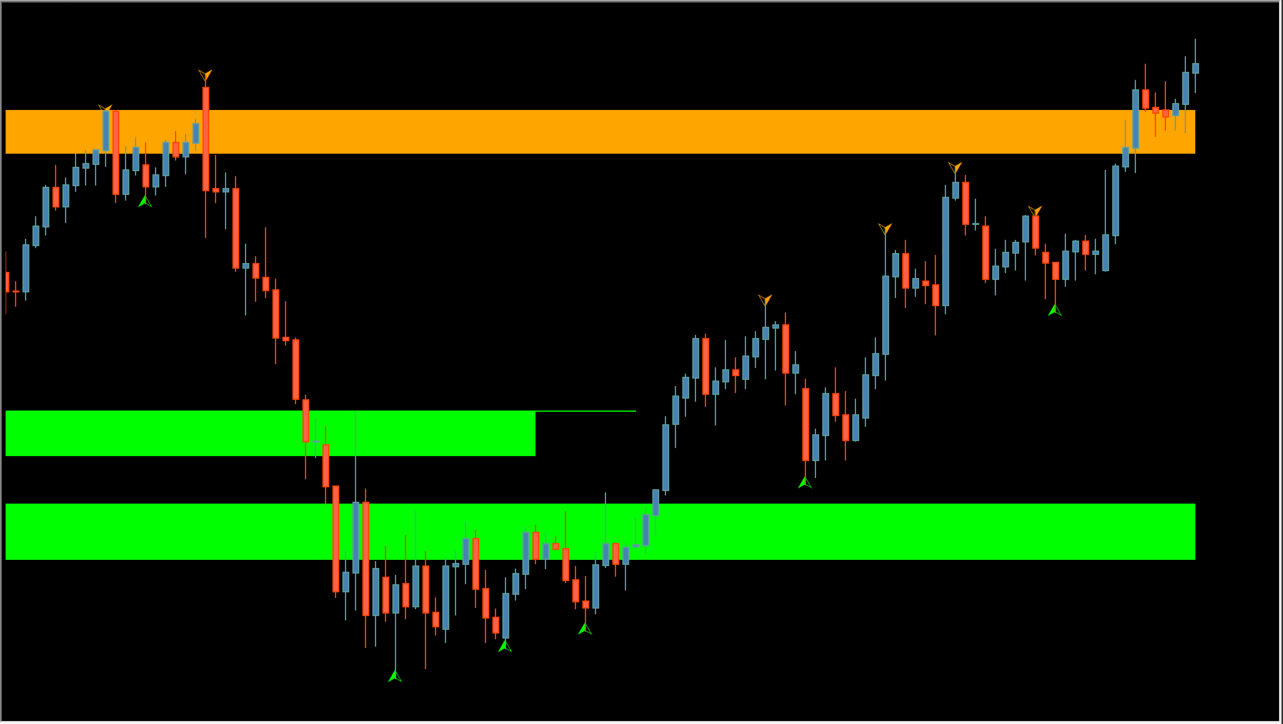
Add Fractal Support and Resistance 5D to an MT4 chart and identify support and resistance zones based on prior price reactions.
As price approaches a marked area, review the zone's support or resistance role. If price reacts there, the reaction can be assessed with the fractal signal. If price moves through it, combine a fractal signal with other entry conditions after a zone break.
Use Fractals Length with this effect in mind: the indicator detects fractals and draws zones from repeatedly reacted price areas.
Where it helps
MT4 Indicator Parameters
The table below lists the available MT4 indicator parameters. You can customize these options in the MetaTrader Inputs dialog to match your trading preferences.
| Parameter | Description |
|---|---|
| param1 | Controls the basic indicator display. Default: true. |
| Fractals Length | Sets the fractal detection length. Default: 5. |
| Support Fractals Qty | Sets the number of support fractals. Default: 3. |
| param4 | Sets the displayed color. Default: Lime. |
| Resistance Fractal Qty | Sets the number of resistance fractals. Default: 3. |
| param6 | Sets the displayed color. Default: Orange. |
| Type | Selects the displayed type. Default: average. |
| Bars limit | Sets the bar limit. Default: 100000. |
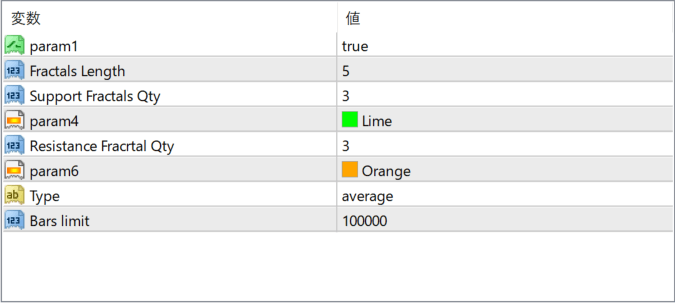
The screenshot above shows the default input parameters in the MT4 settings window.
How to Install .ex4 Indicator in MetaTrader 4
- Download the ZIP file and extract it.
- In MT4, select File → Open Data Folder.
- Open MQL4 → Indicators and copy the EX4 or MQ4 file into it.
- If the package includes library files, copy them to MQL4 → Libraries. Copy TPL files to the top-level templates folder.
- Restart MT4, find the indicator in the Navigator, and drag it onto a chart.
Test the tool on a demo account first. File contents and required folders can vary between packages.


