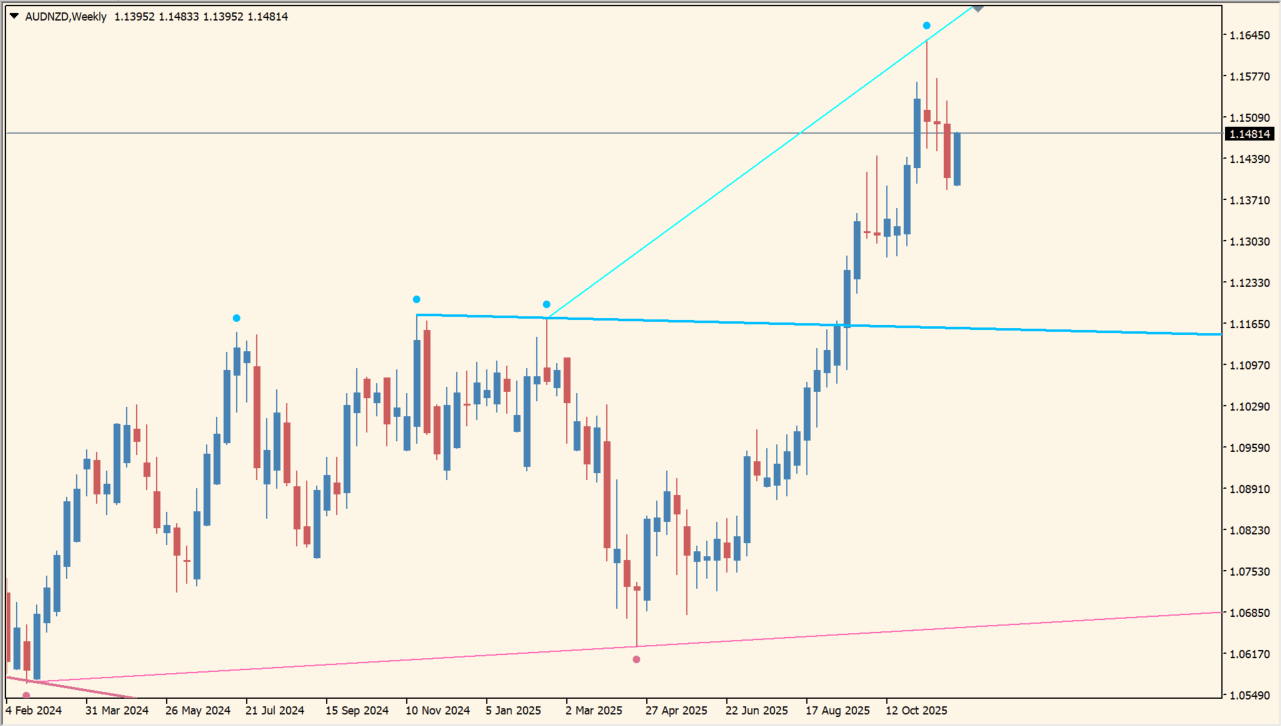
What is Fractals Adjustable Period Trend Lines?
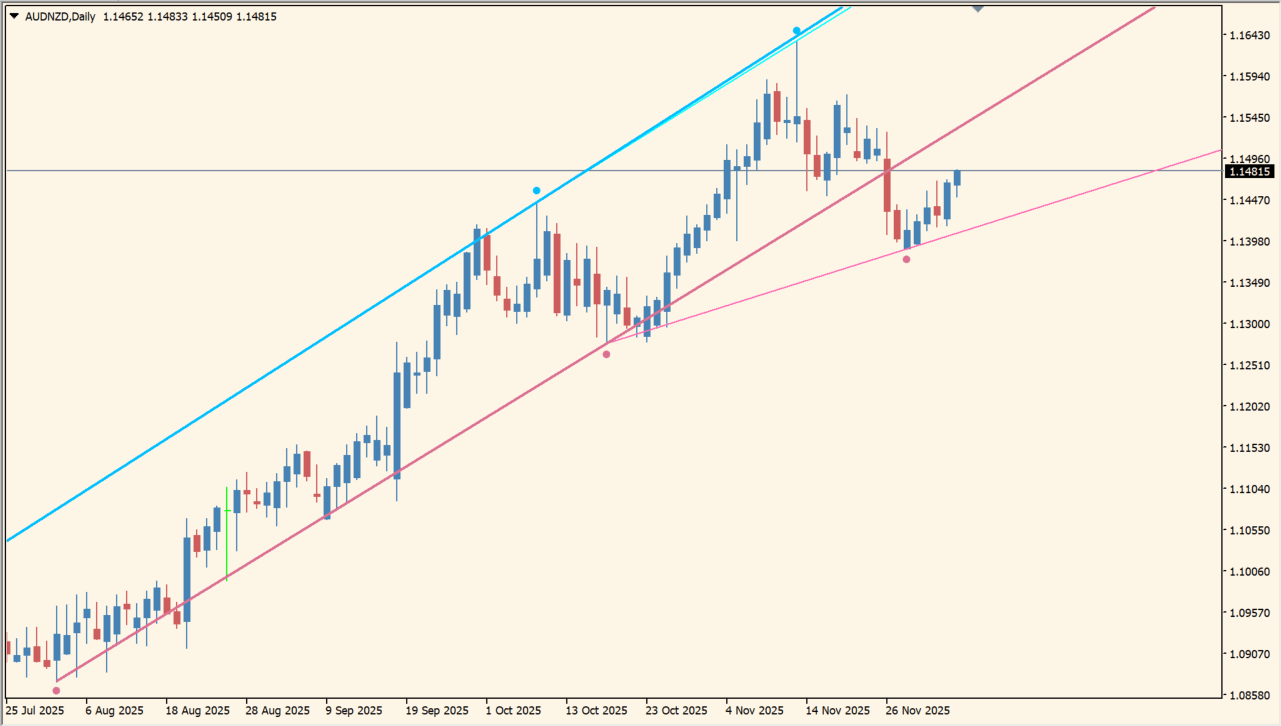
Fractals Adjustable Period Trend Lines connects fractal highs and lows to draw completed and developing trend lines on an MT4 chart. The indicator can also show lines from another timeframe on the active chart.
Different colors distinguish completed and uncompleted upper and lower lines. The package includes an .ex4 file and the lines are visual references for reviewing chart structure.
How to use Fractals Adjustable Period Trend Lines
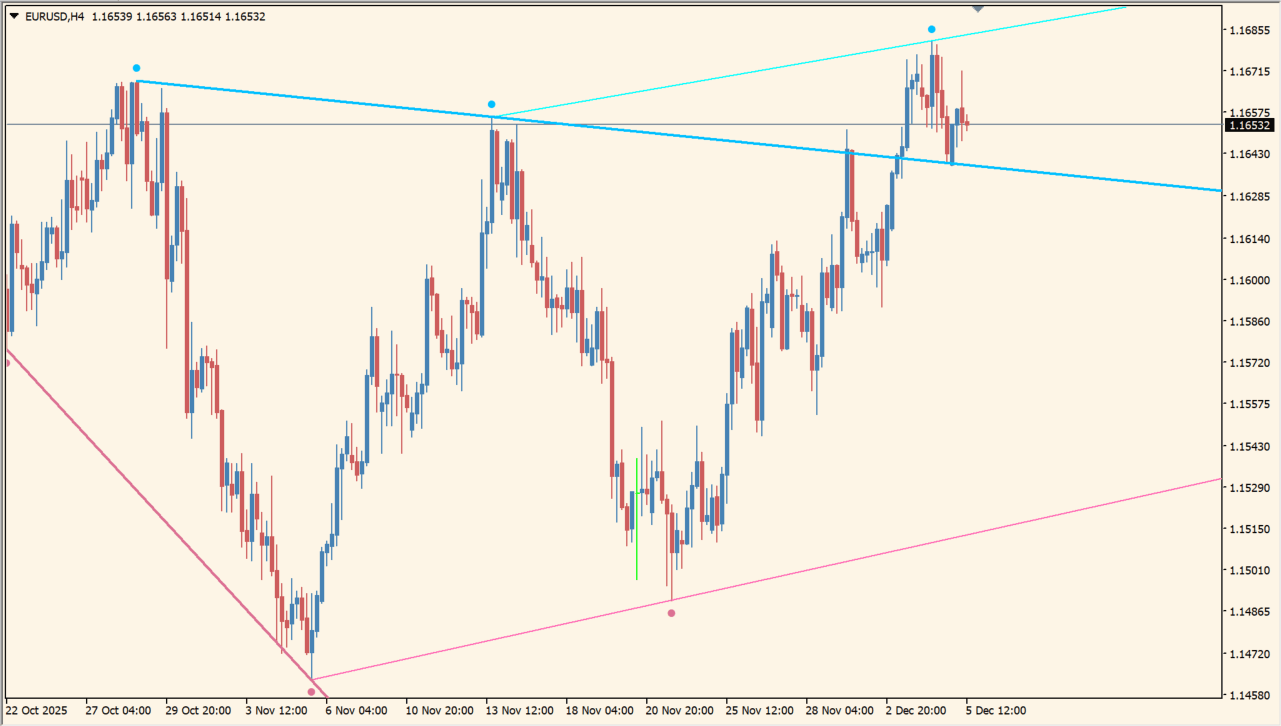
Compare the completed and uncompleted lines with the related fractal points and recent candles. A higher-timeframe line can add broader context to a lower-timeframe chart view.
Time frame, Fractal period, Upper fractal displacement, Lower fractal displacement, line colors, and line widths are available in the Inputs dialog. Trend line unique ID keeps the drawn objects grouped.
Where it helps
The indicator draws lines from detected highs and lows without manual linking.
Color options distinguish the two states and the two sides.
Selected timeframe lines can be reviewed on the active chart.
MT4 Indicator Parameters
The table below lists the available MT4 indicator parameters. You can customize these options in the MetaTrader Inputs dialog to match your trading preferences.
| Parameter | Description |
|---|---|
| Time frame | Selects the timeframe used for the fractal calculation. Default: current. |
| Fractal period | Sets the fractal calculation period. Default: 25. |
| Upper fractal displacement | Sets the upper line displacement. Default: 0.2. |
| Lower fractal displacement | Sets the lower line displacement. Default: 0.2. |
| Upper trend line completed color | Sets the upper completed line color. Default: DeepSkyBlue. |
| Upper trend line uncompleted color | Sets the upper uncompleted line color. Default: Aqua. |
| Lower trend line completed color | Sets the lower completed line color. Default: PaleVioletRed. |
| Lower trend line uncompleted color | Sets the lower uncompleted line color. Default: HotPink. |
| Completed trend line width | Sets the width of completed lines. Default: 2. |
| Uncompleted trend line width | Sets the width of uncompleted lines. Default: 1. |
| Trend line unique ID. | Sets the unique identifier for trend-line objects. Default: FractalTrendLines1. |
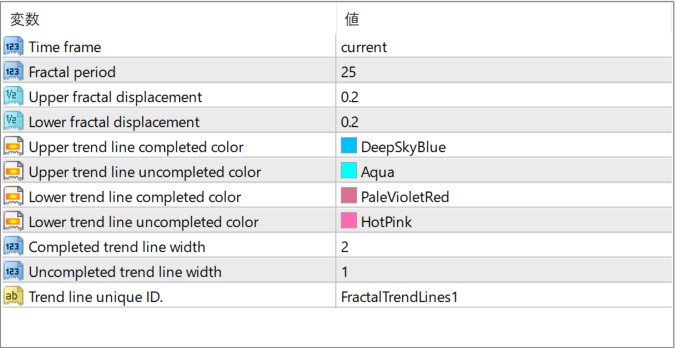
The screenshot above shows the default input parameters in the MT4 settings window.
How to Install .ex4 Indicator in MetaTrader 4
- Download the ZIP file and extract it.
- In MT4, select File → Open Data Folder.
- Open MQL4 → Indicators and copy the EX4 or MQ4 file into it.
- If the package includes library files, copy them to MQL4 → Libraries. Copy TPL files to the top-level templates folder.
- Restart MT4, find the indicator in the Navigator, and drag it onto a chart.
Test the tool on a demo account first. File contents and required folders can vary between packages.


