What is Fratelli BB MACD V1?
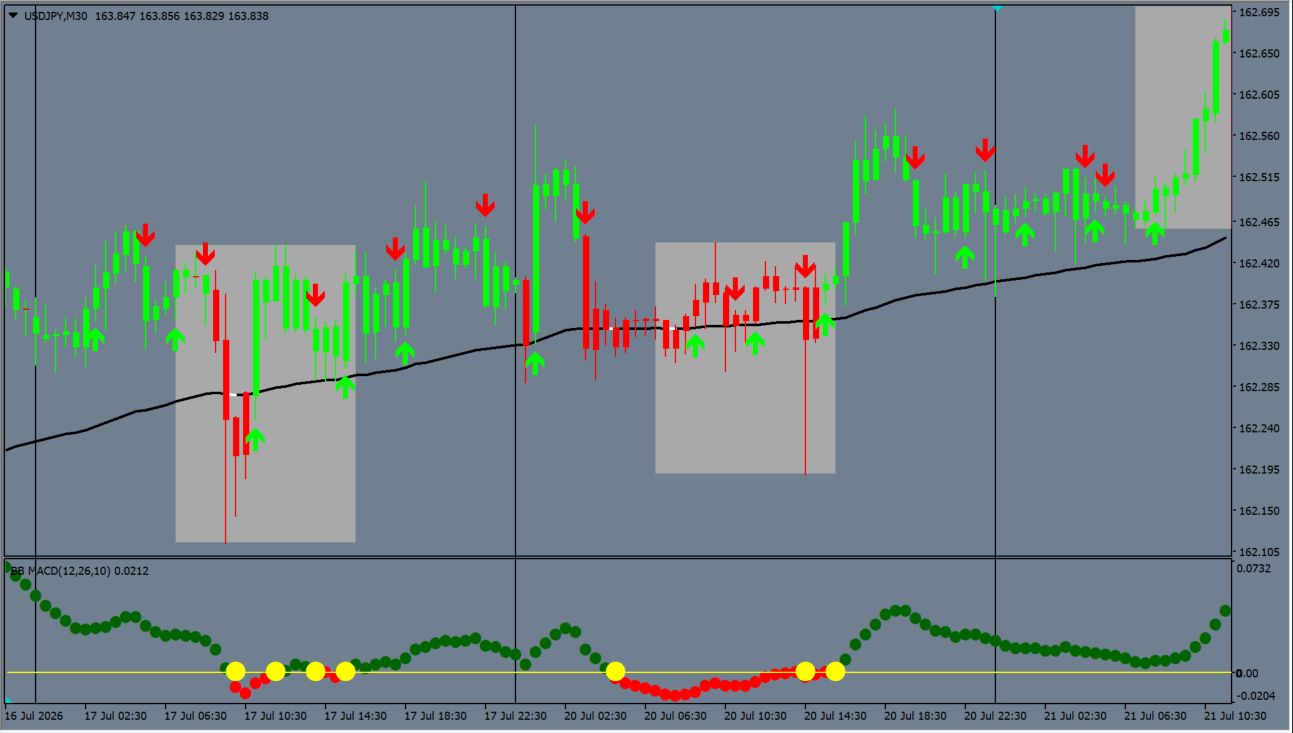
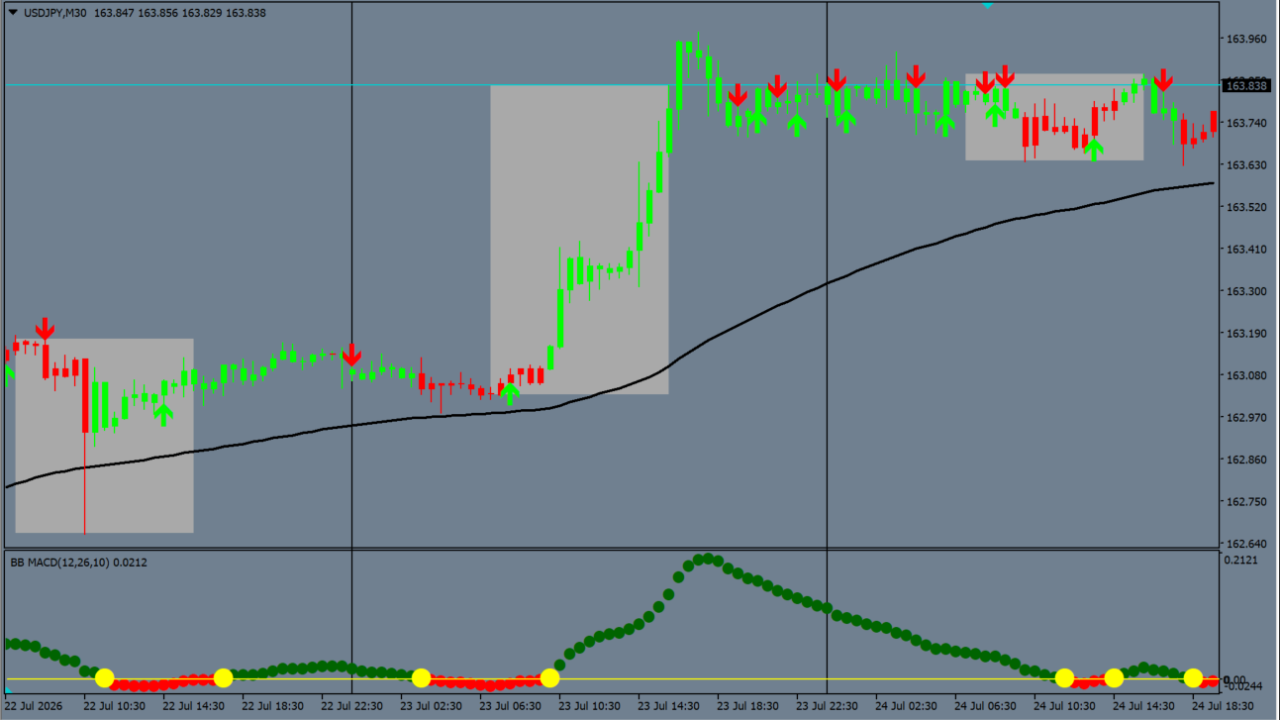
Fratelli_BB_MACD_V1 is a subchart indicator that incorporates Bollinger Band concepts into MACD calculations. It shows green buy arrows and red sell arrows on the main chart, while showing MACD movement in the subchart with green and red dots and yellow points near the zero line.
How to use Fratelli BB MACD V1
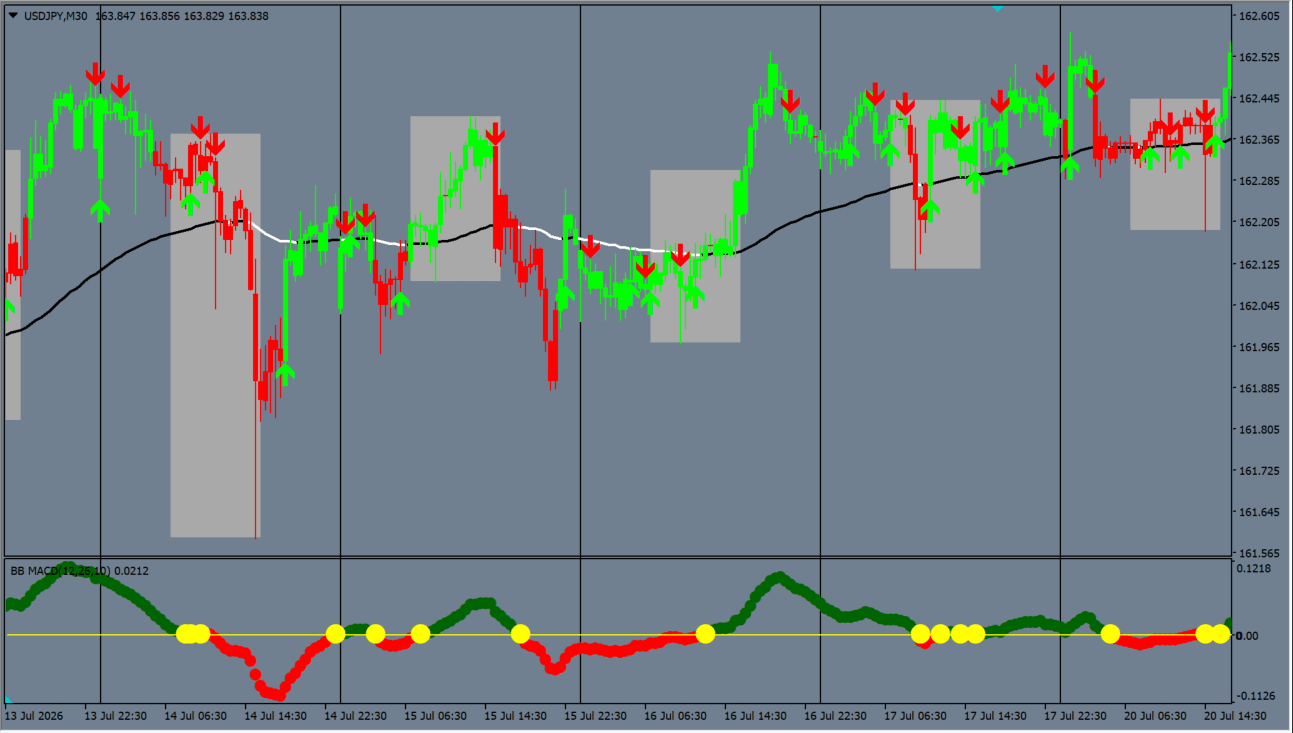
Add Fratelli_BB_MACD_V1 to an MT4 chart to observe main-chart signal arrows alongside subchart MACD dots and zero-line momentum markers. Look for green buy arrows when subchart MACD holds above the zero line in an upward direction, while Look for red sell arrows when subchart MACD holds below the zero line in a downward direction. Yellow points often appear when MACD returns near the zero line; focusing on setups where chart arrows, MACD dots, and yellow points all align in the same direction helps narrow down entry candidates.
Where it helps
MT4 Indicator Parameters
The table below lists the available MT4 indicator parameters. You can customize these options in the MetaTrader Inputs dialog to match your trading preferences.
| Parameter | Description |
|---|---|
| FastLen | Fast EMA period for the MACD calculation. Default: 12. |
| SlowLen | Slow EMA period for the MACD calculation. Default: 26. |
| Length | Period for the bbMacd moving average and standard deviation calculations. Default: 10. |
| barsCount | Maximum number of historical bars to calculate. Default: 10000. |
| StDv | Input parameter present in the indicator settings. It is not directly referenced by the calculations in this MQ4 source. Default: 2.5. |
| buff | Threshold buffer around the zero line used for line crossover and reversal evaluation. Default: 0.1. |
| alertsOn | Enables or disables popup alert notifications. Default: true. |
| alertsMessageBox | Enables or disables the alert message box display. Default: true. |
| alertsSound | Enables or disables audible sound alert notifications. Default: false. |
| alertsSoundFile | Audio sound file name played when sound alerts trigger. Default: TP1M.wav. |
| alertsEmail | Enables or disables email alert notifications. Default: false. |
| alertsAfterBarClose | Input parameter present in the indicator settings. It is not directly referenced by the alert logic in this MQ4 source. Default: true. |
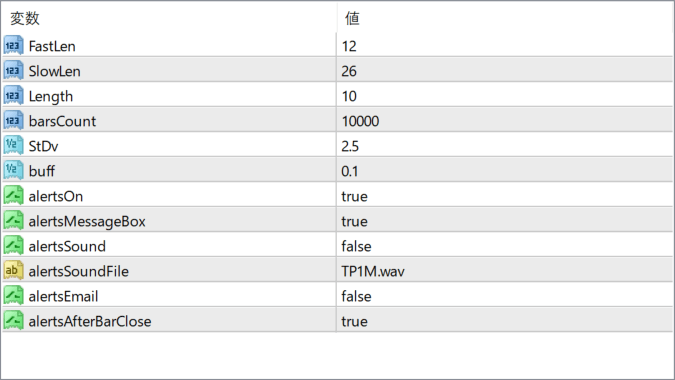
The screenshot above shows the default input parameters in the MT4 settings window.
How to Install .ex4 Indicator in MetaTrader 4
- Download the ZIP file and extract it.
- In MT4, select File → Open Data Folder.
- Open MQL4 → Indicators and copy the EX4 or MQ4 file into it.
- If the package includes library files, copy them to MQL4 → Libraries. Copy TPL files to the top-level templates folder.
- Restart MT4, find the indicator in the Navigator, and drag it onto a chart.
Test the tool on a demo account first. File contents and required folders can vary between packages.


