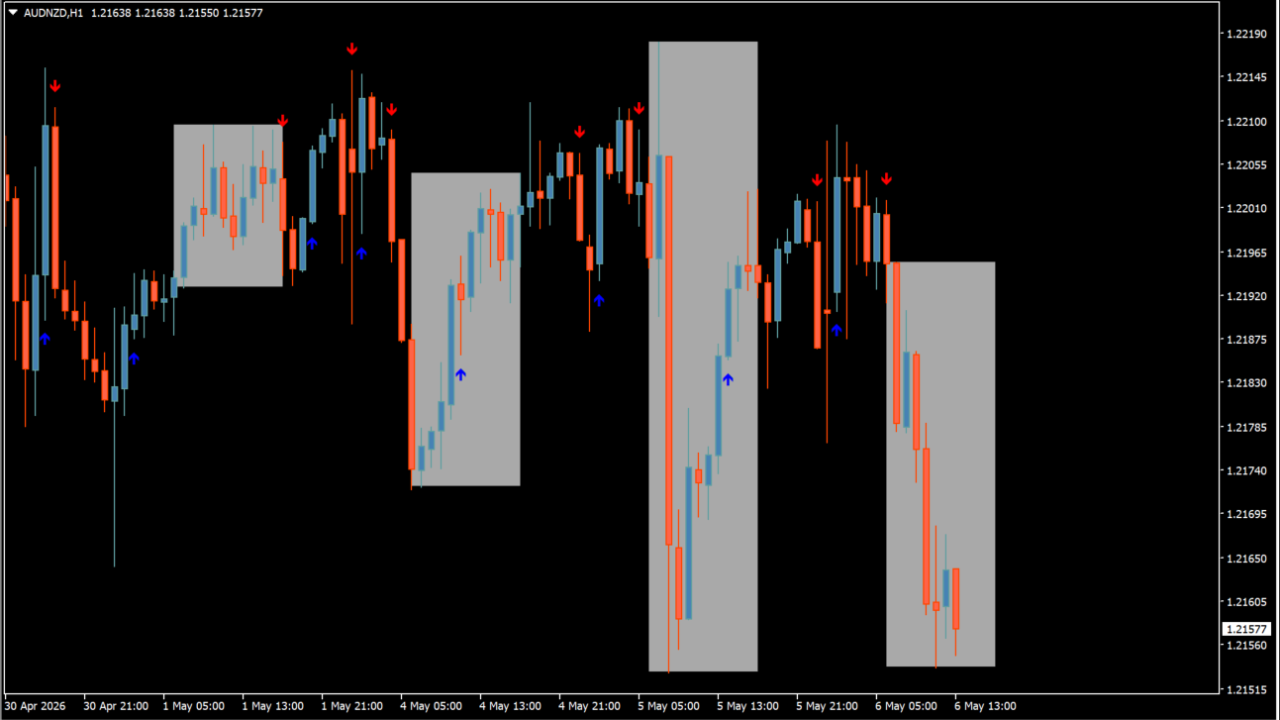
What is fratelli-main-buy-sell-indicator?
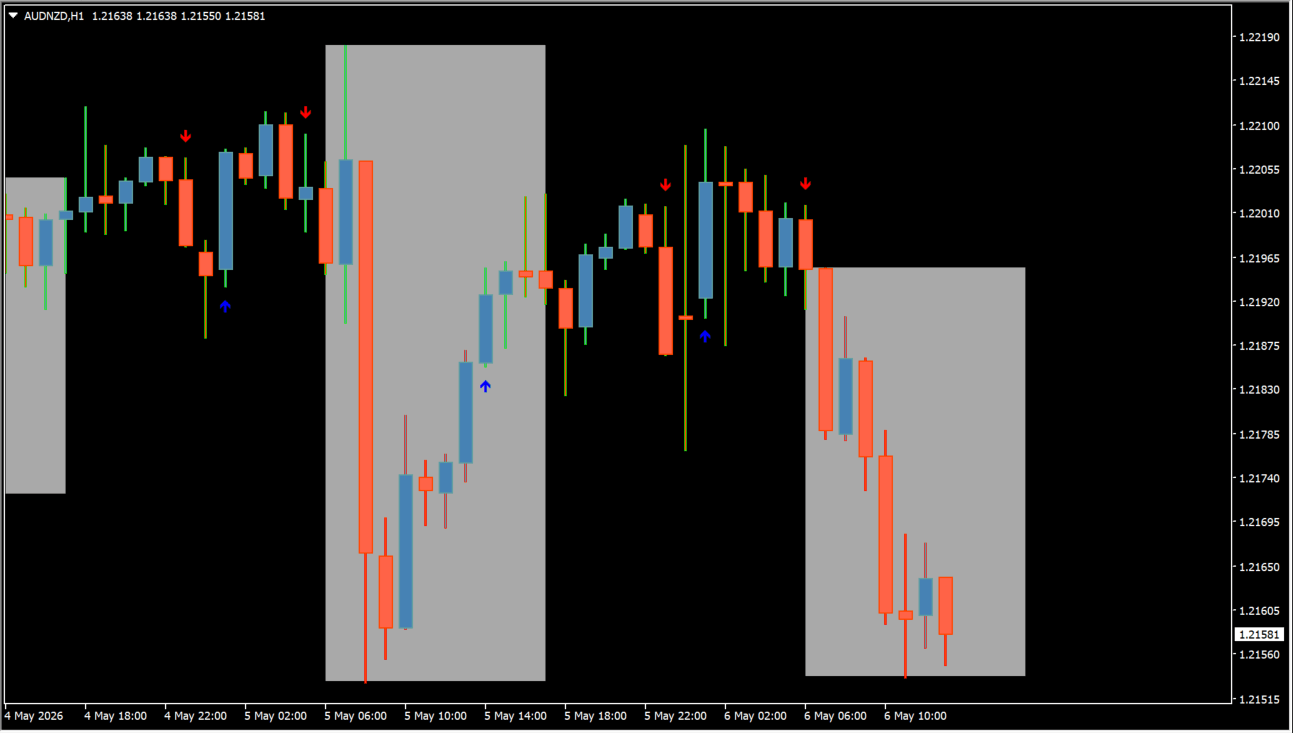
fratelli-main-buy-sell-indicator marks the price range between the configured Begin1 and End1 times. It can keep a selected number of days on the chart and distinguish the session box from the optional arrow colors.
The output is tied to the chosen time window and chart history. It is useful for reviewing how the displayed session range relates to later price behavior, without assuming that a range boundary must hold or break.
How to use fratelli-main-buy-sell-indicator
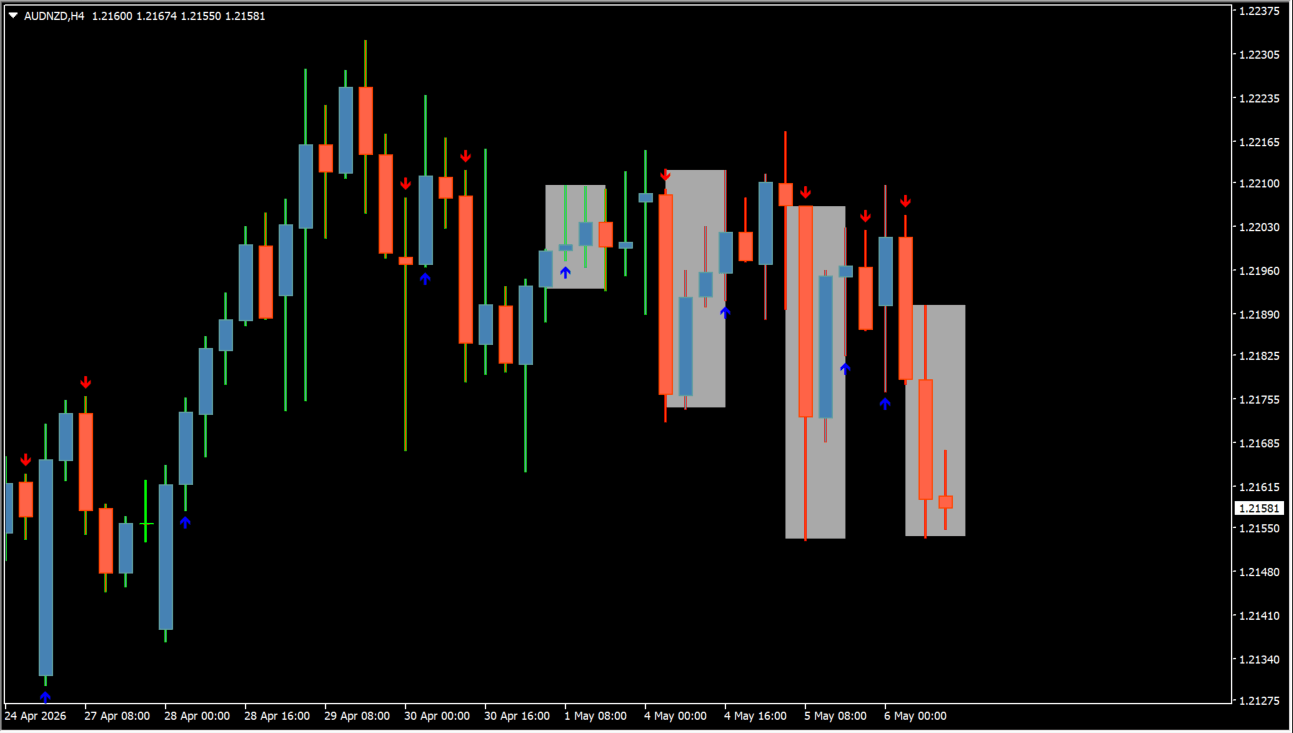
Set Begin1 and End1 to the session window you want to inspect, then compare the resulting box with the surrounding candles. Use the box and optional arrows as separate visual elements.
MaxBars limits calculation history, NumberOfDays controls retained session ranges, and the color inputs change the box and arrow presentation.
Where it helps
Begin1 and End1 create the displayed time range.
NumberOfDays controls how many earlier ranges remain visible.
The range and optional arrows use independent color controls.
MT4 Indicator Parameters
The table below lists the available MT4 indicator parameters. You can customize these options in the MetaTrader Inputs dialog to match your trading preferences.
| Parameter | Description |
|---|---|
| MaxBars | Sets the maximum number of bars processed. Default: 300. |
| NumberOfDays | Sets the number of days whose zones are shown. Default: 5. |
| Begin1 | Sets the session start time. Default: 06:50. |
| End1 | Sets the session end time. Default: 17:00. |
| Clr1 | Sets the session-box color. Default: DarkGray. |
| Color_2buy | Sets the buy-arrow color. Default: Blue. |
| Color_3sell | Sets the sell-arrow color. Default: Yellow. |
| alertall | Enables or disables alerts. Default: true. |
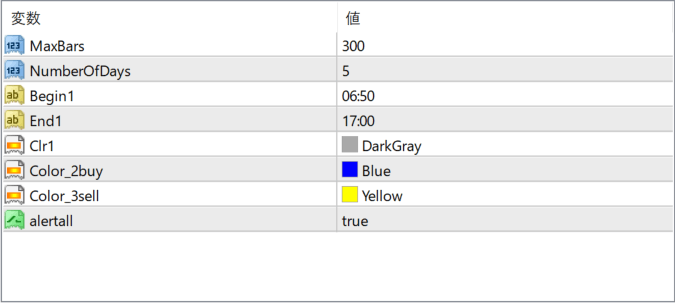
The screenshot above shows the default input parameters in the MT4 settings window.
How to Install .ex4 Indicator in MetaTrader 4
- Download the ZIP file and extract it.
- In MT4, select File → Open Data Folder.
- Open MQL4 → Indicators and copy the EX4 or MQ4 file into it.
- If the package includes library files, copy them to MQL4 → Libraries. Copy TPL files to the top-level templates folder.
- Restart MT4, find the indicator in the Navigator, and drag it onto a chart.
Test the tool on a demo account first. File contents and required folders can vary between packages.


