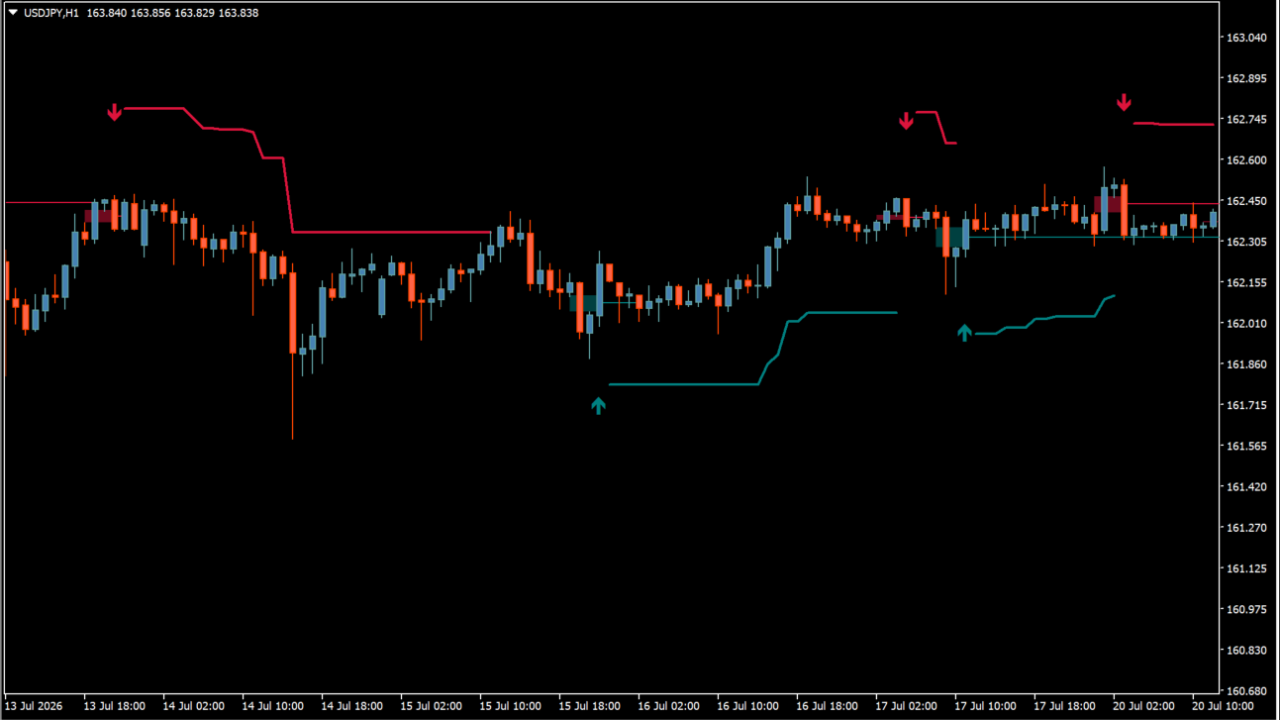
What is FVG Instantaneous Mitigation Signals?
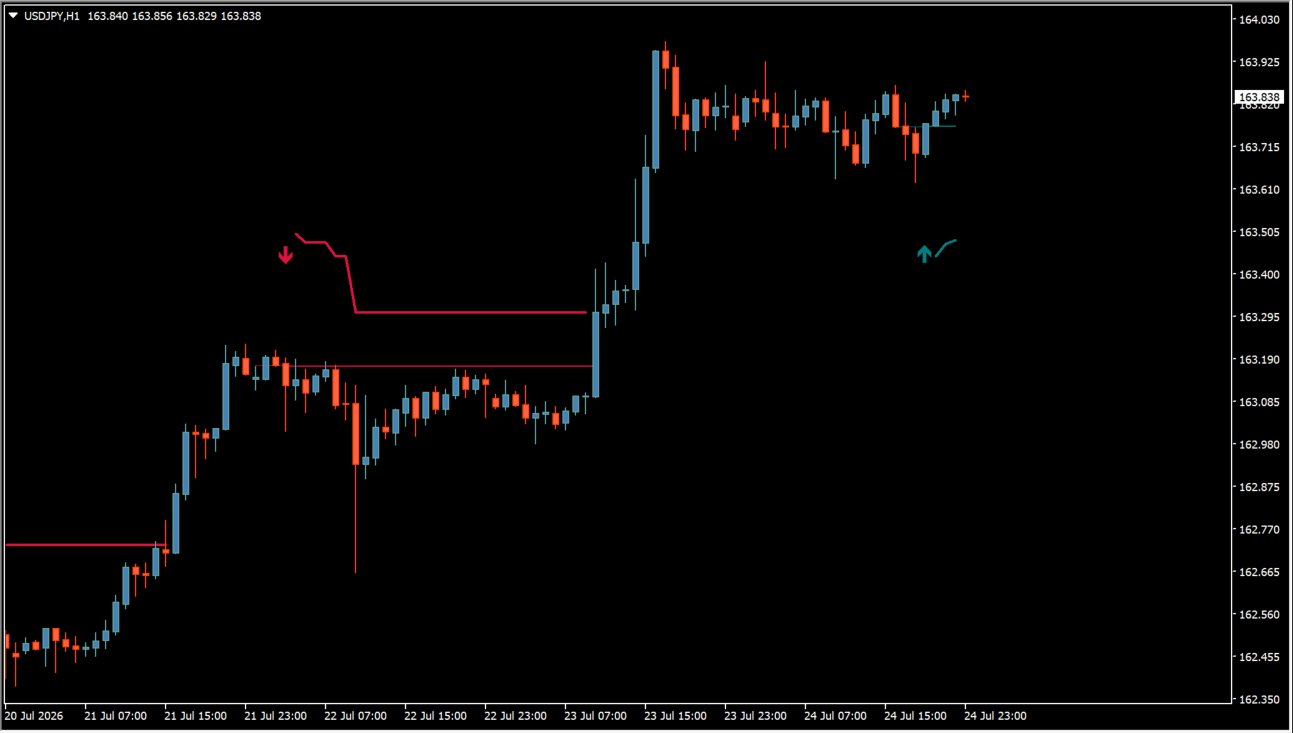
FVG Instantaneous Mitigation Signals marks Fair Value Gaps that are filled on the very next bar. An arrow is drawn at the bar where the gap is mitigated, instead of on every gap that forms.
Take-profit and stop-loss areas and a trailing stop are part of the display, alongside the arrows and the horizontal lines left on the chart.
How to use FVG Instantaneous Mitigation Signals
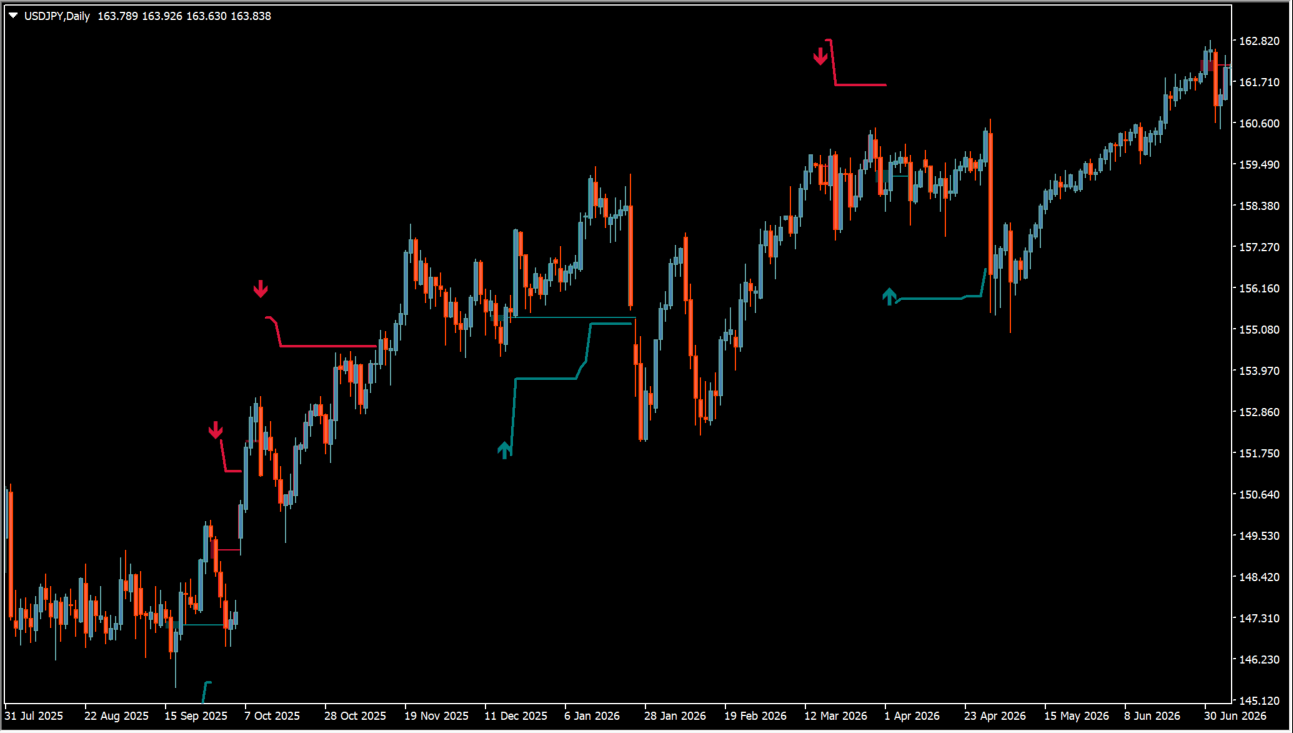
Red lines mark bearish gaps and blue lines bullish ones. When price leaves a gap and comes straight back to fill it, the arrow appears on that bar. Watch how price behaves around those lines.
The horizontal lines stay on the chart after the arrow has fired, so the same levels remain visible later. Compare an arrow with the surrounding chart structure and with any levels already marked.
Where it helps
Marking the bar where a gap is mitigated turns a zone into a specific bar on the chart.
The horizontal lines stay on the chart once an arrow has fired, so the same areas stay visible later.
Take-profit and stop-loss areas and a trailing stop are drawn as part of the same display.
MT4 Indicator Parameters
The table below lists the available MT4 indicator parameters. You can customize these options in the MetaTrader Inputs dialog to match your trading preferences.
| Parameter | Description |
|---|---|
| FVG Width Filter | Sets the filter used for Fair Value Gap width. |
| TP Multiplier | Sets the multiplier used to calculate take-profit levels. |
| SL Multiplier | Sets the multiplier used to calculate stop-loss levels. |
| Trailing Stop Multiplier | Sets the multiplier used to define trailing-stop width. |
| Bullish Color | Sets the color for bullish signals and lines. |
| Bearish Color | Sets the color for bearish signals and lines. |
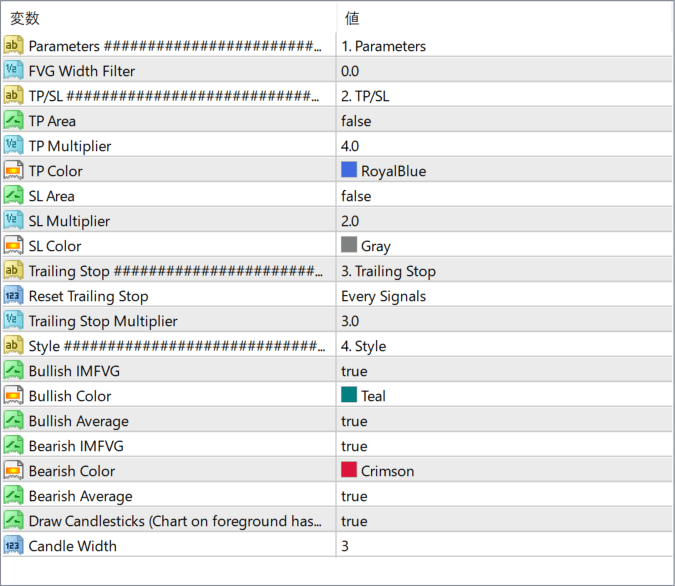
The screenshot above shows the default input parameters in the MT4 settings window.
How to Install .ex4 Indicator in MetaTrader 4
- Download the ZIP file and extract it.
- In MT4, select File → Open Data Folder.
- Open MQL4 → Indicators and copy the EX4 or MQ4 file into it.
- If the package includes library files, copy them to MQL4 → Libraries. Copy TPL files to the top-level templates folder.
- Restart MT4, find the indicator in the Navigator, and drag it onto a chart.
Test the tool on a demo account first. File contents and required folders can vary between packages.


