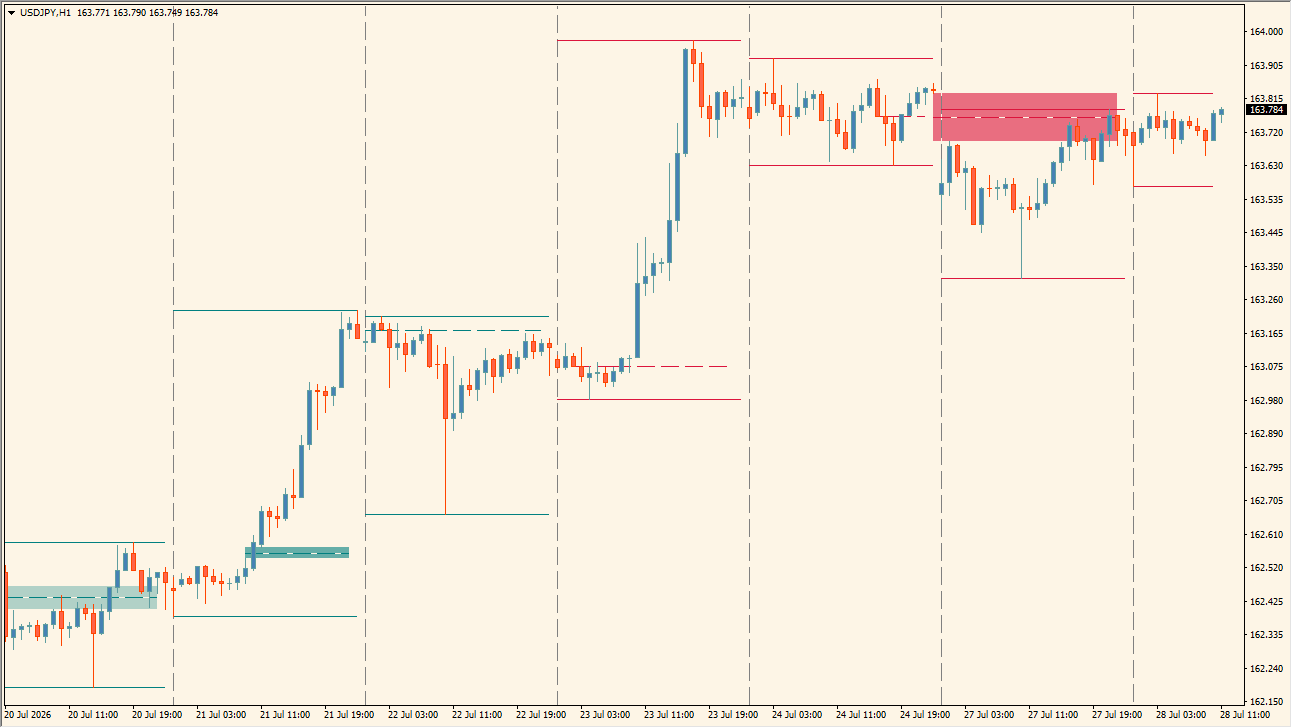
What is FVG Sessions?
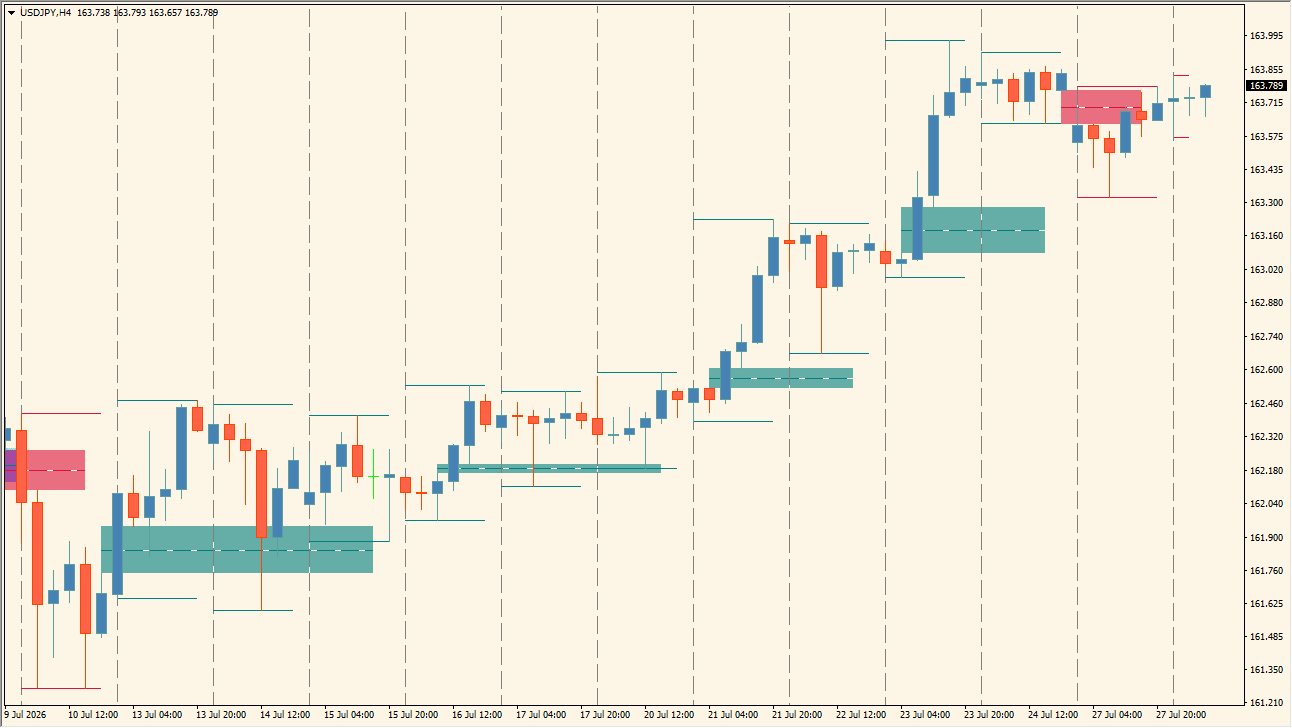
FVG Sessions is an MT4 indicator that draws bullish zones in teal and bearish zones in red, each with horizontal upper and lower boundaries so the marked price range stays visible together with its edges.
Zones that price has already revisited are shown in a deeper shade than new zones, and the same display format carries over when the chart timeframe is changed, including H1 and M30 examples.
How to use FVG Sessions
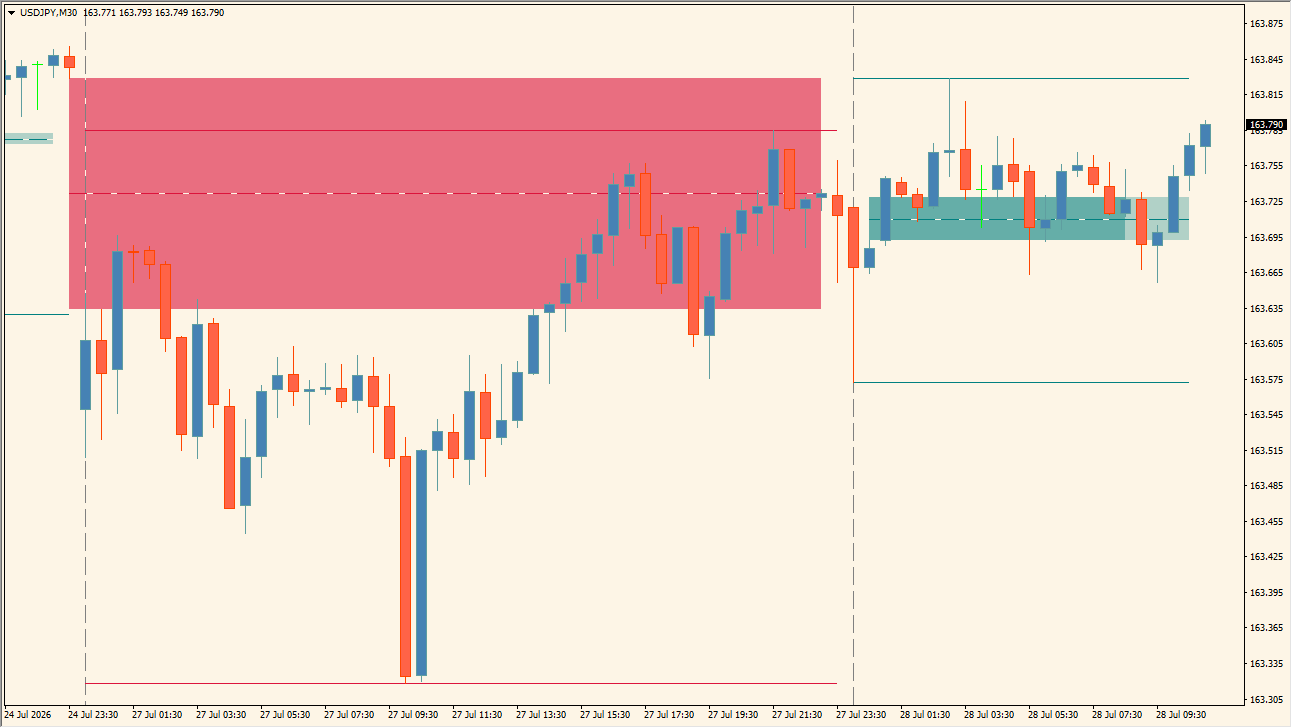
Read the colored zones and their boundaries as supply and demand reference areas:
Where it helps
Every colored zone is accompanied by upper and lower horizontal boundary lines, deeper Mitigated Opacity shading distinguishes an already-revisited zone from a new one, and the same zone display carries over across timeframes including H1 and M30.
MT4 Indicator Parameters
The table below lists the available MT4 indicator parameters. You can customize these options in the MetaTrader Inputs dialog to match your trading preferences.
| Parameter | Description |
|---|---|
| Bullish Color | Sets the displayed color for bullish zones. Default: Teal. |
| Bullish Area Opacity | Sets the fill opacity for bullish zones. Default: 40. |
| Bullish Mitigated Opacity | Sets the fill opacity after a bullish zone is revisited. Default: 70. |
| Bearish Color | Sets the displayed color for bearish zones. Default: Crimson. |
| Bearish Area Opacity | Sets the fill opacity for bearish zones. Default: 40. |
| Bearish Mitigated Opacity | Sets the fill opacity after a bearish zone is revisited. Default: 70. |
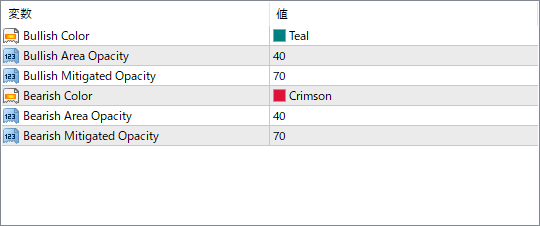
The screenshot above shows the default input parameters in the MT4 settings window.
How to Install .ex4 Indicator in MetaTrader 4
- Download the ZIP file and extract it.
- In MT4, select File → Open Data Folder.
- Open MQL4 → Indicators and copy the EX4 or MQ4 file into it.
- If the package includes library files, copy them to MQL4 → Libraries. Copy TPL files to the top-level templates folder.
- Restart MT4, find the indicator in the Navigator, and drag it onto a chart.
Test the tool on a demo account first. File contents and required folders can vary between packages.


