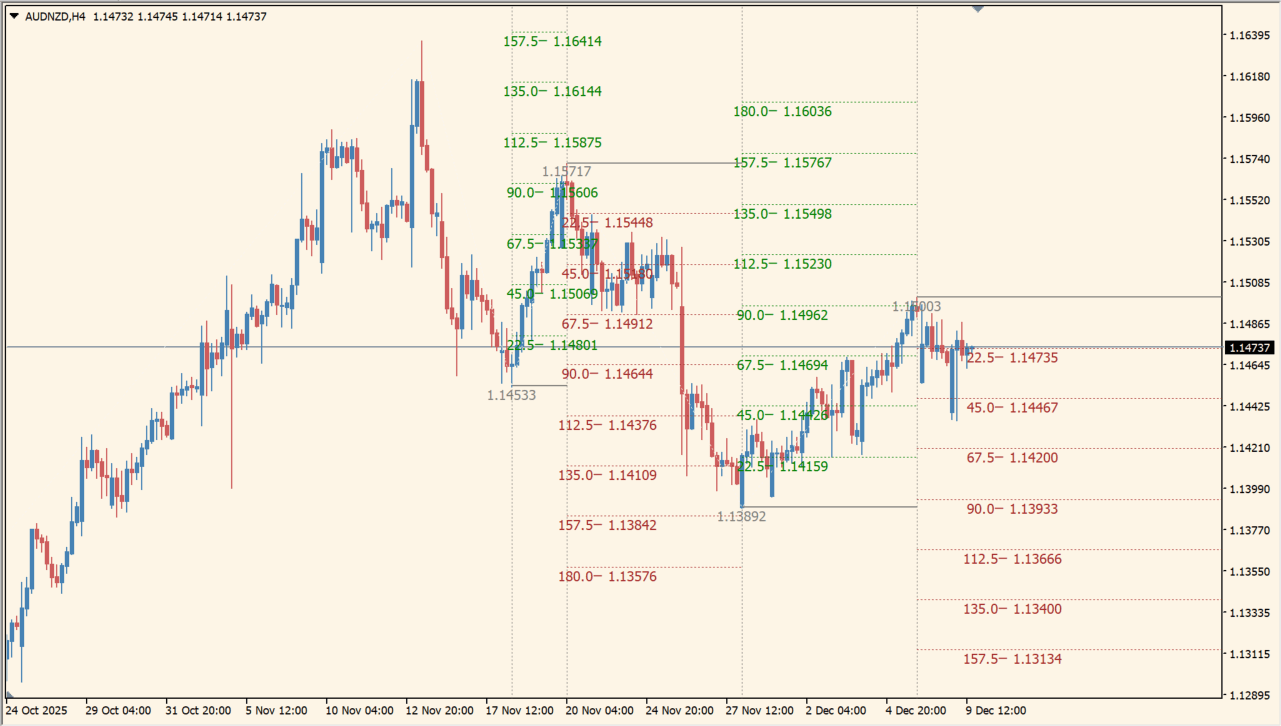
What is Gann Sq 9 Indicator?
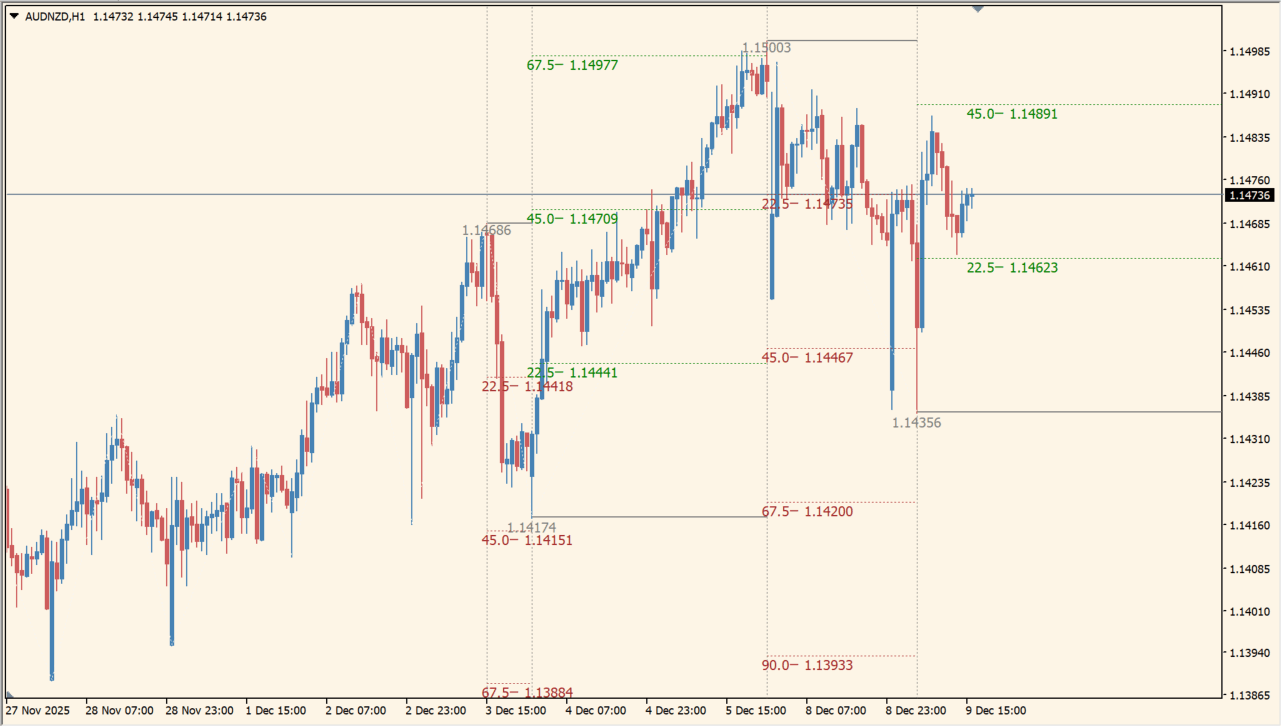
Gann Sq 9 Indicator draws stepped support and resistance references based on Gann-style angles and levels. A ZigZag line provides an additional swing-path view on the MT4 chart.
Colors separate the displayed support, resistance, and baseline elements. The package includes an .ex4 file and the levels are intended as chart references for comparing price structure.
How to use Gann Sq 9 Indicator
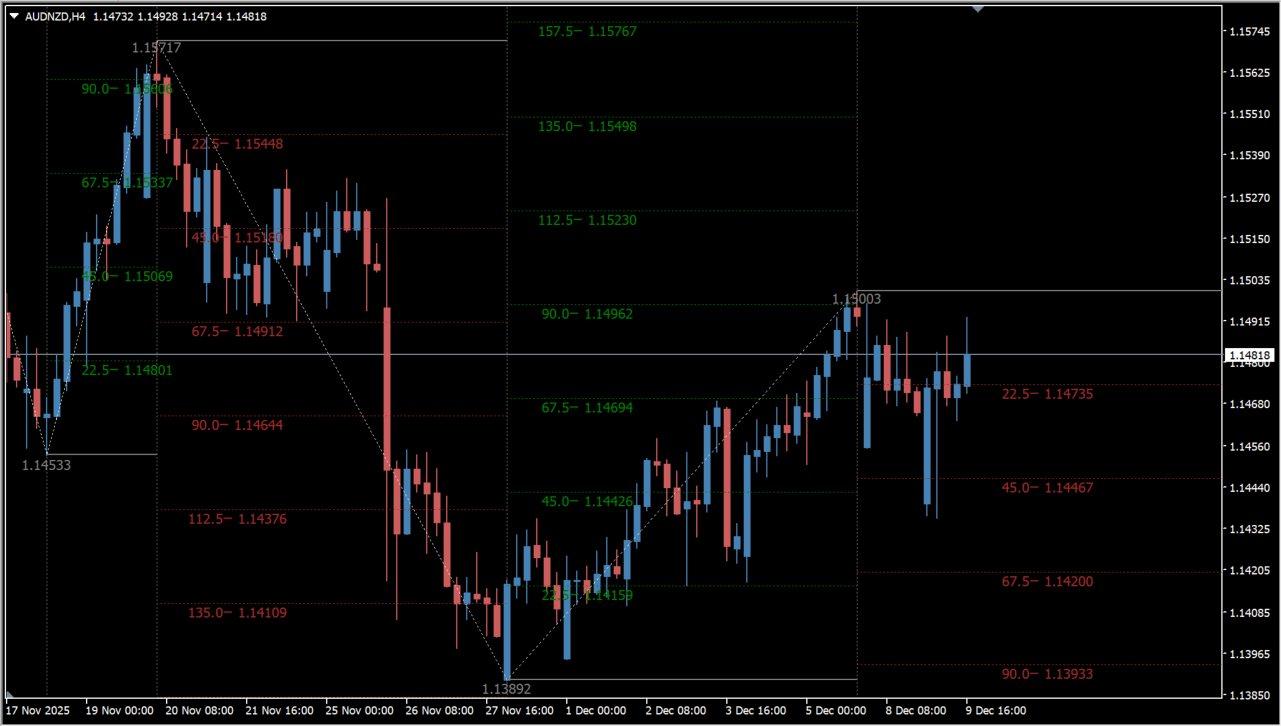
Review the colored levels with the white ZigZag path and the main price chart. The grid of reference lines shows how the displayed level structure changes as swing points develop.
angle_up, angle_dn, Width, Style, kol_lev, ResistanceColor, SupportColor, and Level_0 are available in the Inputs dialog. The remaining ZigZag settings control swing depth and display behavior.
Where it helps
Gann-style references organize several support and resistance distances.
The ZigZag line helps relate the levels to recent chart structure.
Support, resistance, and baseline colors remain visually distinct.
MT4 Indicator Parameters
The table below lists the available MT4 indicator parameters. You can customize these options in the MetaTrader Inputs dialog to match your trading preferences.
| Parameter | Description |
|---|---|
| angle_up | Sets the upward angle used by the level display. Default: 22.5. |
| angle_dn | Sets the downward angle used by the level display. Default: 22.5. |
| Width | Sets the width option for displayed lines. Default: 0. |
| Style | Sets the style option for displayed lines. Default: 2. |
| kol_lev | Sets the number of displayed level steps. Default: 8. |
| ResistanceColor | Sets the resistance line color. Default: Brown. |
| SupportColor | Sets the support line color. Default: Green. |
| Level_0 | Sets the Level_0 color. Default: Gray. |
| lev_V | Controls the lev_V display option. Default: true. |
| Level_V | Sets the Level_V color. Default: Gray. |
| Complect | Sets the Complect option. Default: 0. |
| ExtDepth | Sets the ZigZag depth. Default: 21. |
| ExtDeviation | Sets the ZigZag deviation. Default: 5. |
| ExtBackstep | Sets the ZigZag backstep. Default: 3. |
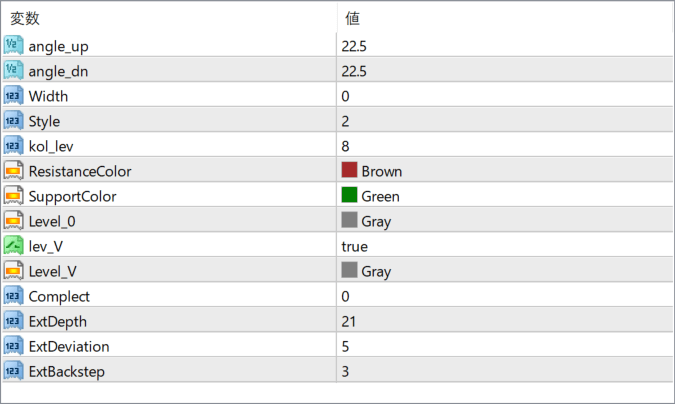
The screenshot above shows the default input parameters in the MT4 settings window.
How to Install .ex4 Indicator in MetaTrader 4
- Download the ZIP file and extract it.
- In MT4, select File → Open Data Folder.
- Open MQL4 → Indicators and copy the EX4 or MQ4 file into it.
- If the package includes library files, copy them to MQL4 → Libraries. Copy TPL files to the top-level templates folder.
- Restart MT4, find the indicator in the Navigator, and drag it onto a chart.
Test the tool on a demo account first. File contents and required folders can vary between packages.


