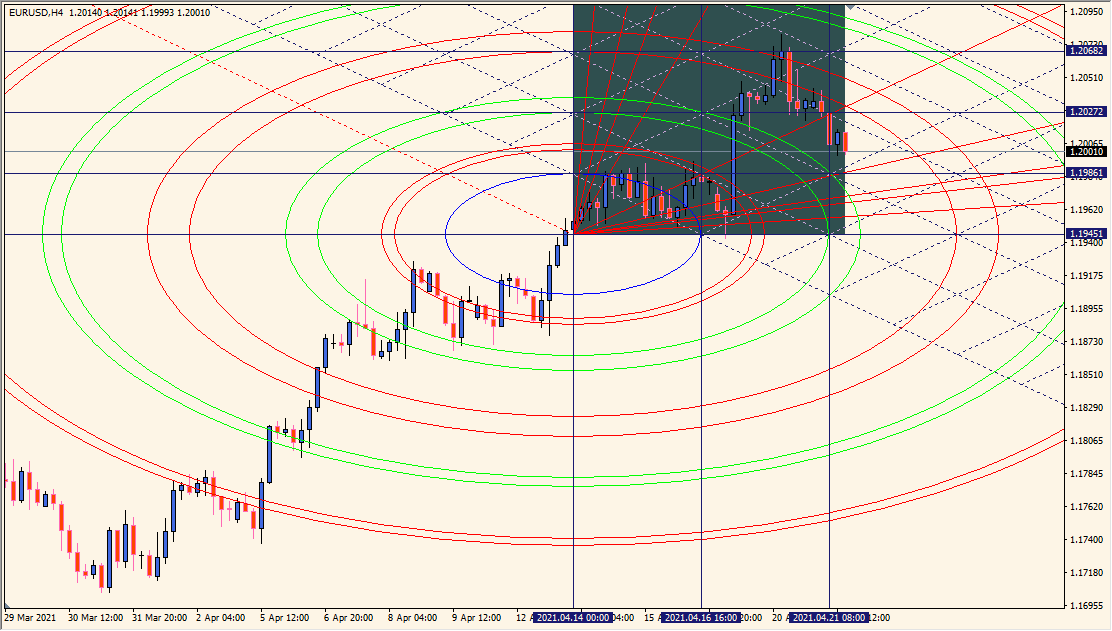
What is Gann Square Indicator?
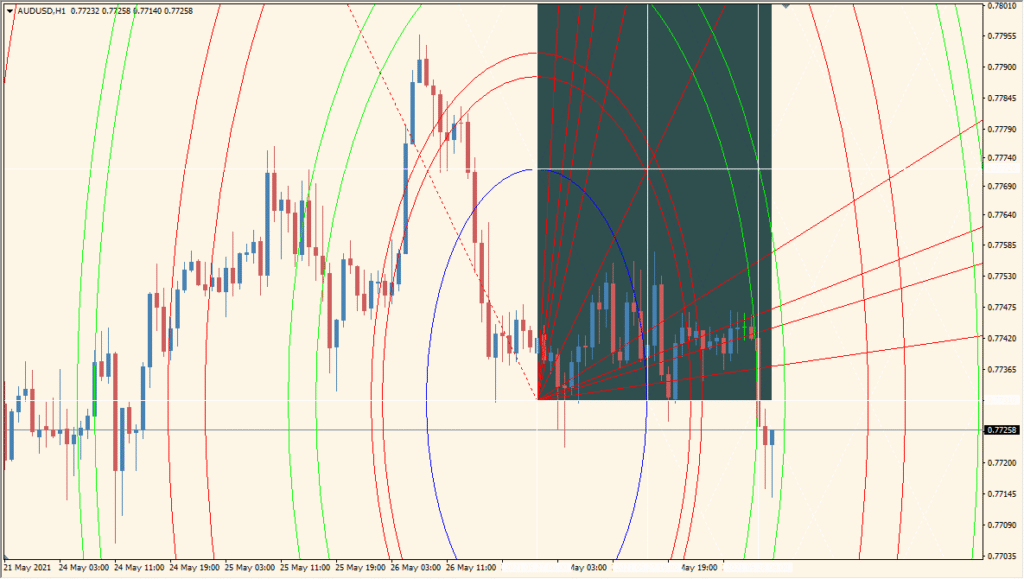
Gann Square Indicator is an MT4 chart tool that displays square grids, arcs, and fan lines based on Gann-style time and price relationships. The geometric layout provides a structured visual framework for comparing chart proportions and historical movement.
The period, square size, scale, and color settings control the displayed geometry. The resulting lines and arcs are visual references for chart review, not forecasts of future price behavior.
How to Use It in Practice
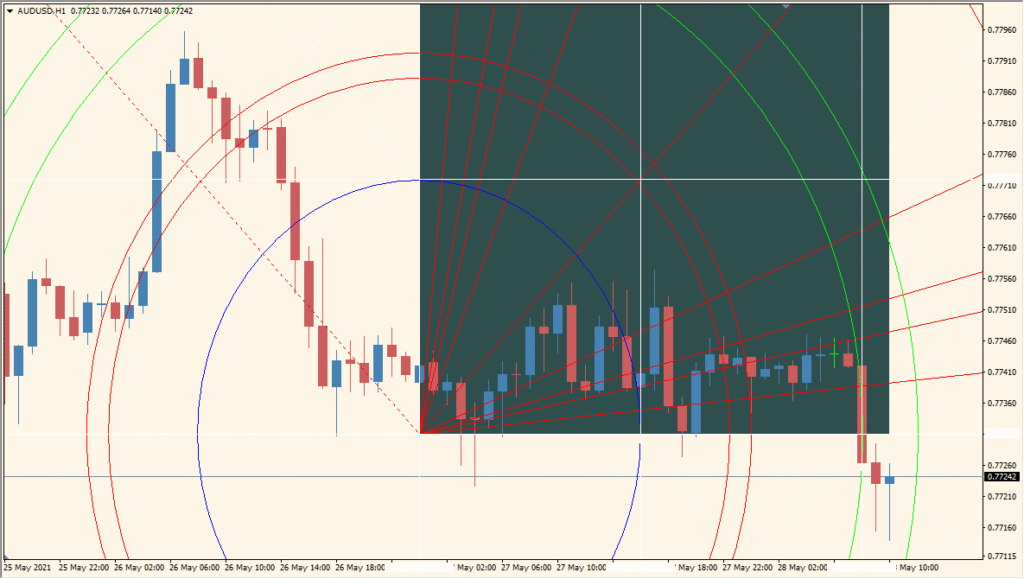
Gann Square draws three geometric groups on the chart: a Gann square, a Gann circle, and Gann fan lines.
- Make the diagonal Gann line appear at 45 degrees by adjusting the chart scale before comparing the square, circle, and fan geometry.
- Set Period using the Fibonacci-sequence convention; the default 34 is one such value.
- The tool is a way to study a classical method, including ideas that are not universally accepted in modern chart analysis.
Time and price relationships are presented through a single geometric layout, multiple line and arc groups can be styled separately, and scale settings support different chart views.
MT4 Indicator Parameters
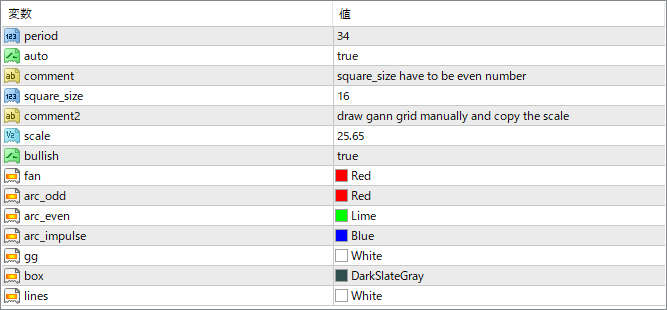
The screenshot above shows the default input parameters in the MT4 settings window.
| Parameter | Description |
|---|---|
| period | Defines the historical data range used to base the Gann grid. A longer period extends the indicator’s visual coverage. |
| auto | When set to true, it enables automatic grid adjustment based on chart zoom and structure. |
| square_size | Sets the number of squares along each side of the main grid. Must be an even number for symmetry. |
| scale | Adjusts the vertical/horizontal ratio of the grid. Affects spacing of lines and arcs. |
| bullish | If true, the structure assumes a bullish layout. Useful for inverting the view for bearish markets. |
| fan | Color of the Gann fan lines that project angles (like 1×1, 1×2). Helps define potential trend paths. |
| arc_odd | Color of arcs drawn for odd-numbered square levels (e.g., 1, 3, 5). |
| arc_even | Color of arcs drawn for even-numbered square levels (e.g., 2, 4, 6). |
| arc_impulse | Color of the arc used to mark the impulse move from the selected range. Acts as a visual cue for strong movement. |
| gg | Color of grid guidelines that form the square structure. |
| box | Color of the square box drawn to represent the time/price square area. |
| lines | Color of horizontal and vertical lines for structure reference. |


