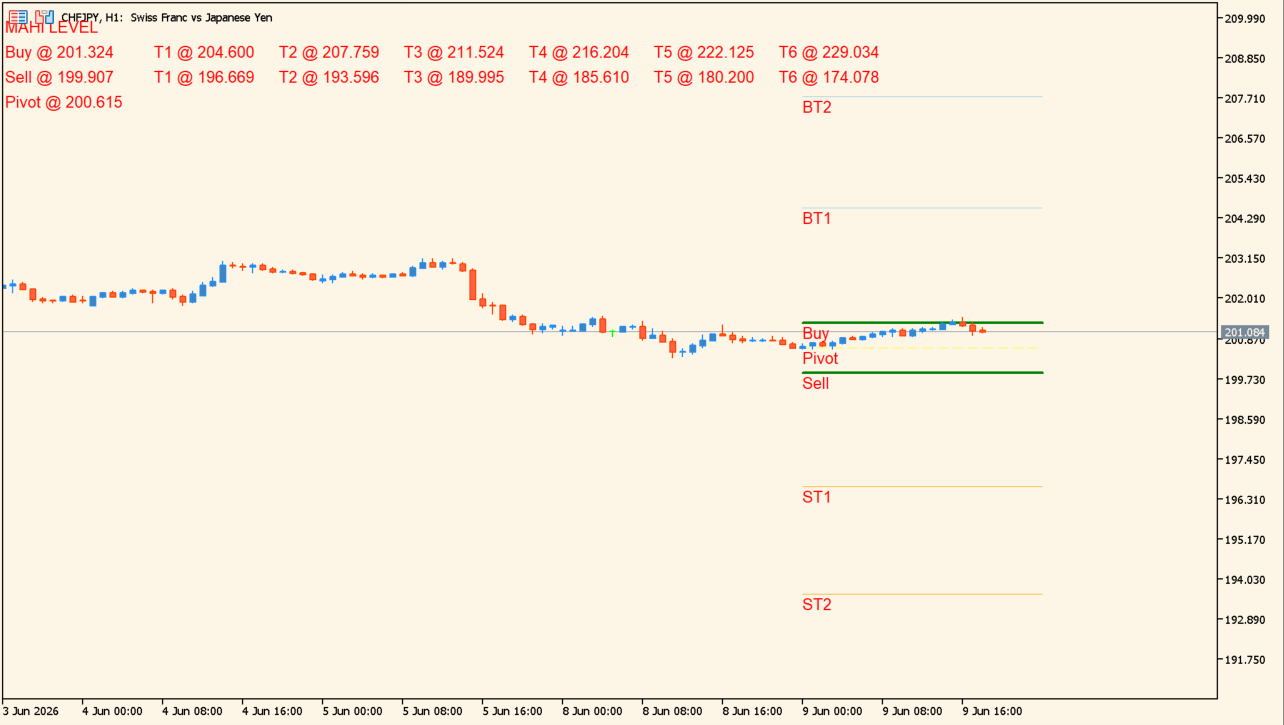
What is Gold Level MT5?
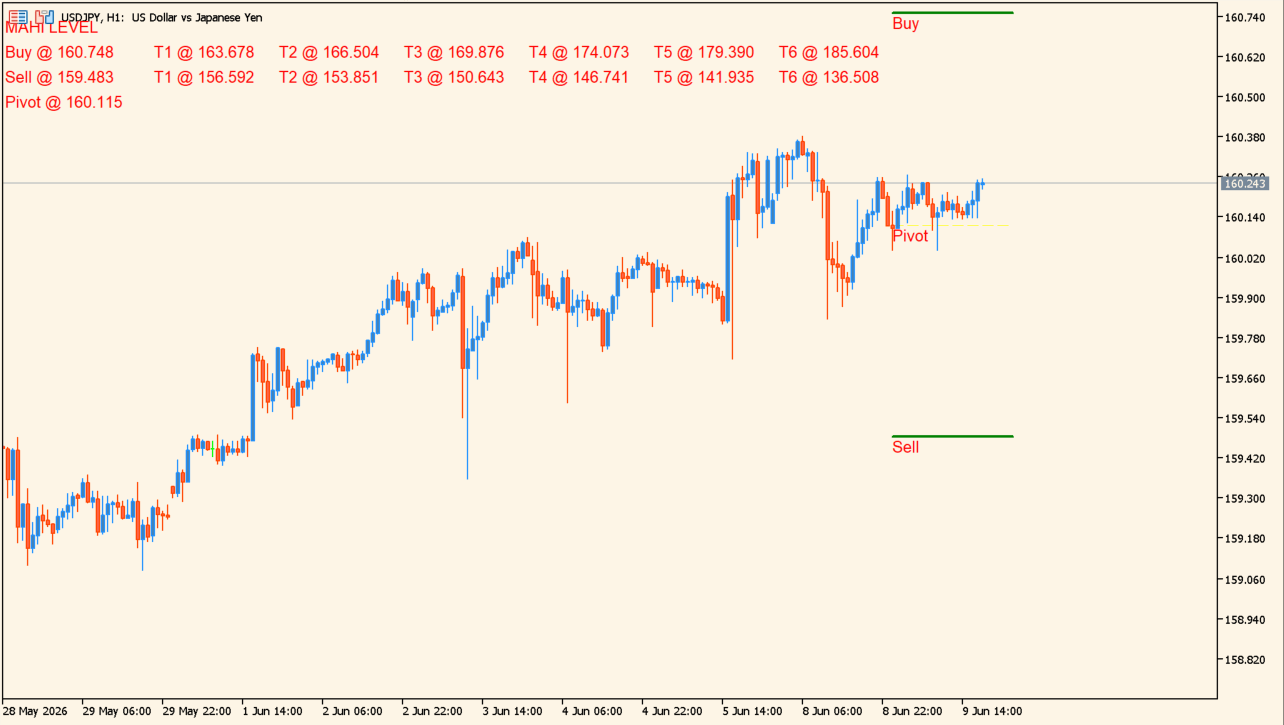
Gold Level MT5 places named horizontal levels, including Buy, Sell, Pivot, and numbered target labels, on an MT5 chart. The levels are shown together with their current calculated prices.
These lines are generated by the indicator settings and remain chart references. A displayed level does not establish that price will stop, reach, or move through it.
How to use Gold Level MT5
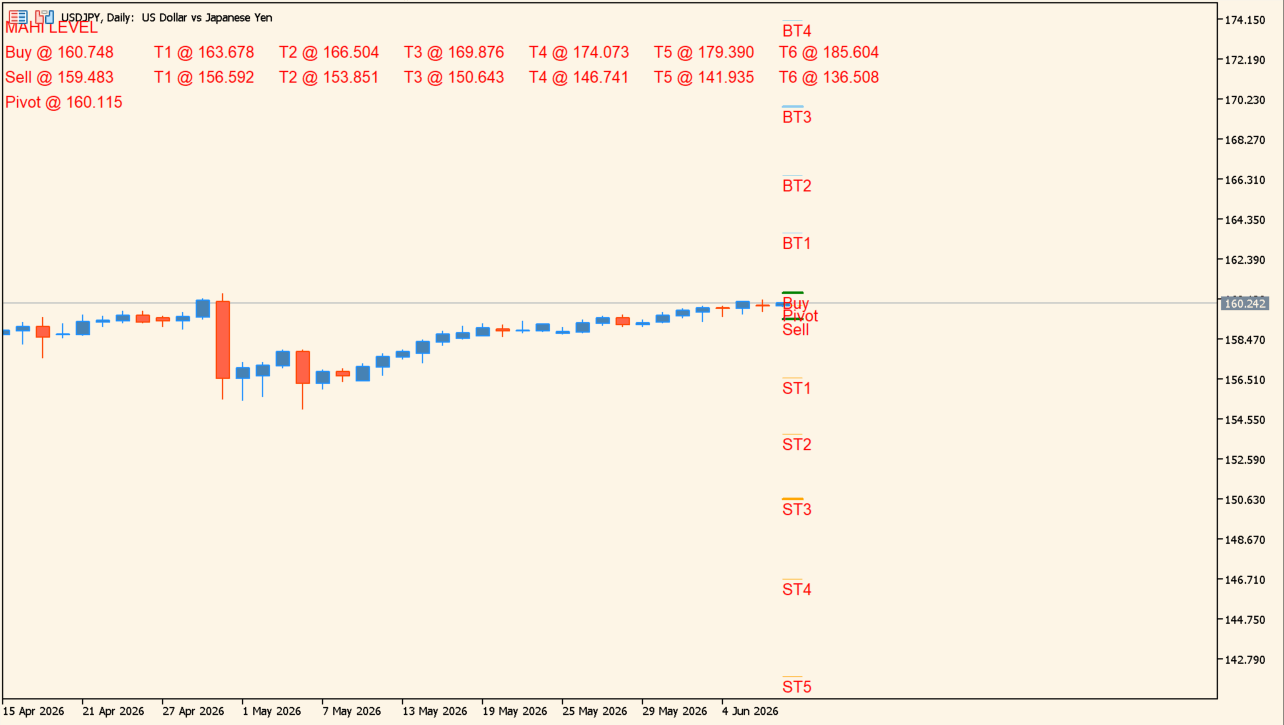
Review the named lines against current candles, prior highs and lows, and the visible chart range. Keep the labels visible only when they remain readable at the selected timeframe.
AlertsOn controls notifications, drowDays controls the displayed day range, showText controls labels, and order adjusts the calculation or display multiplier.
Where it helps
The source output labels the calculated horizontal levels on the chart.
A dedicated switch controls the chart text.
The day-range input controls how many days of levels are shown.
MT5 Indicator Parameters
The table below lists the available MT5 indicator parameters. You can customize these options in the MetaTrader Inputs dialog to match your trading preferences.
| Parameter | Description |
|---|---|
| AlertsOn | Enables or disables the alert function. Default: true. |
| drowDays | Sets the number of days used to draw the displayed levels. Default: 1. |
| showText | Shows or hides the chart labels. Default: true. |
| order | Sets the calculation or display adjustment value. Default: 0.1. |
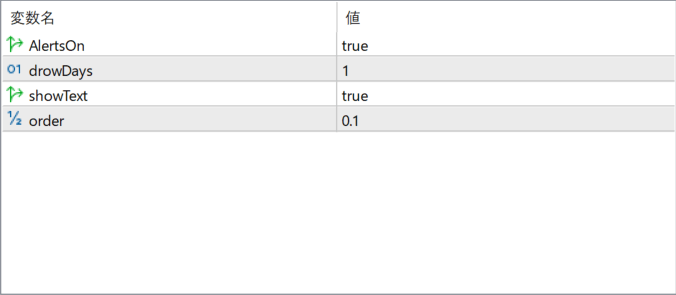
The screenshot above shows the default input parameters in the MT5 settings window.
How to Install .ex5 Indicator in MetaTrader 5
- Download the ZIP file and extract it.
- In MT5, select File → Open Data Folder.
- Open MQL5 → Indicators and copy the EX5 or MQ5 file into it.
- If the package includes library files, copy them to MQL5 → Libraries. Copy TPL files to the top-level templates folder.
- Restart MT5, find the indicator in the Navigator, and drag it onto a chart.
Test the tool on a demo account first. File contents and required folders can vary between packages.


