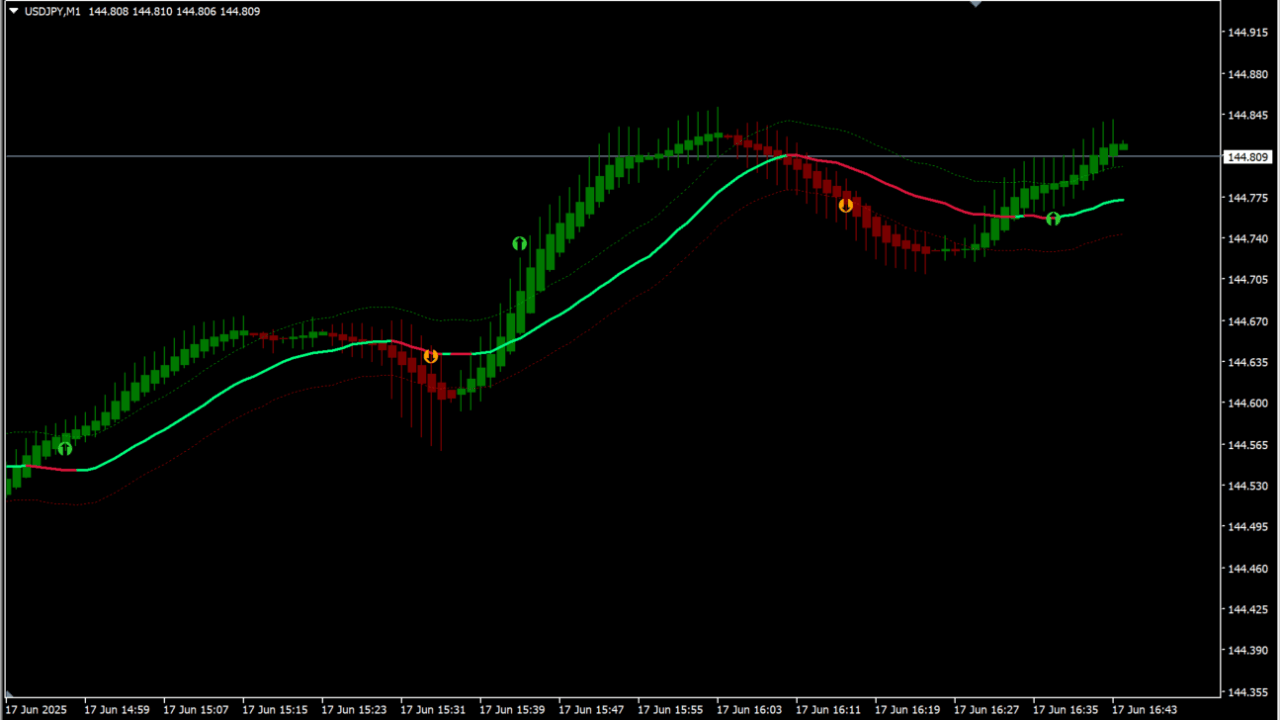
What is Heiken Ashi (+envelopes)?
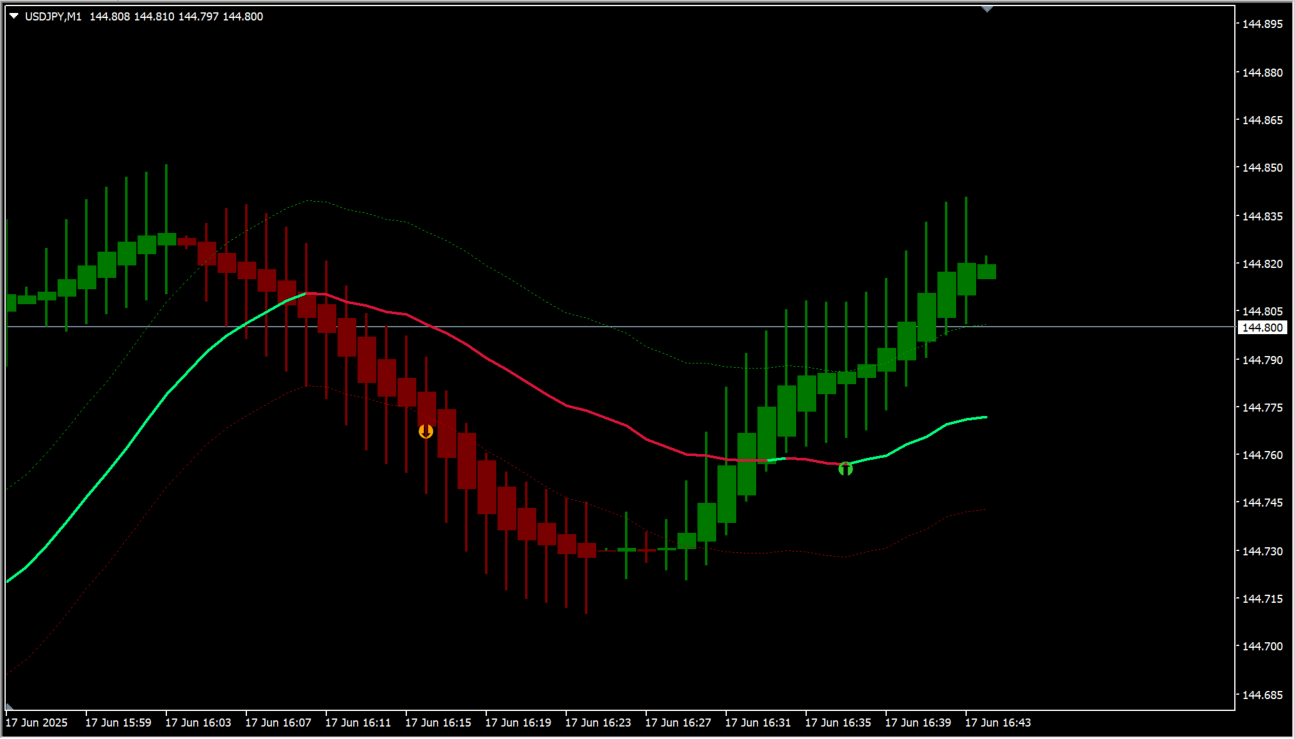
Heiken Ashi (+envelopes) is an MT4 indicator that draws heiken ashi candles, smoothed heiken ashi candles and envelopes on the same chart. The heiken ashi can be smoothed up to twice and the averaging method is chosen from the parameters.
How to use Heiken Ashi (+envelopes)
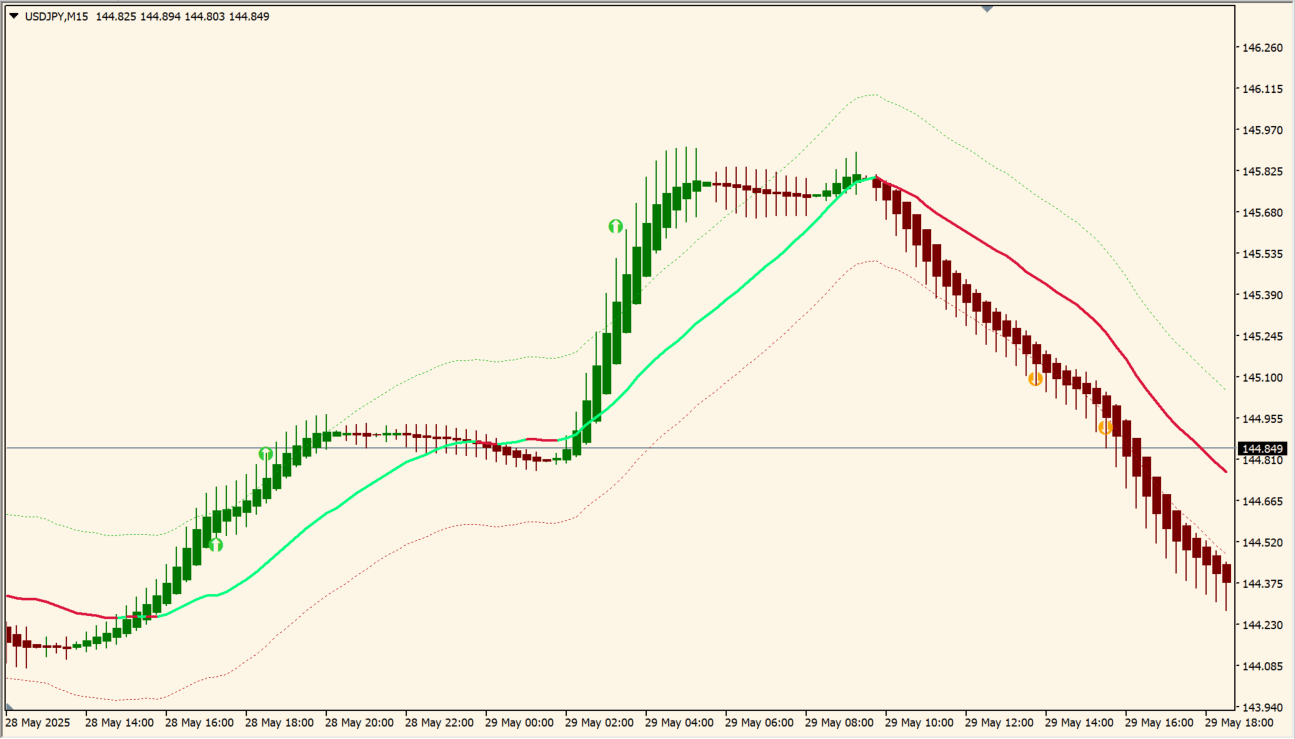
Trend change arrows appear when the chosen condition occurs, such as the heiken ashi breaking the channel or the moving averages crossing. Five conditions are available for the arrows, and the moving average at the centre of the envelope is chosen from several options.
Where it helps
MT4 Indicator Parameters
The table below lists the available MT4 indicator parameters. You can customize these options in the MetaTrader Inputs dialog to match your trading preferences.
| Parameter | Description |
|---|---|
| Arrows/alerts change on:: | Selects the condition that changes the arrows and the alerts. |
| Color of MA change on:: | Selects the condition that changes the moving average colour. |
| note1 | Section label for the heiken ashi settings group. |
| Show heiken ashi candles? | Controls whether the heiken ashi candles are drawn on the chart. |
| Clean chart? | Controls whether other chart drawing is removed to leave a simple chart. |
| Smoothed price period | Sets the period of the smoothed price. |
| Smoothed price method | Selects the calculation method of the smoothed price. |
| Smoothed HA period | Sets the period of the second smoothing applied to the heiken ashi. |
| Smoothed HA method | Selects the calculation method of the smoothed heiken ashi. |
| Candle wick width | Sets the width of the candle wick. |
| If auto width = false then use this | Sets the candle width used when the width is not adjusted automatically. |
| Auto adjust candle body width | Controls whether the candle body width is adjusted automatically. |
| Bullish candle color | Sets the colour of the bullish candle. |
| Bearish candle color | Sets the colour of the bearish candle. |
| note2 | Section label for the moving average settings group. |
| Ma period | Sets the period of the moving average. |
| Ma type | Selects the type of moving average. |
| Use smoothing? | Controls whether smoothing is applied to the moving average. |
| note3 | Section label for the channel settings group. |
| Type of bands : | Selects the type of band that is drawn. |
| Envelopes deviation(if use envelopes) | Sets the width of the envelope. |
| Channel width(if use Hi-Lo channel) | Sets the width used when the Hi-Lo channel is drawn. |
| Lines of H/L visible? | Controls whether the high and low lines are drawn. |
| Main MA visible? | Controls whether the main moving average line is drawn. |
| note4 | Section label for the alert settings group. |
| Alerts on true/false? | Turns the alert on or off. |
| Alerts on (still opened) bar true/false? | Controls whether the alert is raised on the bar that is still open. |
| Alerts message true/false? | Controls whether a message is shown with the alert. |
| Alerts sound true/false? | Controls whether a sound is played with the alert. |
| Alerts push notification true/false? | Controls whether a push notification is sent. |
| Alerts email true/false? | Controls whether an email is sent. |
| Sound file | Specifies the sound file used for the alert. |
| note5 | Section label for the arrow settings group. |
| Arrows visible? | Controls whether the arrows are drawn. |
| Up Arrow size | Sets the size of the up arrow. |
| Down Arrow size | Sets the size of the down arrow. |
| Up Arrow code | Sets the symbol used for the up arrow. |
| Down arrow code | Sets the symbol used for the down arrow. |
| Up Arrow gap | Sets the gap between the up arrow and the candle. |
| Dn Arrow gap | Sets the gap between the down arrow and the candle. |
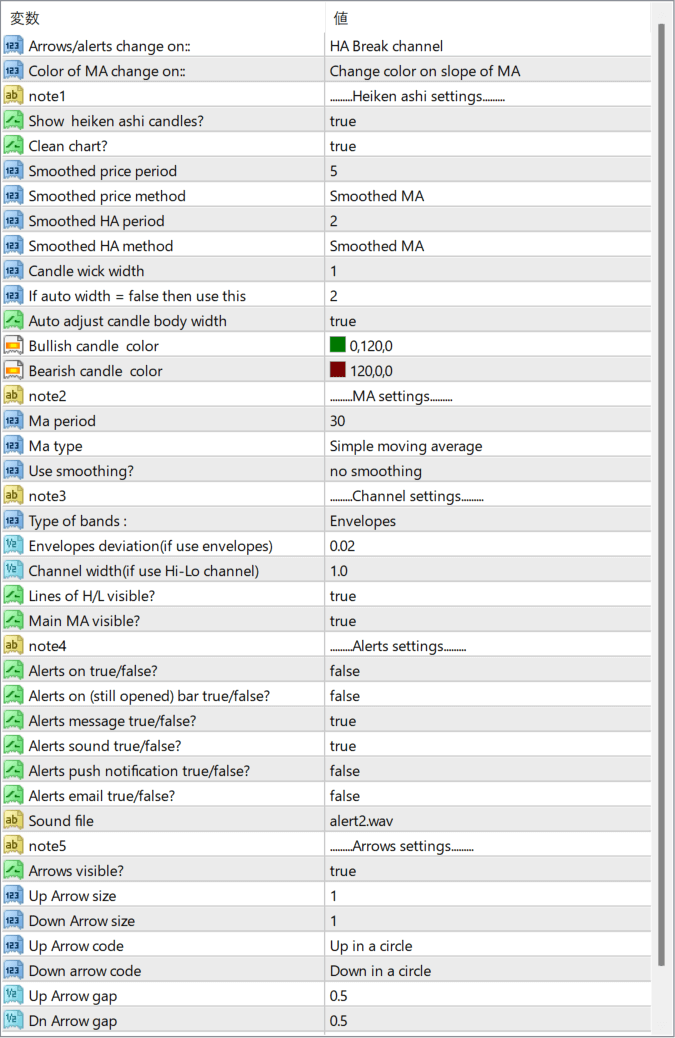
The screenshot above shows the default input parameters in the MT4 settings window.
How to Install .ex4 Indicator in MetaTrader 4
- Download the ZIP file and extract it.
- In MT4, select File → Open Data Folder.
- Open MQL4 → Indicators and copy the EX4 or MQ4 file into it.
- If the package includes library files, copy them to MQL4 → Libraries. Copy TPL files to the top-level templates folder.
- Restart MT4, find the indicator in the Navigator, and drag it onto a chart.
Test the tool on a demo account first. File contents and required folders can vary between packages.


