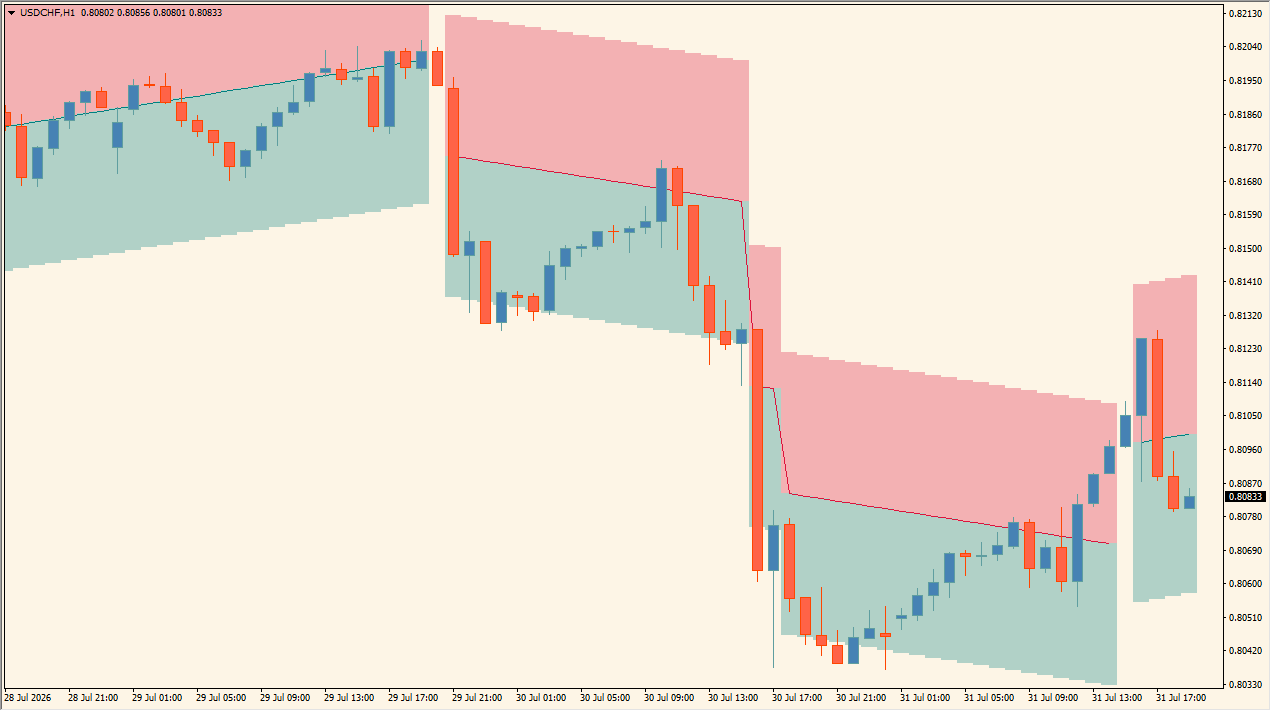
What is HyperTrend?
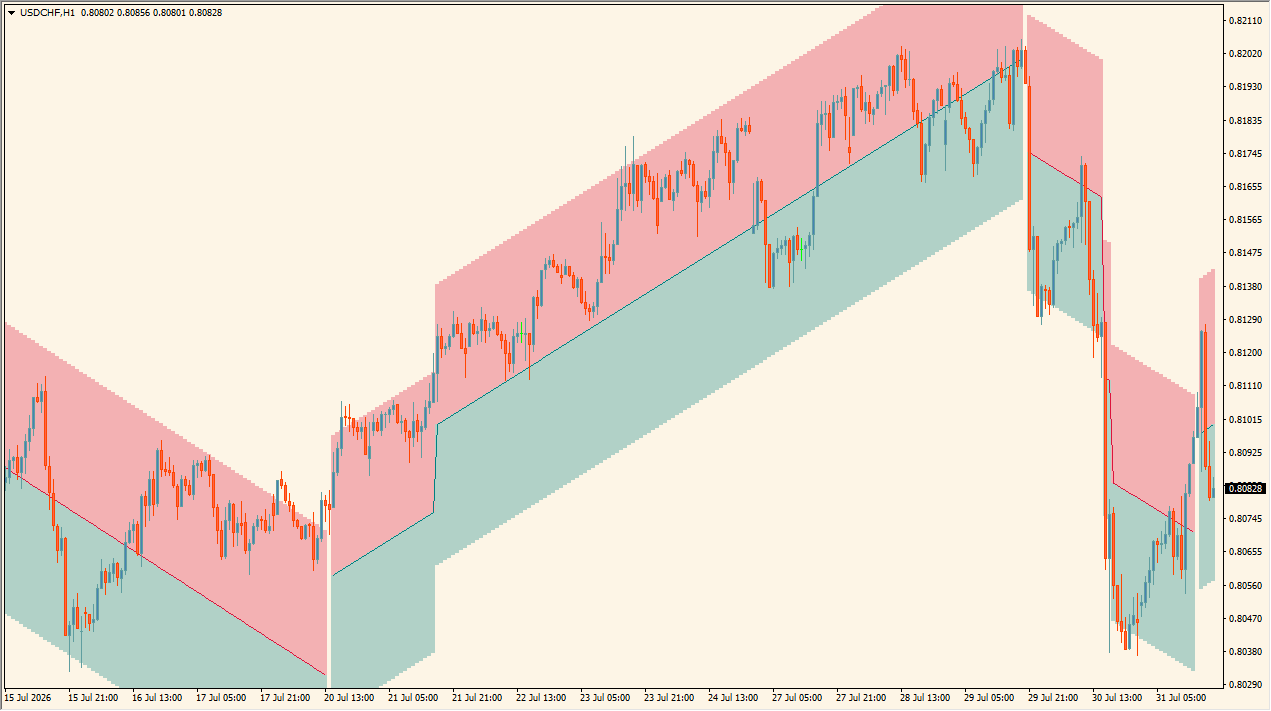
HyperTrend is an indicator that displays a sloping band and color-coded zones on the main chart. Band tilt and shading shift with market direction, visualizing trend structure and volatility width across the chart window.
How to use HyperTrend
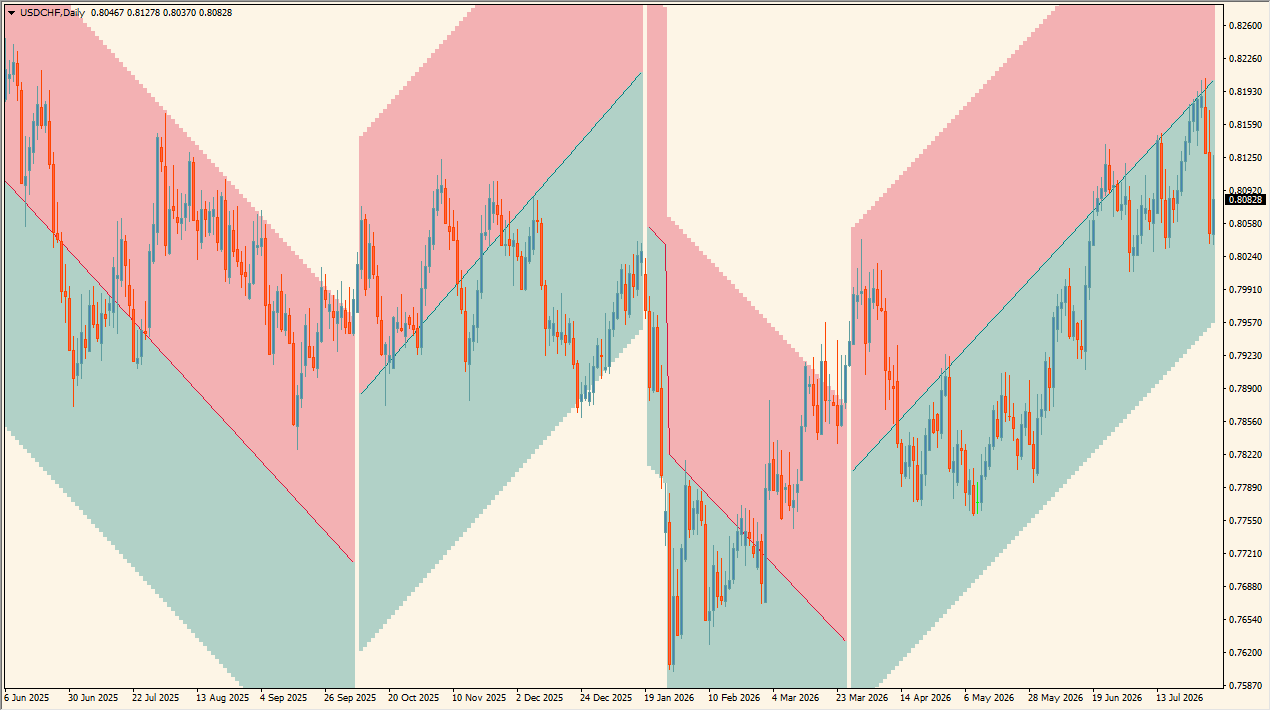
Add HyperTrend to an MT4 chart and identify sloping channel bands, a central dividing line, and color-coded green and red zones.
At the upper boundary, price reactions can be monitored as resistance. At the middle reference, upward moves show rising green shading while downward moves show declining red shading. At the lower boundary, price reactions can be monitored as support.
Use Multiplicative Factor with this effect in mind: it configures the multiplication factor used in the band calculation.
Where it helps
MT4 Indicator Parameters
The table below lists the available MT4 indicator parameters. You can customize these options in the MetaTrader Inputs dialog to match your trading preferences.
| Parameter | Description |
|---|---|
| Multiplicative Factor | Sets the multiplication factor for the band calculation. Default: 5.0. |
| Slope | Sets the slope calculation value. Default: 14.0. |
| Width % | Sets the width percentage of the band. Default: 0.8. |
| Average Color | Sets the primary color for the center line. Default: Teal. |
| Average Color | Sets the alternative color for the center line. Default: Crimson. |
| Upper Area | Sets the display color for the upper band area. Default: Crimson. |
| Lower Area | Sets the display color for the lower band area. Default: Teal. |
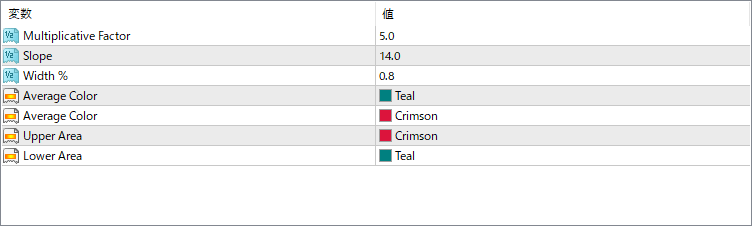
The screenshot above shows the default input parameters in the MT4 settings window.
How to Install .ex4 Indicator in MetaTrader 4
- Download the ZIP file and extract it.
- In MT4, select File → Open Data Folder.
- Open MQL4 → Indicators and copy the EX4 or MQ4 file into it.
- If the package includes library files, copy them to MQL4 → Libraries. Copy TPL files to the top-level templates folder.
- Restart MT4, find the indicator in the Navigator, and drag it onto a chart.
Test the tool on a demo account first. File contents and required folders can vary between packages.


