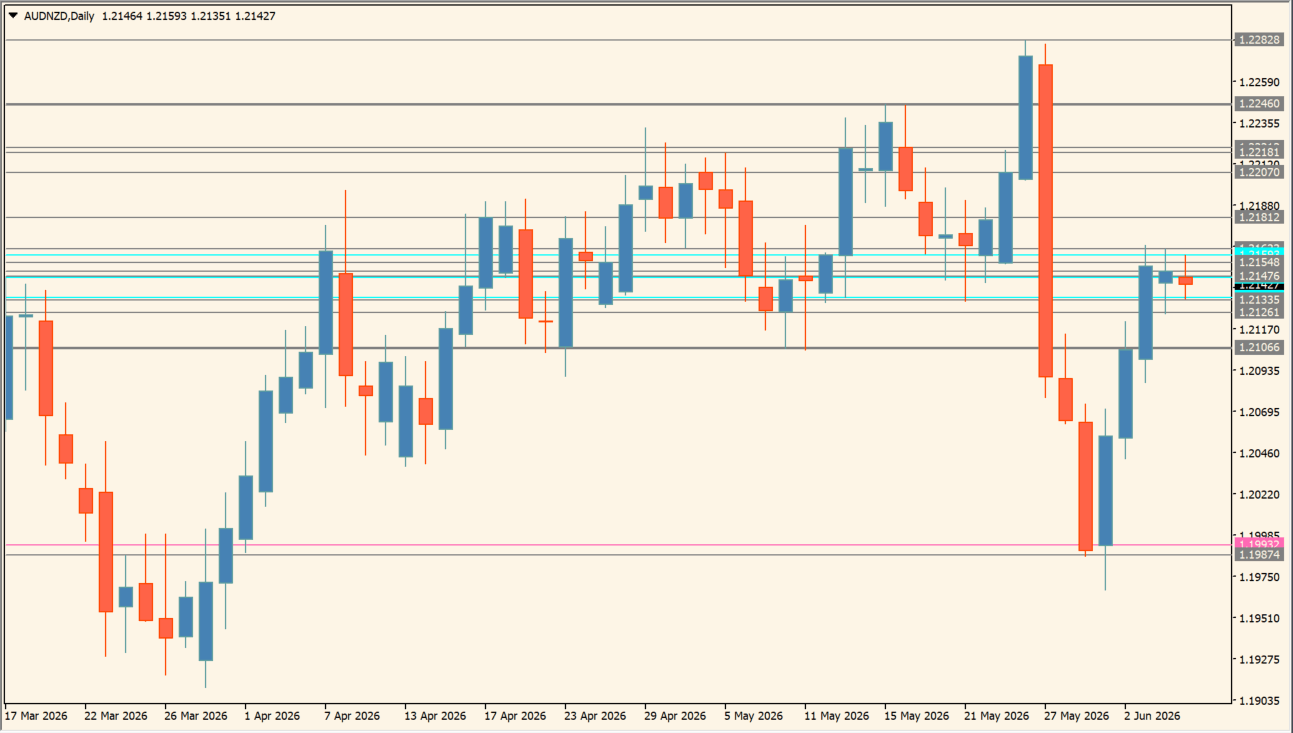
What is ICT Daily HL?
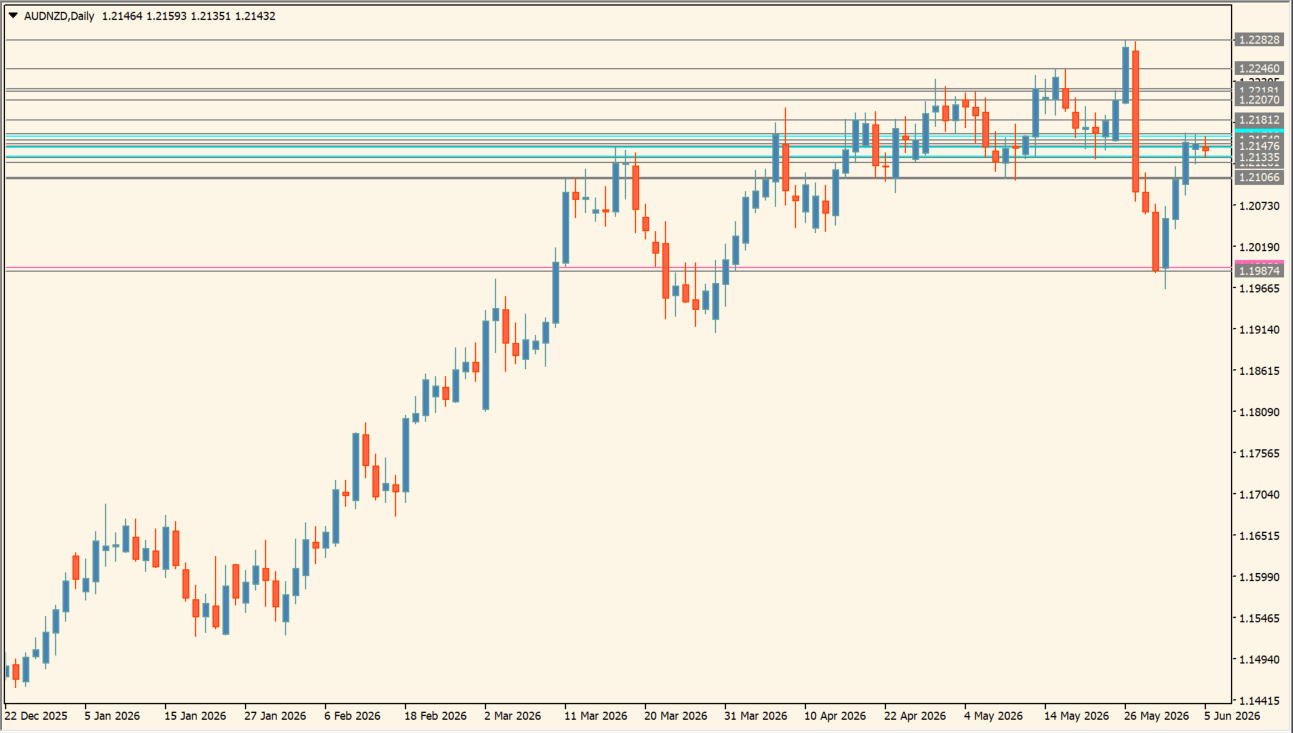
ICT Daily HL automatically draws current-day, previous-day, current-week, previous-week, and monthly high, low, open, and close lines on an MT4 chart. The lines are calculated from the corresponding daily, weekly, and monthly price references.
Color settings separate the individual line groups so that current price can be compared with multiple higher-timeframe references at once. The display marks reference areas and does not prescribe a reaction or direction.
How to use ICT Daily HL
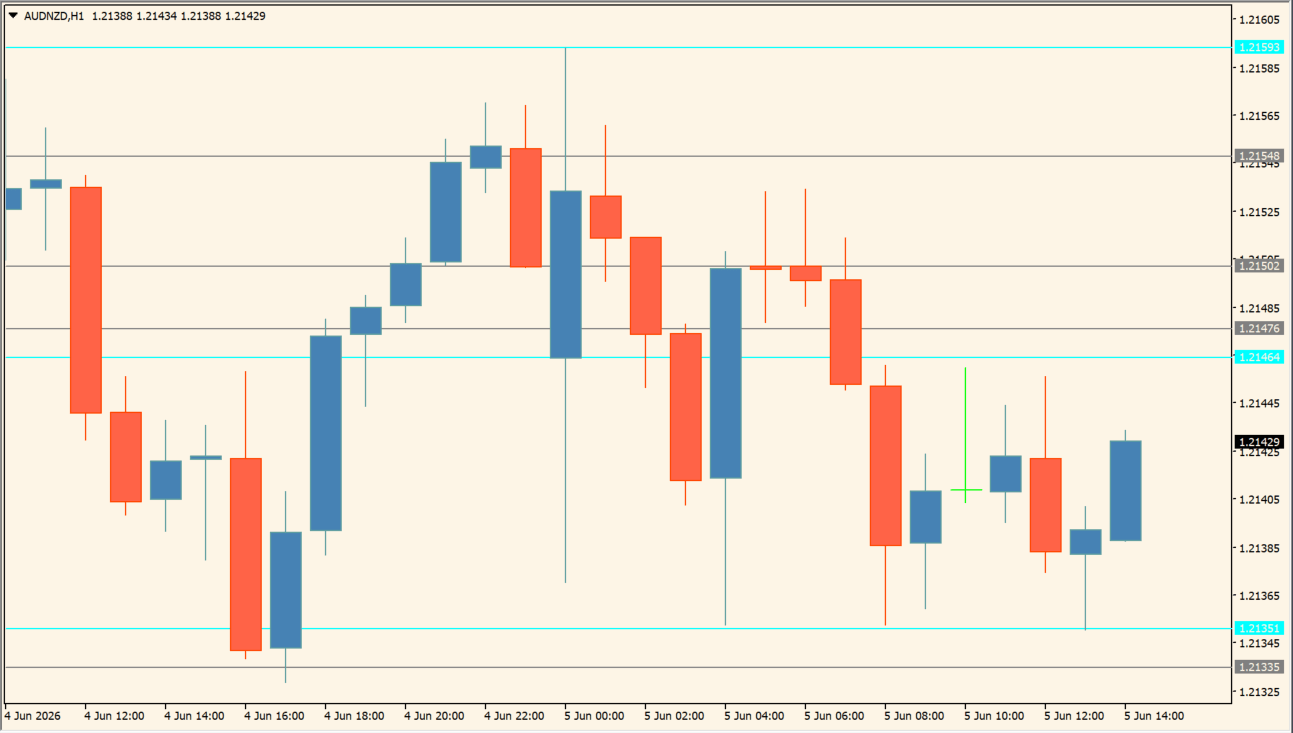
Add ICT Daily HL to an H1 to H4 MT4 chart, then compare price with the displayed period references:
- Locate the previous day’s high and low, the weekly open, and the monthly high-low lines before comparing them with the active chart.
- Note whether price pauses near a line, leaves a wick around it, or moves through it and then returns; these are price observations, not automatic instructions.
- Use TodayLineColor, WeeklyOpenLineColor, YesterdayLineColor, LastWeekLineColor, ThisWeekLineColor, ThisWeekOpenLineColor, MnthLineColor, and MnCloseColor to keep each line group distinct.
- Compare clustered lines with the surrounding candles because several higher-timeframe references can appear in the same area.
Where it helps
Daily, weekly, and monthly high-low references remain on one chart, individual color settings keep the line groups distinguishable, and the open and close lines add time-period context.
MT4 Indicator Parameters
The table below lists the available MT4 indicator parameters. You can customize these options in the MetaTrader Inputs dialog to match your trading preferences.
| Parameter | Description |
|---|---|
| Today Line Color | Sets the color of current-day reference levels. Default: Aqua. |
| Weekly Open Line Color | Sets the weekly-open line color. Default: HotPink. |
| Yesterday Line Color | Sets the color of previous-day levels. Default: Gray. |
| Last Week Line Color | Sets the color of previous-week levels. Default: Gray. |
| This Week Line Color | Sets the color of current-week high and low levels. Default: Gray. |
| This Week Open Line Color | Sets the current-week open color. Default: Aqua. |
| Monthly Line Color | Sets the monthly high and low line color. Default: Gray. |
| Monthly Close Color | Sets the monthly close line color. Default: Gray. |
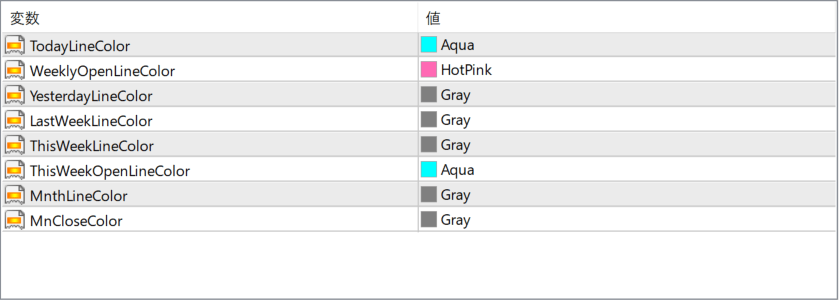
The screenshot above shows the default input parameters in the MT4 settings window.
How to Install .ex4 Indicator in MetaTrader 4
- Download the ZIP file and extract it.
- In MT4, select File → Open Data Folder.
- Open MQL4 → Indicators and copy the EX4 or MQ4 file into it.
- If the package includes library files, copy them to MQL4 → Libraries. Copy TPL files to the top-level templates folder.
- Restart MT4, find the indicator in the Navigator, and drag it onto a chart.
Test the tool on a demo account first. File contents and required folders can vary between packages.


