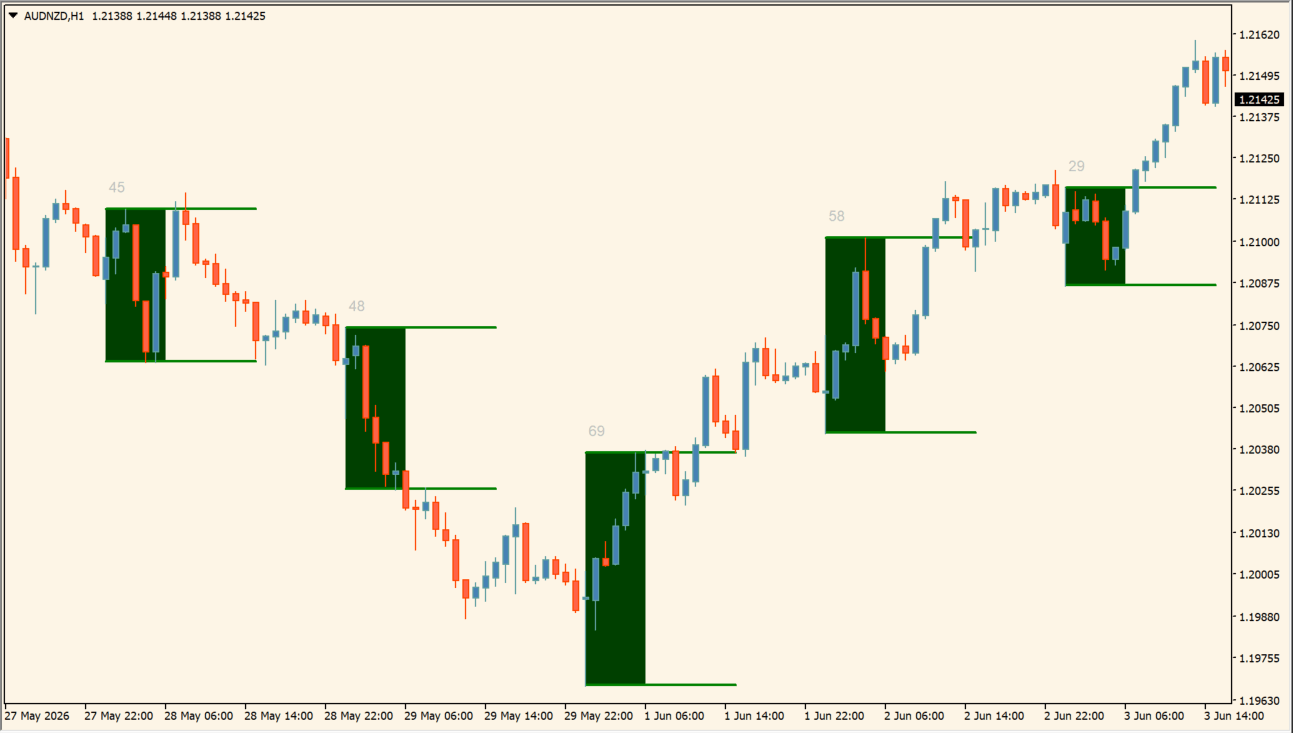
What is ICT Daily Line Box?
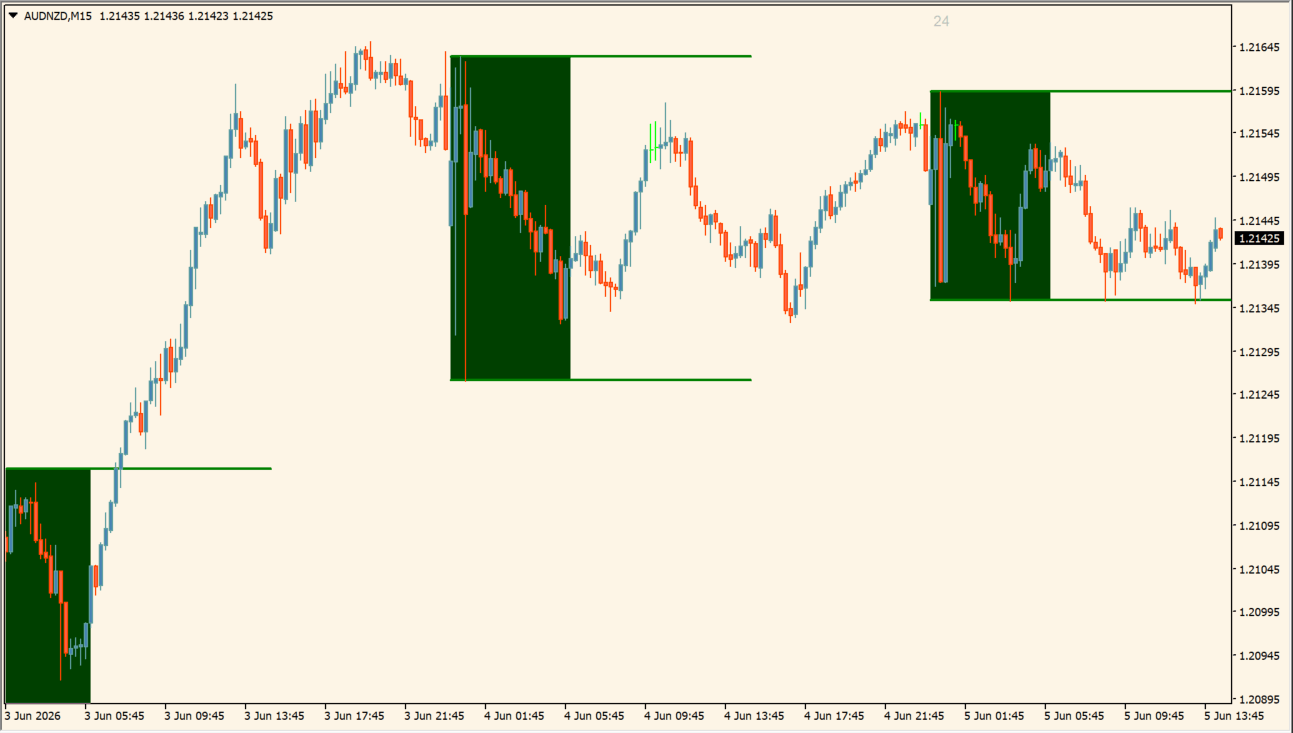
ICT Daily Line Box measures the high and low formed between two selected hours and shades the interval as a box. The boundaries can extend to the right, and a pip label reports the measured range.
The default hours provide an example session window, while StartHours and EndHours can define another interval. Historical boxes make different daily range sizes easier to compare without treating the boundaries as a breakout instruction.
How to use ICT Daily Line Box
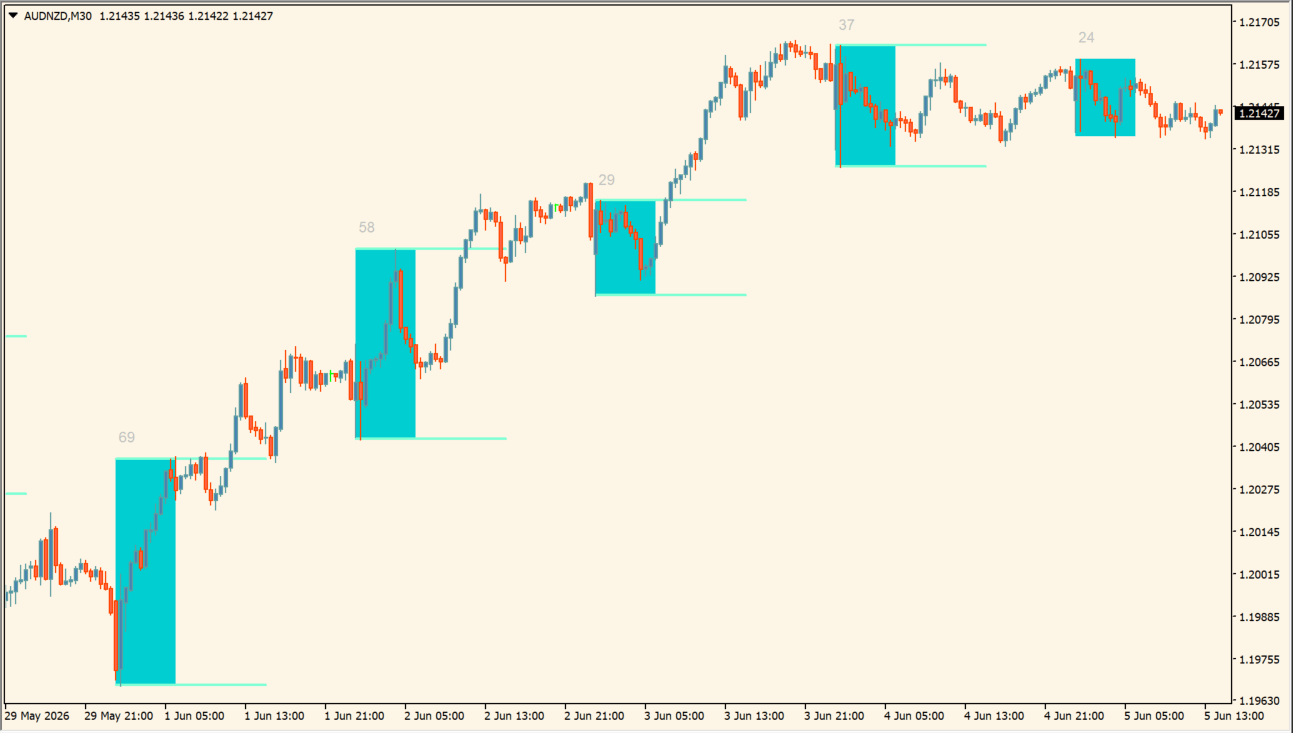
Define the intraday window, then compare its high, low, shaded box, and pip label across the displayed sessions:
- Set StartHours and EndHours to define the range that the box measures.
- Read the high and low boundary lines together with the box and its printed pip range.
- Use ExtendHours, DaysOfWeek, and Visibility to control how long and where each session range is shown.
- Adjust BoxColor, LineColor, TextProperties, and SymbolProperties so the measured range remains legible.
Where it helps
A repeatable time window creates comparable daily boxes, pip labels summarize each measured range, and extended boundaries preserve session context during later chart review.
MT4 Indicator Parameters
The table below lists the available MT4 indicator parameters. You can customize these options in the MetaTrader Inputs dialog to match your trading preferences.
| Parameter | Description |
|---|---|
| Lookback Days | Sets how many historical daily boxes are displayed. Default: 20. |
| Start Hour | Sets the beginning of the measured time window. Default: 0.0. |
| End Hour | Sets the end of the measured time window. Default: 6.0. |
| Extension Hours | Sets how far the range boundaries extend to the right. Default: 15.0. |
| Unique Object ID | Provides a unique prefix when several copies are used. Default: DLB#1. |
| Box Color | Sets the shaded box color. Default: 0,64,0. |
| Line Color | Sets the range-boundary line color. Default: Green. |
| Line Properties | Passes the line-style property string used by the indicator. Default: ETH2. |
| Horizontal Line Levels | Controls supplementary horizontal levels. Default: 0. |
| Text Properties | Sets the font, size, color, and placement of range text. Default: Arial,9,Silver,4,7. |
| Symbol Properties | Sets symbol style, color, code, and size. Default: 2,White,108,10. |
| Days of Week | Selects the weekdays on which boxes are drawn. Default: Mon,Tue,Wed,Thu,Fri. |
| Time-Frame Visibility | Selects the chart time frames that display the box. Default: M1,M5,M15,M30,H1,H4. |
| Reference Time Frame | Leaves the reference time frame at the indicator default. Default: —. |
| Require Existing Candles | Requires complete candle data in the selected interval when enabled. Default: false. |
| Clearance in Pips | Adds a pip margin around the measured boundaries. Default: 0.0. |
| Refresh Interval (Minutes) | Sets how often the display refreshes. Default: 1. |
| Show Secondary Pip Count | Shows an additional pip-count reading when enabled. Default: false. |
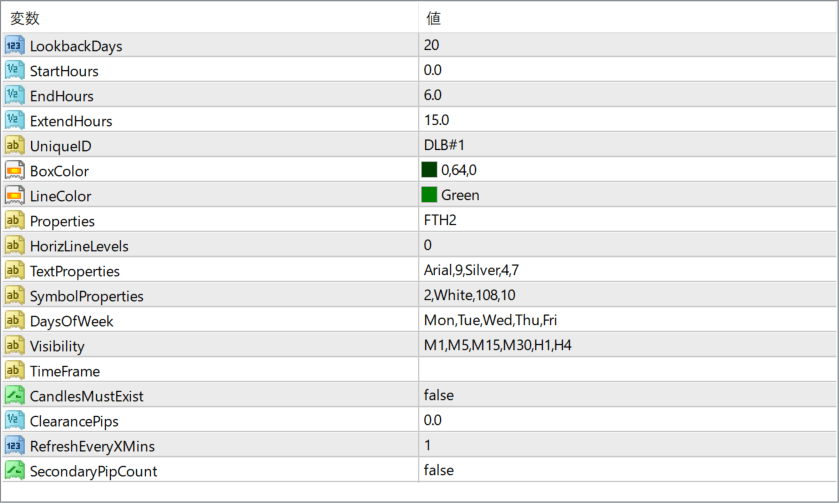
The screenshot above shows the default input parameters in the MT4 settings window.
How to Install .ex4 Indicator in MetaTrader 4
- Download the ZIP file and extract it.
- In MT4, select File → Open Data Folder.
- Open MQL4 → Indicators and copy the EX4 or MQ4 file into it.
- If the package includes library files, copy them to MQL4 → Libraries. Copy TPL files to the top-level templates folder.
- Restart MT4, find the indicator in the Navigator, and drag it onto a chart.
Test the tool on a demo account first. File contents and required folders can vary between packages.


