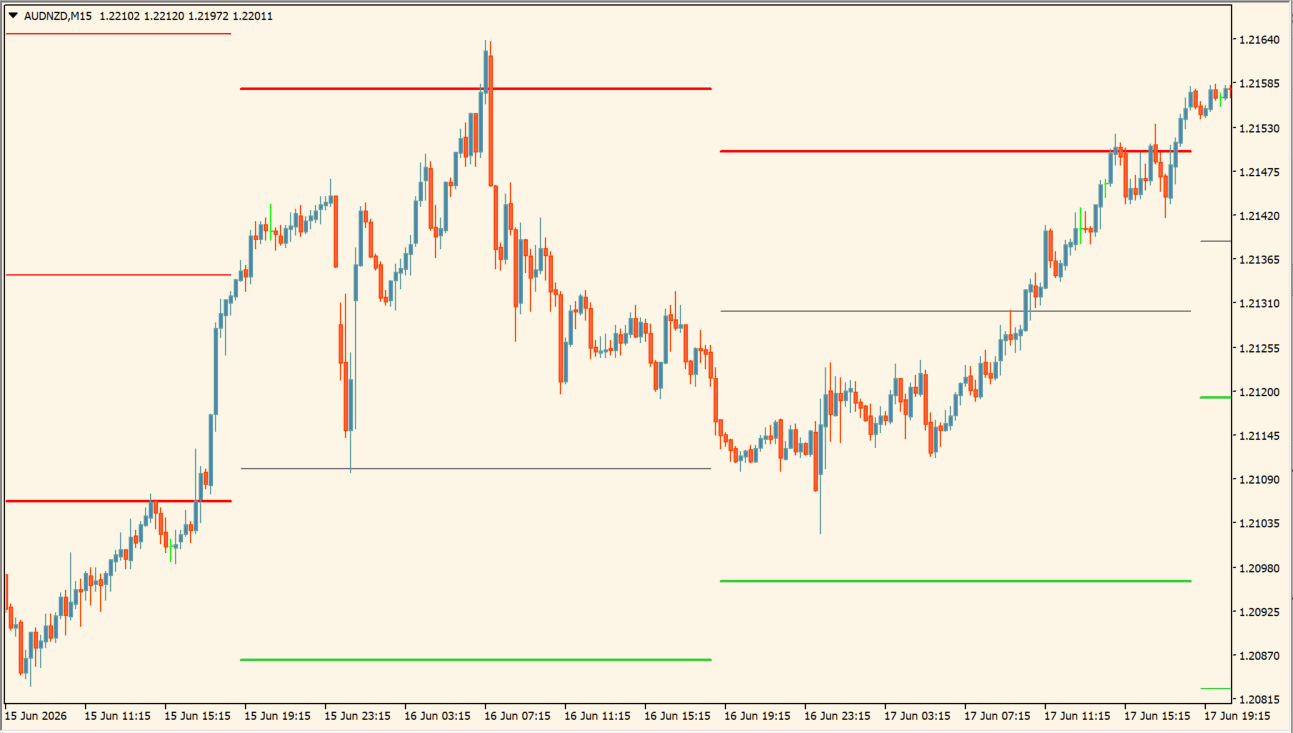
What is ICT Daily Pivots Shifted?
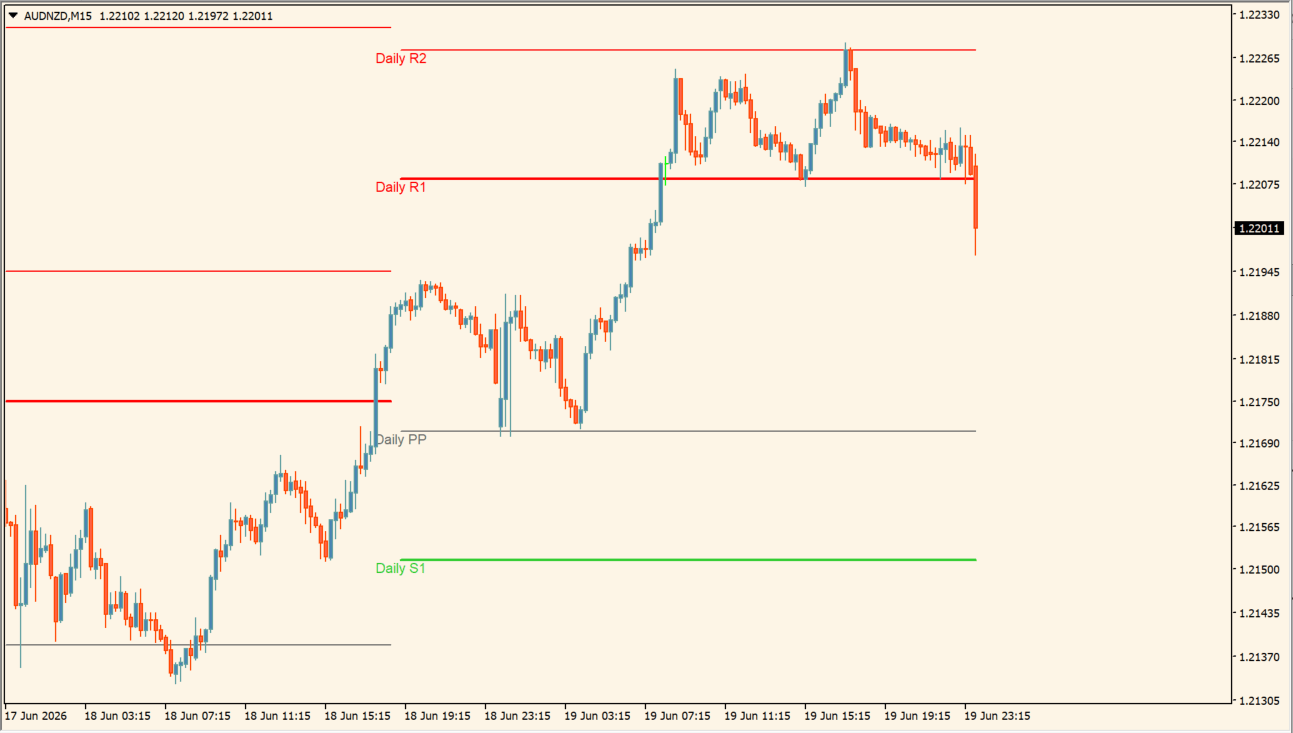
ICT Daily Pivots Shifted draws horizontal lines based on daily pivots on the MT4 chart. Daily R1, Daily R2, and Daily R3 appear as red lines, so the resistance band price is approaching is visible. It prints no entry arrows.
The lines carry higher-time-frame levels onto a short-term chart.
How to use ICT Daily Pivots Shifted
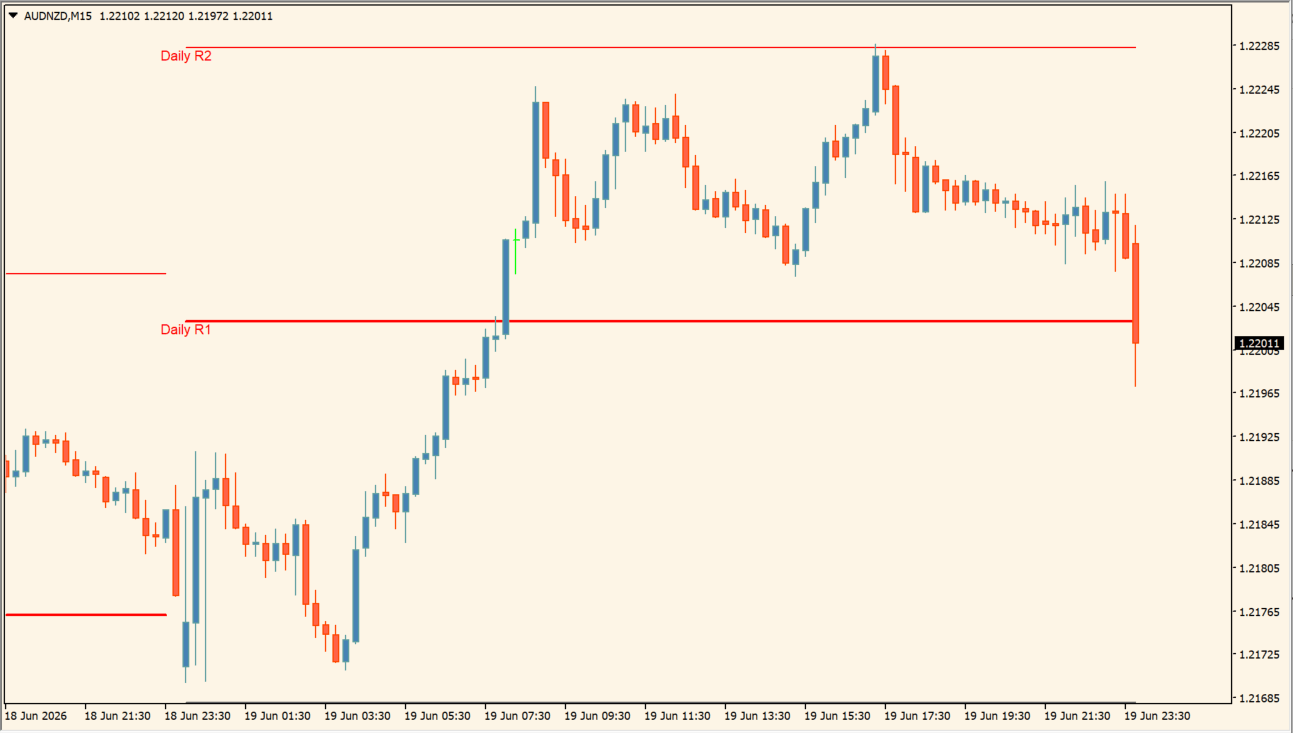
Check where price sits relative to Daily R1, Daily R2, and Daily R3. As price approaches a line, read the candle reaction, the upper wicks, and the position relative to the most recent high.
- Set ShiftHrs to match your broker server time or the daily boundary you want; it is the only input this indicator exposes.
Where it helps
On 15-minute or 5-minute charts the daily lines stay visible alongside the immediate price action, Daily R1 to R3 give fixed higher-time-frame references, and whether price stalls at a line or clears it is readable directly from the chart.
MT4 Indicator Parameters
The table below lists the available MT4 indicator parameters. You can customize these options in the MetaTrader Inputs dialog to match your trading preferences.
| Parameter | Description |
|---|---|
| Pivot Hour Shift | Shifts the time used for the pivot calculation to match your broker server time or preferred reference time. Default: 5. |
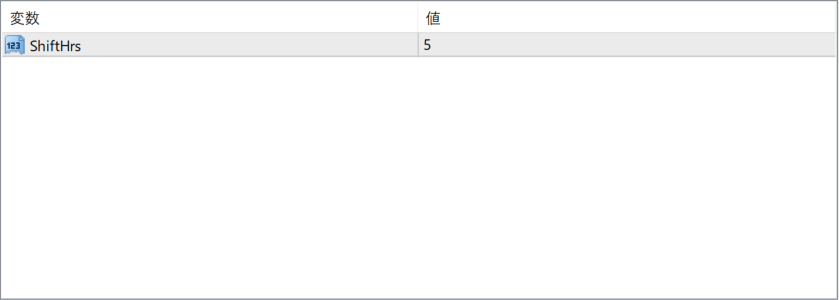
The screenshot above shows the default input parameters in the MT4 settings window.
How to Install .ex4 Indicator in MetaTrader 4
- Download the ZIP file and extract it.
- In MT4, select File → Open Data Folder.
- Open MQL4 → Indicators and copy the EX4 or MQ4 file into it.
- If the package includes library files, copy them to MQL4 → Libraries. Copy TPL files to the top-level templates folder.
- Restart MT4, find the indicator in the Navigator, and drag it onto a chart.
Test the tool on a demo account first. File contents and required folders can vary between packages.


