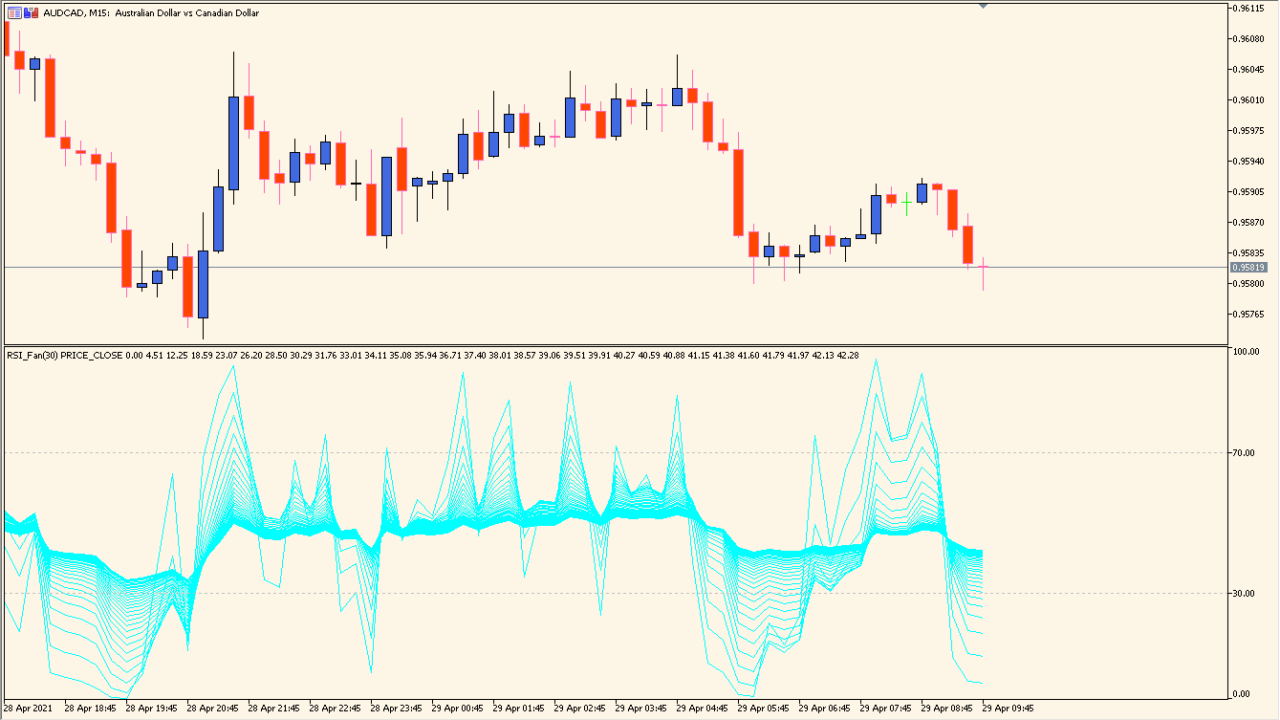
What is iFanRSI Indicator?
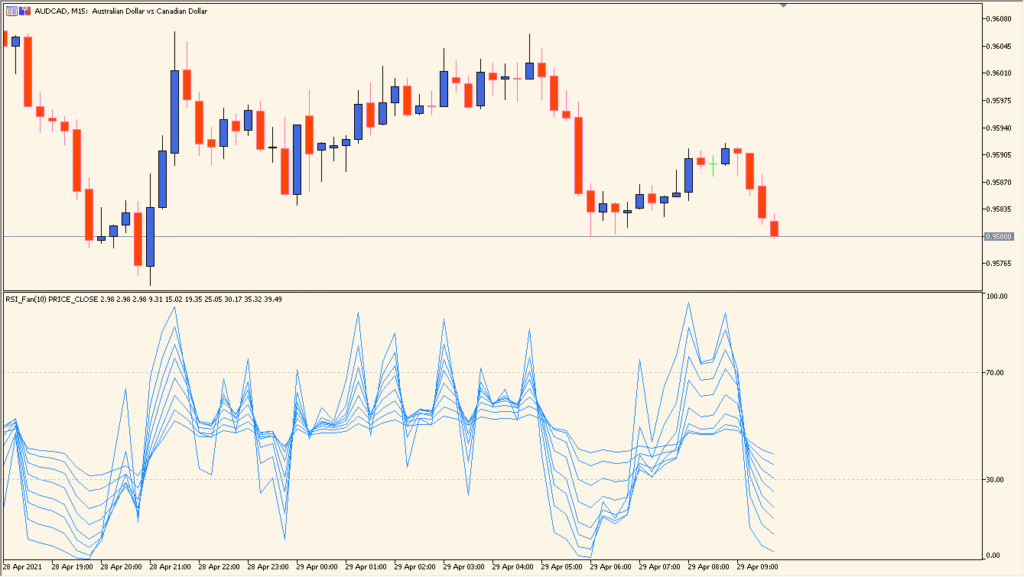
iFanRSI for MT5 displays multiple RSI lines with progressively changing periods. The lines form a fan-like view that places shorter and longer momentum readings in the same subwindow.
The existing settings control fan color, period calculation type, the number of lines, period spacing, price source, and level display. Clusters, separation, and direction changes can be reviewed without switching between several RSI instances.
How to Use It in Practice
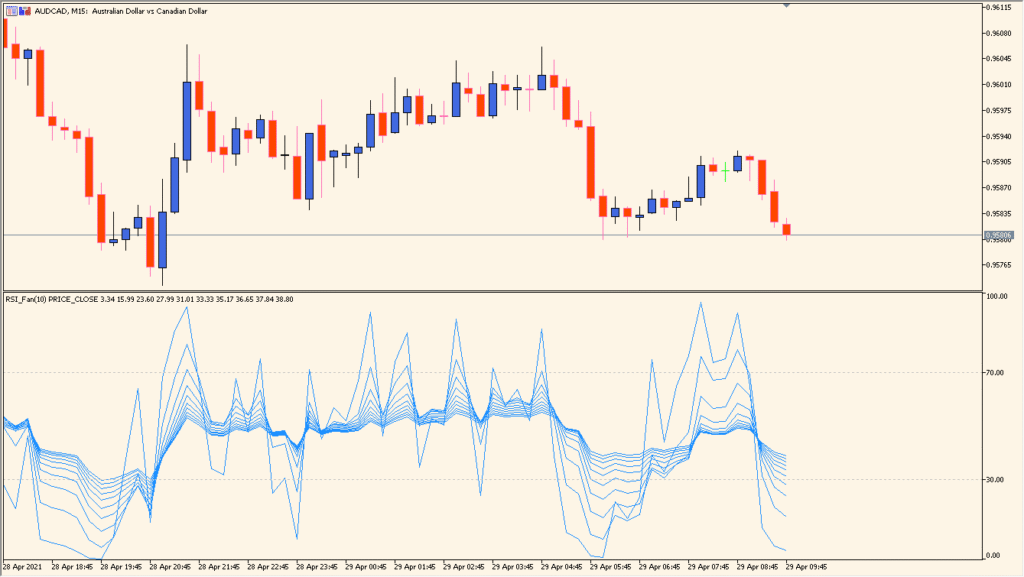
iFanRSI draws several RSI lines at Fibonacci-sequence-like intervals. The outermost line corresponds to a standard RSI when its period is matched, while the inner lines create the fan appearance.
- Read the outermost fan line alongside a standard RSI with the same period, then keep the remaining fan lines as graphical layering.
- Set Start period for the RSI base period and Coefficient of progression for the spacing between fan lines.
- Choose Type of period calculation for the line progression; the outermost line remains the main line to inspect whichever type is selected.
Multiple RSI periods are visible in one panel, the fan structure makes period separation easy to compare, and display and calculation settings are available for adjustment.
MT5 Indicator Parameters
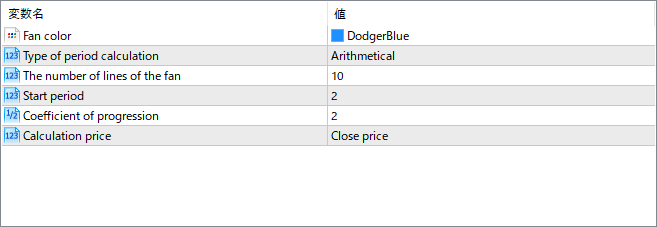
The screenshot above shows the default input parameters in the MT5 settings window.
| Parameter | Description |
|---|---|
| Fan color | Sets the color for all RSI lines in the fan. Helps improve visibility or match your chart theme. |
| Type of period calculation | Determines how each RSI period is calculated—arithmetical means each step increases linearly. This affects the spacing and progression of the fan lines. |
| The number of lines of the fan | Specifies how many RSI curves will be drawn. More lines give a smoother gradient of momentum views but may clutter the chart. |
| Start period | Defines the shortest RSI period used as the base of the fan. The remaining lines are derived by progressively increasing from this base. |
| Coefficient of progression | Multiplies each subsequent RSI period by this value to expand the fan. A higher coefficient creates wider spacing between RSI lines. |
| Calculation price | Determines which price is used in RSI calculation (e.g., Close, Open, High, Low). This impacts how reactive the lines are. |


