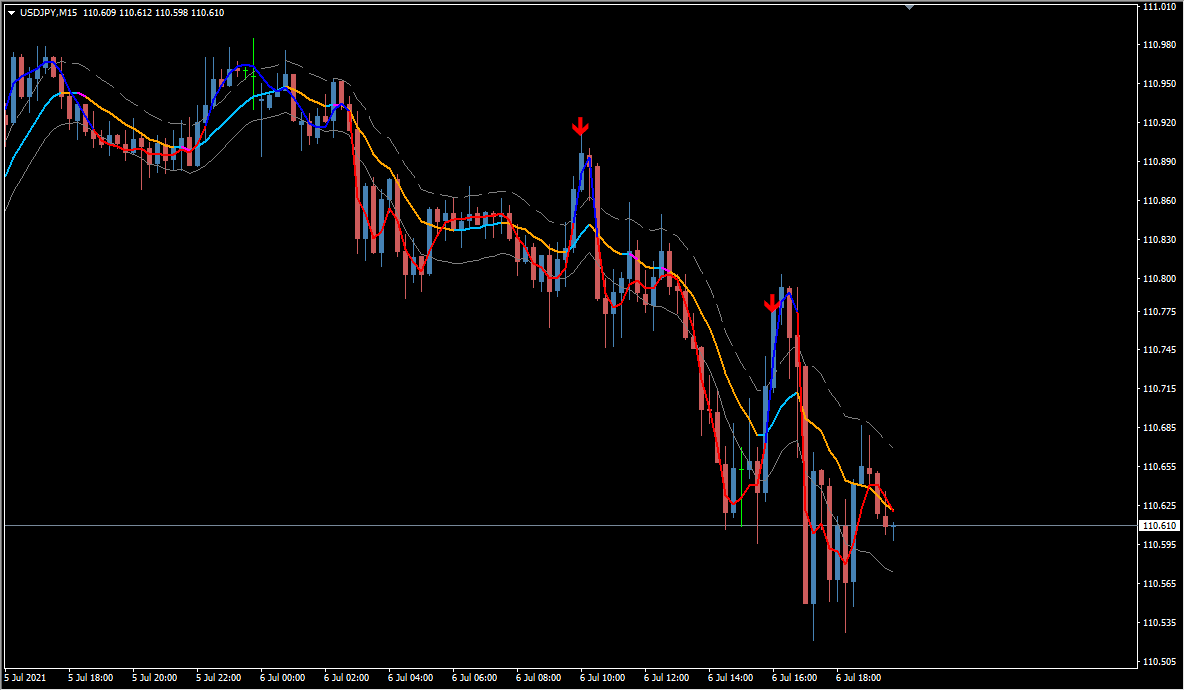
What is keltner-channel-trend-v2?
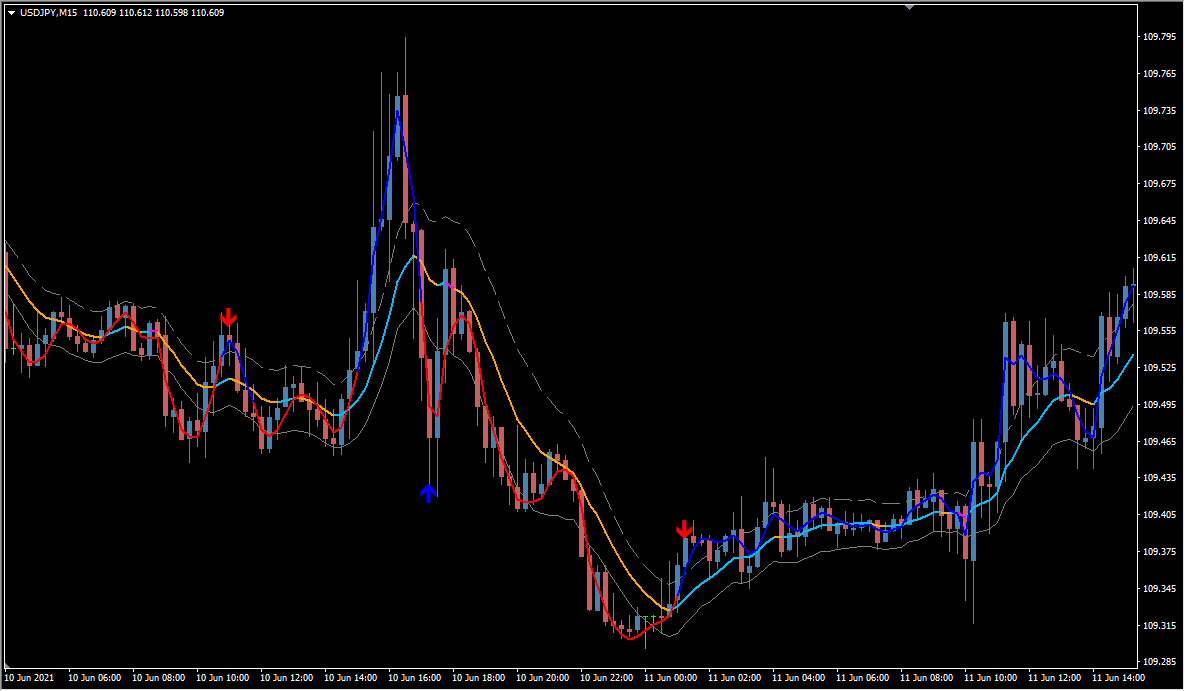
keltner-channel-trend-v2 is an MT4 signal tool that plots a Keltner Channel with three bands. An ATR filter is applied to it.
A Keltner Channel is built from an EMA centre line with ATR-based bands, which is what separates it from Bollinger Bands built from an SMA and standard deviation. The moving average side takes a period, a method, and an applied price, while the ATR side takes its own period, a multiplier that affects sensitivity, and a switch for whether the ATR calculation is used.
How to use keltner-channel-trend-v2
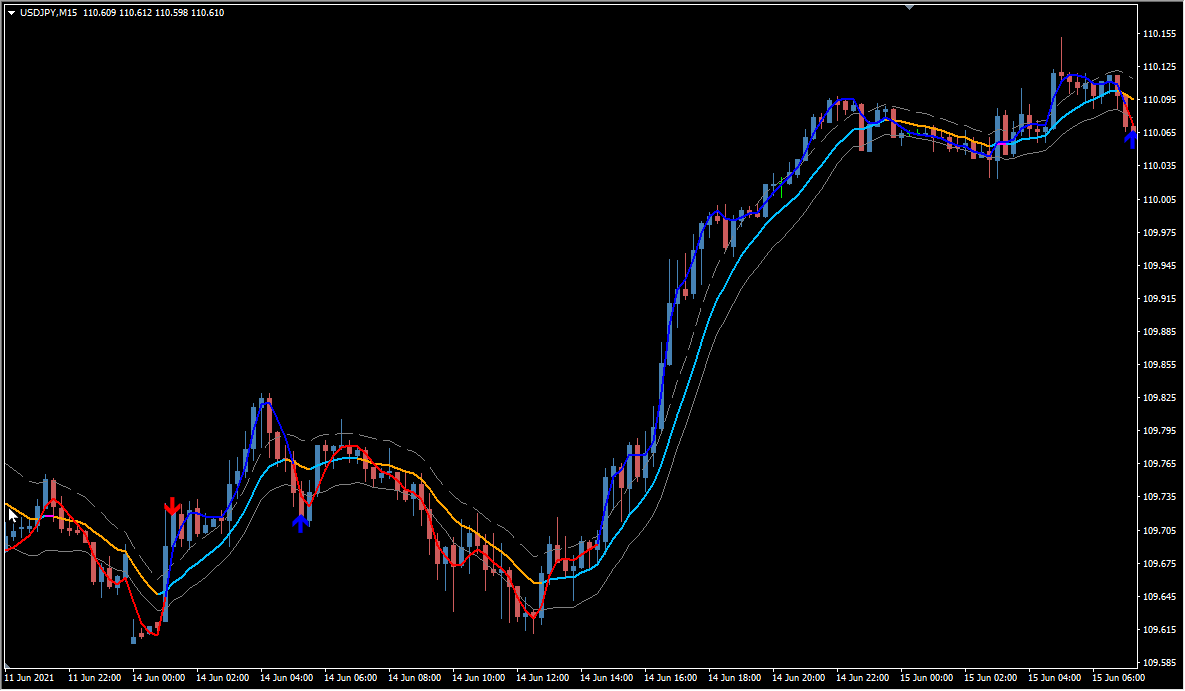
Counter-trend signs appear when price moves beyond a band. A line color change and the ATR value are also built in as filters.
Signs appear relatively often on the default. The chart it reads can be switched to another timeframe, the plot can be colour-separated, interpolated, or phase-shifted, and alerts can be delivered as a message, a sound, or an email.
Where it helps
MT4 Indicator Parameters
The table below lists the available MT4 indicator parameters. You can customize these options in the MetaTrader Inputs dialog to match your trading preferences.
| Parameter | Description |
|---|---|
| TimeFrame | Sets the timeframe the indicator refers to. |
| MA_PERIOD | Sets the calculation period of the moving average. |
| MA_MODE | Selects the type of moving average. |
| PRICE_MODE | Selects the price type used for the moving average. |
| ATR_PERIOD | Sets the calculation period of the ATR. |
| K | Sets the multiplier used in the calculation, which affects sensitivity. |
| ATR_MODE | Controls whether the ATR mode is enabled. |
| Length | Sets the internal period length used by the indicator. |
| Price | Selects the price type the indicator refers to. |
| Phase | Sets the phase used in filtering and smoothing, which affects display lead or lag. |
| Interpolate | Controls whether the plot is interpolated for smoother drawing. |
| MultiColor | Controls whether the plot changes color between rising and falling. |
| alertsOn | Controls whether the alert function is enabled. |
| alertsOnCurrent | Controls whether an alert is raised on the current bar. |
| alertsMessage | Controls whether the alert is shown as a message. |
| alertsSound | Controls whether a sound alert is enabled. |
| alertsEmail | Controls whether the alert is sent by email. |
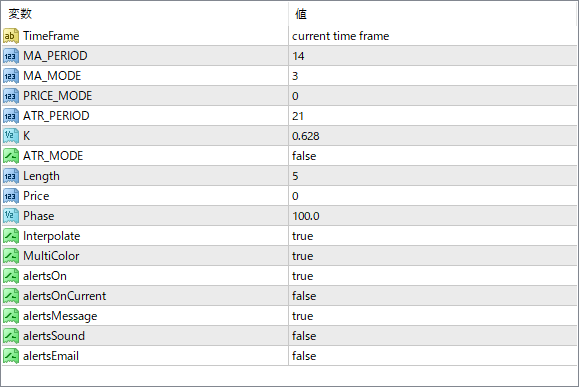
The screenshot above shows the default input parameters in the MT4 settings window.
How to Install .ex4 Indicator in MetaTrader 4
- Download the ZIP file and extract it.
- In MT4, select File → Open Data Folder.
- Open MQL4 → Indicators and copy the EX4 or MQ4 file into it.
- If the package includes library files, copy them to MQL4 → Libraries. Copy TPL files to the top-level templates folder.
- Restart MT4, find the indicator in the Navigator, and drag it onto a chart.
Test the tool on a demo account first. File contents and required folders can vary between packages.


