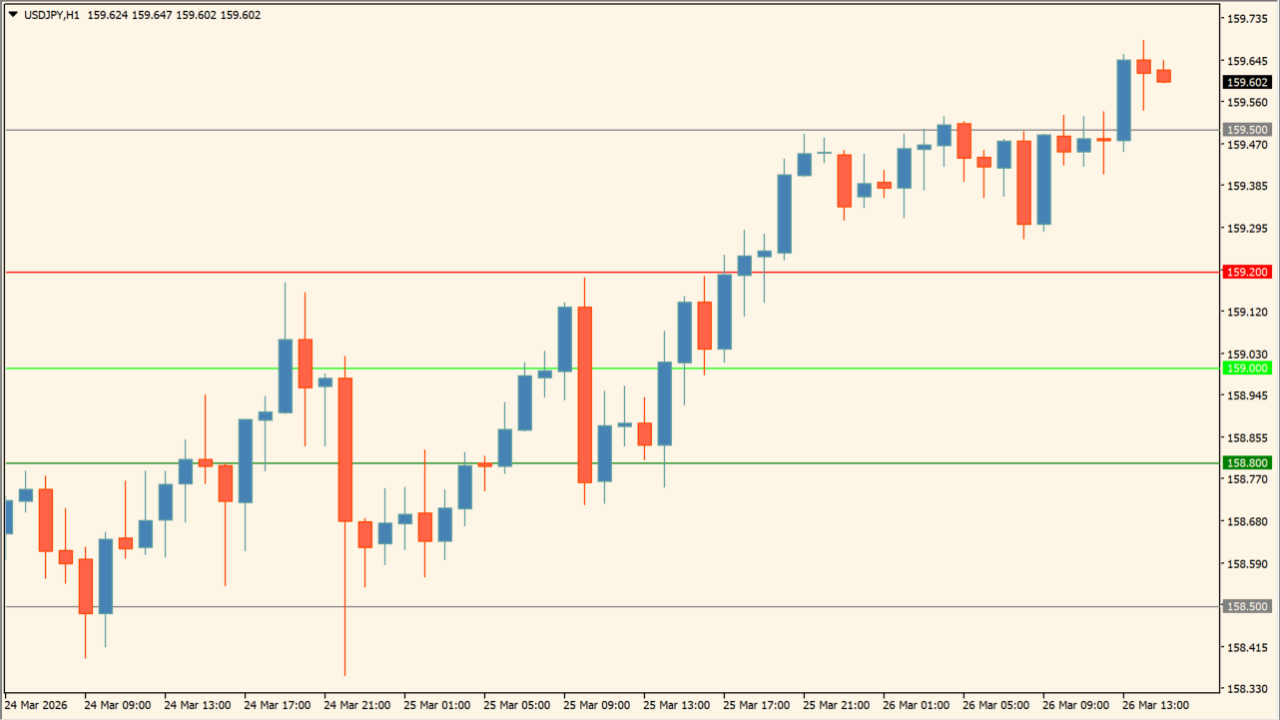
What is Key-PA-Levels?
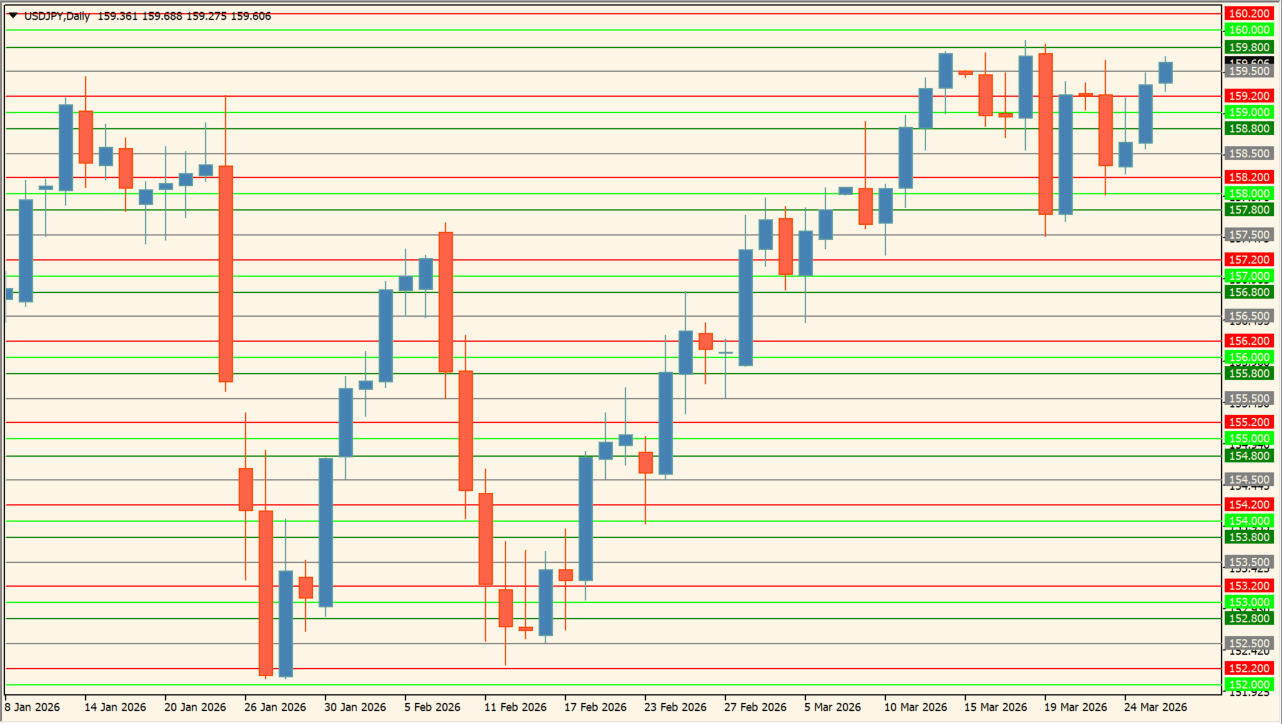
Key-PA-Levels draws configured 00, 20, 50, and 80 levels using a selected base timeframe. The Inputs image provides independent visibility switches and colors for the two level pairs.
These lines are a price-grid display. They can make repeated price areas easier to inspect, but a visible level does not determine whether price will stop or pass through.
How to use Key-PA-Levels
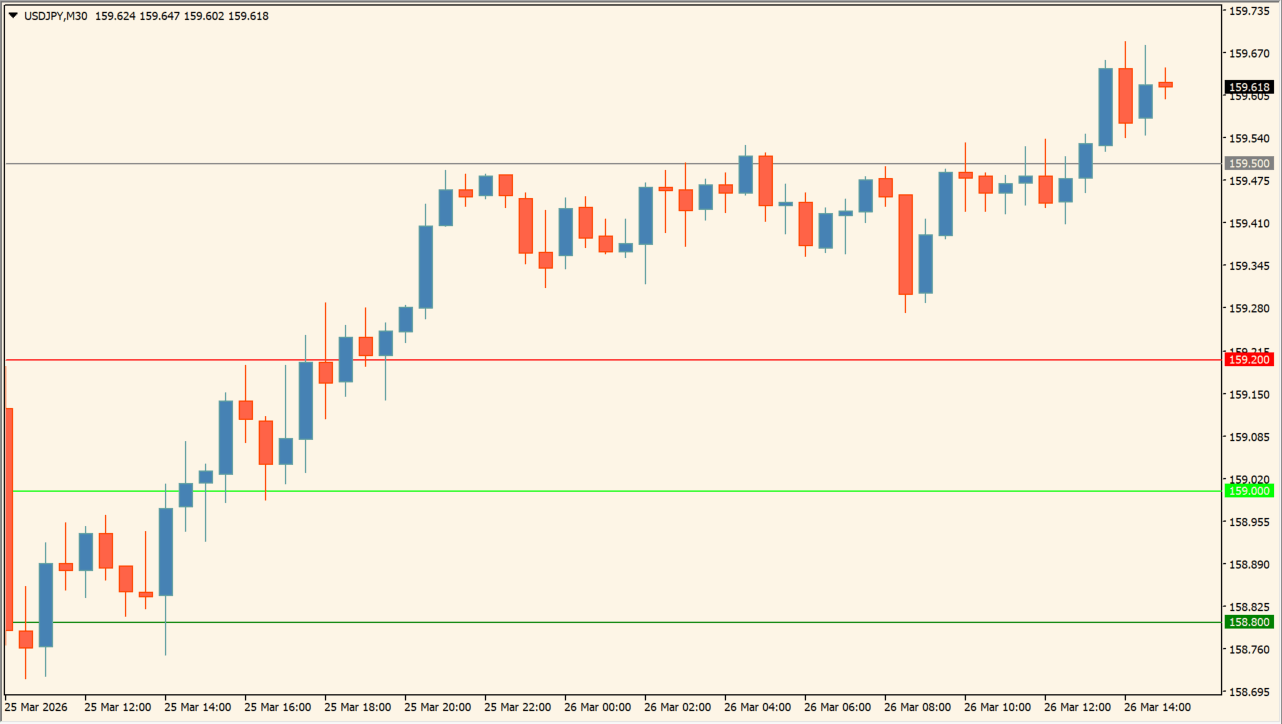
Select the base timeframe, then keep only the two level groups useful for the chart under review. Compare their placement with visible swings and candles.
The two Show inputs control the 00/50 and 20/80 groups, while each level color can be changed independently.
Where it helps
H sets the timeframe used for the level calculation.
00/50 and 20/80 groups have separate display switches.
Each of the four level types has its own color input.
MT4 Indicator Parameters
The table below lists the available MT4 indicator parameters. You can customize these options in the MetaTrader Inputs dialog to match your trading preferences.
| Parameter | Description |
|---|---|
| H | Configures the H setting. |
| Show_00_50_Levels | Configures the Show_00_50_Levels setting. |
| Show_20_80_Levels | Configures the Show_20_80_Levels setting. |
| Level_00_Color | Configures the Level_00_Color setting. |
| Level_50_Color | Configures the Level_50_Color setting. |
| Level_20_Color | Configures the Level_20_Color setting. |
| Level_80_Color | Configures the Level_80_Color setting. |
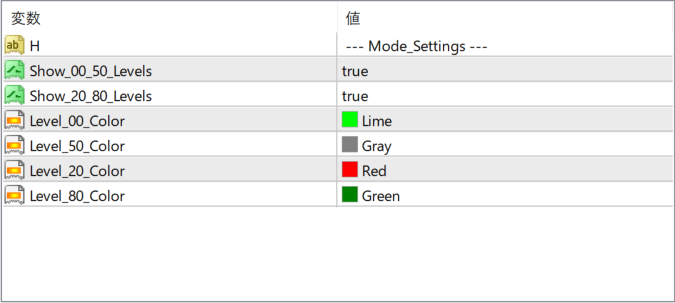
The screenshot above shows the default input parameters in the MT4 settings window.
How to Install .ex4 Indicator in MetaTrader 4
- Download the ZIP file and extract it.
- In MT4, select File → Open Data Folder.
- Open MQL4 → Indicators and copy the EX4 or MQ4 file into it.
- If the package includes library files, copy them to MQL4 → Libraries. Copy TPL files to the top-level templates folder.
- Restart MT4, find the indicator in the Navigator, and drag it onto a chart.
Test the tool on a demo account first. File contents and required folders can vary between packages.


