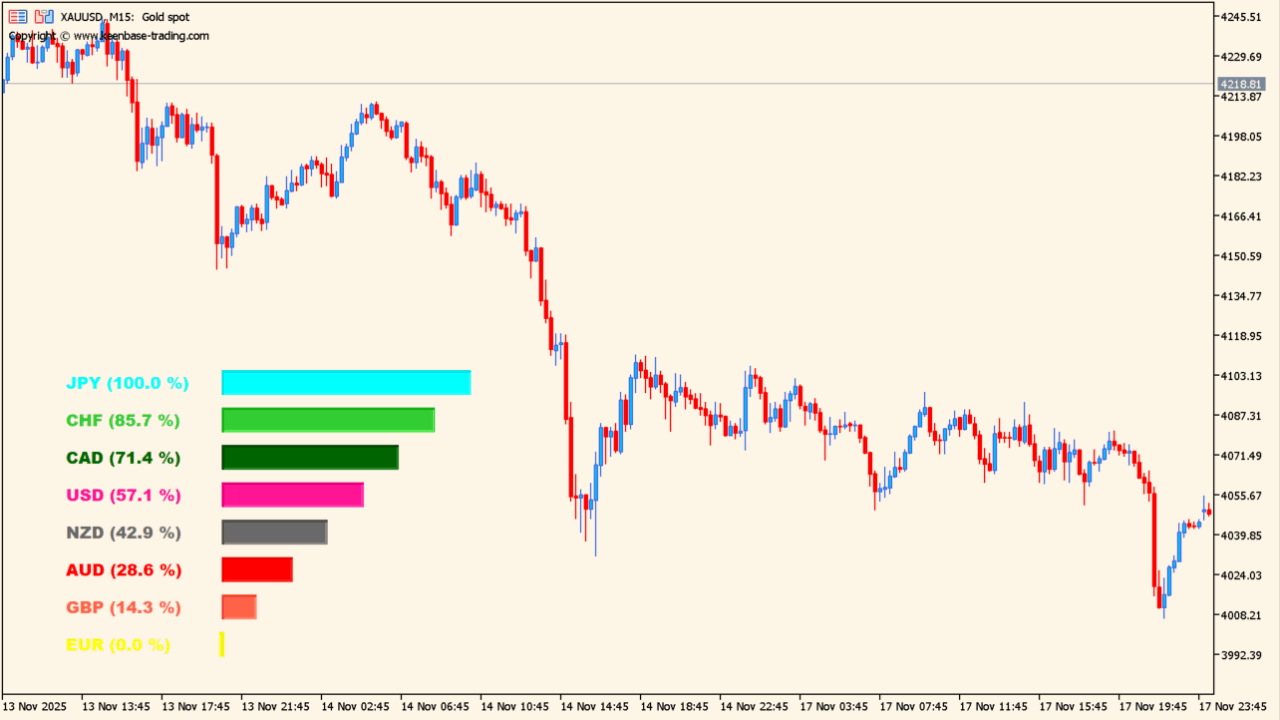
What is KT-Currency-Strength-Meter?
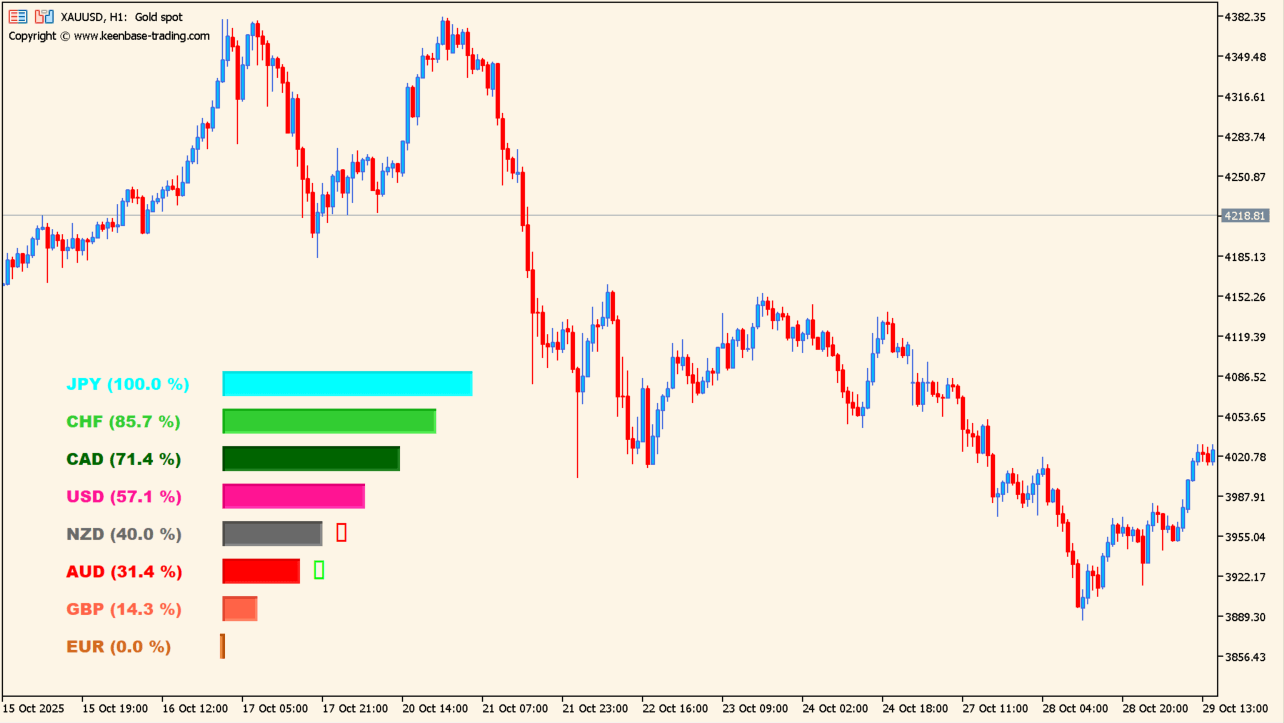
KT-Currency-Strength-Meter is an indicator that calculates and ranks the relative strength of eight major currencies. Higher values represent stronger currencies and lower values represent weaker currencies.
How to use KT-Currency-Strength-Meter
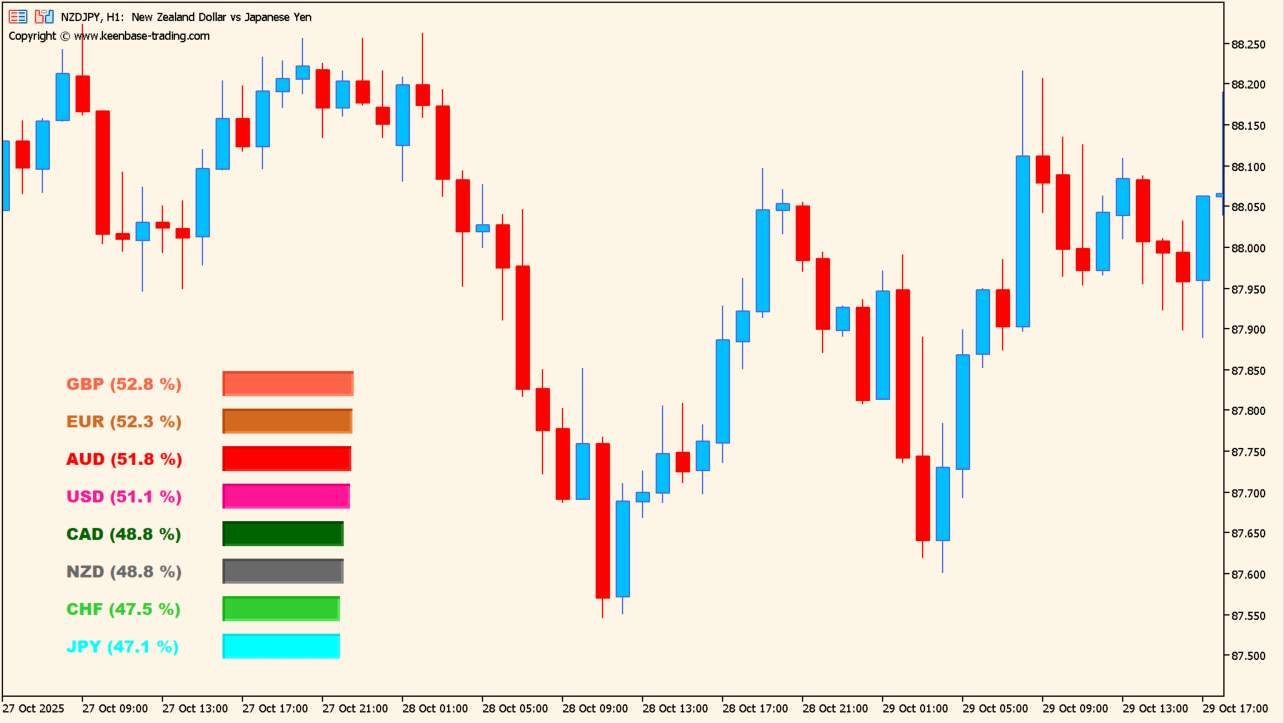
The panel shows a ranking of the relative strength of eight currencies. Higher readings identify stronger currencies. Lower readings identify weaker currencies. Watch changes in relative strength for acceleration, slowing, or a turn.
Where it helps
MT5 Indicator Parameters
The table below lists the available MT5 indicator parameters. You can customize these options in the MetaTrader Inputs dialog to match your trading preferences.
| Parameter | Description |
|---|---|
| -- | Configuration group. |
| Period | Sets the period used to calculate currency strength. |
| --- | Configuration group. |
| AUD | Sets the display color for the AUD strength bar. |
| CAD | Sets the display color for the CAD strength bar. |
| CHF | Sets the display color for the CHF strength bar. |
| EUR | Sets the display color for the EUR strength bar. |
| GBP | Sets the display color for the GBP strength bar. |
| JPY | Sets the display color for the JPY strength bar. |
| NZD | Sets the display color for the NZD strength bar. |
| USD | Sets the display color for the USD strength bar. |
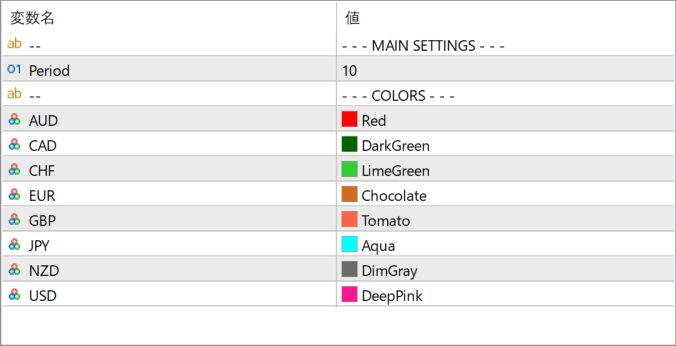
The screenshot above shows the default input parameters in the MT5 settings window.
How to Install .ex5 Indicator in MetaTrader 5
- Download the ZIP file and extract it.
- In MT5, select File → Open Data Folder.
- Open MQL5 → Indicators and copy the EX5 or MQ5 file into it.
- If the package includes library files, copy them to MQL5 → Libraries. Copy TPL files to the top-level templates folder.
- Restart MT5, find the indicator in the Navigator, and drag it onto a chart.
Test the tool on a demo account first. File contents and required folders can vary between packages.


