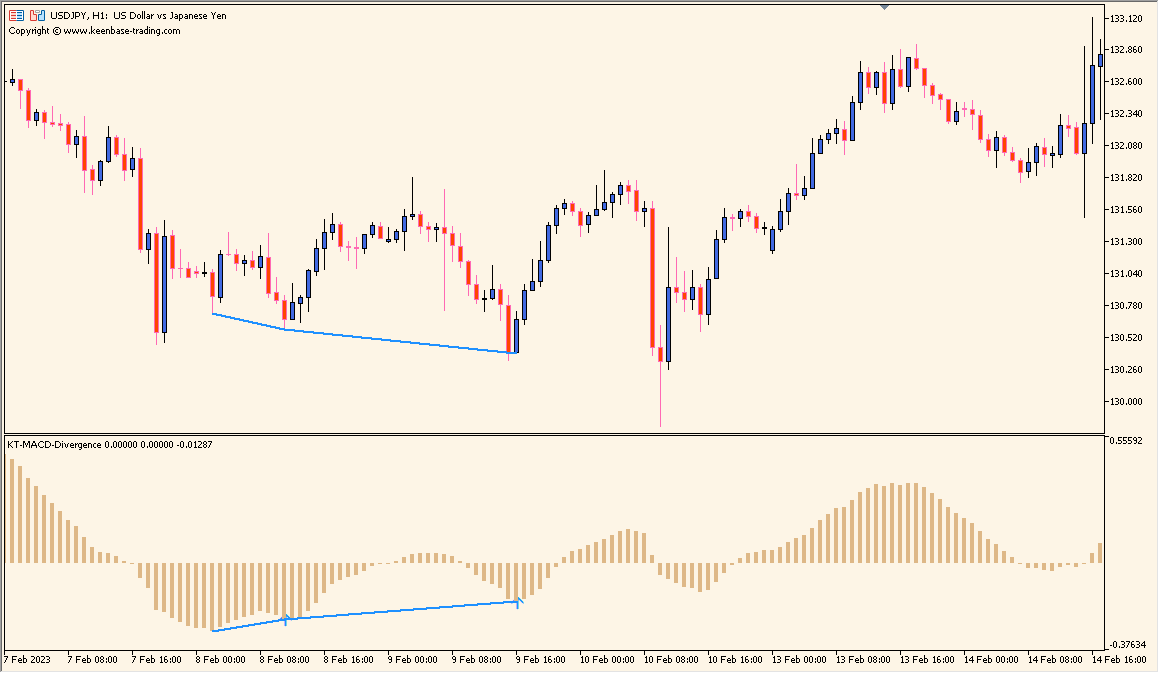
What is KT MACD Divergence Indicator?
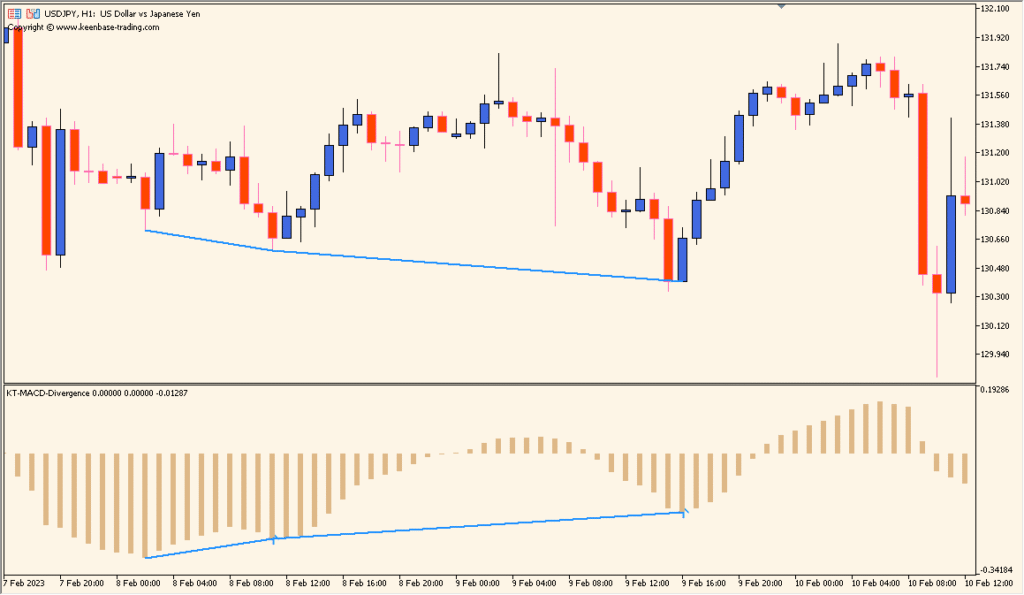
KT-MACD-Divergence is a MACD-based oscillator tool that compares MACD movement with candlestick price movement to identify divergence. It has no fixed overbought or oversold range; the display focuses on the relationship between corresponding price and MACD swings.
Regular divergence is shown with blue lines and hidden divergence with red dotted lines. The indicator can identify the two types automatically and can send an alert or email when a divergence is detected.
How to Use It in Practice
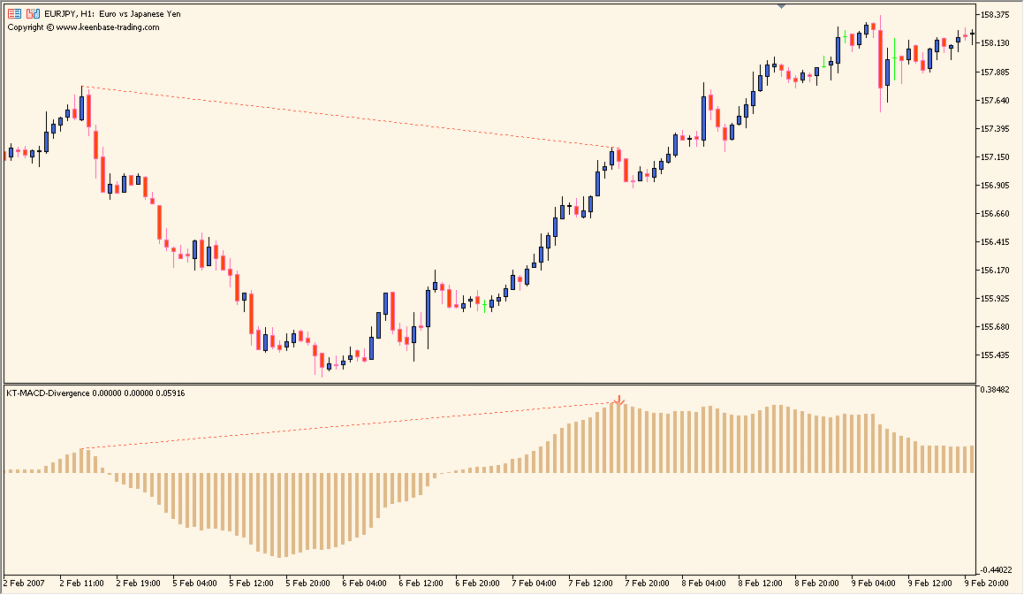
Add KT-MACD-Divergence to an MT5 chart, then compare each marked relationship with its corresponding price and MACD swings:
- Read the blue lines as regular divergence and the red dotted lines as hidden divergence, then trace each line to the related price and MACD swings.
- Use Show Regular Divergence and Show Hidden Divergence to choose which of the two marked relationship types remain visible.
- Increase Fast EMA, Slow EMA, and MACD SMA when reviewing a less detailed set of detected relationships; the initial settings can identify relatively fine divergences.
- Enable the available alert or email notification when a new divergence should be reported by the indicator.
Regular and hidden MACD-price relationships are distinguished by line style and color, display filters keep the two types separate, and alerts can report newly detected divergence.
MT5 Indicator Parameters
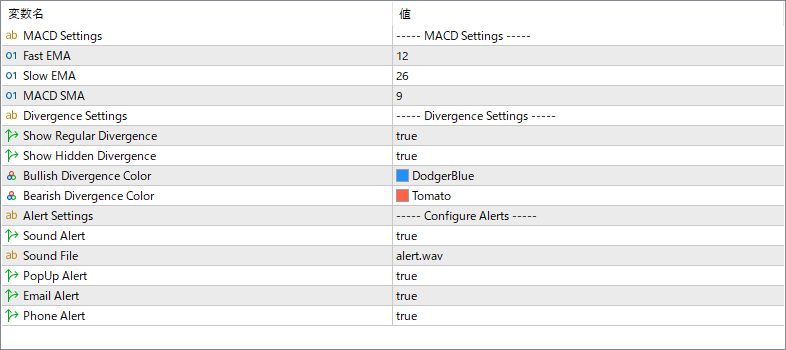
The screenshot above shows the default input parameters in the MT5 settings window.
| Parameter | Description |
|---|---|
| Fast EMA | Sets the period of the fast exponential moving average used in the MACD calculation. |
| Slow EMA | Sets the period of the slow exponential moving average used in the MACD calculation. |
| MACD SMA | Defines the signal line period for smoothing the MACD values. |
| Show Regular Divergence | Enables or disables the detection of regular divergences, which may indicate potential trend reversals. |
| Show Hidden Divergence | Enables or disables the detection of hidden divergences, which may indicate trend continuation signals. |
| Bullish Divergence Color | Sets the color used to display bullish divergence signals on the chart. |
| Bearish Divergence Color | Sets the color used to display bearish divergence signals on the chart. |
| Sound Alert | Turns on or off the sound notification when a divergence is detected. |
| Sound File | Specifies the sound file that plays when a divergence alert is triggered. |
| PopUp Alert | Enables an on-screen pop-up notification for new divergence signals. |
| Email Alert | Sends an email notification when a new divergence is identified. |
| Phone Alert | Sends a push notification to a connected mobile device when a divergence occurs. |


