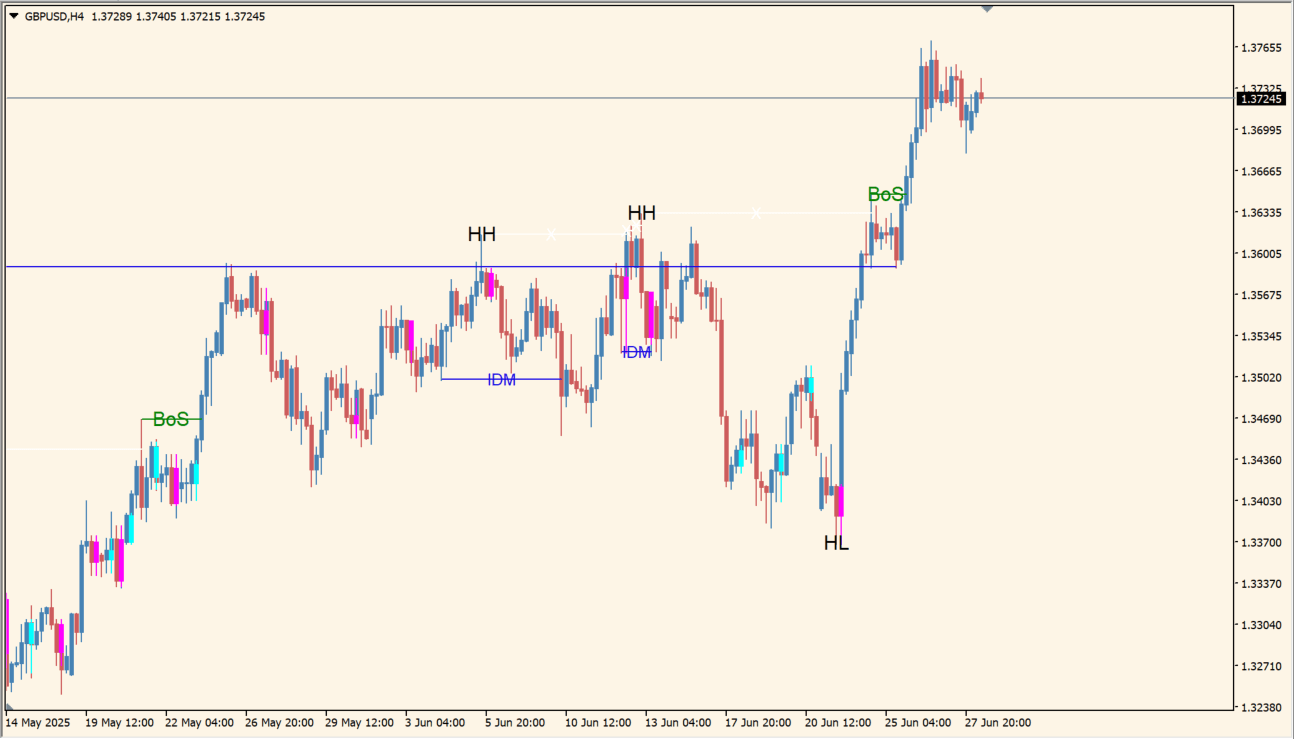
What is KUEFX_SMC?
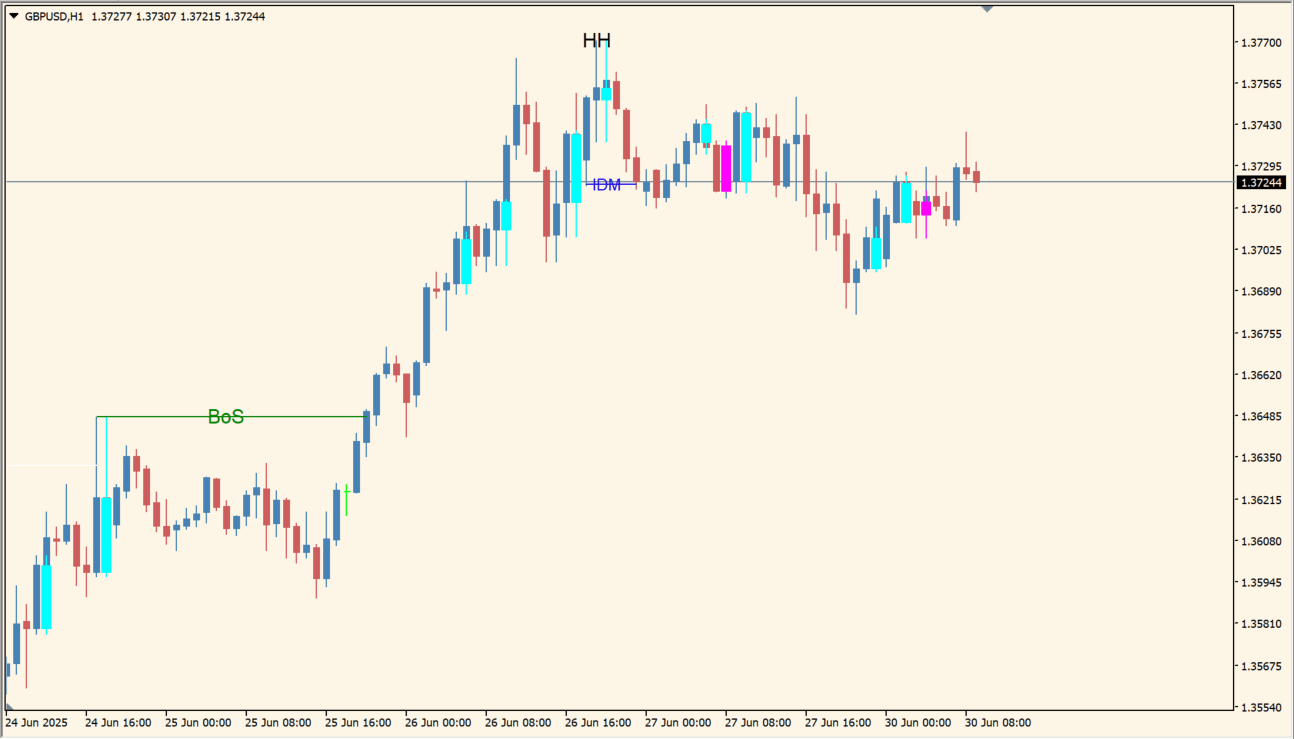
KUEFX_SMC detects higher highs, lower lows, higher lows, and lower highs, then uses those swing points to mark Break of Structure, Indecision Momentum, Sweep Candle Block, and order-block elements.
The display keeps market structure and important price areas visible together. The markings support discretionary review and do not replace checking the underlying swings.
How to use KUEFX_SMC
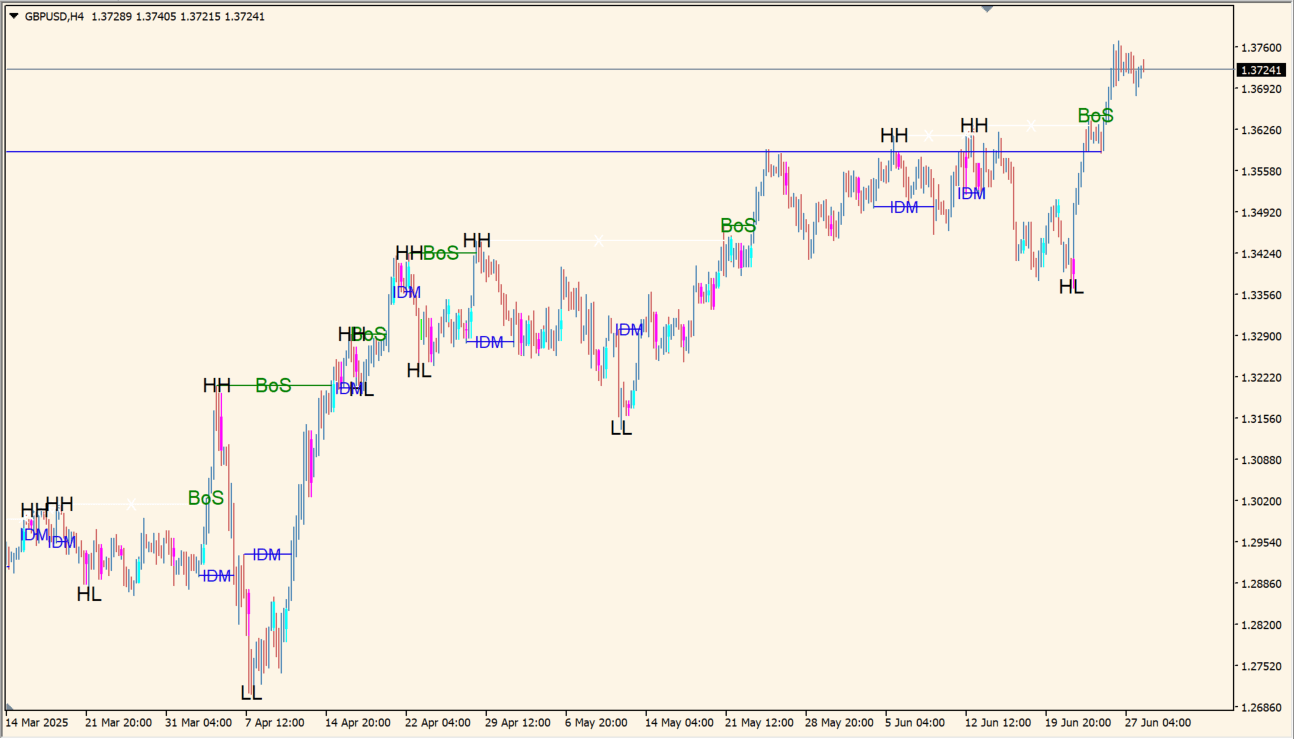
Apply KUEFX_SMC to an MT4 chart and inspect the HH, LL, HL, and LH structure before reading the BOS, IDM, SCB, and order-block markings.
Adjust the ZigZag, label, zone, and notification inputs to keep the structure readable on the timeframe being analyzed.
Where it helps
Combines structure breaks, sweeps, momentum labels, and order blocks in one display.
Uses visible highs and lows as the foundation for the markings.
Keeps several market-structure references together for discretionary review.
MT4 Indicator Parameters
The table below lists the available MT4 indicator parameters. You can customize these options in the MetaTrader Inputs dialog to match your trading preferences.
| Parameter | Description |
|---|---|
| param1 | Controls this indicator option. Default: 0. |
| param2 | Controls this indicator option. Default: 1. |
| param3 | Controls this indicator option. Default: ColorRGB(0, 0, 0, 0). |
| param4 | Controls this indicator option. Default: 0. |
| param5 | Controls this indicator option. Default: ColorRGB(255, 82, 82, 0). |
| param6 | Controls this indicator option. Default: Green. |
| param7 | Controls this indicator option. Default: 1. |
| param8 | Controls this indicator option. Default: Green. |
| param9 | Controls this indicator option. Default: Red. |
| param10 | Controls this indicator option. Default: 0. |
| param11 | Controls this indicator option. Default: 1. |
| param12 | Controls this indicator option. Default: Aqua. |
| param13 | Controls this indicator option. Default: Fuchsia. |
| param14 | Controls this indicator option. Default: 1. |
| param15 | Controls this indicator option. Default: 1. |
| param16 | Controls this indicator option. Default: ColorRGB(21, 6, 230, 0). |
| param17 | Controls this indicator option. Default: 1. |
| param18 | Controls this indicator option. Default: 1. |
| param19 | Controls this indicator option. Default: White. |
| bars_limit | Sets this calculation or display option. Default: 100000. |
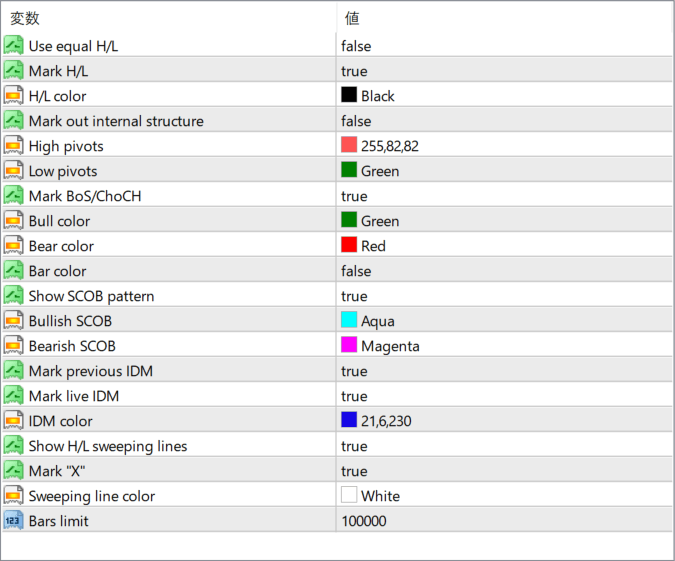
The screenshot above shows the default input parameters in the MT4 settings window.
How to Install .ex4 Indicator in MetaTrader 4
- Download the ZIP file and extract it.
- In MT4, select File → Open Data Folder.
- Open MQL4 → Indicators and copy the EX4 or MQ4 file into it.
- If the package includes library files, copy them to MQL4 → Libraries. Copy TPL files to the top-level templates folder.
- Restart MT4, find the indicator in the Navigator, and drag it onto a chart.
Test the tool on a demo account first. File contents and required folders can vary between packages.


