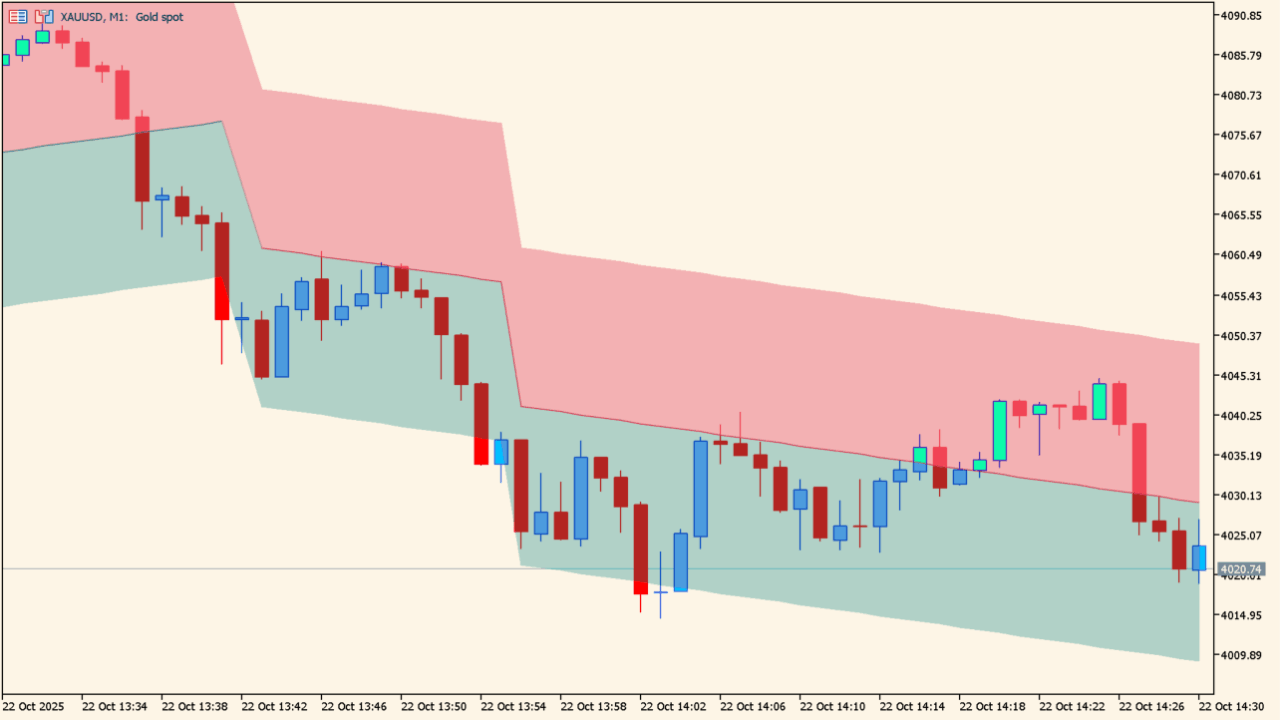
What is Linear Trend Indicator?
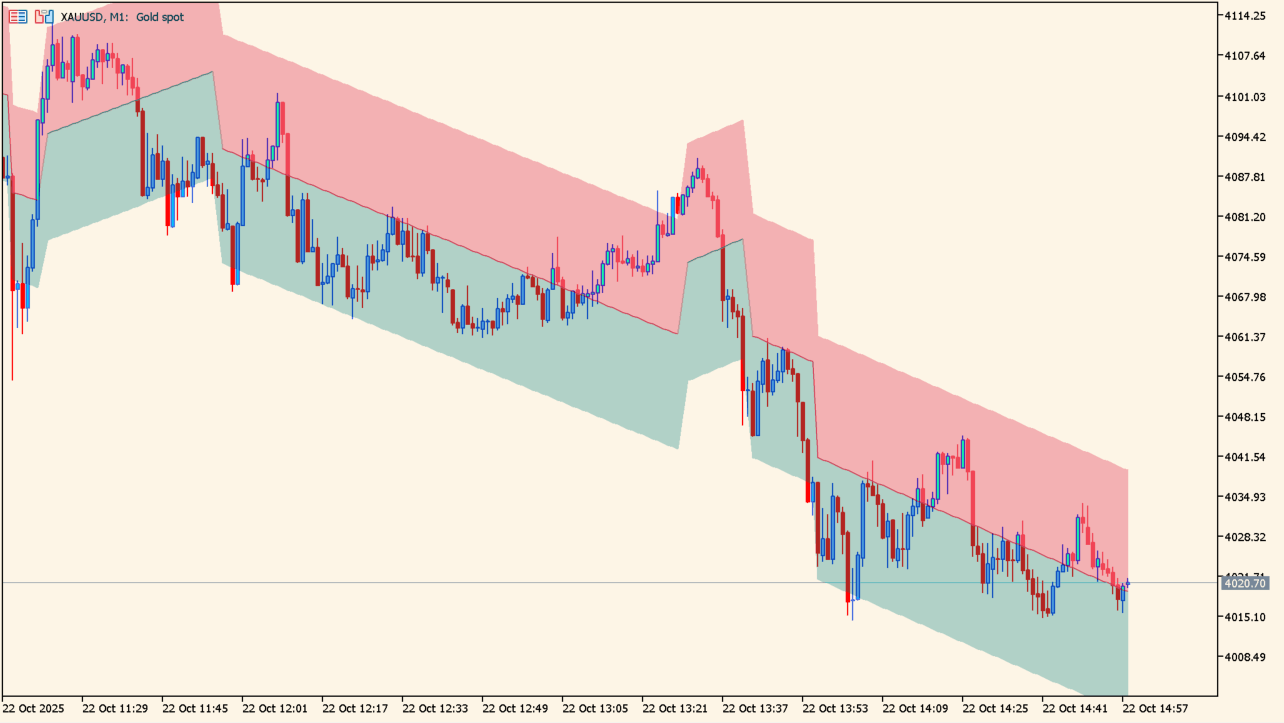
Linear Trend Indicator is a linear-regression channel indicator that calculates a regression average path and evenly spaced channels above and below it.
How to use Linear Trend Indicator
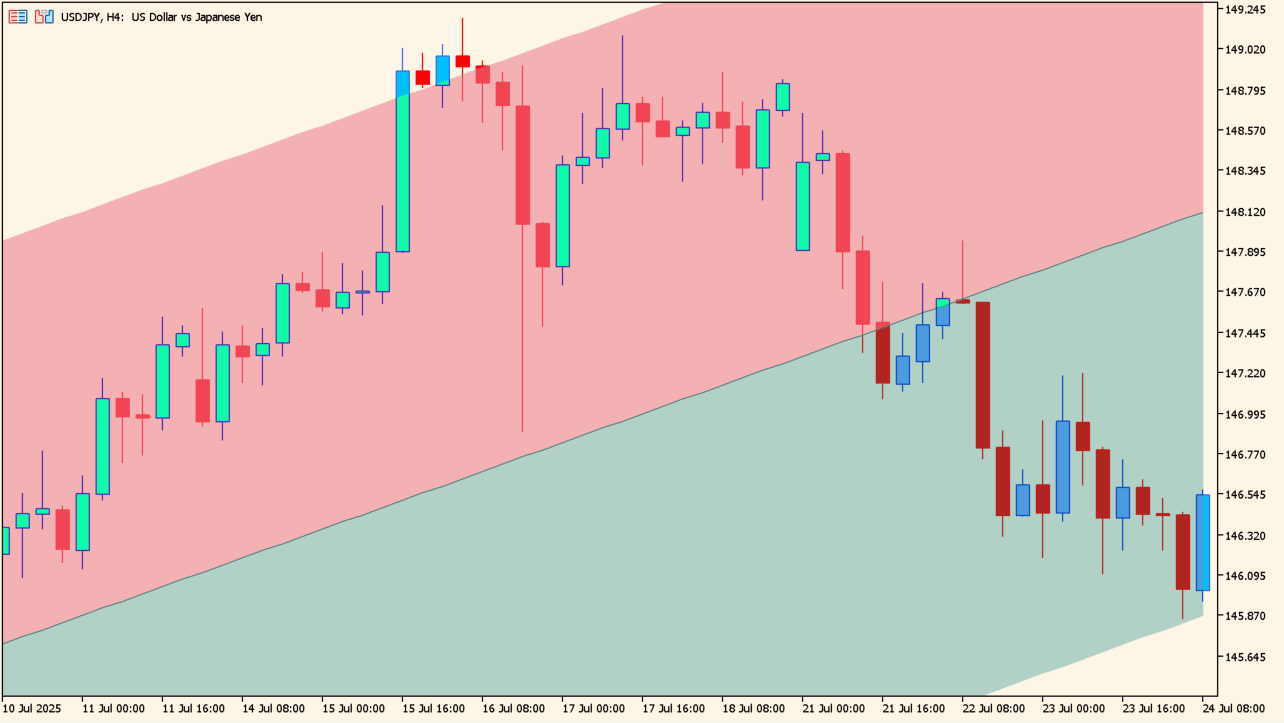
The chart shows a channel average with upper and lower channels. As price approaches an outer band, a rebound or a break may occur. The channel average can act as support or resistance. A break can signal a change in market sentiment.
Where it helps
Assess price extension around the regression average
Compare reactions at the upper and lower channel boundaries
Organize price behavior around the channel average
MT5 Indicator Parameters
The table below lists the available MT5 indicator parameters. You can customize these options in the MetaTrader Inputs dialog to match your trading preferences.
| Parameter | Description |
|---|---|
| Multiplicative Factor | Displays the setting currently configured as 5.0. Default: 5.0. |
| Slope | Displays the setting currently configured as 14.0. Default: 14.0. |
| Width % | Displays the setting currently configured as 0.8. Default: 0.8. |
| Average Color | Displays the setting currently configured as Teal. Default: Teal. |
| Average Color | Displays the setting currently configured as Crimson. Default: Crimson. |
| Upper Area | Displays the setting currently configured as Crimson. Default: Crimson. |
| Lower Area | Displays the setting currently configured as Teal. Default: Teal. |
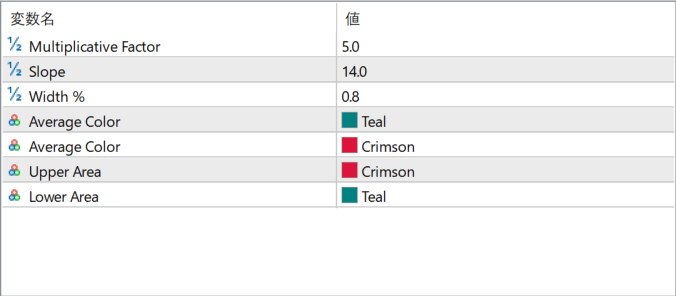
The screenshot above shows the default input parameters in the MT5 settings window.
How to Install .ex5 Indicator in MetaTrader 5
- Download the ZIP file and extract it.
- In MT5, select File → Open Data Folder.
- Open MQL5 → Indicators and copy the EX5 or MQ5 file into it.
- If the package includes library files, copy them to MQL5 → Libraries. Copy TPL files to the top-level templates folder.
- Restart MT5, find the indicator in the Navigator, and drag it onto a chart.
Test the tool on a demo account first. File contents and required folders can vary between packages.


