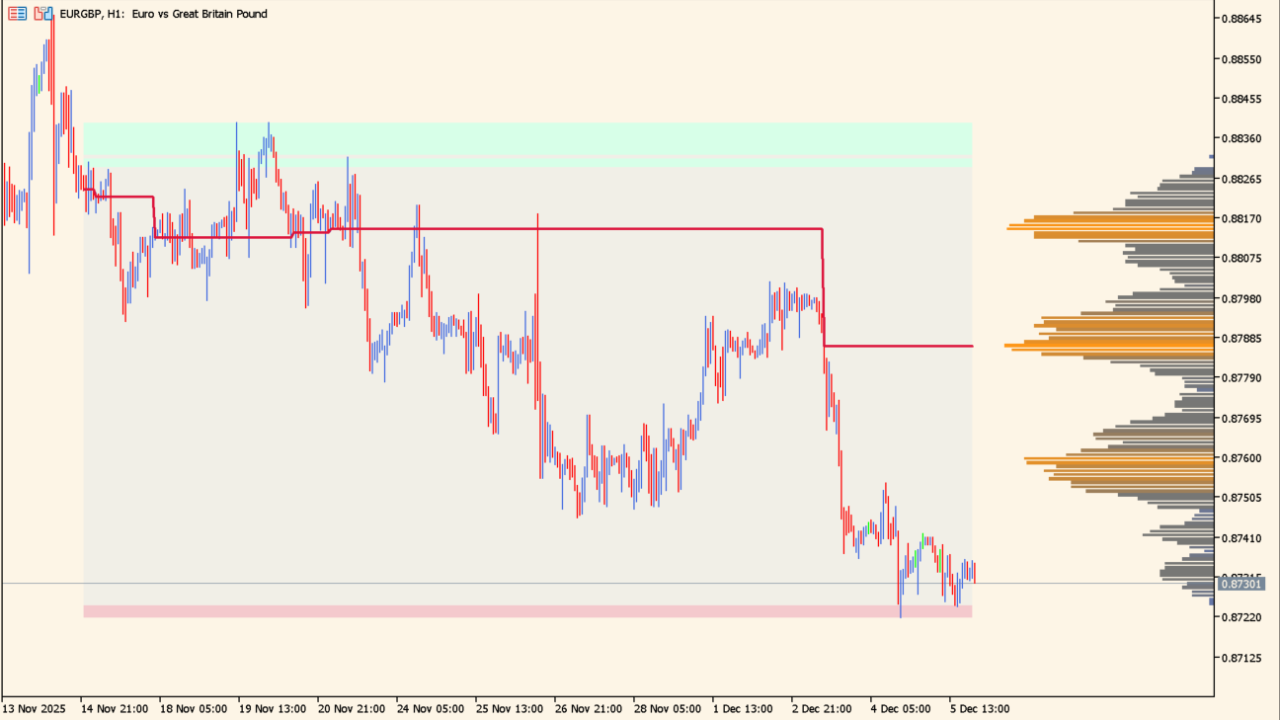
What is Liquidity Sentiment Profile?
Liquidity Sentiment Profile puts the price areas where market participants concentrate and the balance between buying and selling — sentiment — in a single view on MT5. It has no signals; it is a market-context display.
Like a volume profile, it displays trading density and automatically detects high-liquidity, buyer-dominant, and seller-dominant zones. These zones can be used when looking for support and resistance candidates or possible turning points, and when judging the strength of a breakout.
How to use Liquidity Sentiment Profile
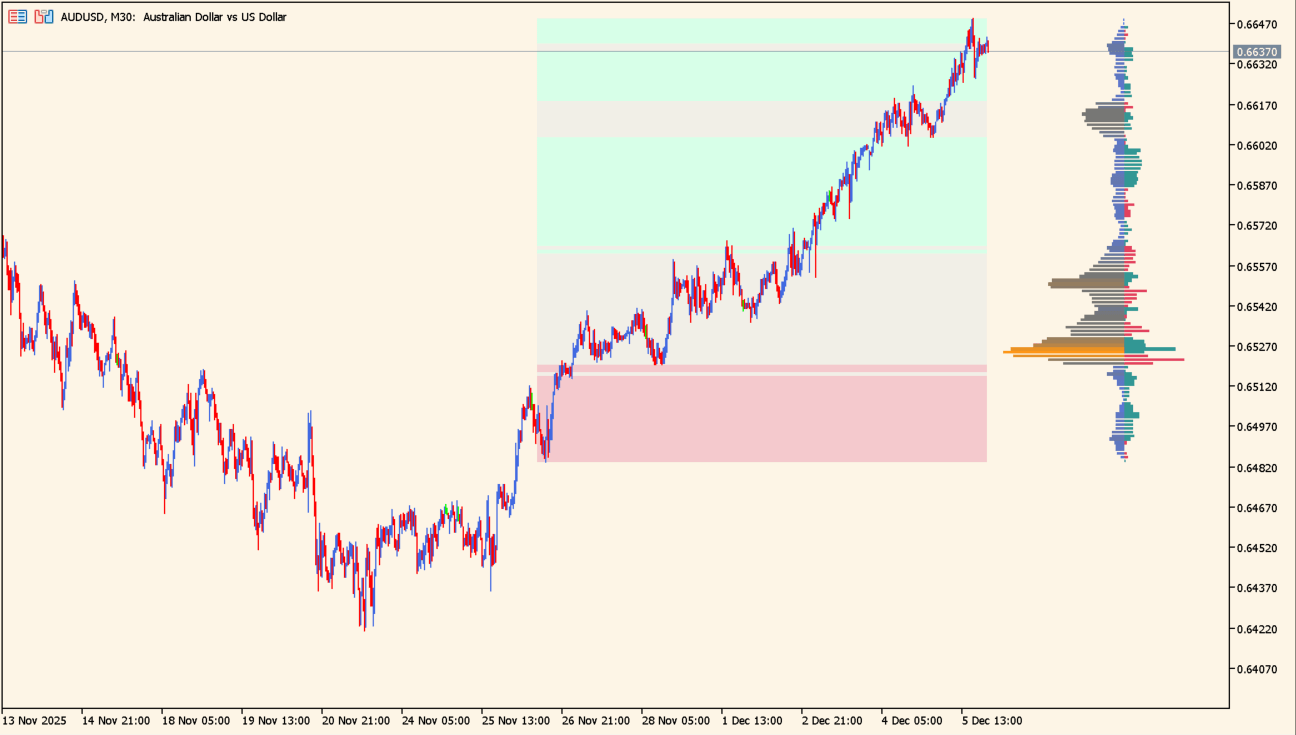
The histogram and the zone shading make resistance areas easy to see.
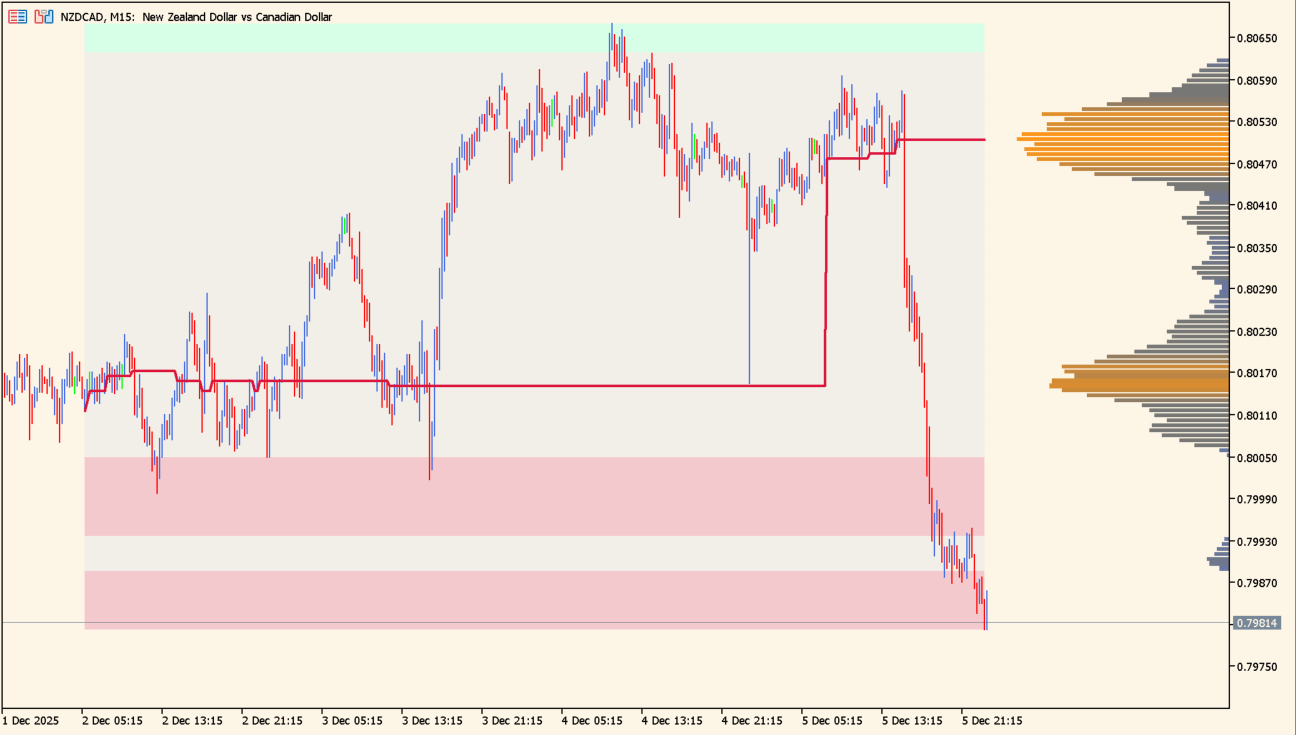
When Level of Significance is turned on, the price level the market is watching is drawn as a red line.
Liquidity Sentiment Profile presents liquidity — where trading concentrates — and sentiment — the balance between buying and selling — as a single profile. It draws a volume-style profile by price band on the right side of the chart, and its colors distinguish buyer-dominant, seller-dominant, average, and high-liquidity areas.
Zones with heavy trading at a price level tend to work as support or resistance and are thought to be levels that market participants watch. In a buyer-heavy zone, a failed push higher can lead to a sharp drop, while a seller-heavy zone can see a rebound — so the profile also helps when looking for possible turning points.
When a breakout occurs, the sentiment just before it helps you judge whether the move may continue: buyer dominance points to a possible strong continuation higher, and seller dominance to a possible continuation lower.
The basic approach is to wait for price to reach a liquidity zone, then check candlestick reversal patterns and the strength of the move. The tool suits both trend-following and counter-trend approaches, and its many settings let you adjust the profile's depth, display range, and thresholds.
MT5 Indicator Parameters
The table below lists the available MT5 indicator parameters. You can customize these options in the MetaTrader Inputs dialog to match your trading preferences.
| Parameter | Description |
|---|---|
| Liquidity Sentiment Profile ############... | — |
| Anchor Period | Sets the fixed period range to analyze. |
| Fixed Period | Sets the number of candles used to calculate the profile. |
| Swing Detection Length | Adjusts the sensitivity of swing detection. |
| Liquidity Profile #####################... | — |
| Liquidity Profile | Turns the liquidity profile on or off. |
| High Traded Nodes | Sets the color of high-liquidity zones. |
| High Traded Nodes Threshold % | Sets the percentage used to judge high liquidity. |
| Average Traded Nodes | Sets the color of average-liquidity zones. |
| Low Traded Nodes | Sets the color of low-liquidity zones. |
| Low Traded Nodes Threshold % | Sets the percentage used to judge low liquidity. |
| Sentiment Profile ###################... | — |
| Sentiment Profile | Turns the sentiment display on or off. |
| Bullish Nodes | Sets the color of buyer-dominant zones. |
| Bearish Nodes | Sets the color of seller-dominant zones. |
| Buyside & Sellside Liquidity Zones ######... | — |
| Buyside & Sellside Liquidity Zones | Sets the display of buy-side and sell-side liquidity zones. |
| Threshold % | Sets the threshold for sentiment zones. |
| Buyside Liquidity Nodes | Sets the color of buy-side liquidity zones. |
| Sellside Liquidity Nodes | Sets the color of sell-side liquidity zones. |
| Other Settings #####################... | — |
| Level of Significance | Turns the red key-level line on or off. |
| Level of Significance Color | Sets the color of the key-level line. |
| Level of Significance Width | Sets the thickness of the key-level line. |
| Price Levels | Turns the price-level display on or off. |
| Price Levels Color | Sets the color of the price-level display. |
| Price Levels Size | Sets the text size of the price-level display. |
| Number of Rows | Sets the density of the profile as a number of rows. |
| Profile Width % | Sets the width of the profile display as a percentage. |
| Horizontal Offset | Sets the horizontal display offset. |
| Range Background Fill | Turns the background fill on or off. |
| Range Background Color | Sets the color of the background fill. |
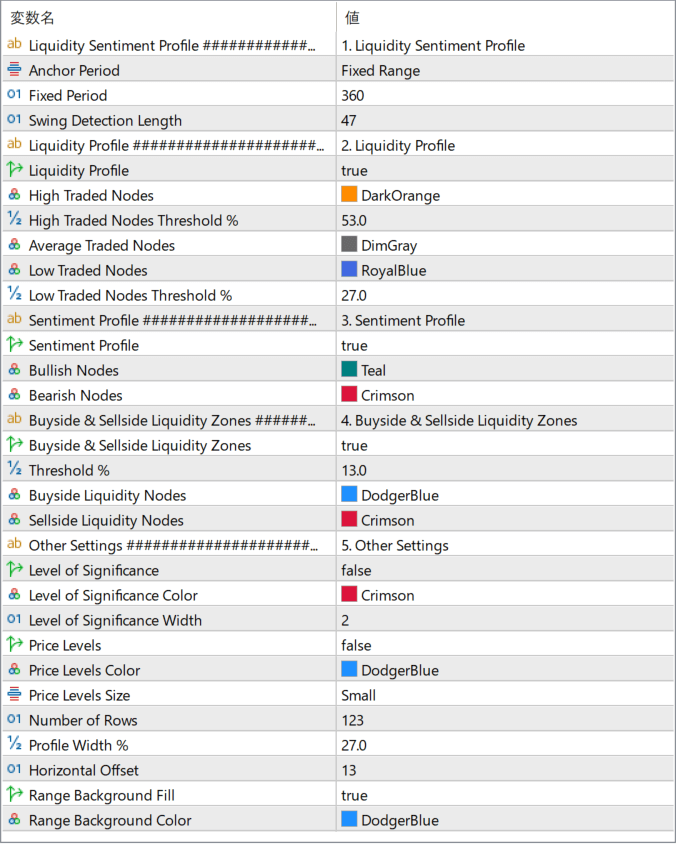
The screenshot above shows the default input parameters in the MT5 settings window.
How to Install .ex5 Indicator in MetaTrader 5
- Download the ZIP file and extract it.
- In MT5, select File → Open Data Folder.
- Open MQL5 → Indicators and copy the EX5 or MQ5 file into it.
- If the package includes library files, copy them to MQL5 → Libraries. Copy TPL files to the top-level templates folder.
- Restart MT5, find the indicator in the Navigator, and drag it onto a chart.
Test the tool on a demo account first. File contents and required folders can vary between packages.


