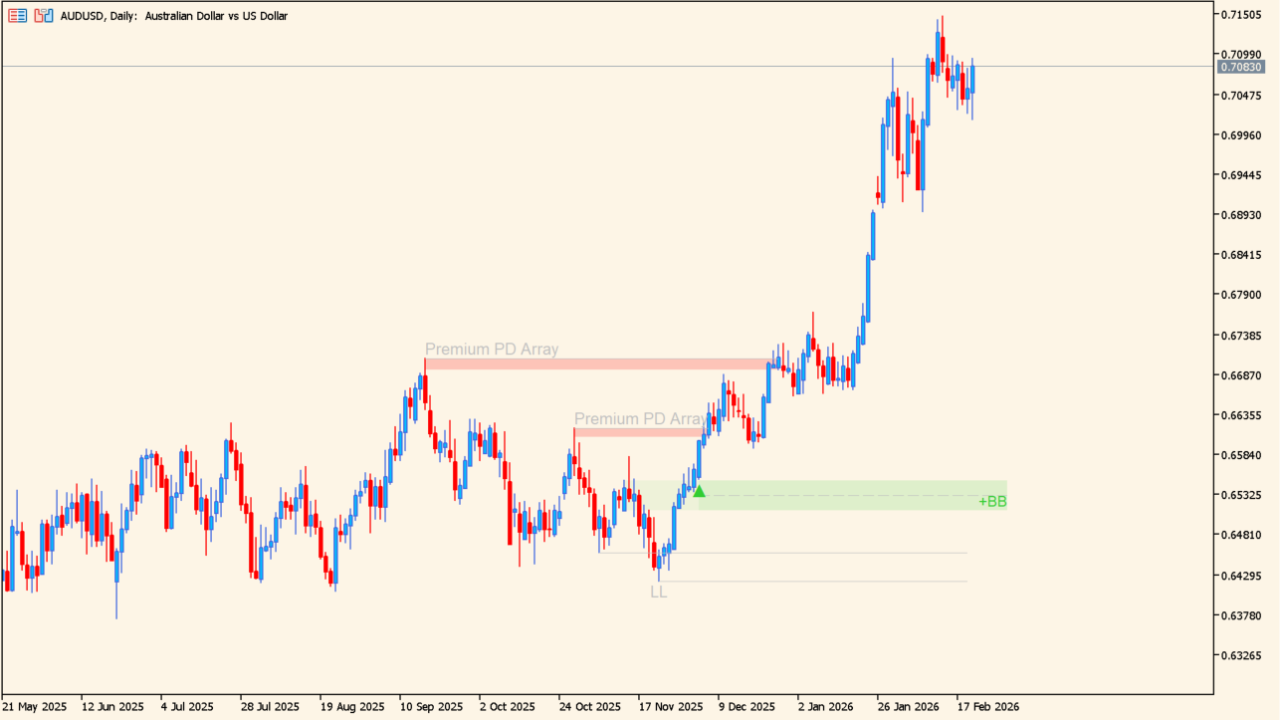
What is LuxAlgo – Breaker Blocks with Signals?
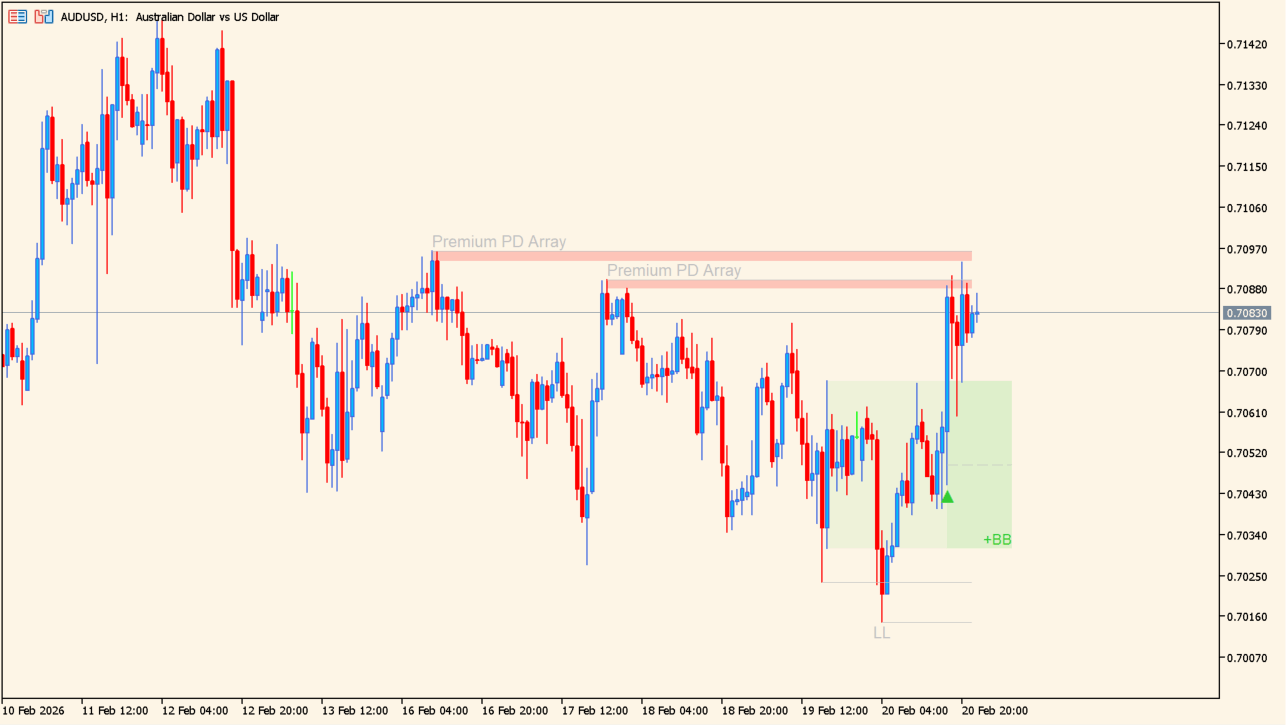
Levels are drawn as zones rather than as single lines.
LuxAlgo – Breaker Blocks with Signals draws Smart Money Concepts elements on the chart: PD arrays, premium and discount zones, breaker blocks, and the swing structure behind them. Levels are drawn as zones rather than as single lines.
The PD array is built from the swings, with the upper half colored as premium and the lower half as discount, so the position of price inside the range is visible.
How to use LuxAlgo – Breaker Blocks with Signals
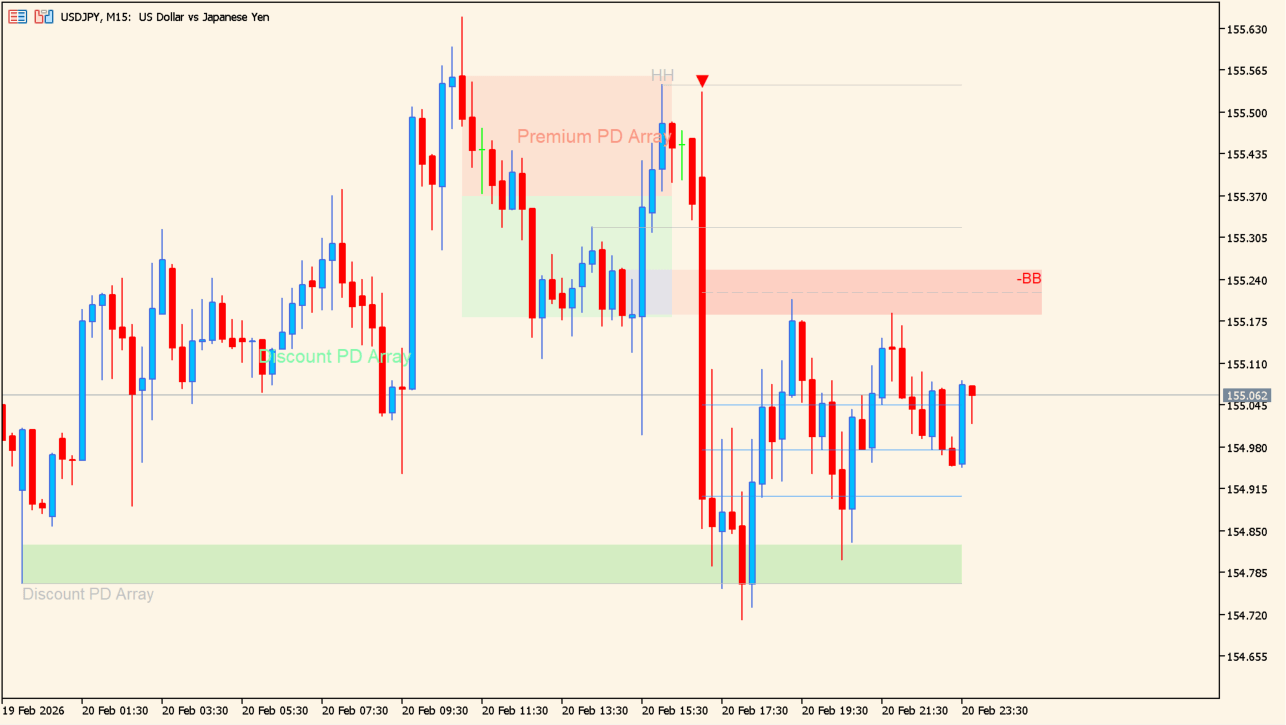
Green and red zones are drawn as price ranges on the chart.
Green zones and red zones are drawn as price ranges rather than single lines. Read the premium and discount halves to see where price sits inside the PD array.
A breaker block marks an area left behind after the swing structure flipped. One setting stops the drawing once price breaks the center line for the first time. With Enable TP switched on, the R:R multipliers place their levels on the chart.
Where it helps
The split makes the position of price inside the PD array readable without measuring anything.
Breaker blocks mark the areas left behind where the swing structure flipped.
With Enable TP switched on, the R:R multipliers place their levels on the chart alongside the zones.
MT5 Indicator Parameters
The table below lists the available MT5 indicator parameters. You can customize these options in the MetaTrader Inputs dialog to match your trading preferences.
| Parameter | Description |
|---|---|
| Length | Sets the swing length. |
| Breaker Block | Labels the breaker-block settings section. |
| Use only candle body | Uses candle bodies only for swing evaluation. |
| Use 2 candles instead of 1 | Uses two candles for the break evaluation. |
| Stop at first break of center line | Stops drawing at the first center-line break. |
| PD array | Labels the PD-array settings section. |
| Only when E is in Premium/Discount Array | Restricts display to the Premium/Discount array condition. |
| Show Premium/Discount Zone | Shows or hides Premium/Discount zones. |
| Highlight Swing Breaks | Shows or hides highlighted swing breaks. |
| Show Swings/PD Arrays | Shows or hides swings and PD arrays. |
| Text Color | Sets the text color. |
| Swing Line Color | Sets the swing-line color. |
| TP | Labels the TP settings section. |
| Enable TP | Shows or hides TP levels. |
| tpCss | Sets the TP color. |
| R:R 1 | Sets the first risk-reward value. |
| R:R 2 | Sets the second risk-reward value. |
| R:R 3 | Sets the third risk-reward value. |
| Colours | Labels the color settings section. |
| +BB | Sets the bullish breaker-block color. |
| Last Swing | Sets the last-swing color. |
| -BB | Sets the bearish breaker-block color. |
| Last Swing | Sets the last low-swing color. |
| Alerts Settings | Labels the alert settings section. |
| Enable Alert Popups | Enables or disables popup alerts. |
| Enable Sound Alerts | Enables or disables sound alerts. |
| Enable Email Alerts | Enables or disables email alerts. |
| Enable Push Notifications | Enables or disables push notifications. |
| Wait for candle close | Waits for candle close before evaluating alerts. |
| Alerts | Labels the final alerts section. |
| Enable Alerts | Enables or disables the overall alert system. |
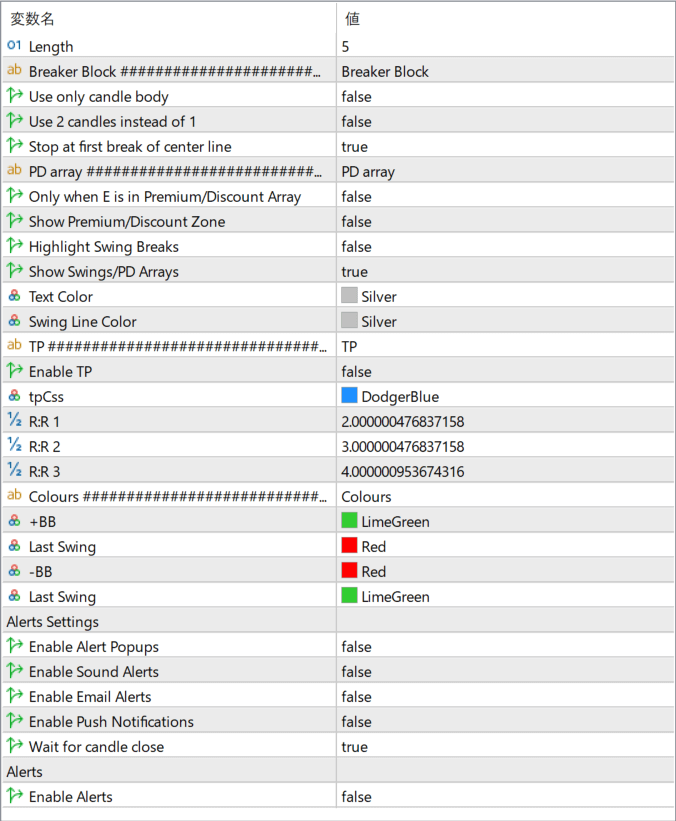
The screenshot above shows the default input parameters in the MT5 settings window.
How to Install .ex5 Indicator in MetaTrader 5
- Download the ZIP file and extract it.
- In MT5, select File → Open Data Folder.
- Open MQL5 → Indicators and copy the EX5 or MQ5 file into it.
- If the package includes library files, copy them to MQL5 → Libraries. Copy TPL files to the top-level templates folder.
- Restart MT5, find the indicator in the Navigator, and drag it onto a chart.
Test the tool on a demo account first. File contents and required folders can vary between packages.


