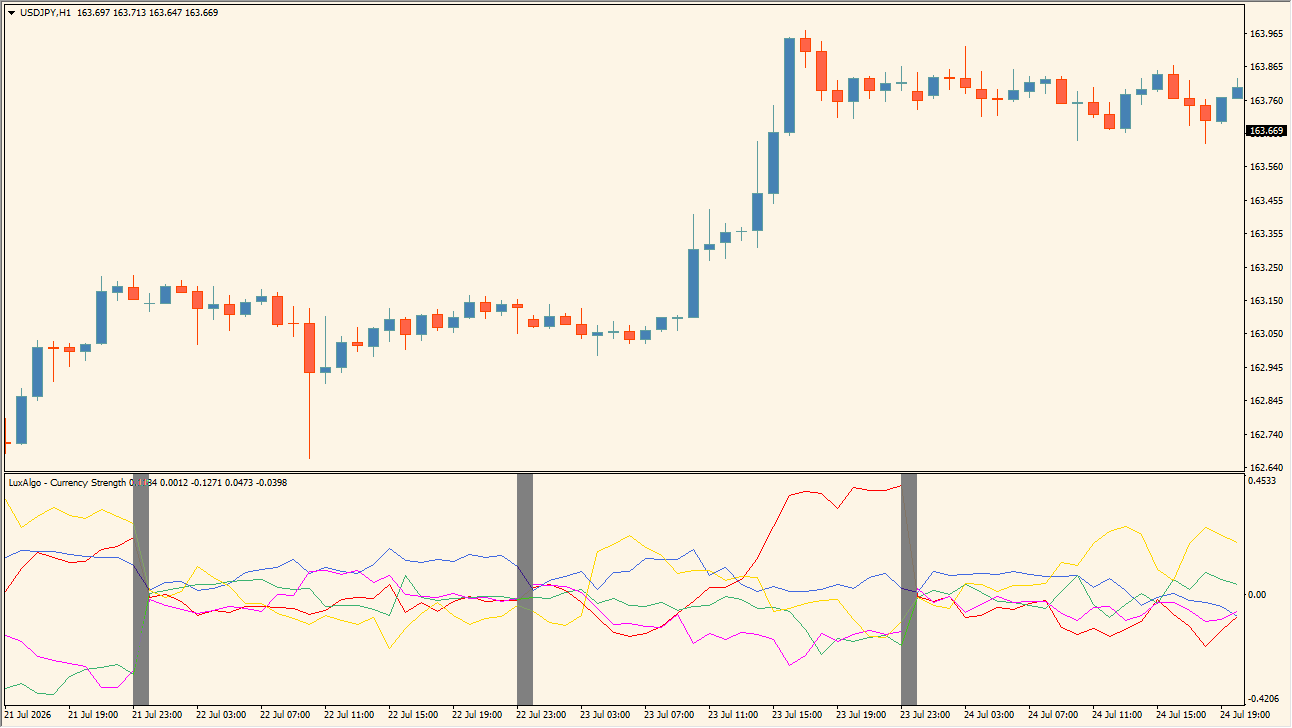
What is LuxAlgo – Currency Strength?
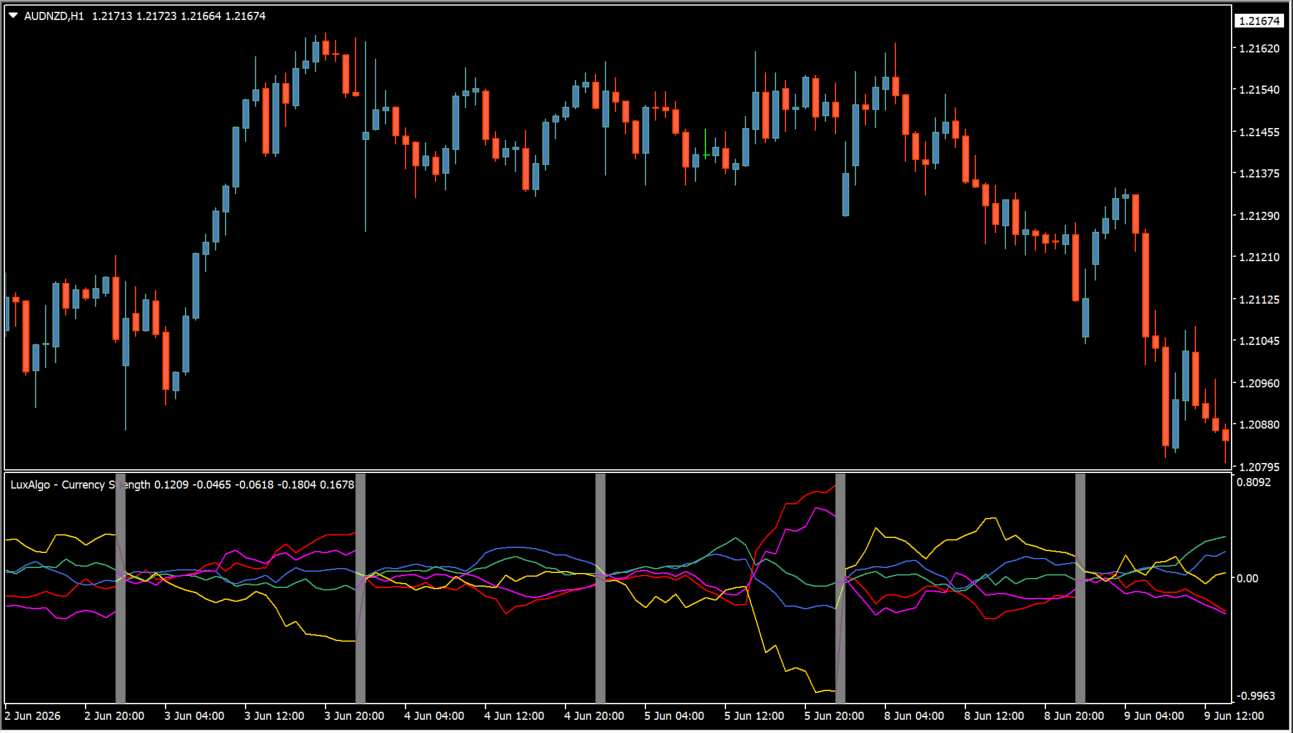
LuxAlgo Currency Strength is an MT4 subwindow that plots separate lines for selected currencies. Colors identify each line, and the default display includes USD, EUR, GBP, JPY, and AUD.
A vertical marker indicates the start of a new MT4 trading day, while optional meter and scatter displays add further visual comparisons. The panel shows relative readings; it does not establish that one currency will continue to lead.
How to use LuxAlgo – Currency Strength
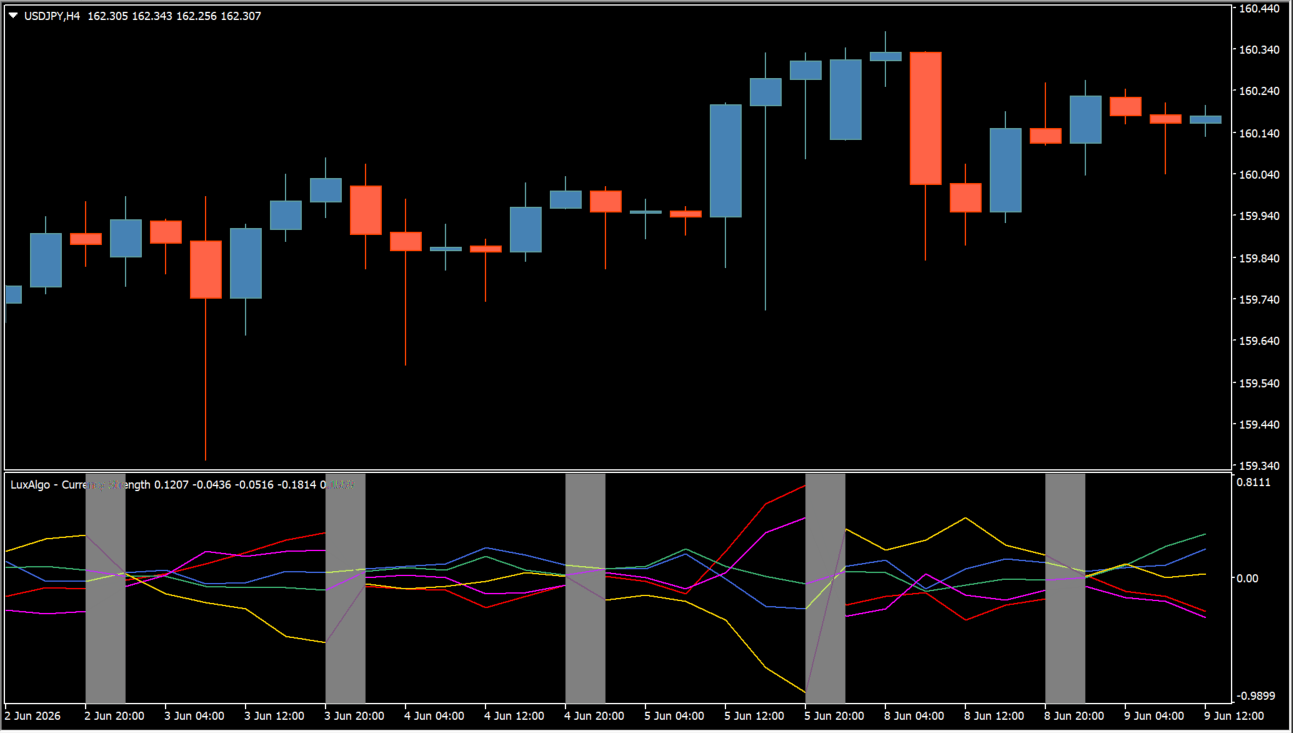
Compare the colored currency lines, their spacing, and their crossings in the subwindow:
- Review the selected currency lines together, using the colors to keep the individual currencies distinct.
- Use the daily marker to separate one MT4 trading day from the next when comparing changes over time.
- Set Timeframe, Symbol Prefix, Symbol Suffix, and Currency A through Currency E to match the broker symbols being displayed.
- Enable the optional meter or scatter display only when it helps make the multi-currency comparison easier to read.
Where it helps
Multiple currency lines share one pane, color settings make each series easy to distinguish, and optional meter or scatter views extend the comparison without switching charts.
MT4 Indicator Parameters
The table below lists the available MT4 indicator parameters. You can customize these options in the MetaTrader Inputs dialog to match your trading preferences.
| Parameter | Description |
|---|---|
| Display | Selects the strength calculation and visual output display format. Default: Trailing Relative Strength. |
| Timeframe | Sets the calculation timeframe horizon used for currency strength analysis. Default: 1 Day. |
| Symbol Prefix | Sets an optional broker symbol prefix. |
| Symbol Suffix | Sets an optional broker symbol suffix. |
| Currency A | Selects the first currency displayed on the strength panel. Default: USD. |
| Currency A Color | Assigns the line color for Currency A. Default: Red. |
| Currency B | Selects the second currency displayed on the strength panel. Default: EUR. |
| Currency B Color | Assigns the line color for Currency B. Default: RoyalBlue. |
| Currency C | Selects the third currency displayed on the strength panel. Default: GBP. |
| Currency C Color | Assigns the line color for Currency C. Default: MediumSeaGreen. |
| Currency D | Selects the fourth currency displayed on the strength panel. Default: JPY. |
| Currency D Color | Assigns the line color for Currency D. Default: Magenta. |
| Currency E | Selects the fifth currency displayed on the strength panel. Default: AUD. |
| Currency E Color | Assigns the line color for Currency E. Default: Gold. |
| Show Strength Meter | Displays an optional real-time currency strength meter panel on chart. Default: true. |
| Strength Meter Resolution | Controls the sampling resolution and detail level of the strength meter. Default: 20. |
| dashLoc | Sets the screen anchor location of the dashboard. Default: Right lower chart corner. |
| Size | Sets the scaling size of the dashboard. Default: Small. |
| Scatter Graph Resolution | Controls sampling detail for the optional currency scatter plot. Default: 20. |
| Strong | Sets the display color for strong currency states. Default: Green. |
| Improving | Sets the display color for improving currency states. Default: Aqua. |
| Weakening | Sets the display color for weakening currency states. Default: Yellow. |
| Weak | Sets the display color for weak currency states. Default: Red. |
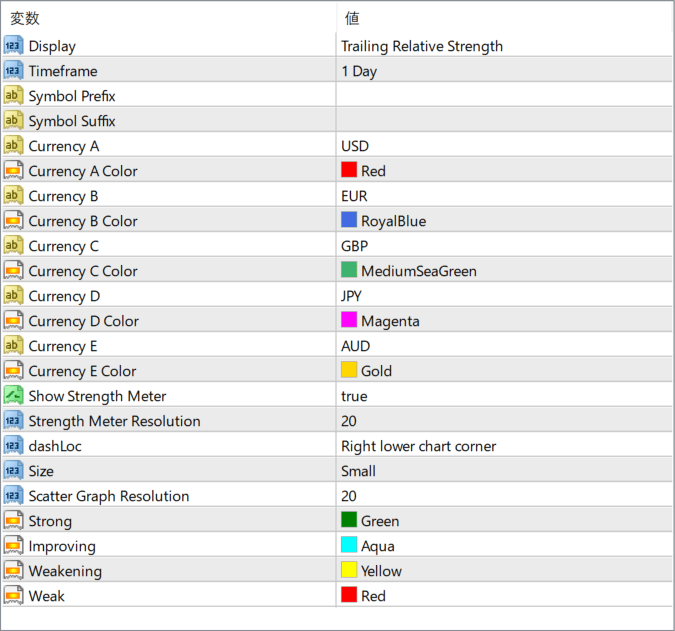
The screenshot above shows the default input parameters in the MT4 settings window.
How to Install .ex4 Indicator in MetaTrader 4
- Download the ZIP file and extract it.
- In MT4, select File → Open Data Folder.
- Open MQL4 → Indicators and copy the EX4 or MQ4 file into it.
- If the package includes library files, copy them to MQL4 → Libraries. Copy TPL files to the top-level templates folder.
- Restart MT4, find the indicator in the Navigator, and drag it onto a chart.
Test the tool on a demo account first. File contents and required folders can vary between packages.


