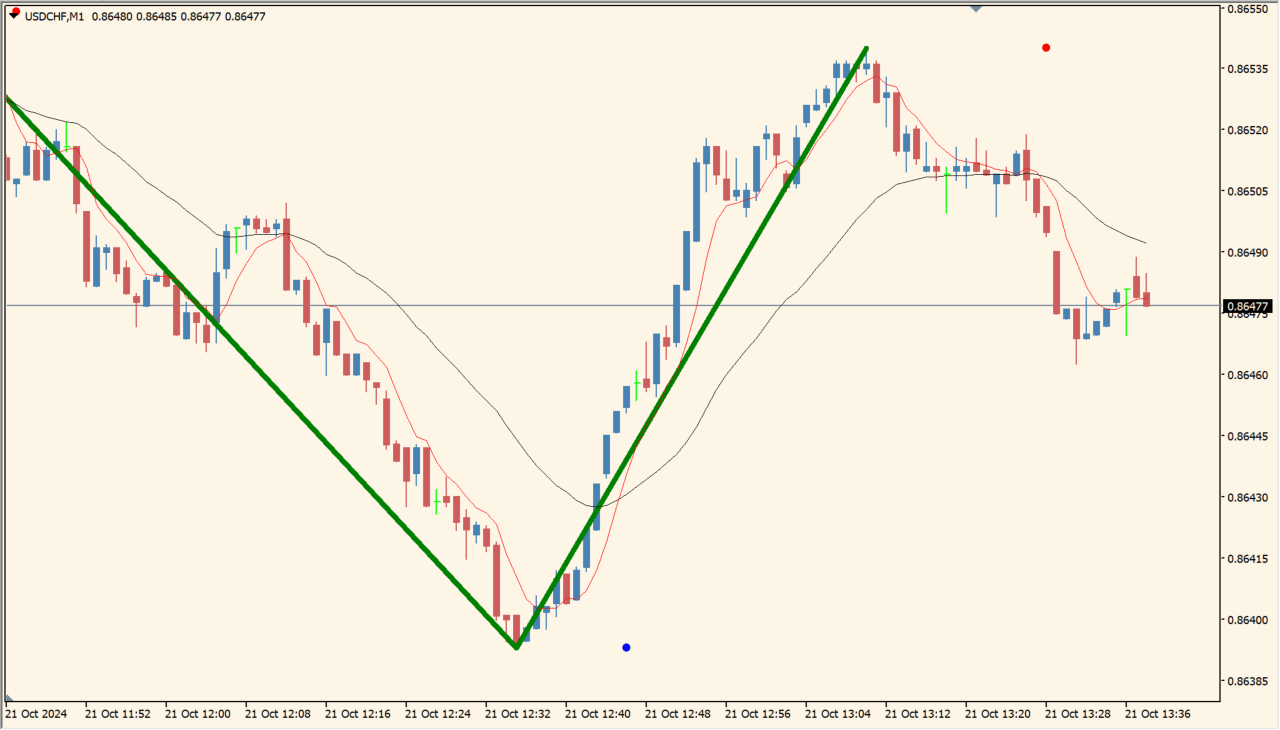
What is MaBased-ZigZag?
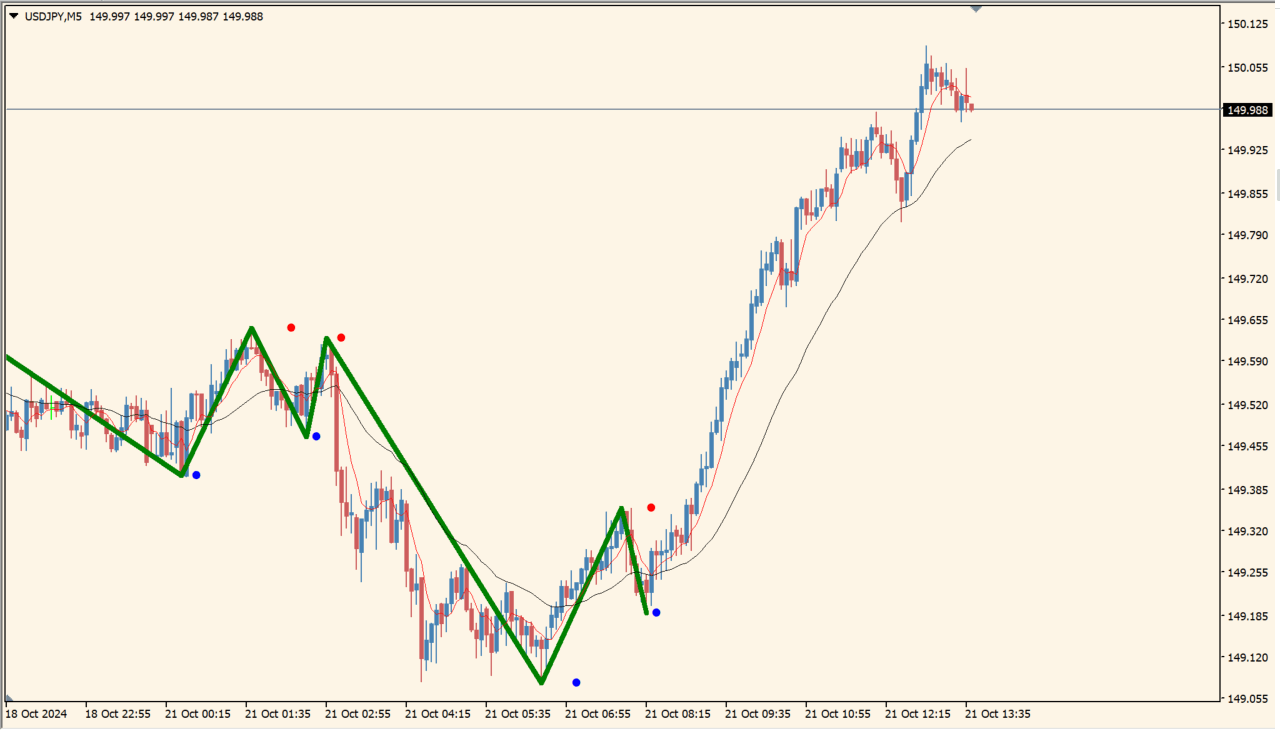
MaBased-ZigZag treats a moving-average cross as a trend-change boundary. The high between a golden cross and the next dead cross, or the low between a dead cross and the next golden cross, becomes the ZigZag point.
This produces larger and later swings than a conventional ZigZag and may leave the newest bars blank until a cross occurs. If the line looks displaced after loading history, changing timeframe and returning can force the data to refresh.
How to use MaBased-ZigZag
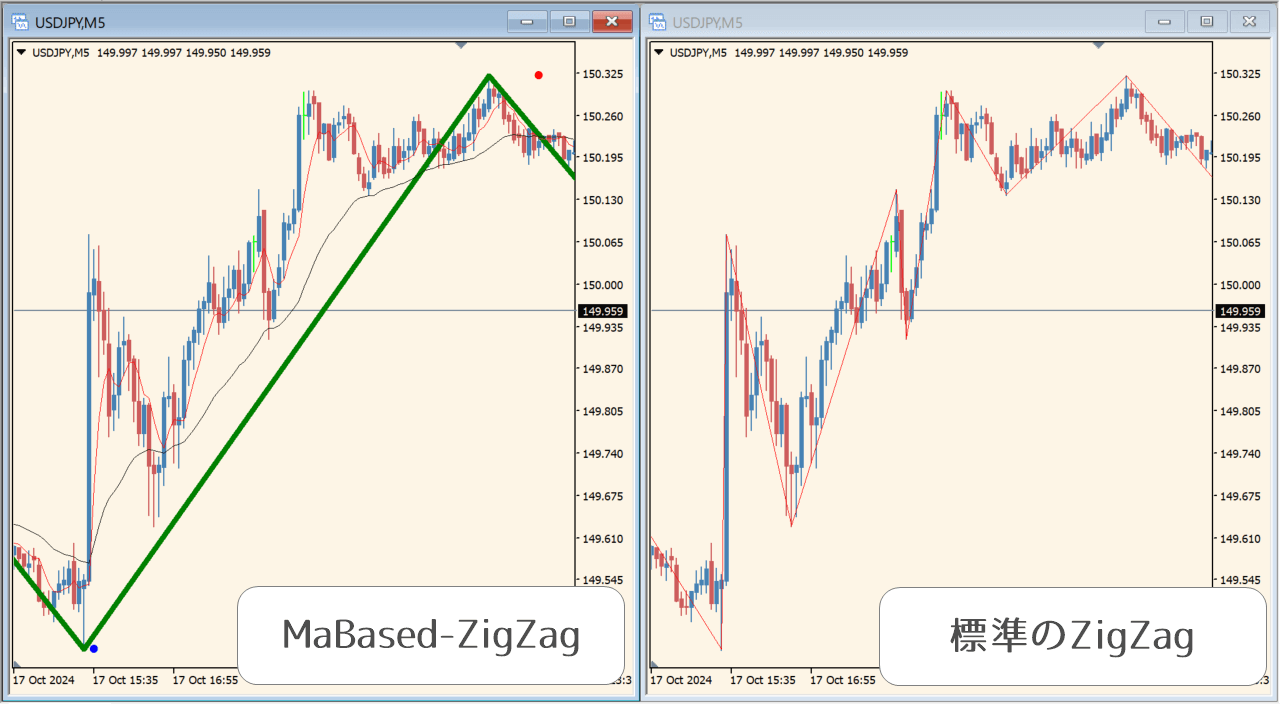
Apply MaBased-ZigZag to an MT4 chart and wait for a fast or slow moving-average cross before judging the next swing point.
Use the MaSlow and MaFast period, type, price, and shift inputs to compare the swing scale. The type values select Simple, Exponential, Smoothed, or Linear Weighted averages.
Where it helps
Uses moving-average state changes as the basis for ZigZag swing points.
Can filter smaller fluctuations that appear in an ordinary ZigZag.
Provides independent fast and slow calculation settings.
MT4 Indicator Parameters
The table below lists the available MT4 indicator parameters. You can customize these options in the MetaTrader Inputs dialog to match your trading preferences.
| Parameter | Description |
|---|---|
| MaSlow_Period | Controls this indicator option. Default: 14. |
| MaSlow_Type | Controls this indicator option. Default: MODE_SMMA. |
| MaSlow_Price | Controls this indicator option. Default: PRICE_CLOSE. |
| MaSlow_Shift | Controls this indicator option. Default: 0. |
| MaFast_Period | Controls this indicator option. Default: 3. |
| MaFast_Type | Controls this indicator option. Default: MODE_SMMA. |
| MaFast_Price | Controls this indicator option. Default: PRICE_CLOSE. |
| MaFast_Shift | Controls this indicator option. Default: 0. |
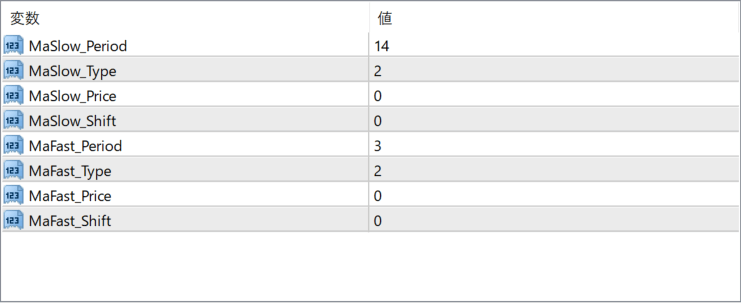
The screenshot above shows the default input parameters in the MT4 settings window.
How to Install .ex4 Indicator in MetaTrader 4
- Download the ZIP file and extract it.
- In MT4, select File → Open Data Folder.
- Open MQL4 → Indicators and copy the EX4 or MQ4 file into it.
- If the package includes library files, copy them to MQL4 → Libraries. Copy TPL files to the top-level templates folder.
- Restart MT4, find the indicator in the Navigator, and drag it onto a chart.
Test the tool on a demo account first. File contents and required folders can vary between packages.


