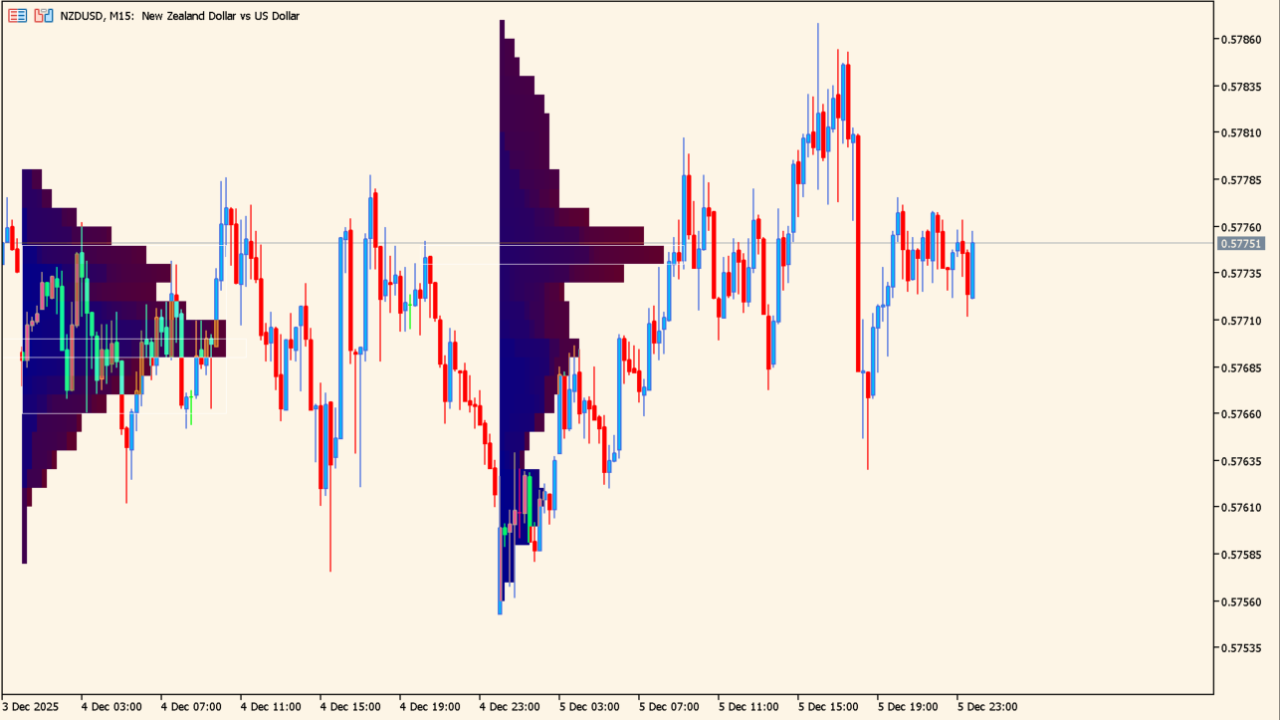
What is market_profile_indicator?
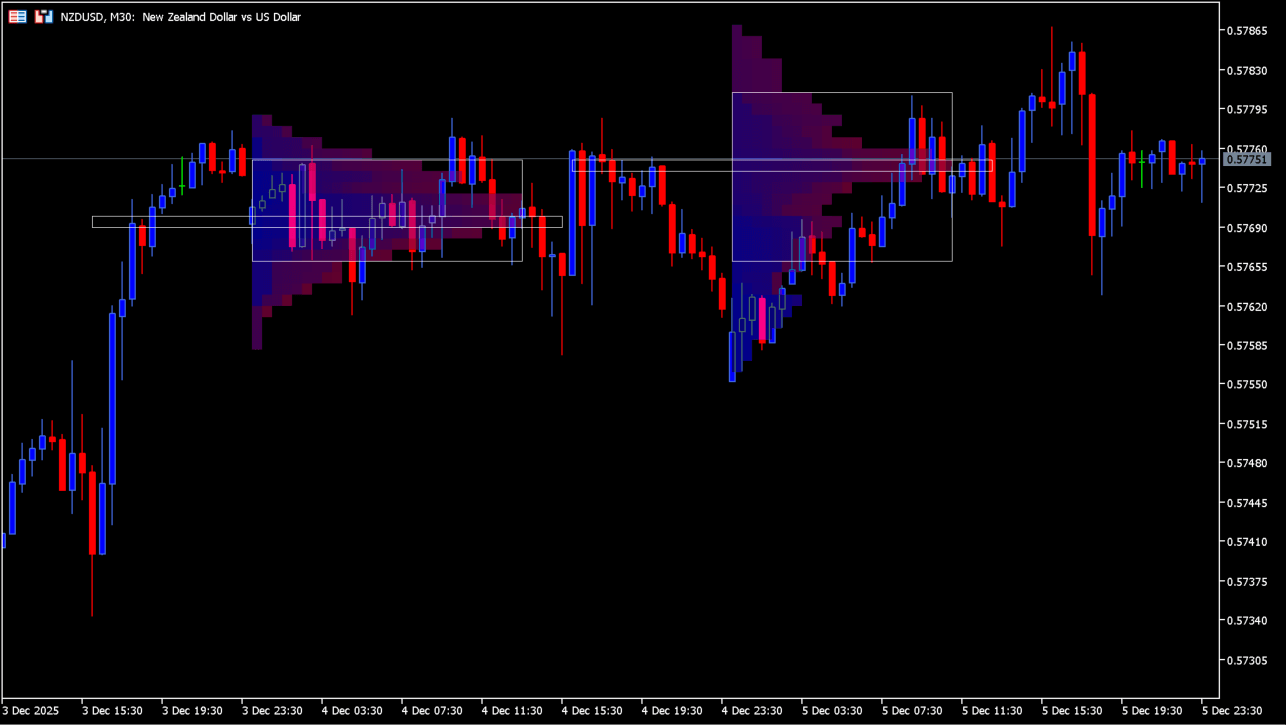
market_profile_indicator is a session market-profile overlay that visualises trading density by price level, including the Point of Control and value area. It can display profiles for a selected period or session.
How to use market_profile_indicator
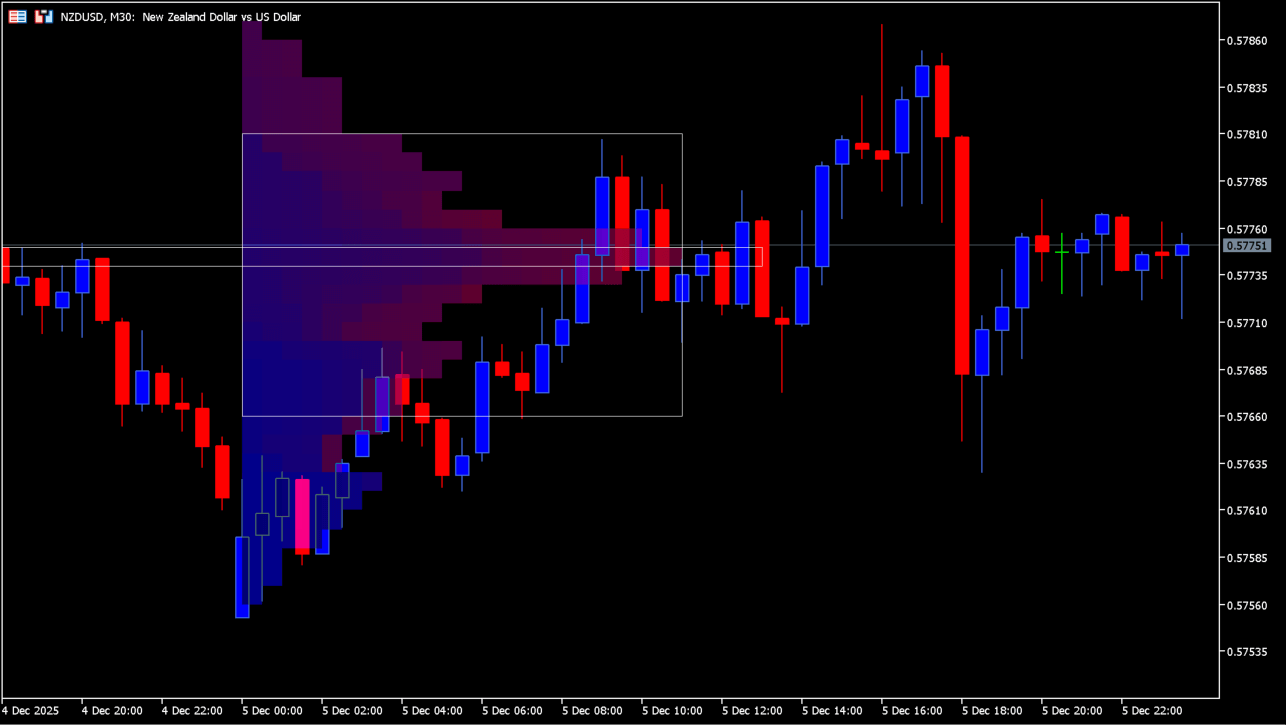
The chart uses a price-level histogram with the Point of Control and the VAH/VAL value-area boundaries, so concentration can be compared with nearby price action. The Point of Control marks the price with the greatest trading concentration. Price settling outside the value area can indicate continuing breakout conditions. Candle signals near the Point of Control, VAH, and VAL can be used in both range and trend conditions.
Where it helps
MT5 Indicator Parameters
The table below lists the available MT5 indicator parameters. You can customize these options in the MetaTrader Inputs dialog to match your trading preferences.
| Parameter | Description |
|---|---|
| Session | Selects the profile period, such as daily, weekly, monthly, or session-based. |
| StartFromDate: lower priority. | Sets the date from which profiles are generated when date-based filtering is used. |
| StartFromCurrentSession: higher priority. | Starts the profile display from the current session when enabled. |
| SessionCount: Number of sessions to count. | Sets the number of profiles displayed from past sessions. |
| ColorScheme | Selects the color scheme used for the profile. |
| MedianColor | Sets the color of the POC and median line. |
| ValueAreaColor | Sets the color used for the value area. |
| ShowValueAreaRays: draw previous value area rays | Extends the value-area rays to the right of the chart when enabled. |
| TimeShiftMinutes: shift session + to the left... | Adjusts the session start time in minutes. |
| EnableIntradaySession1 | Shows or hides intraday session 1. |
| IntradaySession1StartTime | Sets the start time for intraday session 1. |
| IntradaySession1EndTime | Sets the end time for intraday session 1. |
| IntradaySession1ColorScheme | Sets the color scheme for intraday session 1. |
| EnableIntradaySession2 | Shows or hides intraday session 2. |
| IntradaySession2StartTime | Sets the start time for intraday session 2. |
| IntradaySession2EndTime | Sets the end time for intraday session 2. |
| IntradaySession2ColorScheme | Sets the color scheme for intraday session 2. |
| EnableIntradaySession3 | Shows or hides intraday session 3. |
| IntradaySession3StartTime | Sets the start time for intraday session 3. |
| IntradaySession3EndTime | Sets the end time for intraday session 3. |
| IntradaySession3ColorScheme | Sets the color scheme for intraday session 3. |
| EnableIntradaySession4 | Shows or hides intraday session 4. |
| IntradaySession4StartTime | Sets the start time for intraday session 4. |
| IntradaySession4EndTime | Sets the end time for intraday session 4. |
| IntradaySession4ColorScheme | Sets the color scheme for intraday session 4. |
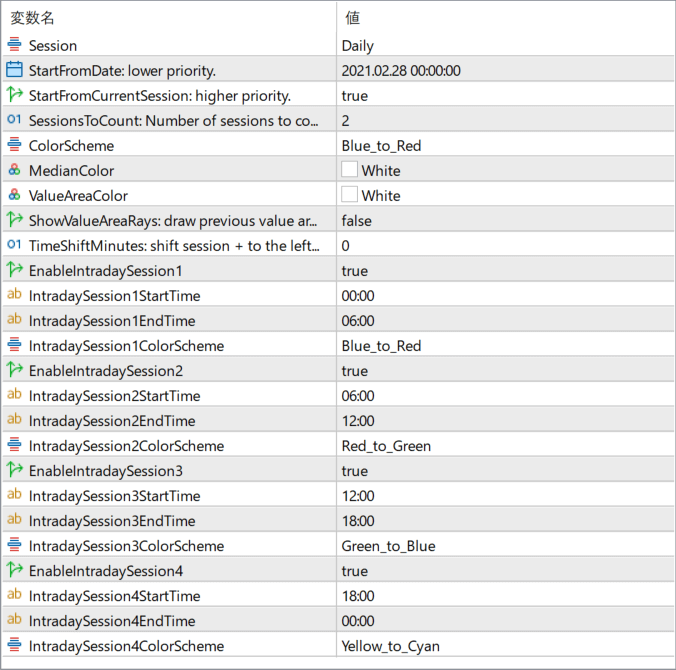
The screenshot above shows the default input parameters in the MT5 settings window.
How to Install .ex5 Indicator in MetaTrader 5
- Download the ZIP file and extract it.
- In MT5, select File → Open Data Folder.
- Open MQL5 → Indicators and copy the EX5 or MQ5 file into it.
- If the package includes library files, copy them to MQL5 → Libraries. Copy TPL files to the top-level templates folder.
- Restart MT5, find the indicator in the Navigator, and drag it onto a chart.
Test the tool on a demo account first. File contents and required folders can vary between packages.


