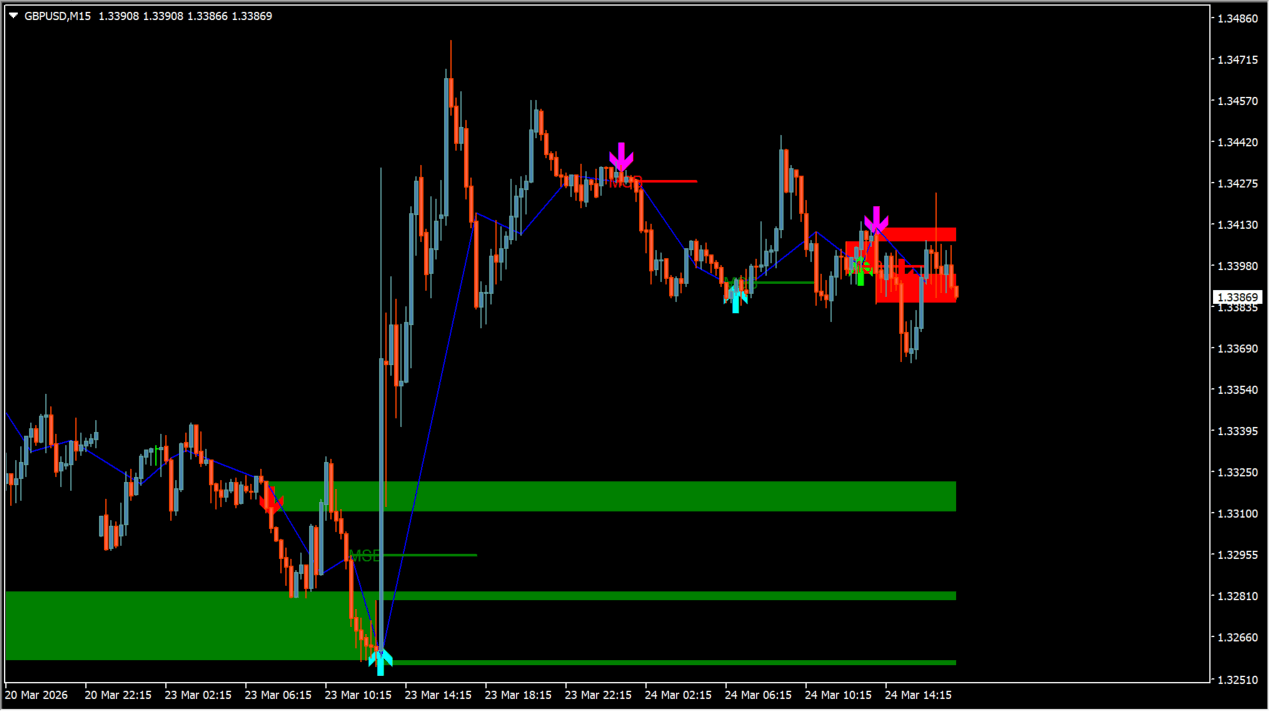
What is Market_Structure_Break_and_Order_Block_v2?
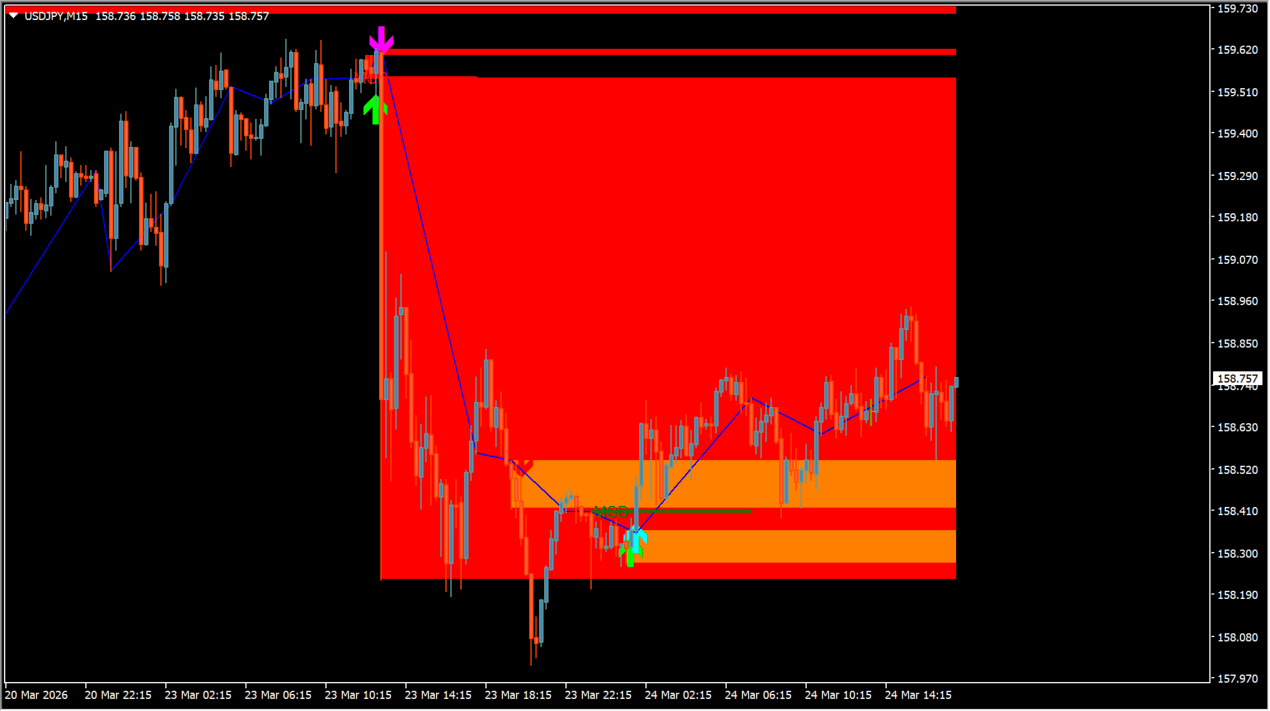
Market_Structure_Break_and_Order_Block_v2 is a market structure indicator for MT4 that uses ZigZag swing analysis to automatically detect and highlight order block zones and structure break levels on your chart.
How to use Market_Structure_Break_and_Order_Block_v2
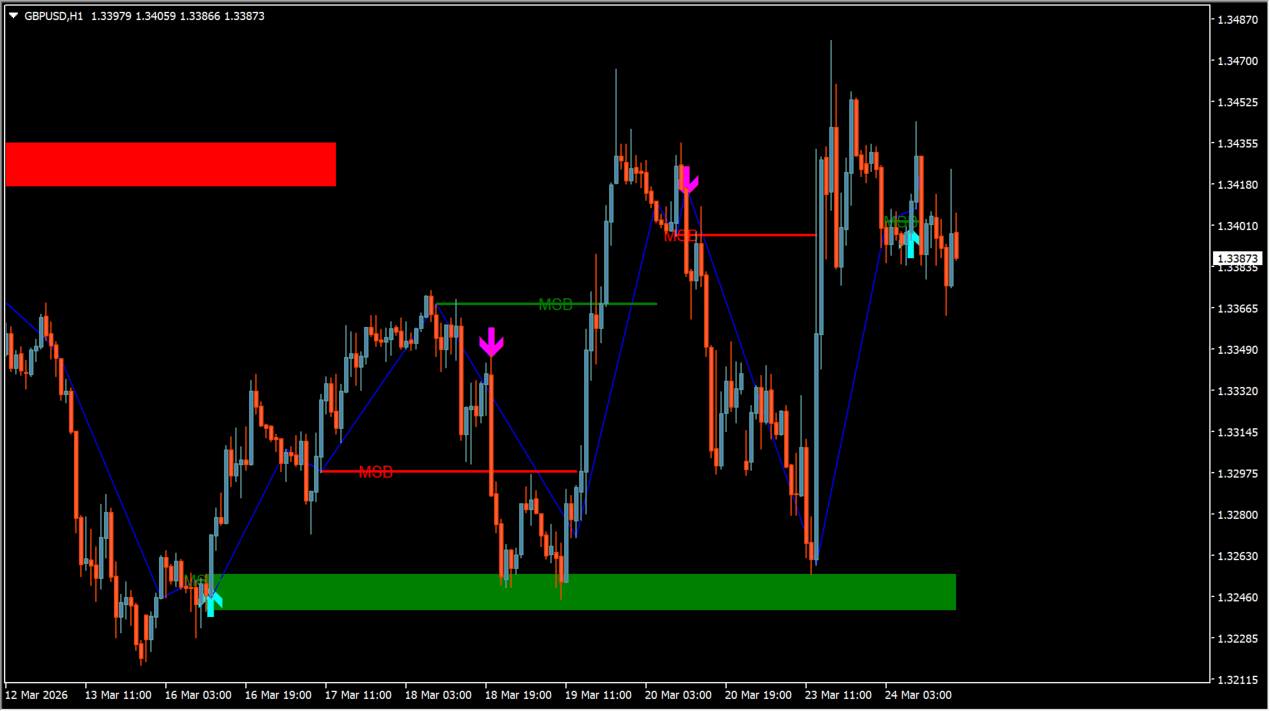
Attach the indicator to your MT4 chart to view automatically plotted order block rectangles and swing break arrows. Use the visual reference zones to observe price behavior around historical order block levels.
Where it helps
Displays directional swing break arrows and structure lines on chart.
Highlights bullish and bearish order block price zones with customizable rectangle fills.
Includes popup, push mobile, email, and audio sound notifications for new structure signals.
MT4 Indicator Parameters
The table below lists the available MT4 indicator parameters. You can customize these options in the MetaTrader Inputs dialog to match your trading preferences.
| Parameter | Description |
|---|---|
| AlertsSection | Alert settings section. |
| popup_alert | Sets popup message alert on or off. Default: false. |
| notification_alert | Sets push notification to mobile devices on or off. Default: false. |
| email_alert | Sets email alert notification on or off. Default: false. |
| play_sound | Sets sound play alert on or off. Default: false. |
| sound_file | Sets sound file name for audio alerts. |
| start_program | Sets external program execution on or off. Default: false. |
| program_path | Sets executable file path for external program. |
| advanced_alert | Sets advanced alert system on or off. Default: false. |
| advanced_key | Sets API key for advanced external notifications. |
| advanced_server | Sets server URL for advanced external notifications. Default: https://profitrobots.com. |
| Comment2 | Information comment regarding Telegram bot key setup. |
| Comment3 | Information comment regarding DLL permissions. |
| Comment4 | Information comment regarding library installation. |
| param1 | Sets ZigZag calculation period length. Default: 9. |
| param2 | Sets ZigZag line display on or off. Default: true. |
| param3 | Sets Fibonacci factor for breakout confirmation. Default: 0.33. |
| param4 | Sets text label display size. Default: tiny. |
| param5 | Sets bullish order block fill color. Default: Green. |
| param6 | Sets bullish order block border color. Default: Green. |
| param7 | Sets bullish text label color. Default: Green. |
| param8 | Sets bearish order block fill color. Default: Red. |
| param9 | Sets bearish order block border color. Default: Red. |
| param10 | Sets bearish text label color. Default: Red. |
| param11 | Sets secondary bullish zone fill color. Default: Green. |
| param12 | Sets secondary bullish zone border color. Default: Green. |
| param13 | Sets secondary bullish text color. Default: Green. |
| param14 | Sets secondary bearish zone fill color. Default: Red. |
| param15 | Sets secondary bearish zone border color. Default: Red. |
| param16 | Sets secondary bearish text color. Default: Red. |
| bars_limit | Sets maximum historical bars limit for calculation. Default: 100000. |
| ShowZoneBreakArrows | Sets zone break signal arrow display on or off. Default: true. |
| ZoneBreakArrowUpCode | Sets Wingdings symbol code for zone break buy arrows. Default: 233. |
| ZoneBreakArrowDownCode | Sets Wingdings symbol code for zone break sell arrows. Default: 234. |
| ZoneBreakArrowUpColor | Sets color for bullish zone break arrows. Default: clrLime. |
| ZoneBreakArrowDownColor | Sets color for bearish zone break arrows. Default: clrRed. |
| ZoneBreakArrowOffset | Sets chart offset in points for zone break arrows. Default: 10. |
| ZoneBreakArrowSize | Sets display size for zone break arrows. Default: 3. |
| ShowTrendBreakArrows | Sets trend break signal arrow display on or off. Default: true. |
| TrendBreakArrowUpCode | Sets Wingdings symbol code for trend break buy arrows. Default: 233. |
| TrendBreakArrowDownCode | Sets Wingdings symbol code for trend break sell arrows. Default: 234. |
| TrendBreakArrowUpColor | Sets color for bullish trend break arrows. Default: clrAqua. |
| TrendBreakArrowDownColor | Sets color for bearish trend break arrows. Default: clrMagenta. |
| TrendBreakArrowOffset | Sets chart offset in points for trend break arrows. Default: 10. |
| TrendBreakArrowSize | Sets display size for trend break arrows. Default: 3. |
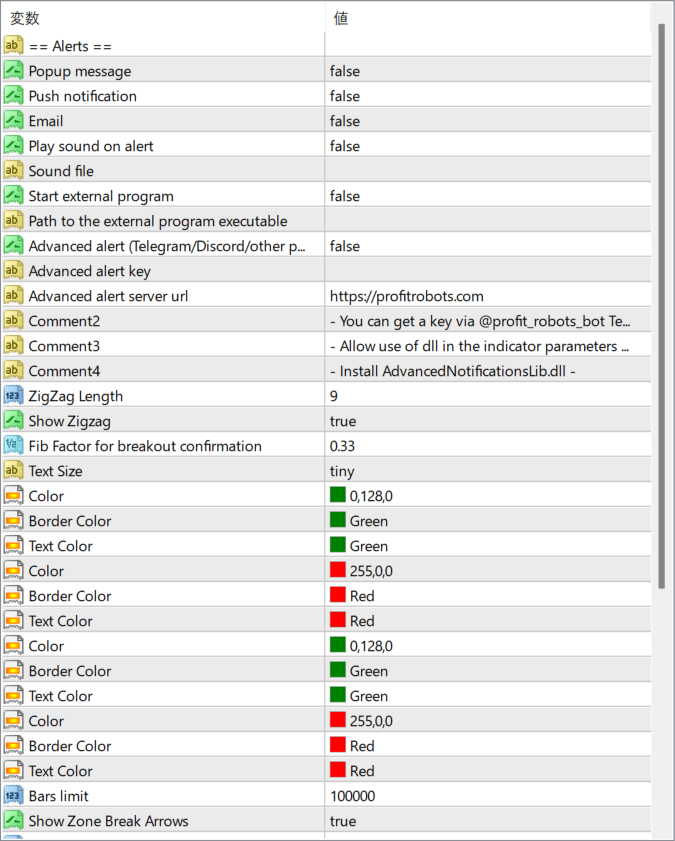
The screenshot above shows the default input parameters in the MT4 settings window.
How to Install .ex4 Indicator in MetaTrader 4
- Download the ZIP file and extract it.
- In MT4, select File → Open Data Folder.
- Open MQL4 → Indicators and copy the EX4 or MQ4 file into it.
- If the package includes library files, copy them to MQL4 → Libraries. Copy TPL files to the top-level templates folder.
- Restart MT4, find the indicator in the Navigator, and drag it onto a chart.
Test the tool on a demo account first. File contents and required folders can vary between packages.


