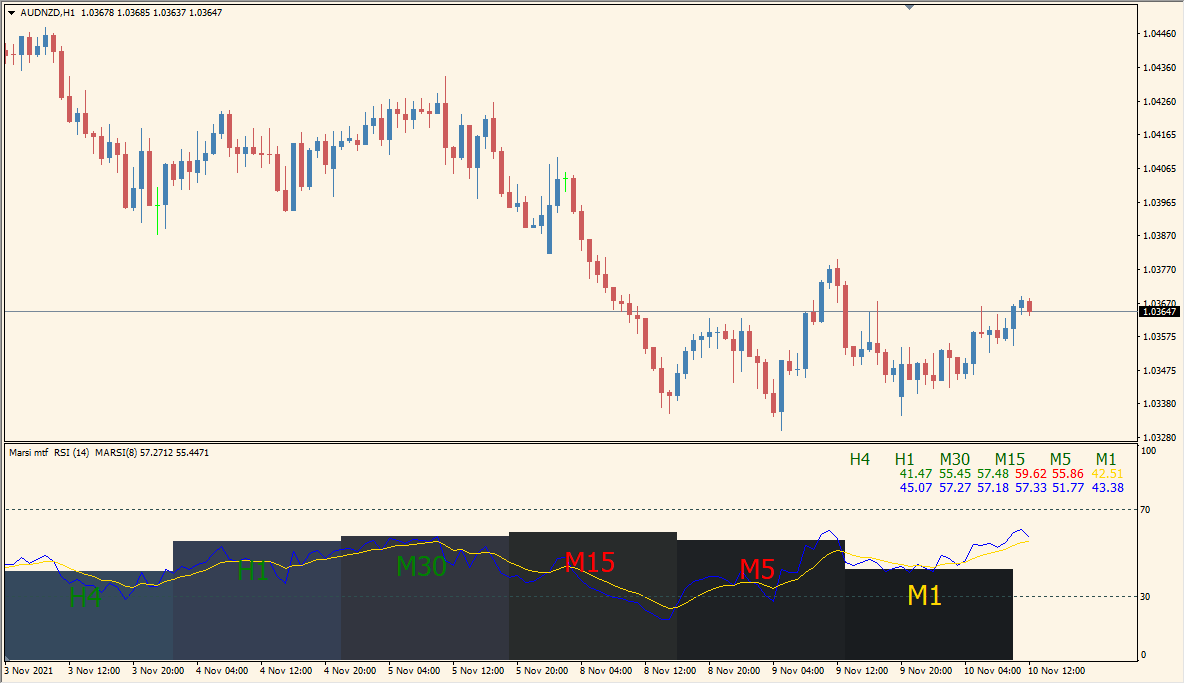
What is Marsi mtf Indicator?
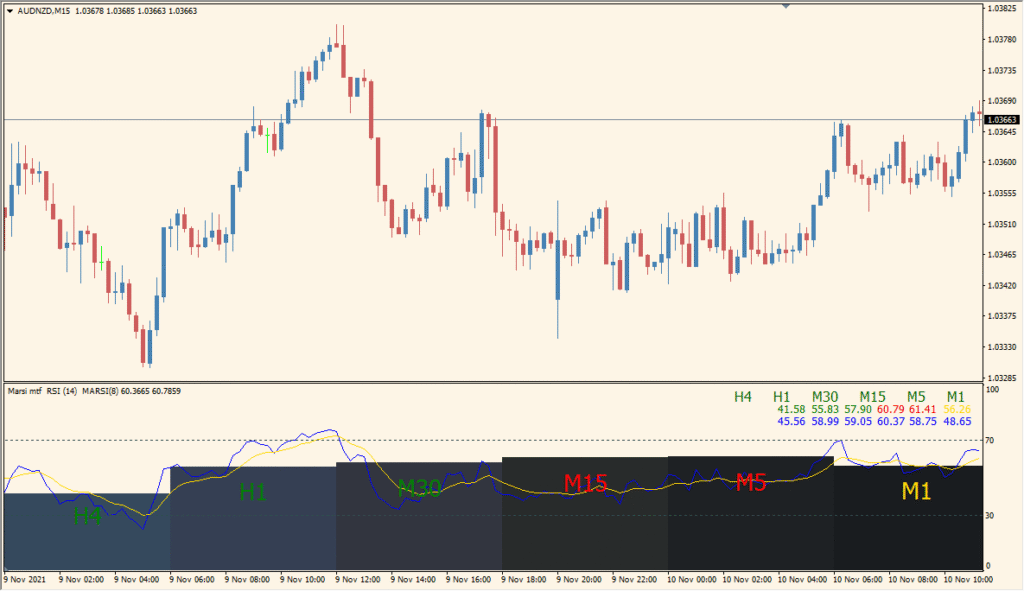
The Marsi mtf indicator is a multi-timeframe RSI visualization tool for MT4. It displays RSI values and their moving average counterparts across multiple timeframes in a compact label format below the main chart. Each timeframe is color-coded and neatly arranged, allowing quick assessment of momentum conditions across different timeframes at once.
It combines standard RSI values with their smoothed moving average to help identify overbought/oversold conditions and trend momentum consistency. By providing this at a glance for M1 to H4 (or higher), the indicator reduces the need to manually switch between charts.
How to Use It in Practice
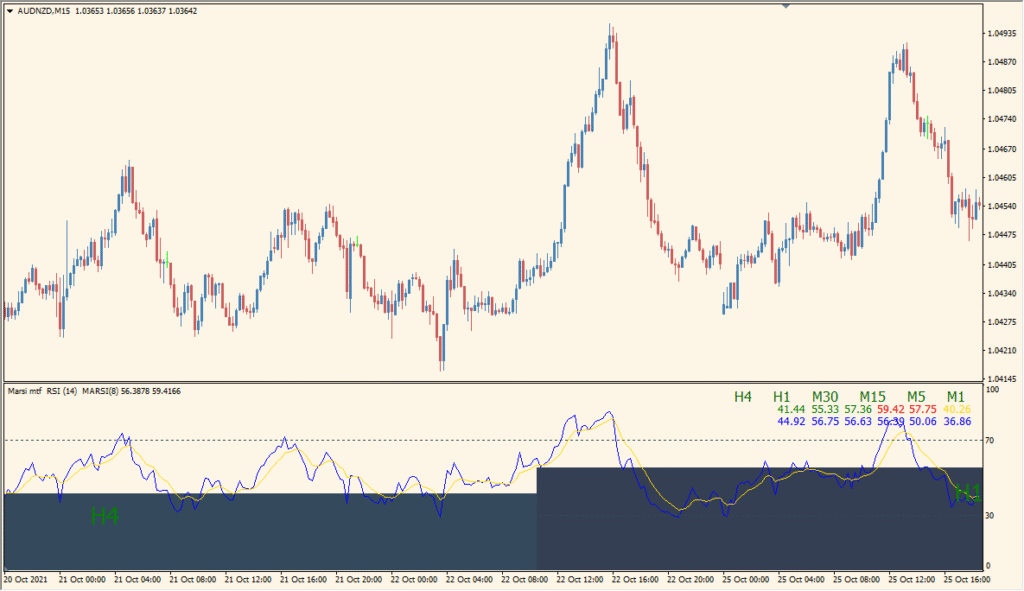
This indicator helps traders:
- See RSI and MA-RSI values from multiple timeframes all in one panel.
- Spot alignment or divergence in RSI across timeframes.
- Gauge trend strength by comparing RSI to its moving average.
- Use the color cues and layout to assess entry or exit timing without flipping charts.
This tool is useful for scalpers, intraday, and swing traders who want confirmation across timeframes before taking action.
Best Settings & MT4 Parameters for marsi-mtf
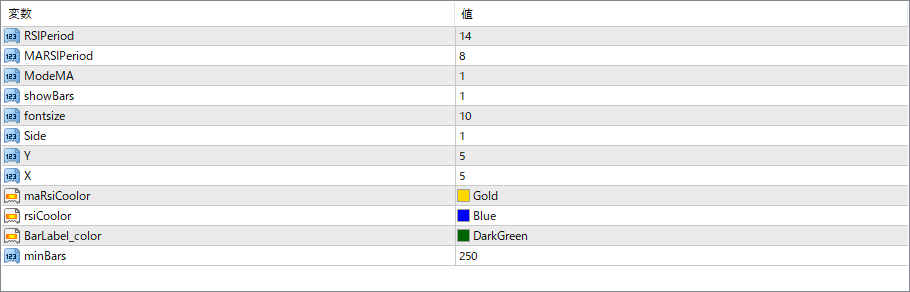
RSIPeriod
Sets the number of bars used for the base RSI calculation.
MARSIPeriod
Specifies the period for the moving average of RSI, used to smooth RSI and detect broader trends.
ModeMA
Selects the type of moving average applied to the RSI (e.g., 0 for SMA, 1 for EMA).
showBars
If enabled, displays the background bars highlighting the area for each timeframe label.
fontsize
Controls the size of the text for timeframe labels and indicator values.
Side
Determines alignment of the label panel (e.g., 1 for bottom, 0 for top).
X
Adjusts the horizontal position of the label panel.
Y
Adjusts the vertical position of the label panel.
maRsiColor
Defines the color for the moving average RSI line or value.
rsiColor
Sets the color for the basic RSI value.
BarLabel_color
Defines the color of the background bar behind the label panel.
minBars
Minimum number of bars required for the indicator to work properly. Ensures sufficient data is available for calculation.


