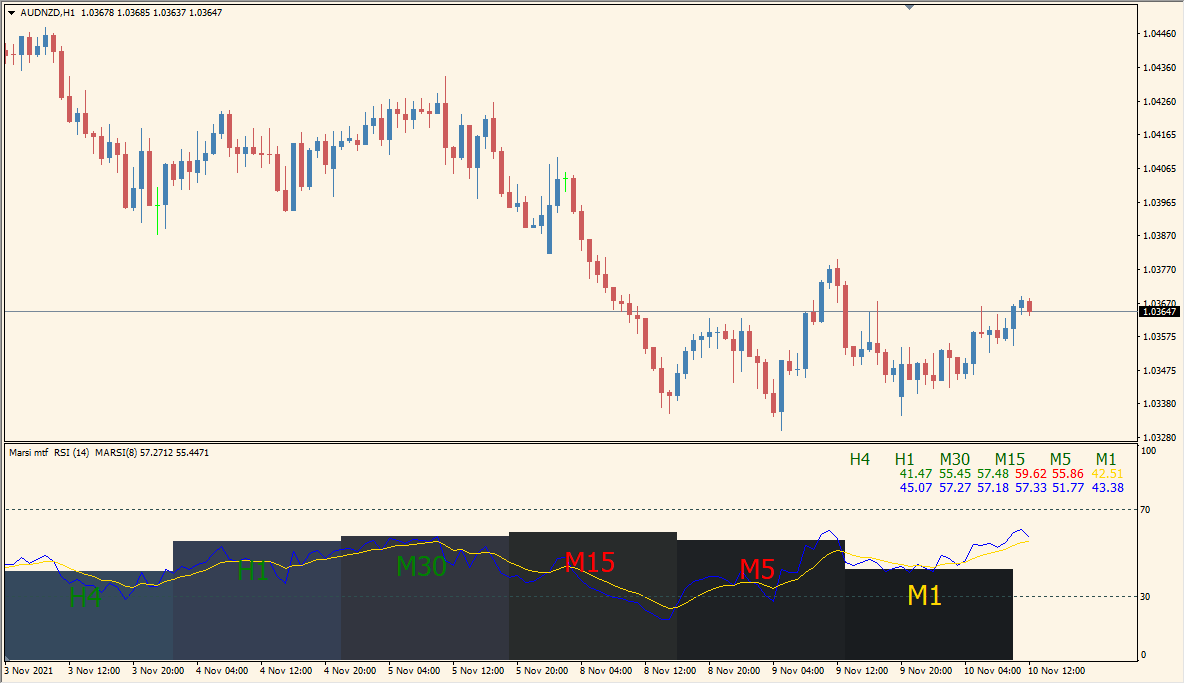
What is Marsi mtf Indicator?
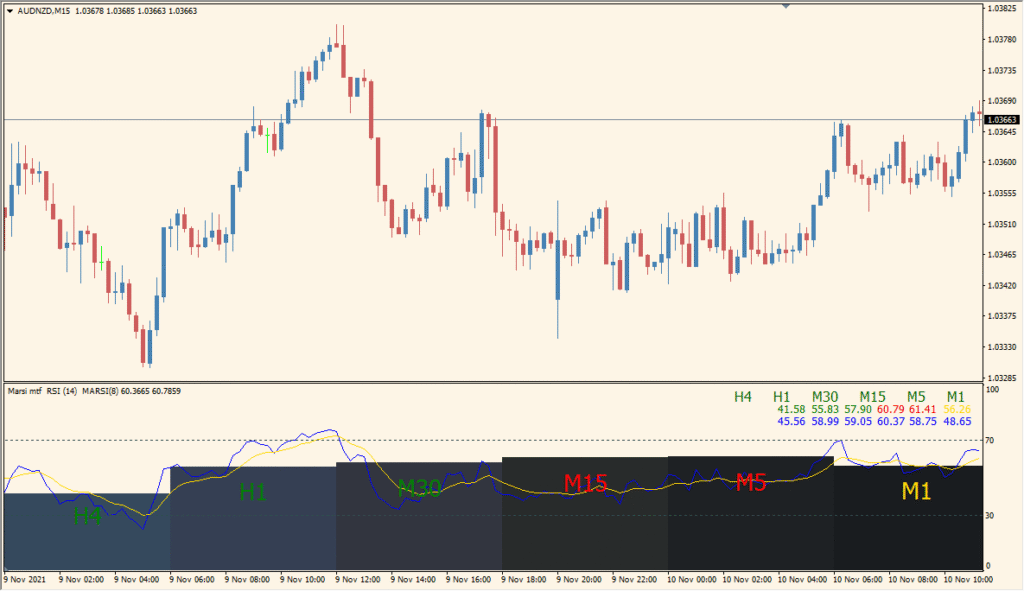
Marsi MTF for MT4 presents RSI values and their moving-average counterparts in a compact multi-timeframe panel. Each timeframe is arranged and color-coded so several momentum readings can be reviewed without changing charts.
RSIPeriod, MARSIPeriod, ModeMA, showBars, font size, panel side, and position settings control the calculation and layout. The panel provides a compact comparison of RSI readings from the selected periods.
How to Use It in Practice
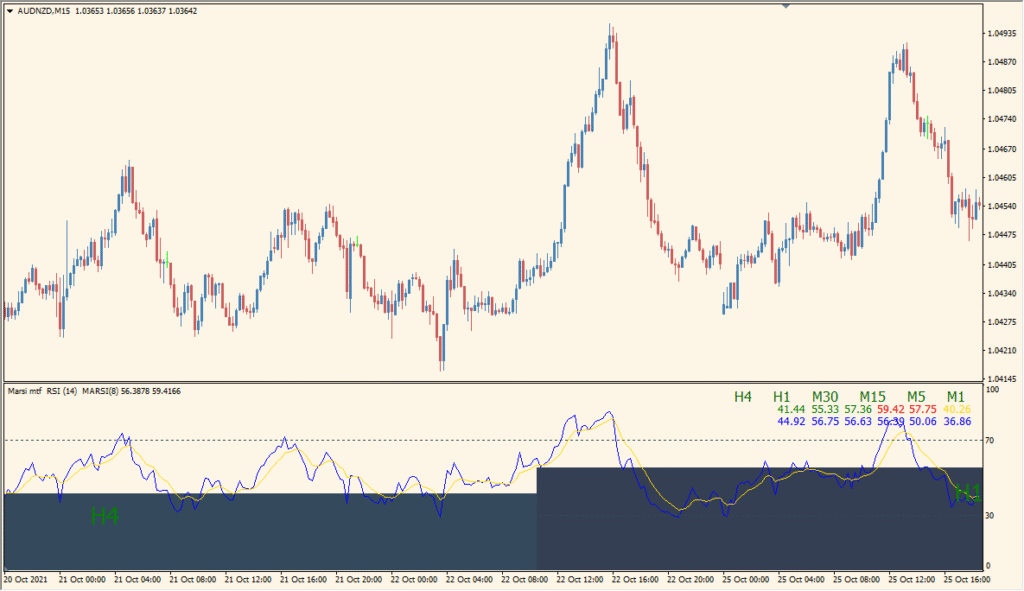
Read the blue MARSI line and yellow RSI line together, then use the black bars to compare the MARSI level across the selected timeframes in the same subwindow.
- Compare the blue MARSI response with the yellow ordinary RSI before relying on the multi-timeframe bars.
- Use roughly an hourly display for the bar comparison when shorter settings make the bars too compressed.
- Set RSIPeriod for the yellow line and MARSIPeriod for the blue line; a MARSIPeriod of 1 produces the ordinary RSI behavior.
- Use ModeMA to choose the moving-average method, showBars to hide the multi-timeframe bars, and Side to reposition the values.
Multiple RSI and smoothed RSI readings fit in one panel, timeframe colors aid scanning, and both calculation and layout settings are configurable.
MT4 Indicator Parameters
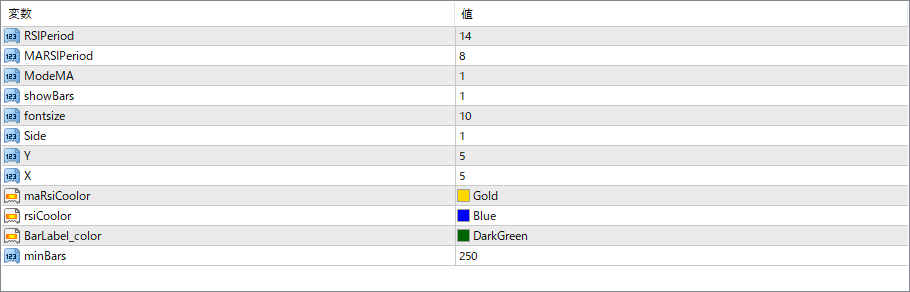
The screenshot above shows the default input parameters in the MT4 settings window.
| Parameter | Description |
|---|---|
| RSIPeriod | Sets the number of bars used for the base RSI calculation. |
| MARSIPeriod | Specifies the period for the moving average of RSI, used to smooth RSI and detect broader trends. |
| ModeMA | Selects the type of moving average applied to the RSI (e.g., 0 for SMA, 1 for EMA). |
| showBars | If enabled, displays the background bars highlighting the area for each timeframe label. |
| fontsize | Controls the size of the text for timeframe labels and indicator values. |
| Side | Determines alignment of the label panel (e.g., 1 for bottom, 0 for top). |
| X | Adjusts the horizontal position of the label panel. |
| Y | Adjusts the vertical position of the label panel. |
| maRsiColor | Defines the color for the moving average RSI line or value. |
| rsiColor | Sets the color for the basic RSI value. |
| BarLabel_color | Defines the color of the background bar behind the label panel. |
| minBars | Minimum number of bars required for the indicator to work properly. Ensures sufficient data is available for calculation. |


