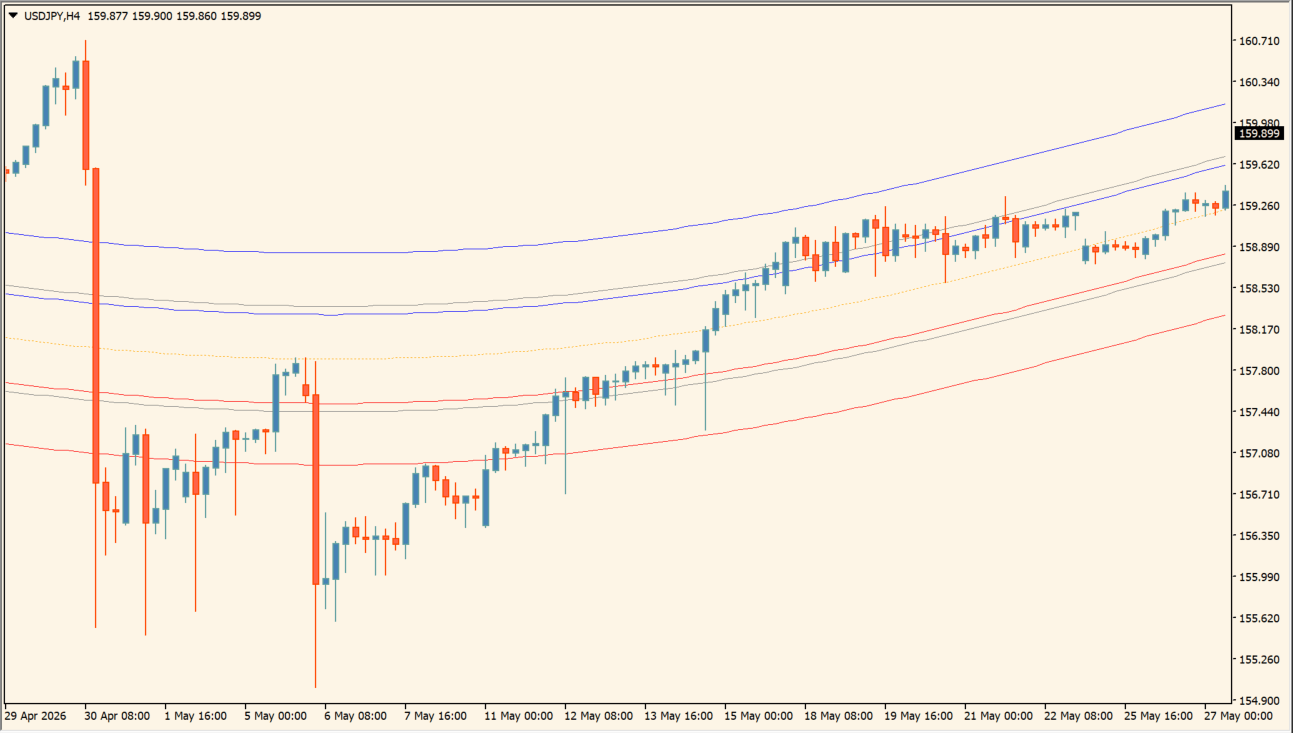
What is MeanReversion?
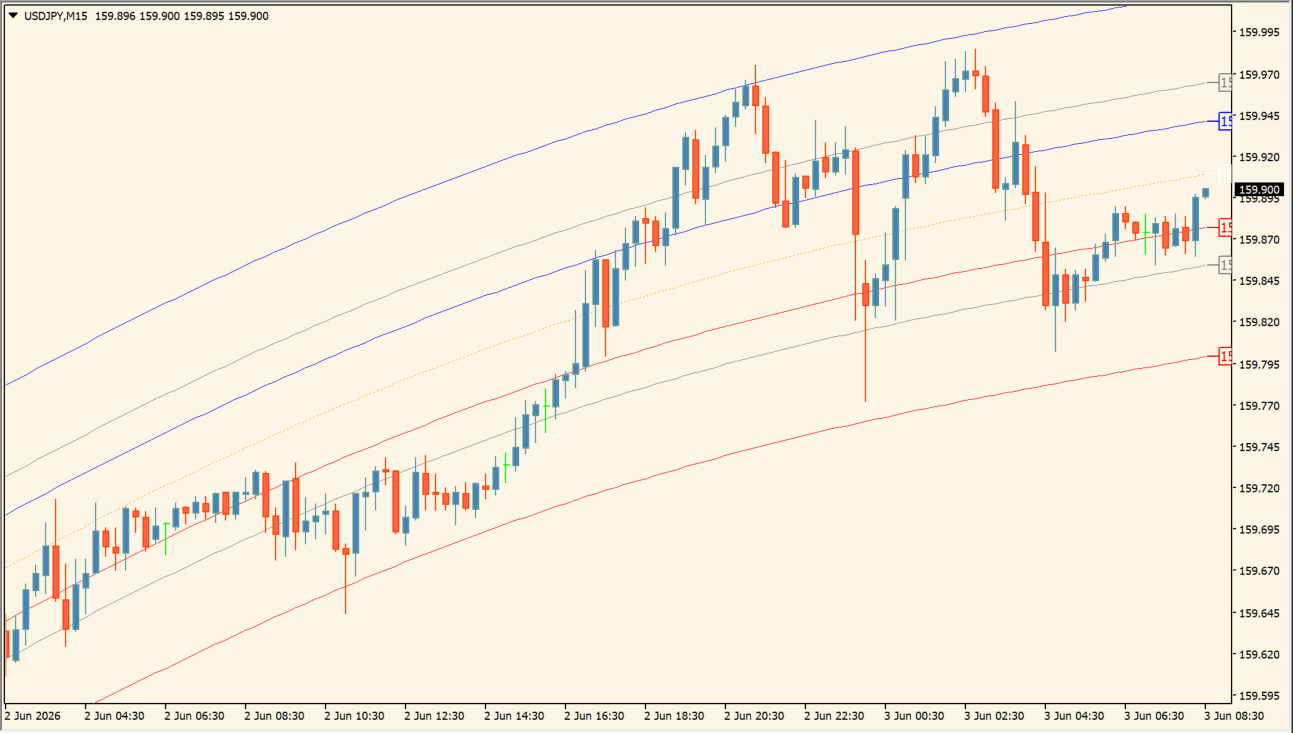
MeanReversion is an MT4 indicator that calculates a central path from historical bars and places standard-deviation channels around it. The outer lines frame how far current price is from the selected sample.
The channel display helps organize distance, width, and price behavior around the center line. A channel touch is a visual condition to review, not a promise that price will return or remain within the band.
How to use MeanReversion
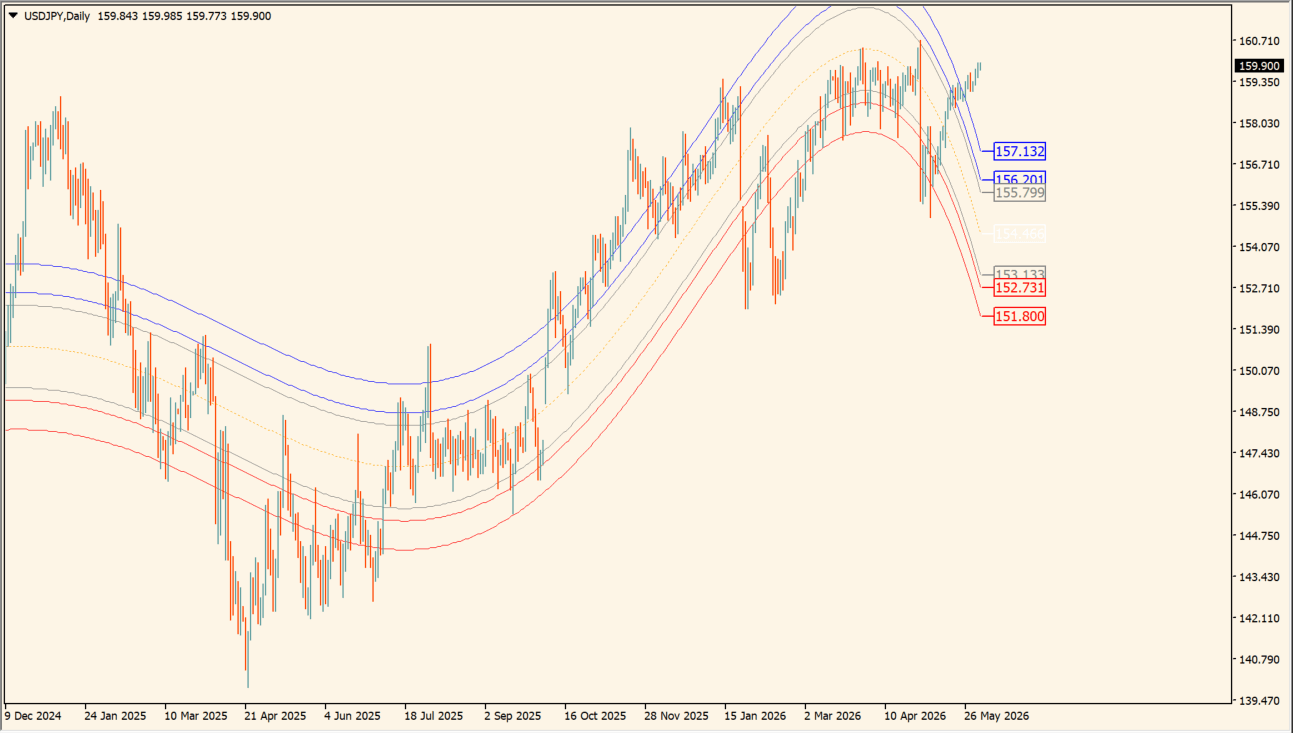
Compare the central path with its surrounding standard-deviation channels and the selected historical sample:
- Add MeanReversion and identify the central path before comparing the outer channel distance.
- Compare current price location and channel width with the recent chart structure.
- Adjust historical bars, the standard-deviation coefficient, and midline deviation to change the displayed sample.
- Use the line-end price option when the exact displayed channel values are useful for comparison.
Where mean reversion becomes difficult
FX relationships can change faster than a clean historical channel suggests. Traders who want to specialize in statistical reversion may find equity pairs easier to define and test. On FX, this indicator is more convincing as one visual input beside structure, a higher-timeframe bias, and a hard invalidation level.
Where it helps
The central path frames the selected sample, deviation channels make relative distance easier to compare, and history or coefficient settings adjust the displayed observation window.
MT4 Indicator Parameters
The table below lists the available MT4 indicator parameters. You can customize these options in the MetaTrader Inputs dialog to match your trading preferences.
| Parameter | Description |
|---|---|
| Show Line-End Prices | Prints the exact channel price at the right end of each line. Default: true. |
| Historical Bars for Calculation | Sets how many historical bars are used in the calculation. Default: 500. |
| Standard-Deviation Coefficient | Controls the width of the outer statistical channels. Default: 0.5. |
| Midline Channel Deviation | Controls the spacing of the channels around the center line. Default: 0.5. |
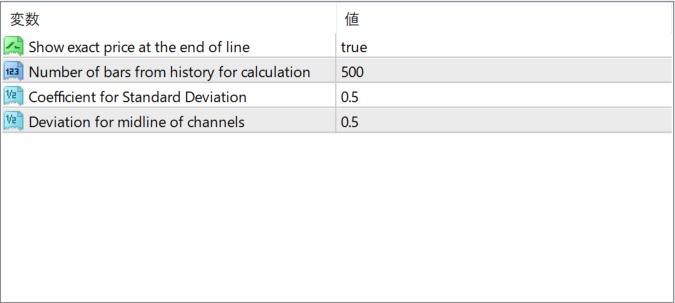
The screenshot above shows the default input parameters in the MT4 settings window.
How to Install .ex4 Indicator in MetaTrader 4
- Download the ZIP file and extract it.
- In MT4, select File → Open Data Folder.
- Open MQL4 → Indicators and copy the EX4 or MQ4 file into it.
- If the package includes library files, copy them to MQL4 → Libraries. Copy TPL files to the top-level templates folder.
- Restart MT4, find the indicator in the Navigator, and drag it onto a chart.
Test the tool on a demo account first. File contents and required folders can vary between packages.


