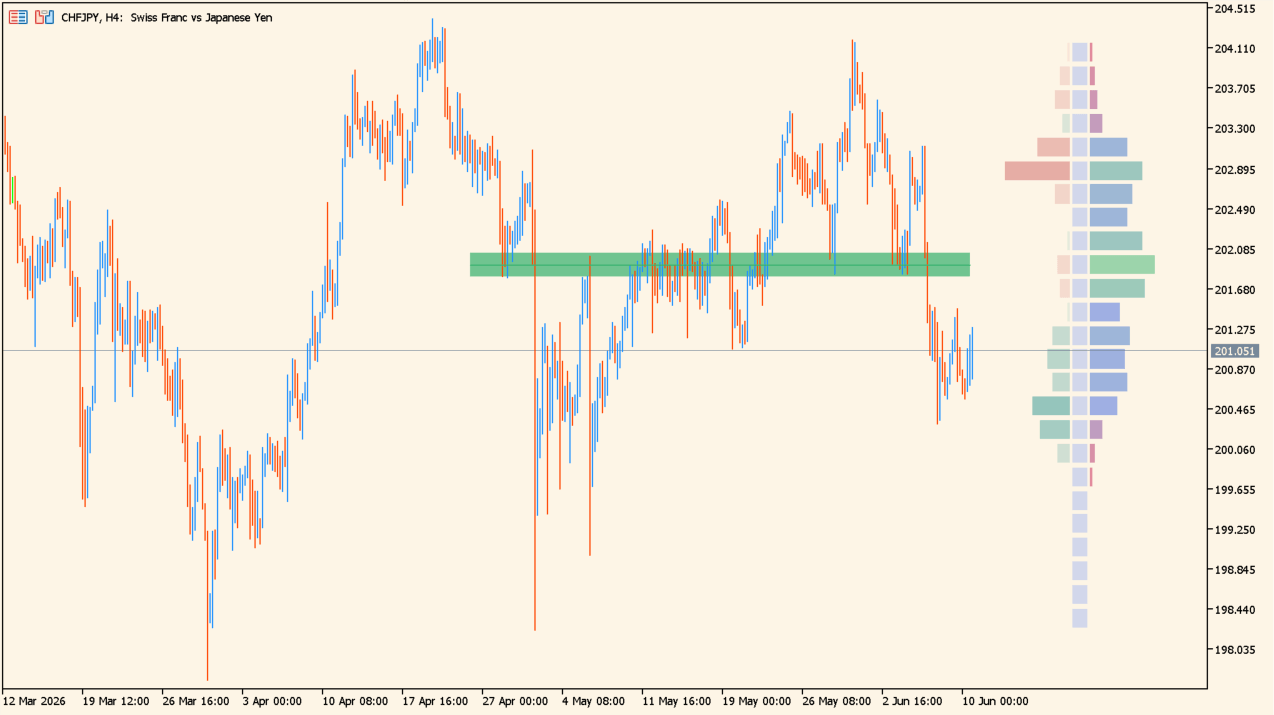
What is Money Flow Profile?
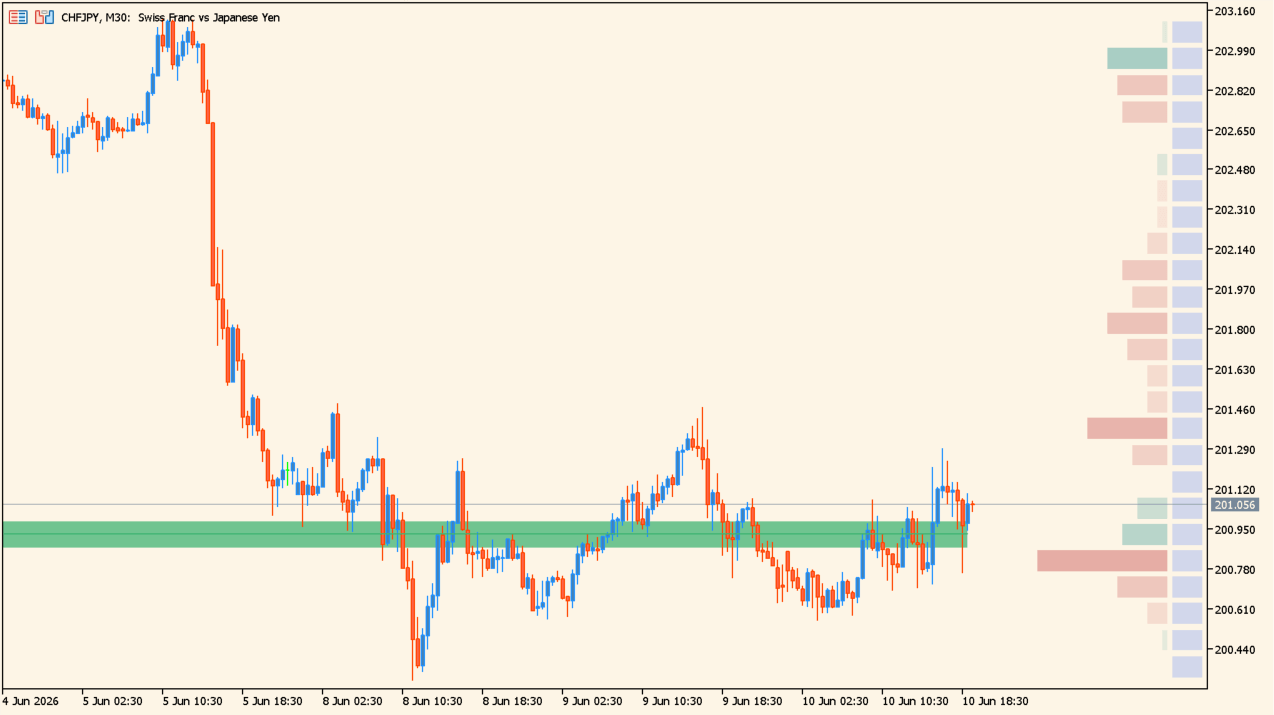
Money Flow Profile draws a configurable horizontal profile beside price and can separate high, average, and low traded nodes by color. An optional sentiment profile and heatmap presentation are also included.
The profile summarizes the selected source over its configured range. It describes the indicator output for that range and does not forecast where price will move next.
How to use Money Flow Profile
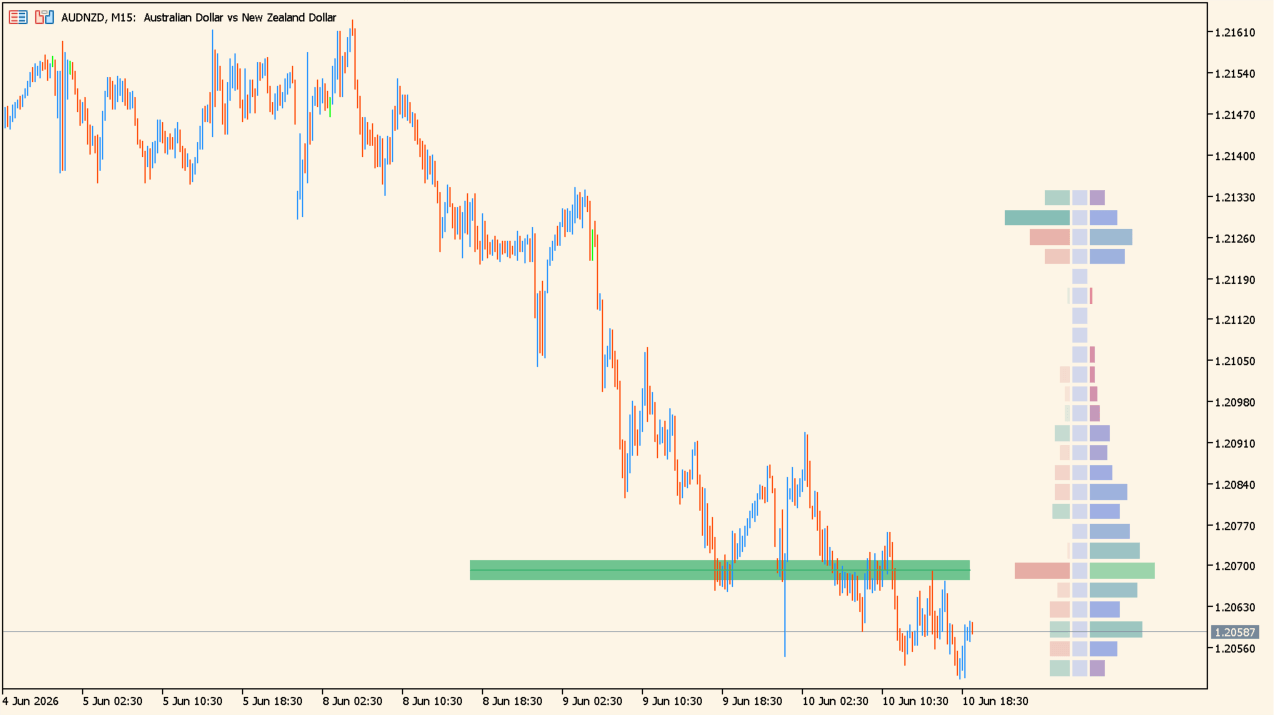
Compare the profile rows and colored nodes with nearby price swings and the chart range under review. Use the lookback length, row count, and width together so the displayed profile matches the intended scale.
The presentation switches separately control labels, sentiment, heatmaps, consolidation zones, and profile price levels.
Where it helps
The Inputs select the source and the lookback or fixed range.
High, average, and low traded nodes use individual thresholds and colors.
Labels, heatmaps, sentiment, price levels, and placement have separate settings.
MT5 Indicator Parameters
The table below lists the available MT5 indicator parameters. You can customize these options in the MetaTrader Inputs dialog to match your trading preferences.
| Parameter | Description |
|---|---|
| Profile Generic Settings ################ | Labels the generic profile-settings section. |
| Lookback Length / Fixed Range | Sets the lookback length or fixed range used for the profile. Default: 200. |
| Profile Source | Selects the source used for the profile. Default: Volume. |
| Profile Presentation Settings ############### | Labels the profile-presentation settings section. |
| Volume/Money Flow Profile | Shows or hides the volume or money-flow profile. Default: true. |
| Draw Volume Labels | Shows or hides volume labels. Default: false. |
| High Traded Nodes | Sets the color used for high traded nodes. Default: MediumSeaGreen. |
| High Traded Nodes Threshold % | Sets the threshold for high traded nodes. Default: 53.0. |
| Average Traded Nodes | Sets the color used for average traded nodes. Default: RoyalBlue. |
| Low Traded Nodes | Sets the color used for low traded nodes. Default: Crimson. |
| Low Traded Nodes Threshold % | Sets the threshold for low traded nodes. Default: 37.0. |
| Sentiment Profile | Shows or hides the sentiment profile. Default: true. |
| Draw Sentiment Labels | Shows or hides sentiment labels. Default: false. |
| Sentiment Polarity Method | Selects the method used to classify sentiment polarity. Default: Bar Polarity. |
| Bullish Nodes | Sets the color used for bullish nodes. Default: Teal. |
| Bearish Nodes | Sets the color used for bearish nodes. Default: IndianRed. |
| Profile Heatmap | Shows or hides the profile heatmap. Default: false. |
| Heatmap Source | Selects the source used for the heatmap. Default: Volume/Money Flow Profile. |
| Heatmap Transparency | Sets the heatmap transparency. Default: 73. |
| Other Presentation Settings ################ | Labels the additional presentation-settings section. |
| Level of Significance | Selects the significance level used by the display. Default: Last Zone. |
| Consolidation Zones | Shows or hides consolidation zones. Default: false. |
| Consolidation Threshold % | Sets the threshold for consolidation zones. Default: 25.0. |
| consolidationZonesColor | Sets the color used for consolidation zones. Default: RoyalBlue. |
| Highest Sentiment Zone | Shows or hides the highest sentiment zone. Default: false. |
| Profile Price Levels | Shows or hides profile price levels. Default: false. |
| profilePriceLevelsColor | Sets the color used for profile price levels. Default: Turquoise. |
| profilePriceLevelsSize | Sets the display size for profile price levels. Default: Small. |
| Profile Range Background Fill | Shows or hides the profile-range background fill. Default: false. |
| profileRangeBackgroundColor | Sets the color used for the profile-range background. Default: Turquoise. |
| Other Profile Settings ################ | Labels the profile layout-settings section. |
| Number of Rows | Sets the number of price rows used for the profile. Default: 25. |
| Profile Width % | Sets the profile width as a percentage of the chart. Default: 13.0. |
| Profile Text Size | Sets the text size used by the profile. Default: Small. |
| Draw Price Labels | Shows or hides price labels. Default: false. |
| Profile Horizontal Offset | Sets the profile horizontal offset. Default: 13. |
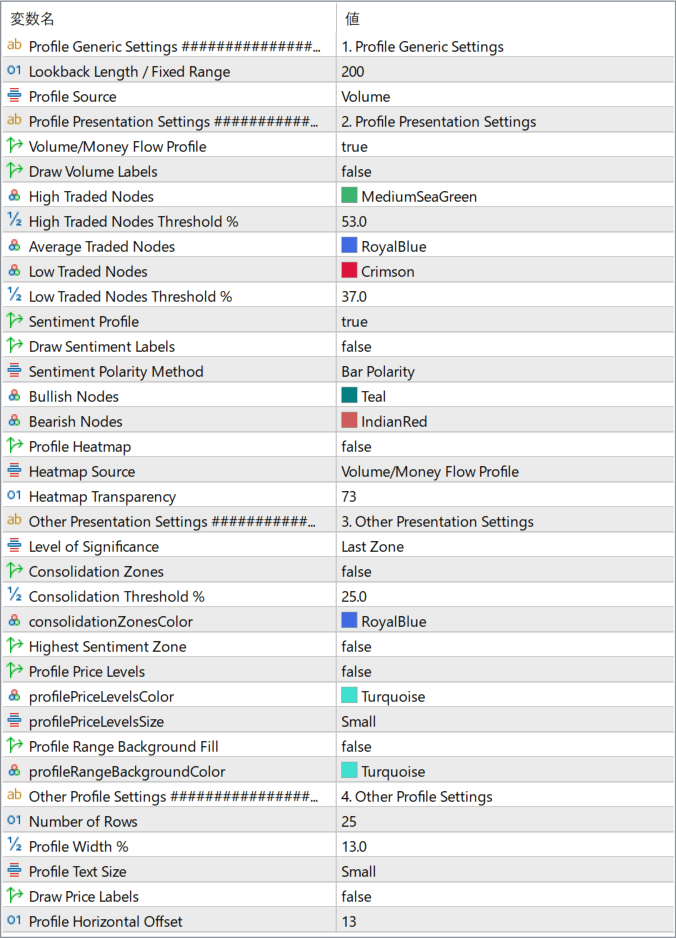
The screenshot above shows the default input parameters in the MT5 settings window.
How to Install .ex5 Indicator in MetaTrader 5
- Download the ZIP file and extract it.
- In MT5, select File → Open Data Folder.
- Open MQL5 → Indicators and copy the EX5 or MQ5 file into it.
- If the package includes library files, copy them to MQL5 → Libraries. Copy TPL files to the top-level templates folder.
- Restart MT5, find the indicator in the Navigator, and drag it onto a chart.
Test the tool on a demo account first. File contents and required folders can vary between packages.


