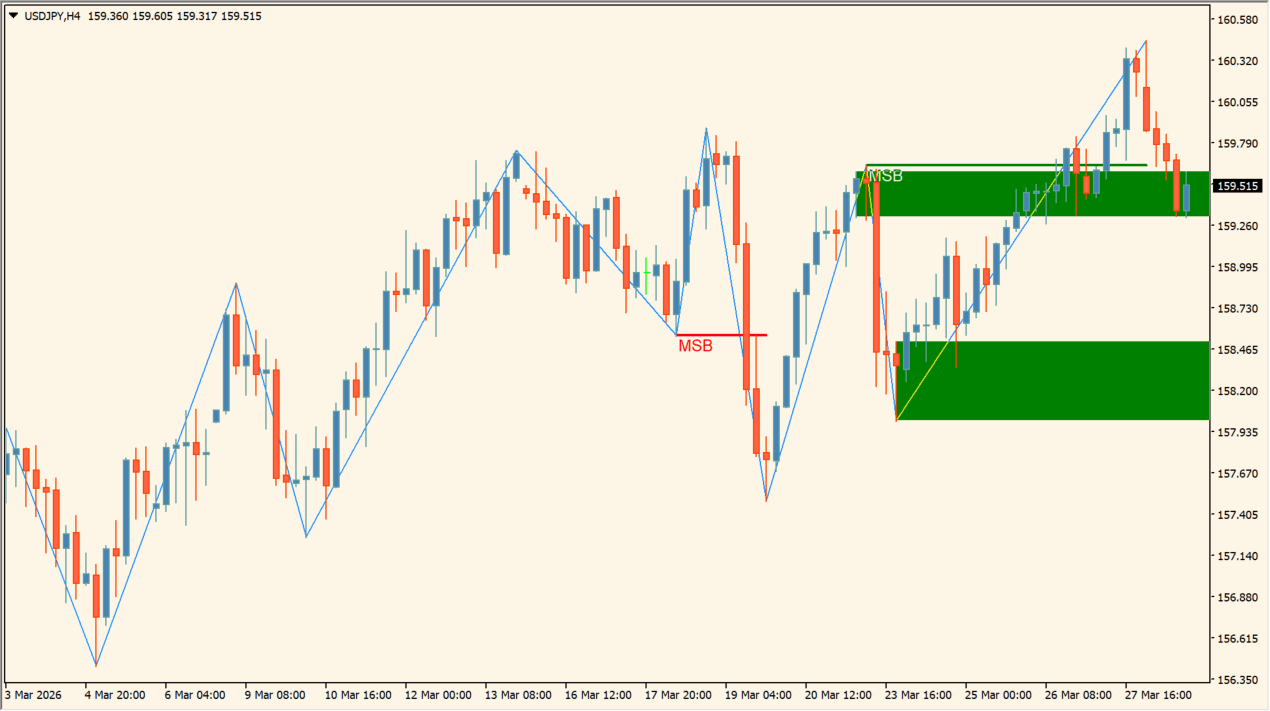
What is MSB-ORDBLK?
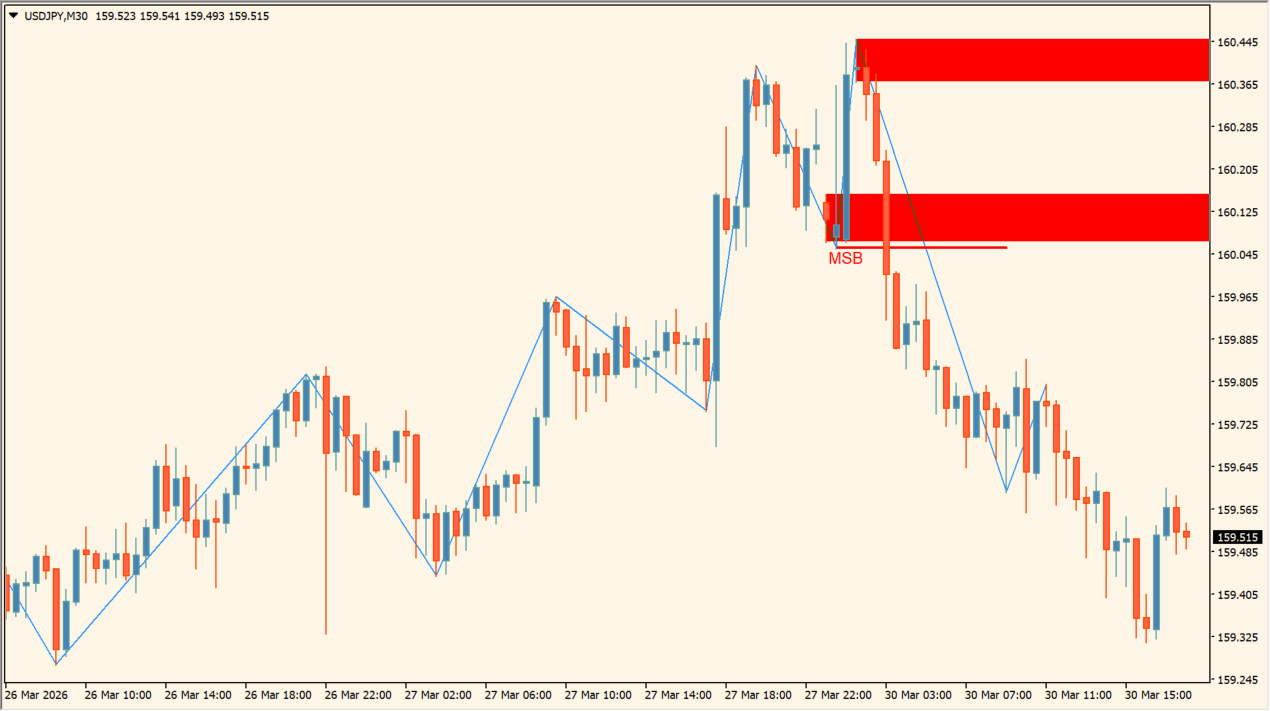
MSB-ORDBLK automatically identifies market structure breaks and plots institutional order block supply/demand boxes.
It combines ZigZag swing high/low detection with Fibonacci breakout confirmation to highlight key smart money zones.
How to use MSB-ORDBLK
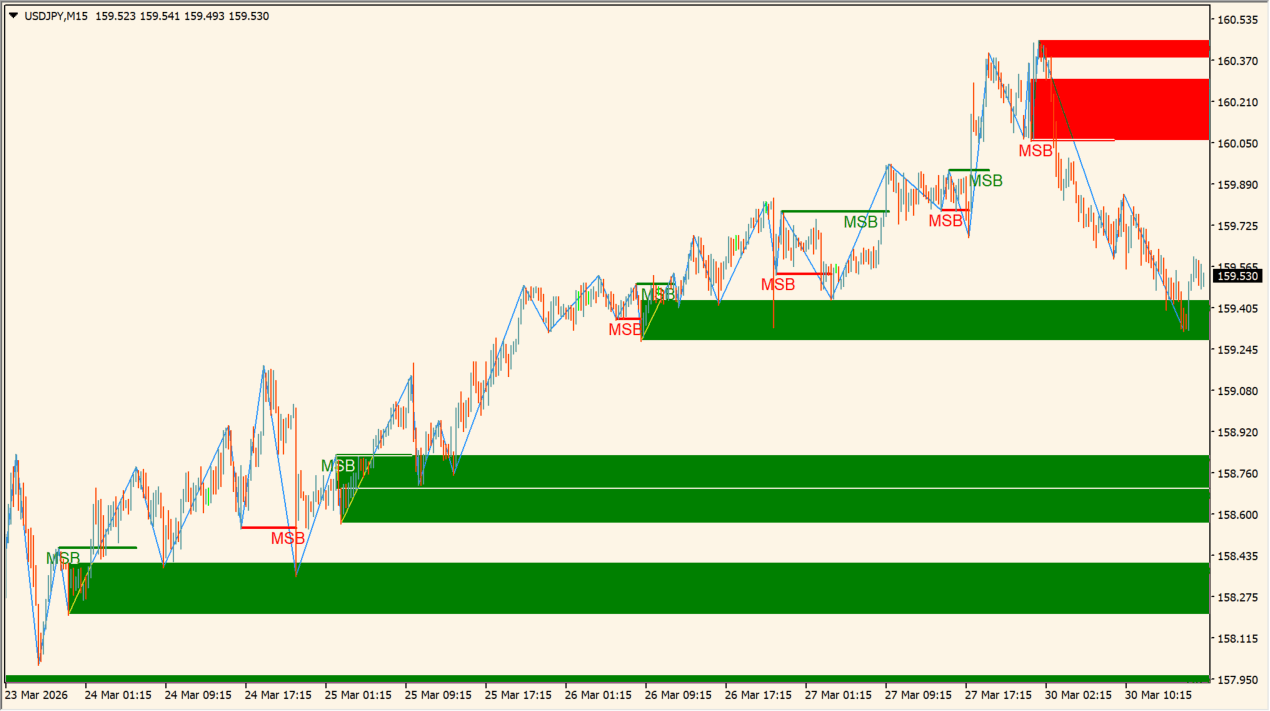
Identify bullish or bearish order block boxes as key reaction areas when price retests structural breaks.
Configure ZigZag Length, Fib Factor for breakout confirmation, box colors, and MT4/mobile notifications in the Inputs tab.
Where it helps
Highlights bullish and bearish order blocks directly on price charts.
Uses Fibonacci breakout filtering to confirm market structure breaks (MSB).
Allows full customization of colors, borders, and text labels for order blocks.
MT4 Indicator Parameters
The table below lists the available MT4 indicator parameters. You can customize these options in the MetaTrader Inputs dialog to match your trading preferences.
| Parameter | Description |
|---|---|
| ZigZag Length | Sets ZigZag sensitivity period for swing high/low detection. Default: 12. |
| Show Zigzag | Controls display of ZigZag structure lines on chart. Default: true. |
| Fib Factor for breakout confirmation | Sets Fibonacci ratio threshold for breakout confirmation. Default: 0.382. |
| Delete Old/Broken Boxes | Controls automatic removal of invalidated order block boxes. Default: true. |
| Max bars to process per calculation (0 = all) | Sets maximum historical bar limit for calculation performance. Default: 1000. |
| Draw rectangle boxes | Controls drawing of rectangular order block shapes. Default: true. |
| Bu-OB Color | Sets fill color for bullish order block boxes. Default: clrDodgerBlue. |
| Bu-OB Border Color | Sets border color for bullish order block boxes. Default: clrBlue. |
| Bu-OB Text Color | Sets text label color for bullish order blocks. Default: clrWhite. |
| Be-OB Color | Sets fill color for bearish order block boxes. Default: clrTomato. |
| Be-OB Border Color | Sets border color for bearish order block boxes. Default: clrRed. |
| Be-OB Text Color | Sets text label color for bearish order blocks. Default: clrWhite. |
| Bu-BB Color | Sets fill color for bullish breaker block boxes. Default: clrDeepSkyBlue. |
| Bu-BB Border Color | Sets border color for bullish breaker block boxes. Default: clrRoyalBlue. |
| Bu-BB Text Color | Sets text label color for bullish breaker blocks. Default: clrWhite. |
| Be-BB Color | Sets fill color for bearish breaker block boxes. Default: clrCrimson. |
| Be-BB Border Color | Sets border color for bearish breaker block boxes. Default: clrFireBrick. |
| Be-BB Text Color | Sets text label color for bearish breaker blocks. Default: clrWhite. |
| Notifications | Selects notification event trigger mode. Default: All. |
| Desktop MT4 notifications | Enables pop-up desktop alerts on MT4. Default: true. |
| Email notifications | Enables email notification alerts. Default: false. |
| Push mobile notifications | Enables push notifications to mobile MT4 app. Default: false. |
| Sound notifications | Enables sound playback on notification event. Default: true. |
| Choose a sound file for notifications | Sets audio WAV filename for sound alerts. Default: alert.wav. |
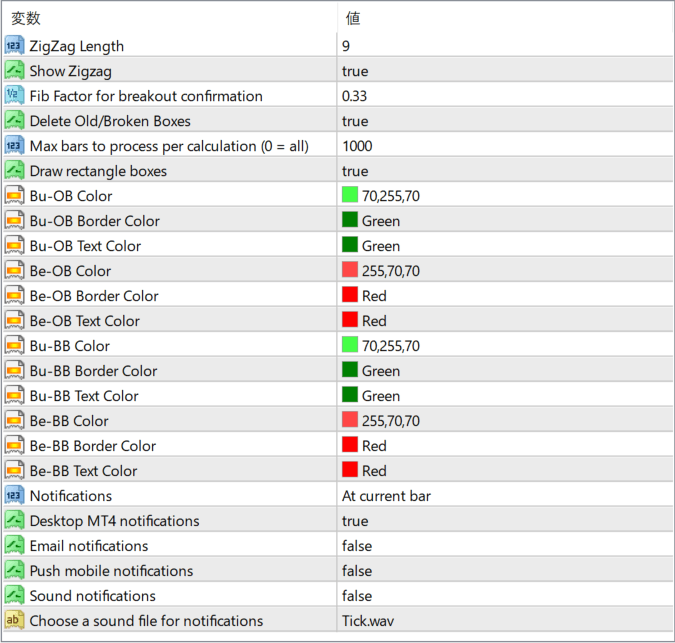
The screenshot above shows the default input parameters in the MT4 settings window.
How to Install .ex4 Indicator in MetaTrader 4
- Download the ZIP file and extract it.
- In MT4, select File → Open Data Folder.
- Open MQL4 → Indicators and copy the EX4 or MQ4 file into it.
- If the package includes library files, copy them to MQL4 → Libraries. Copy TPL files to the top-level templates folder.
- Restart MT4, find the indicator in the Navigator, and drag it onto a chart.
Test the tool on a demo account first. File contents and required folders can vary between packages.


