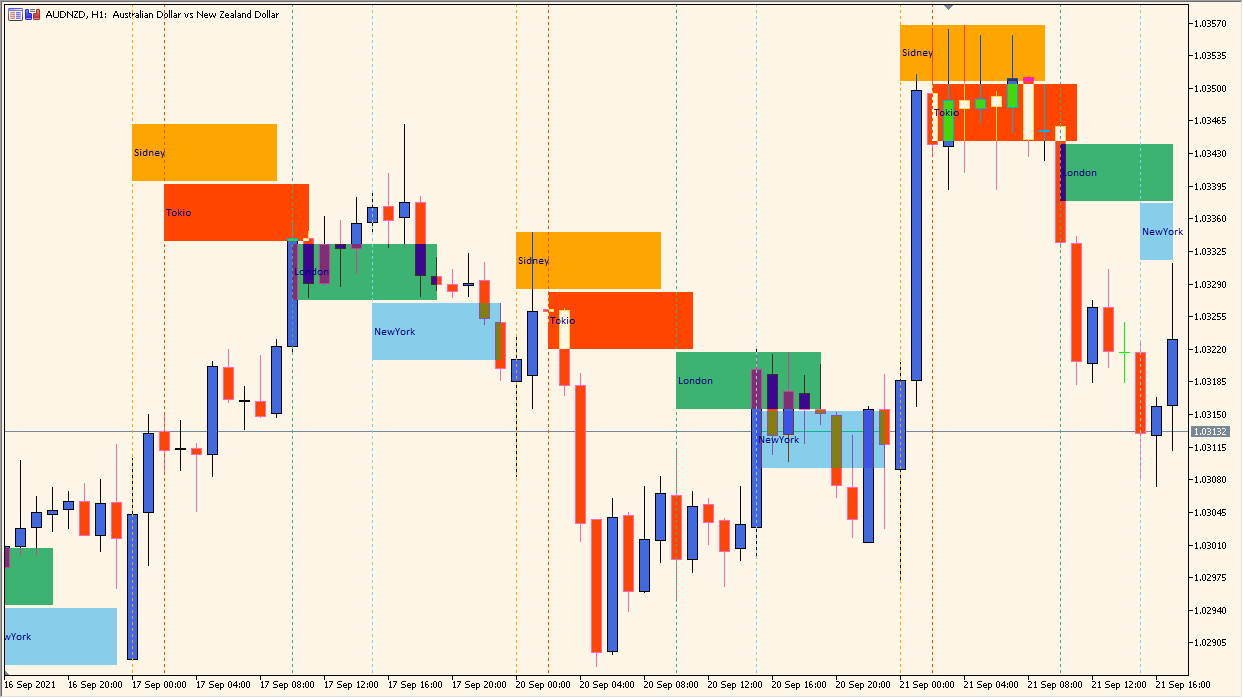
What is MSessions?
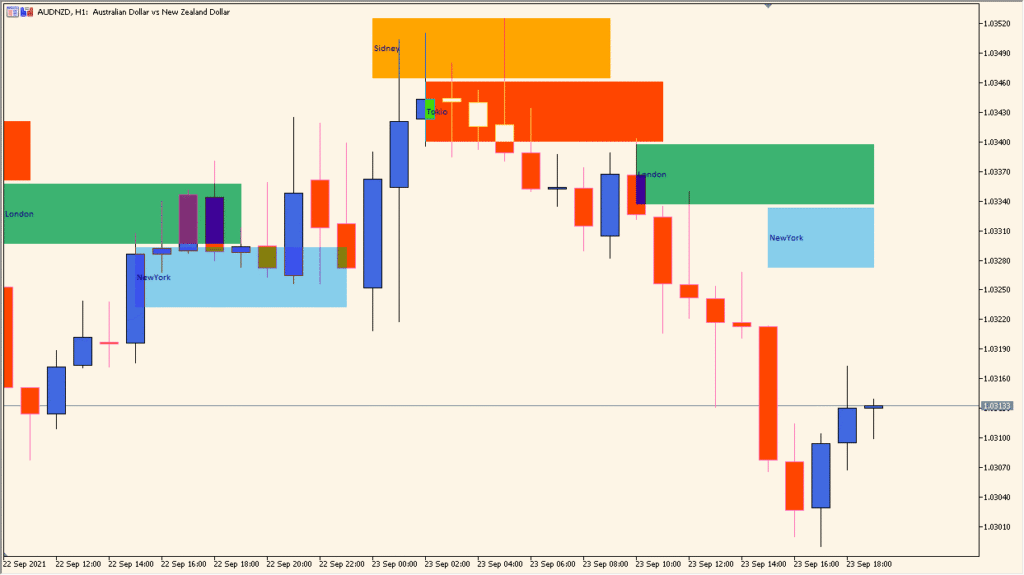
MSessions is an MT4 chart indicator that displays colored blocks for Sydney, Tokyo, London, and New York sessions. Session start and end times, colors, labels, and block height control the calendar overlay.
The blocks make the active market window and session transitions easier to compare with price behavior. They provide time context and do not imply a recurring outcome for any session.
How to use MSessions
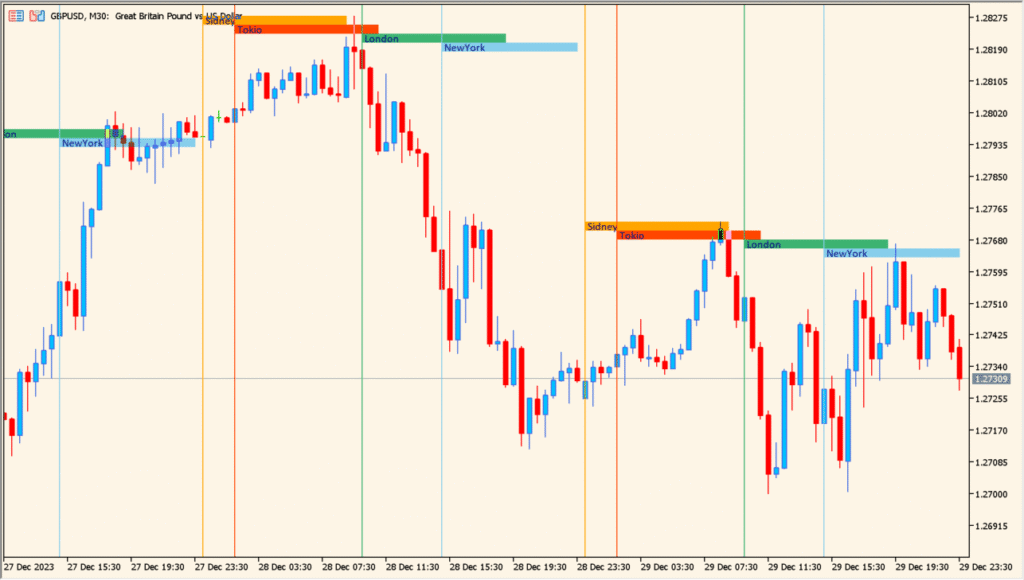
Use the colored session bars and labels to identify the four market periods directly on the chart:
- Set each session begin and session end value in MT5 time before comparing the market periods.
- Use the colored bars and labels to separate Tokyo, London, and the other configured sessions.
- Adjust Session field height when the default bars overlap the price candles too heavily.
- Keep the session display visible across the chart intervals where comparing the timing of price movement is useful.
Where it helps
Four global sessions are visible on one chart, colored blocks clarify timing, and configurable labels keep the calendar overlay readable.
MT4 Indicator Parameters
The table below lists the available MT4 indicator parameters. You can customize these options in the MetaTrader Inputs dialog to match your trading preferences.
| Parameter | Description |
|---|---|
| Sidney session begin | Sets the starting hour of the Sydney trading session based on broker server time. Default: 0. |
| Sidney session end | Defines the ending hour of the Sydney trading session. Default: 9. |
| Sidney session color | Specifies the display color used to highlight the Sydney session block on chart. Default: Orange. |
| Tokio session begin | Sets the starting hour of the Tokyo trading session based on broker server time. Default: 2. |
| Tokio session end | Defines the ending hour of the Tokyo trading session. Default: 11. |
| Tokio session color | Specifies the display color used to highlight the Tokyo session block on chart. Default: OrangeRed. |
| London session begin | Sets the starting hour of the London trading session based on broker server time. Default: 10. |
| London session end | Defines the ending hour of the London trading session. Default: 19. |
| London session color | Specifies the display color used to highlight the London session block on chart. Default: MediumSeaGreen. |
| NewYork session begin | Sets the starting hour of the New York trading session based on broker server time. Default: 15. |
| NewYork session end | Defines the ending hour of the New York trading session. Default: 0. |
| NewYork session color | Specifies the display color used to highlight the New York session block on chart. Default: SkyBlue. |
| Session field height | Sets the height in pips of the background session highlight block. Default: 60. |
| Show session labels | Displays or hides text labels identifying each trading session. Default: Yes. |
| Font name | Specifies the font family for session labels. Default: Calibri. |
| Font size | Sets the font size for session labels. Default: 8. |
| Font color | Specifies the font color for session labels. Default: Navy. |
| Show start-session lines | Displays or hides vertical start lines for each trading session. Default: Yes. |
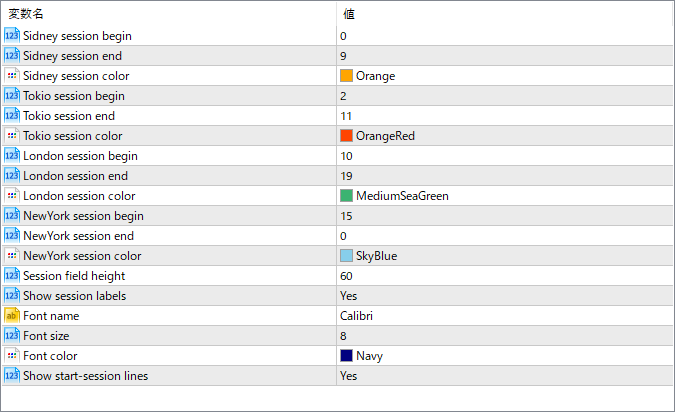
The screenshot above shows the default input parameters in the MT4 settings window.
How to Install .ex4 Indicator in MetaTrader 4
- Download the ZIP file and extract it.
- In MT4, select File → Open Data Folder.
- Open MQL4 → Indicators and copy the EX4 or MQ4 file into it.
- If the package includes library files, copy them to MQL4 → Libraries. Copy TPL files to the top-level templates folder.
- Restart MT4, find the indicator in the Navigator, and drag it onto a chart.
Test the tool on a demo account first. File contents and required folders can vary between packages.


