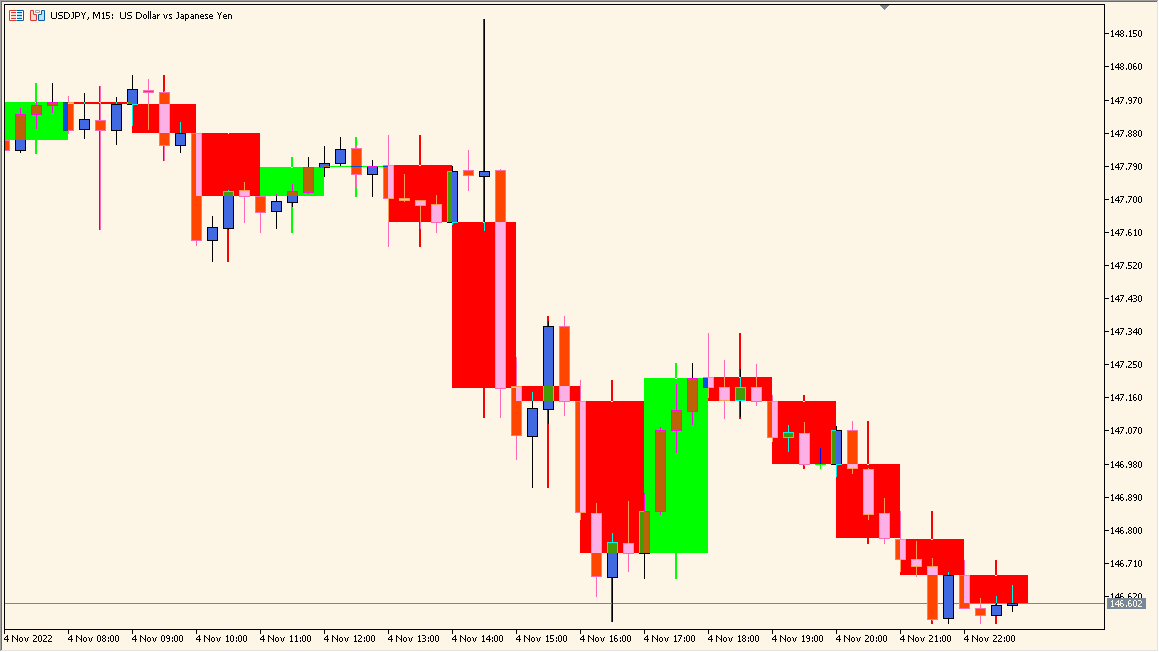
What is MTF Candle Indicator?
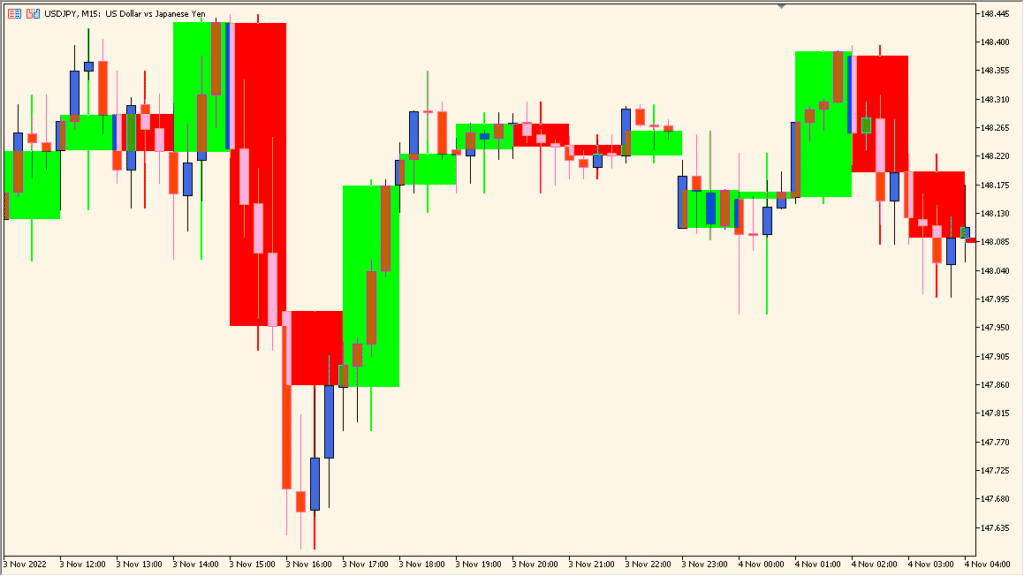
MTF_Candle is an MT5 chart indicator that overlays candles from a selected higher timeframe on the current chart. Timeframe, bar count, colors, widths, and fill settings control the visible overlay.
The larger candles provide chart context while the lower-timeframe bars remain visible underneath. This makes timeframe structure easier to compare without switching chart windows.
How to Use It in Practice
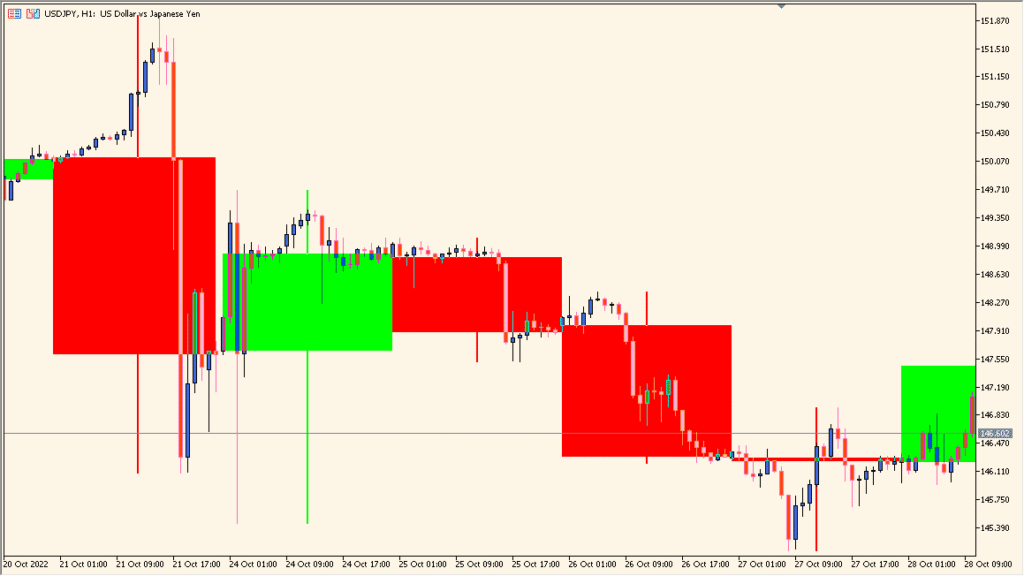
Overlay the selected higher-timeframe candles on the working chart, then compare their high-low bodies and wicks with the smaller candles underneath:
- Use TF_Bar to select the overlay timeframe and Number_of_bar to choose how many of those candles remain visible.
- Compare an M15 chart with an H1 overlay or an H1 chart with a daily overlay.
- Use Color_Up, Color_Down, Fill_Candle, Widht_lines, and Display_Shadow only to clarify the two candle layers.
Higher-timeframe context stays visible on the working chart, and appearance settings help keep both candle layers readable.
MT5 Indicator Parameters
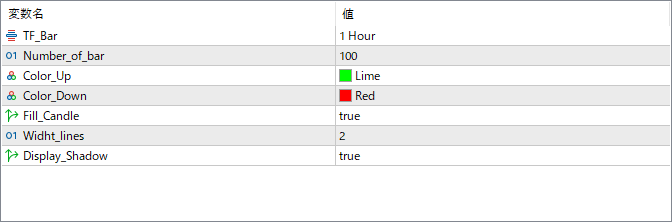
The screenshot above shows the default input parameters in the MT5 settings window.
| Parameter | Description |
|---|---|
| TF_Bar | Selects the timeframe from which the candles will be drawn (for example: 1 Hour, 4 Hours, Daily). This defines which higher timeframe candles are overlaid on your current chart. |
| Number_of_bar | Specifies how many higher timeframe candles to display on the chart. Increasing the number shows a longer history, while fewer bars focus on recent activity. |
| Color_Up | Defines the color for bullish (up) candles. Choose a bright or clear color for better contrast on your chart. |
| Color_Down | Defines the color for bearish (down) candles. Typically, a red tone is used to represent downward movement. |
| Fill_Candle | Enables or disables filling of the candle bodies. When true, the candles are solid; when false, only the outlines are shown. |
| Widht_lines | Controls the thickness of the candle outlines. A higher value makes the candle borders more visible. |
| Display_Shadow | Toggles the display of candle wicks (highs and lows). When true, shadows are shown to reflect full candle range. |


