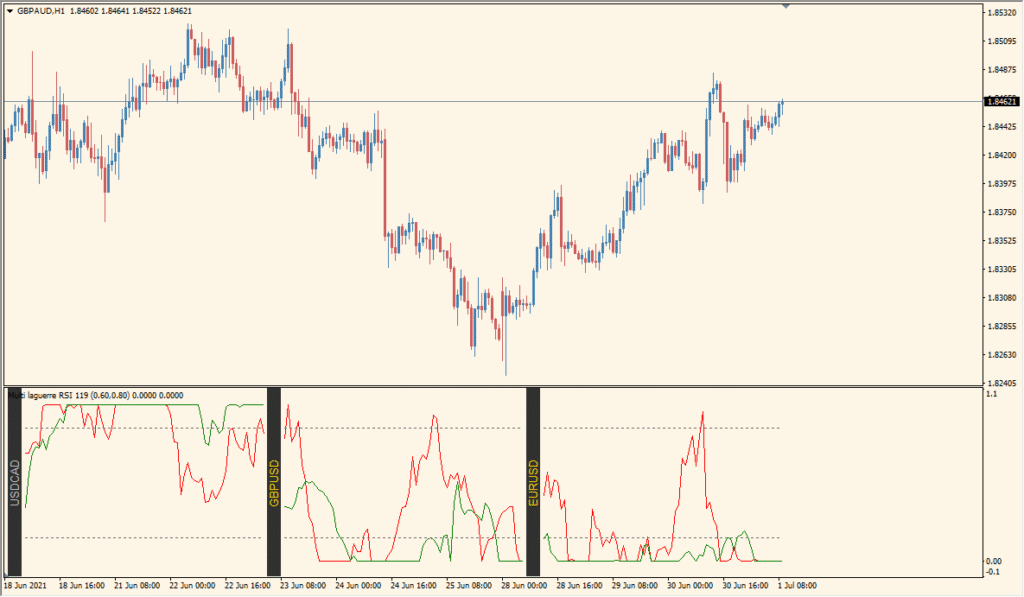
What is Multi Pair Laguerre RSI?
Multi Pair Laguerre RSI is an MT4 panel that displays Laguerre-smoothed RSI values for multiple currency pairs in one chart window. The selected pairs, smoothing settings, and display range determine the information shown in the panel.
Upper and lower reference levels help organize the oscillator view for comparison. The panel provides chart context for reviewing price behavior across pairs without labeling one pair as definitively stronger or weaker.
How to use Multi Pair Laguerre RSI
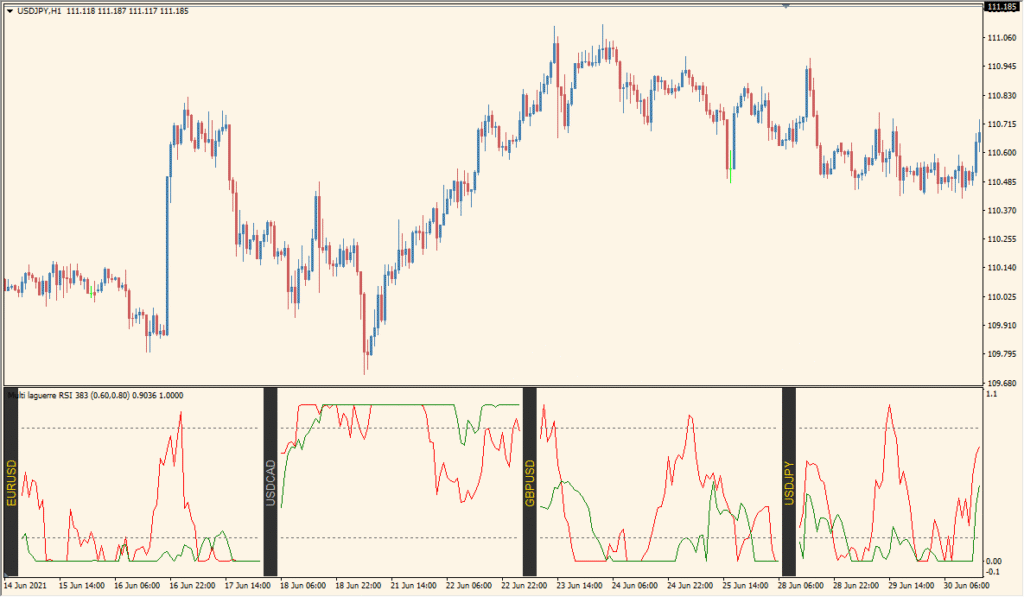
Compare the Laguerre RSI readings for the listed pairs and note how smoothing changes the panel:
- Read the multiple Laguerre RSI lines together instead of switching between individual pair charts.
- Compare periods where a line remains near the upper or lower part of its pane with the corresponding pair chart.
- Adjust AppliedPrice to change the input price used by the indicator.
- Adjust Gama to make the Laguerre RSI line smoother or more responsive.
Where it helps
A single panel makes multi-pair comparison easier, Laguerre smoothing keeps the display visually organized, and configurable levels and colors support a clearer review.
MT4 Indicator Parameters
The table below lists the available MT4 indicator parameters. You can customize these options in the MetaTrader Inputs dialog to match your trading preferences.
| Parameter | Description |
|---|---|
| Section Header | Labels the primary parameter section in MetaTrader inputs. |
| AppliedPrice | Specifies the price type used for calculations, where 0 represents close price. Default: 0. |
| Gama1 | Sets the primary gamma smoothing coefficient for the first Laguerre RSI filter. Default: 0.6. |
| Gama2 | Sets the secondary gamma smoothing coefficient for the comparative Laguerre RSI line. Default: 0.8. |
| barsPerPair | Controls the number of historical price bars displayed per currency pair in the panel. Default: 70. |
| pairs | Specifies the semicolon-separated list of currency pair symbols displayed in the oscillator panel. Default: EURUSD;GBPUSD;USDCAD. |
| levelUp | Defines the upper threshold level for Laguerre RSI calculation. Default: 0.85. |
| levelDown | Defines the lower threshold level for Laguerre RSI calculation. Default: 0.15. |
| Section Header | Labels the text and visual color section in MetaTrader inputs. |
| textColor | Sets the text color for on-chart pair information. Default: Silver. |
| backColor | Sets the background fill color for the multi-pair panel. Default: 48,48,48. |
| separatorWidth | Sets the width of visual separator lines between pair panels. Default: 6. |
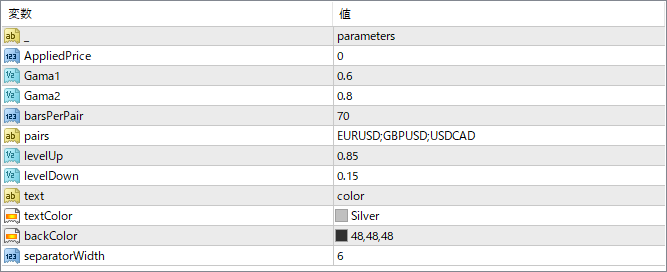
The screenshot above shows the default input parameters in the MT4 settings window.
How to Install .ex4 Indicator in MetaTrader 4
- Download the ZIP file and extract it.
- In MT4, select File → Open Data Folder.
- Open MQL4 → Indicators and copy the EX4 or MQ4 file into it.
- If the package includes library files, copy them to MQL4 → Libraries. Copy TPL files to the top-level templates folder.
- Restart MT4, find the indicator in the Navigator, and drag it onto a chart.
Test the tool on a demo account first. File contents and required folders can vary between packages.


