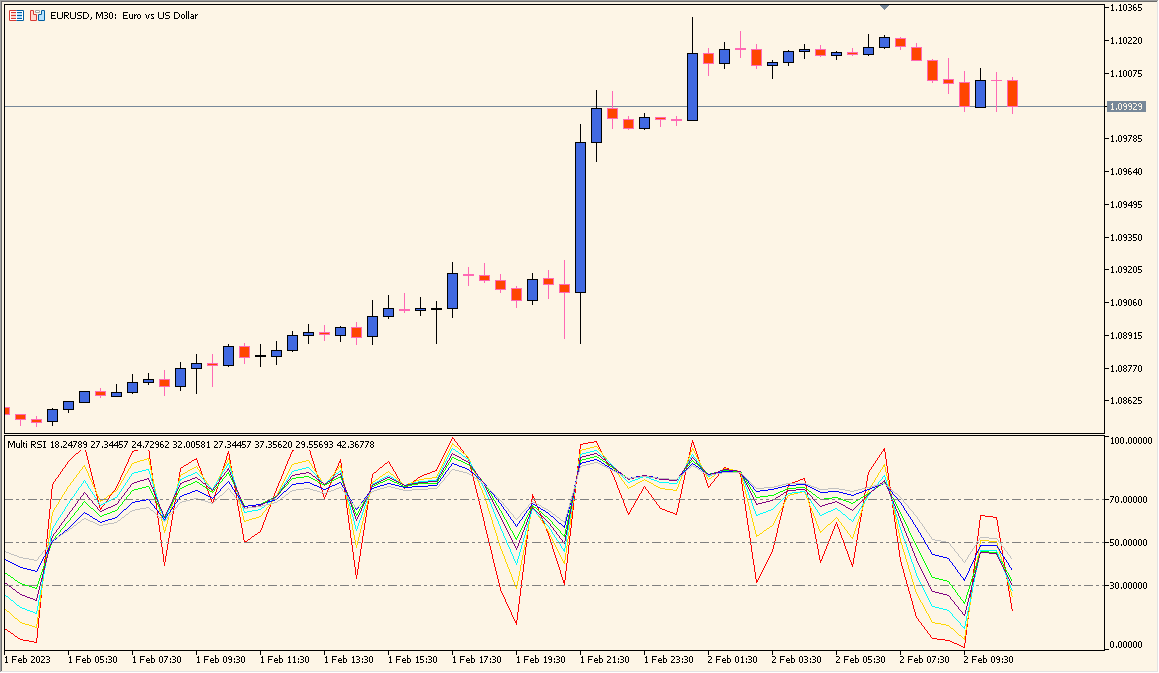
What is Multi_RSI?
Multi_RSI plots eight Relative Strength Index lines in one MT5 sub-window. Each line has a separate period and applied-price input, allowing several RSI configurations to be compared at the same time.
The defaults use periods from 2 through 10 and the close price for each line. The lines are displayed with separate colors so their relative movement remains visible.
How to use Multi_RSI
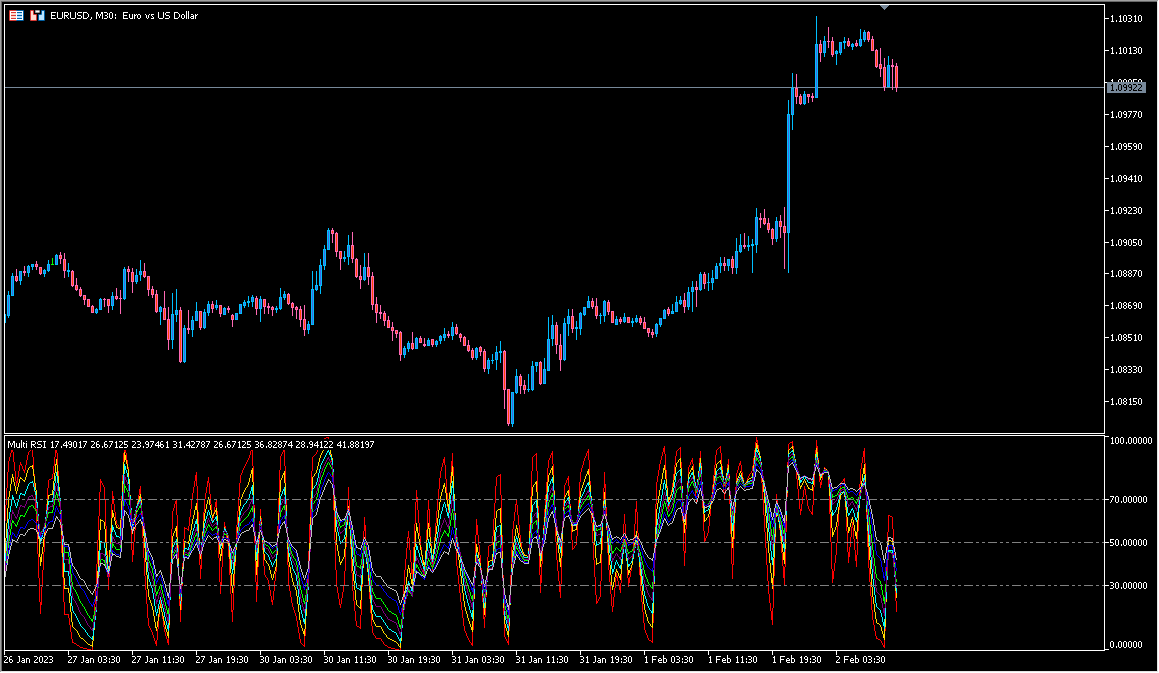
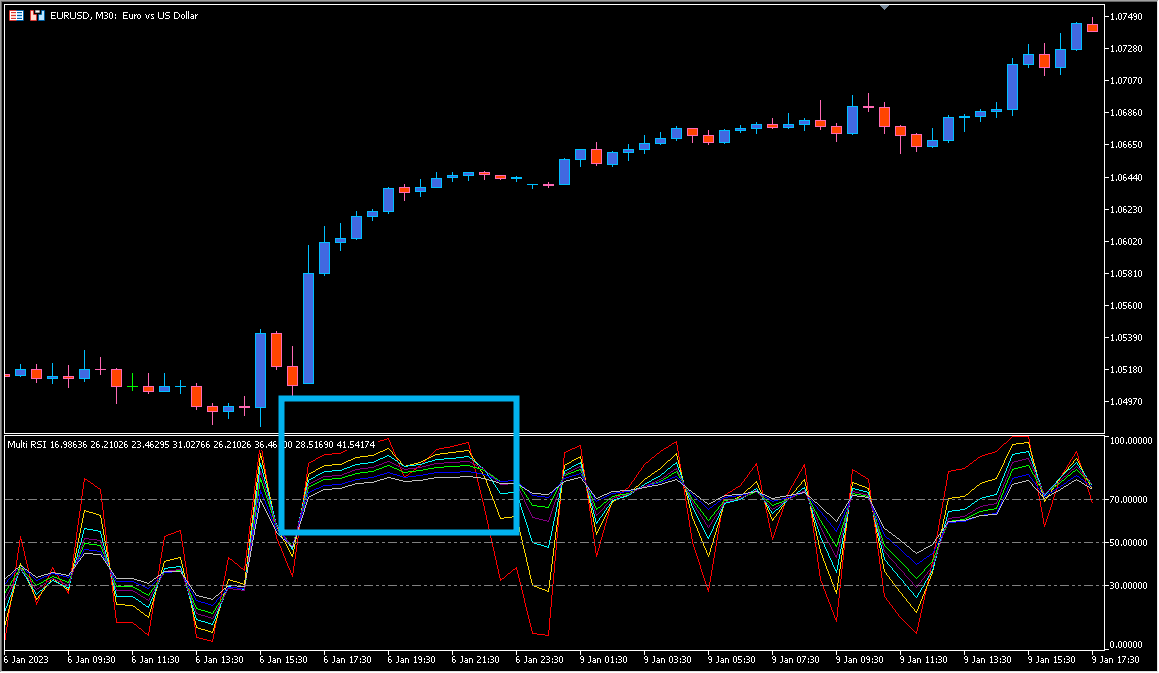
Compare the eight RSI lines with the same price chart and note where their periods agree or diverge. Shorter periods respond more quickly to recent movement, while longer periods provide a smoother reference.
RSI_Period1 through RSI_Period8 control the eight calculation windows. RSI_Price1 through RSI_Price8 select the applied price for each line.
Where it helps
Multiple RSI calculations remain visible in one dedicated sub-window.
Each displayed line has its own period input.
The eight price inputs can be reviewed independently.
MT5 Indicator Parameters
The table below lists the available MT5 indicator parameters. You can customize these options in the MetaTrader Inputs dialog to match your trading preferences.
| Parameter | Description |
|---|---|
| RSI Period 1 | Sets the calculation period for RSI line 1. Default: 2. |
| RSI Applied Price 1 | Selects the applied price for RSI line 1. Default: PRICE_CLOSE. |
| RSI Period 2 | Sets the calculation period for RSI line 2. Default: 4. |
| RSI Applied Price 2 | Selects the applied price for RSI line 2. Default: PRICE_CLOSE. |
| RSI Period 3 | Sets the calculation period for RSI line 3. Default: 3. |
| RSI Applied Price 3 | Selects the applied price for RSI line 3. Default: PRICE_CLOSE. |
| RSI Period 4 | Sets the calculation period for RSI line 4. Default: 6. |
| RSI Applied Price 4 | Selects the applied price for RSI line 4. Default: PRICE_CLOSE. |
| RSI Period 5 | Sets the calculation period for RSI line 5. Default: 4. |
| RSI Applied Price 5 | Selects the applied price for RSI line 5. Default: PRICE_CLOSE. |
| RSI Period 6 | Sets the calculation period for RSI line 6. Default: 8. |
| RSI Applied Price 6 | Selects the applied price for RSI line 6. Default: PRICE_CLOSE. |
| RSI Period 7 | Sets the calculation period for RSI line 7. Default: 5. |
| RSI Applied Price 7 | Selects the applied price for RSI line 7. Default: PRICE_CLOSE. |
| RSI Period 8 | Sets the calculation period for RSI line 8. Default: 10. |
| RSI Applied Price 8 | Selects the applied price for RSI line 8. Default: PRICE_CLOSE. |
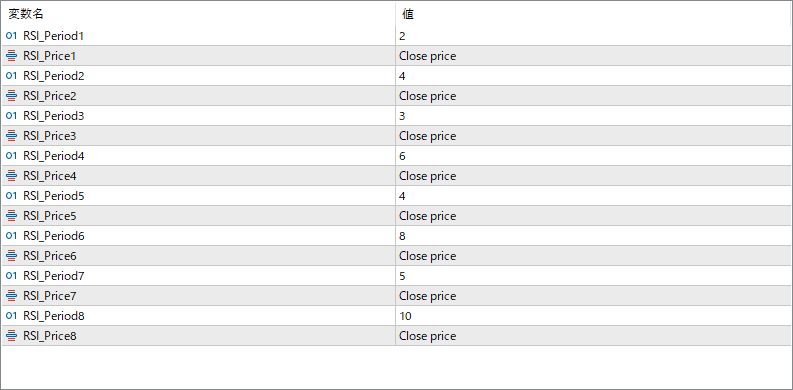
The screenshot above shows the default input parameters in the MT5 settings window.
How to Install .ex5 Indicator in MetaTrader 5
- Download the ZIP file and extract it.
- In MT5, select File → Open Data Folder.
- Open MQL5 → Indicators and copy the EX5 or MQ5 file into it.
- If the package includes library files, copy them to MQL5 → Libraries. Copy TPL files to the top-level templates folder.
- Restart MT5, find the indicator in the Navigator, and drag it onto a chart.
Test the tool on a demo account first. File contents and required folders can vary between packages.


