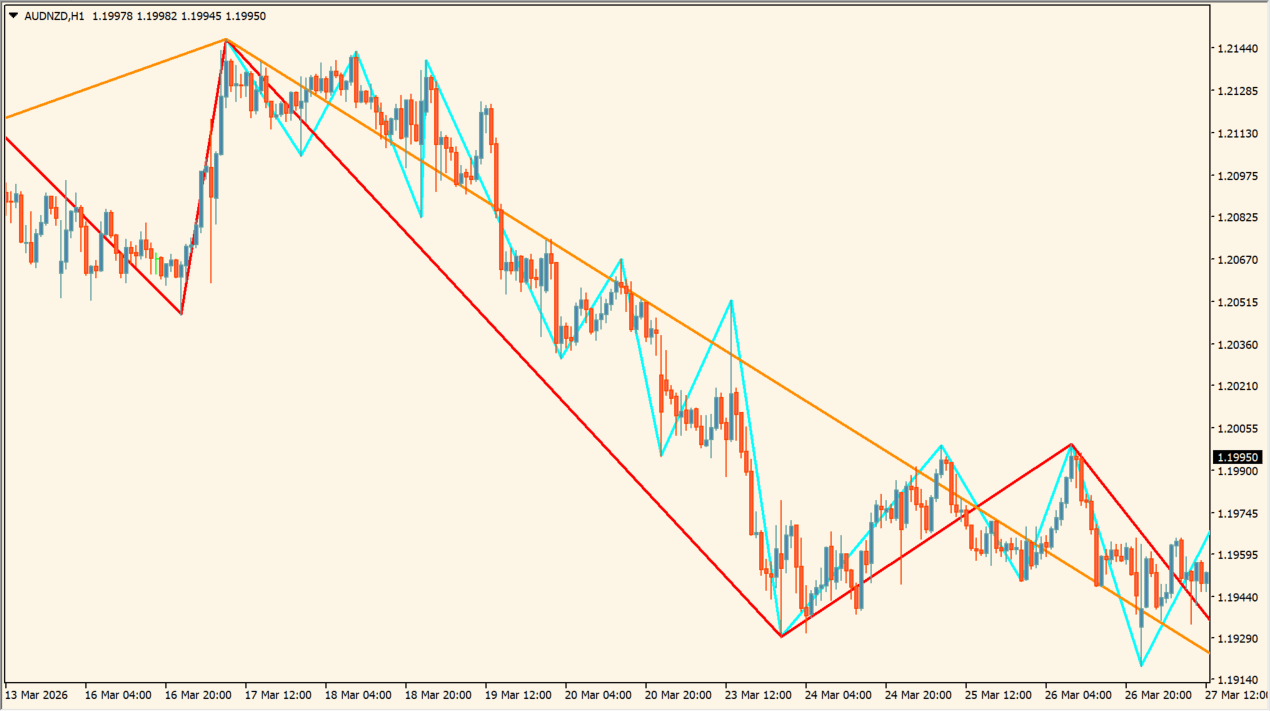
What is MultiZigZag?
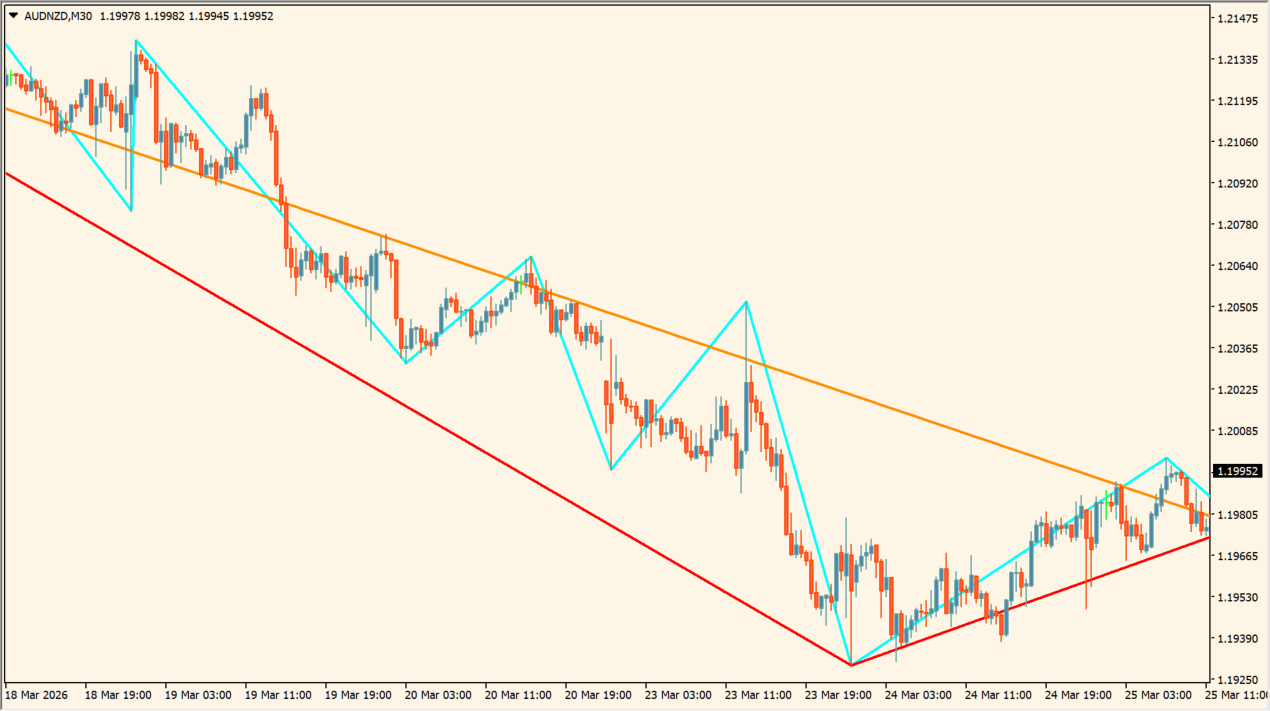
MultiZigZag draws several swing paths from a set of ZigZag parameters. The source settings cover swing depth, deviation, backstep, maximum bars, period grouping, and recalculation.
The lines map calculated pivots at the configured sensitivities. New price data can change the developing swing structure, so the display is best used as a current map of prior movement.
How to use MultiZigZag
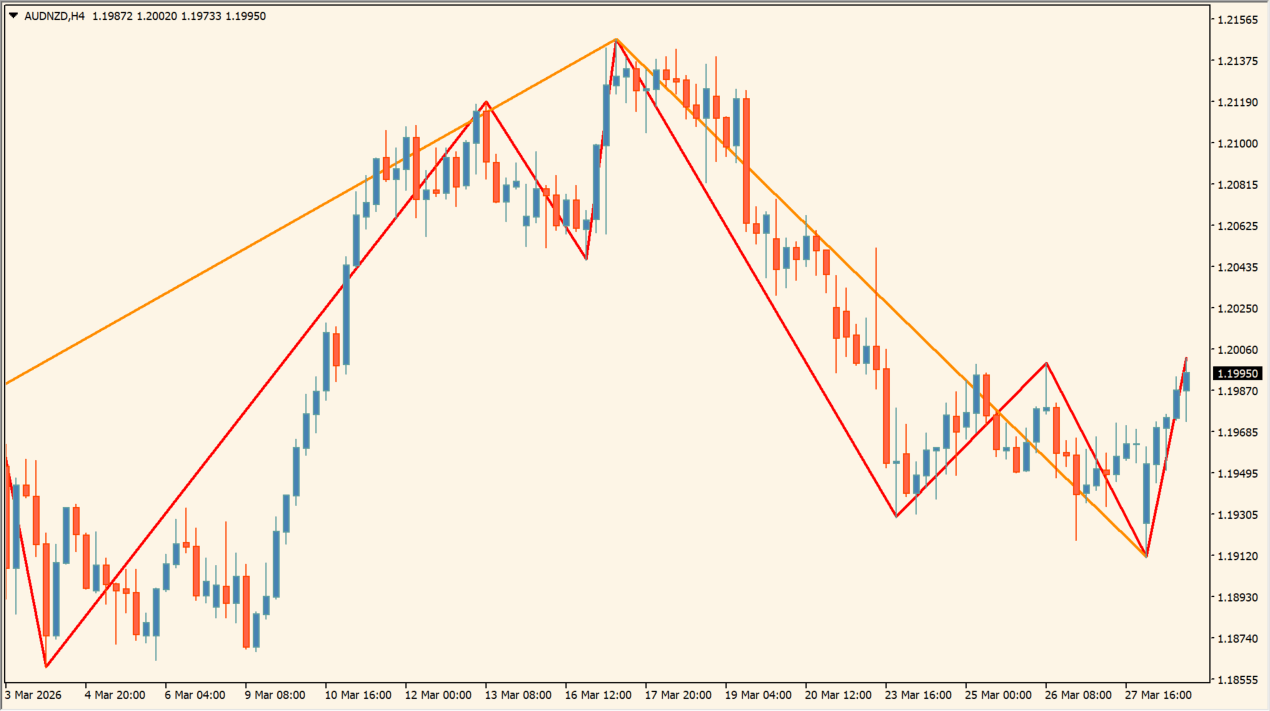
Compare the multiple ZigZag scales with each other before drawing conclusions from a single swing. A shorter depth can show finer movement while a longer setting can show a broader path.
ExtDepth, ExtDeviation, and ExtBackstep govern swing sensitivity. ExtMaxBar, GrossPeriod, and ExtReCalculate control history, grouping, and updates.
Where it helps
A multi-value depth setting supports more than one scale.
Deviation and backstep control the pivot filter.
Maximum bars and recalculation settings control the calculation scope.
MT4 Indicator Parameters
The table below lists the available MT4 indicator parameters. You can customize these options in the MetaTrader Inputs dialog to match your trading preferences.
| Parameter | Description |
|---|---|
| ExtDepth | Sets the depths used to detect ZigZag turns. |
| ExtDeviation | Sets the minimum price-move threshold. |
| ExtBackstep | Sets the minimum bars used to confirm a swing. |
| ExtMaxBar | Sets the maximum number of bars drawn. |
| GrossPeriod | Sets the period grouping for the ZigZag scales. |
| ExtReCalculate | Sets the recalculation interval. |
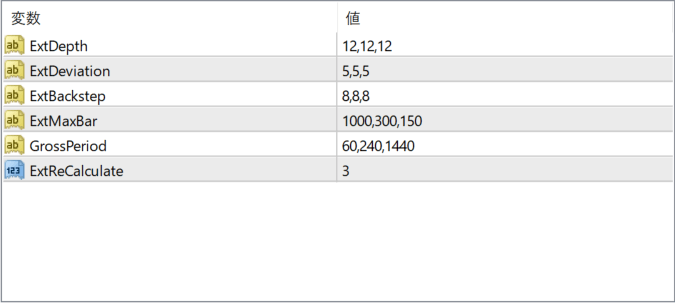
The screenshot above shows the default input parameters in the MT4 settings window.
How to Install .ex4 Indicator in MetaTrader 4
- Download the ZIP file and extract it.
- In MT4, select File → Open Data Folder.
- Open MQL4 → Indicators and copy the EX4 or MQ4 file into it.
- If the package includes library files, copy them to MQL4 → Libraries. Copy TPL files to the top-level templates folder.
- Restart MT4, find the indicator in the Navigator, and drag it onto a chart.
Test the tool on a demo account first. File contents and required folders can vary between packages.


