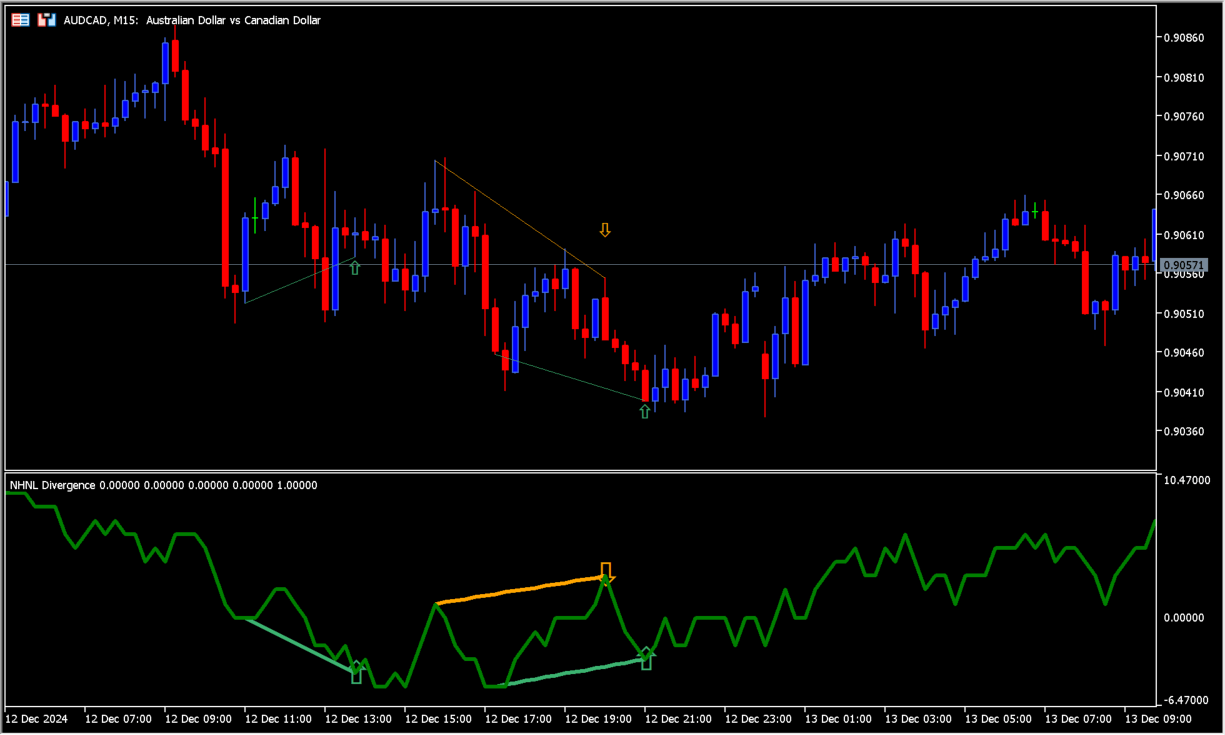
What is NHNL_Divergence?
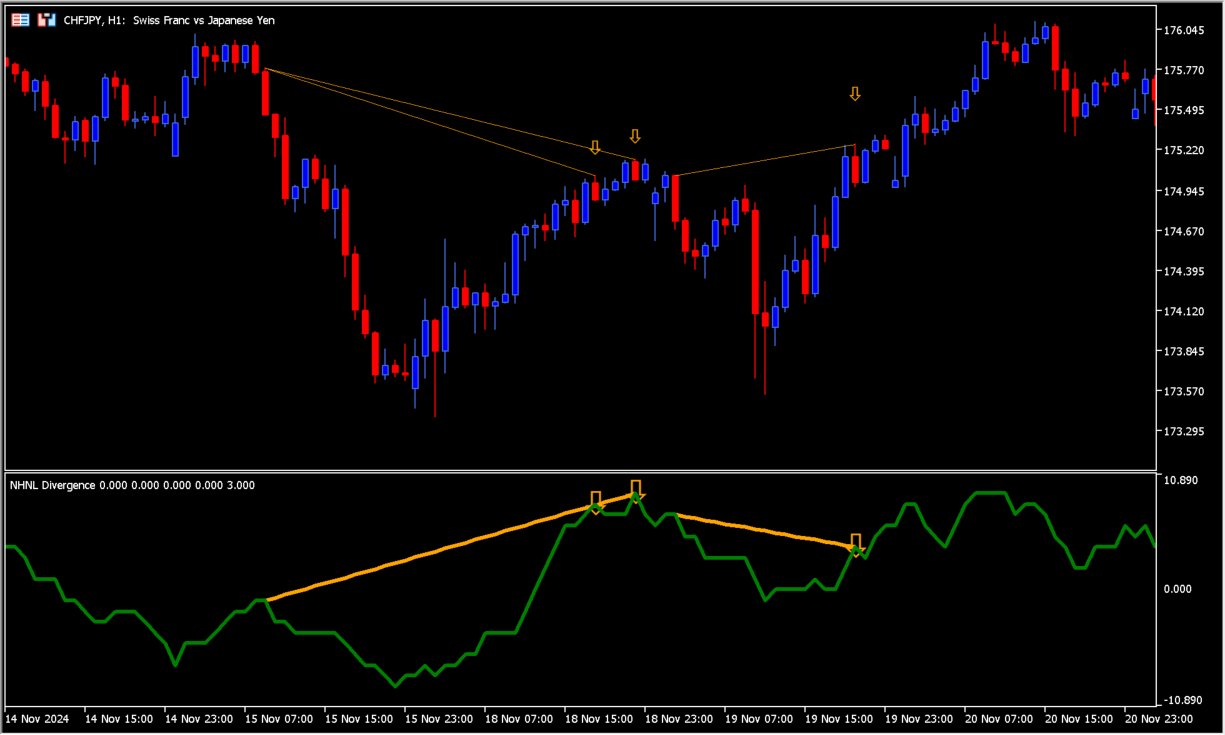
NHNL_Divergence calculates a breadth-style measure from the difference between New Highs and New Lows. A widening difference can accompany a larger change in market volatility or momentum.
The indicator marks divergence when price makes a new high or low while the moving average of the New Highs minus New Lows measure moves in the opposite direction. It does not separate regular and hidden divergence, so the direction still needs manual review.
How to use NHNL_Divergence
Apply NHNL_Divergence to an MT5 chart and inspect the divergence line and entry marker together with the recent price structure.
Change InpPeriod to alter sensitivity. A shorter period reacts more quickly but can add noise, while a longer period produces a steadier reading.
Where it helps
Uses the difference between new highs and new lows to frame market movement.
Draws a line and marker when price and the NHNL moving average disagree.
The article clearly notes that regular and hidden divergence are not separated.
MT5 Indicator Parameters
The table below lists the available MT5 indicator parameters. You can customize these options in the MetaTrader Inputs dialog to match your trading preferences.
| Parameter | Description |
|---|---|
| InpPeriod | Sets this calculation or display option. Default: 20. |
| InpColorBullish | Sets the display color for this option. Default: clrMediumSeaGreen. |
| InpColorBearish | Sets the display color for this option. Default: clrOrange. |
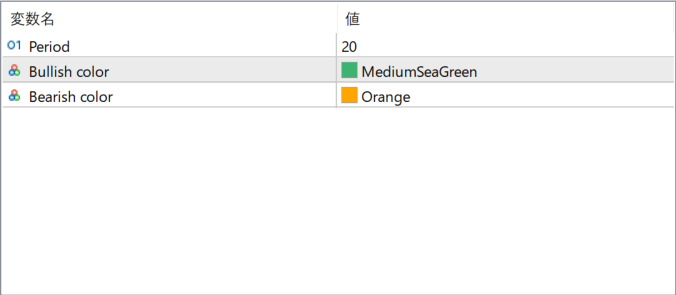
The screenshot above shows the default input parameters in the MT5 settings window.
How to Install .ex5 Indicator in MetaTrader 5
- Download the ZIP file and extract it.
- In MT5, select File → Open Data Folder.
- Open MQL5 → Indicators and copy the EX5 or MQ5 file into it.
- If the package includes library files, copy them to MQL5 → Libraries. Copy TPL files to the top-level templates folder.
- Restart MT5, find the indicator in the Navigator, and drag it onto a chart.
Test the tool on a demo account first. File contents and required folders can vary between packages.


