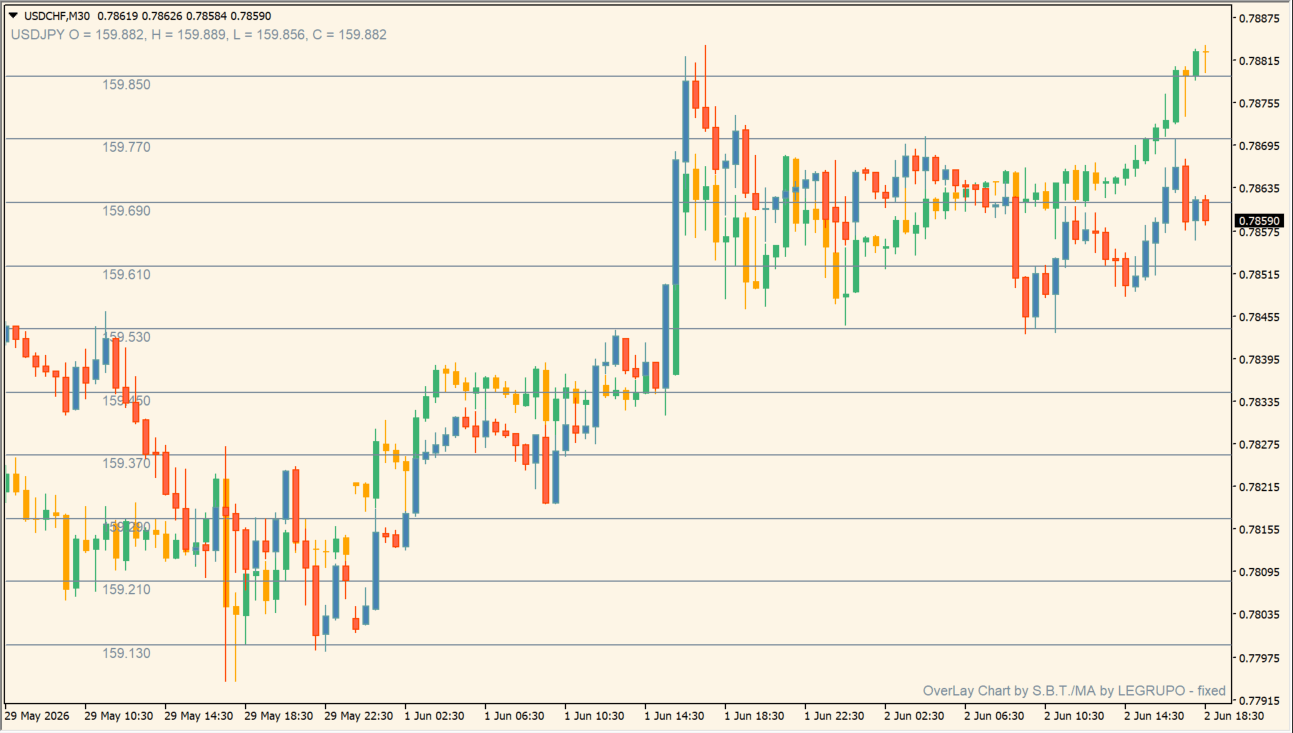
What is OverLayChart-MA?
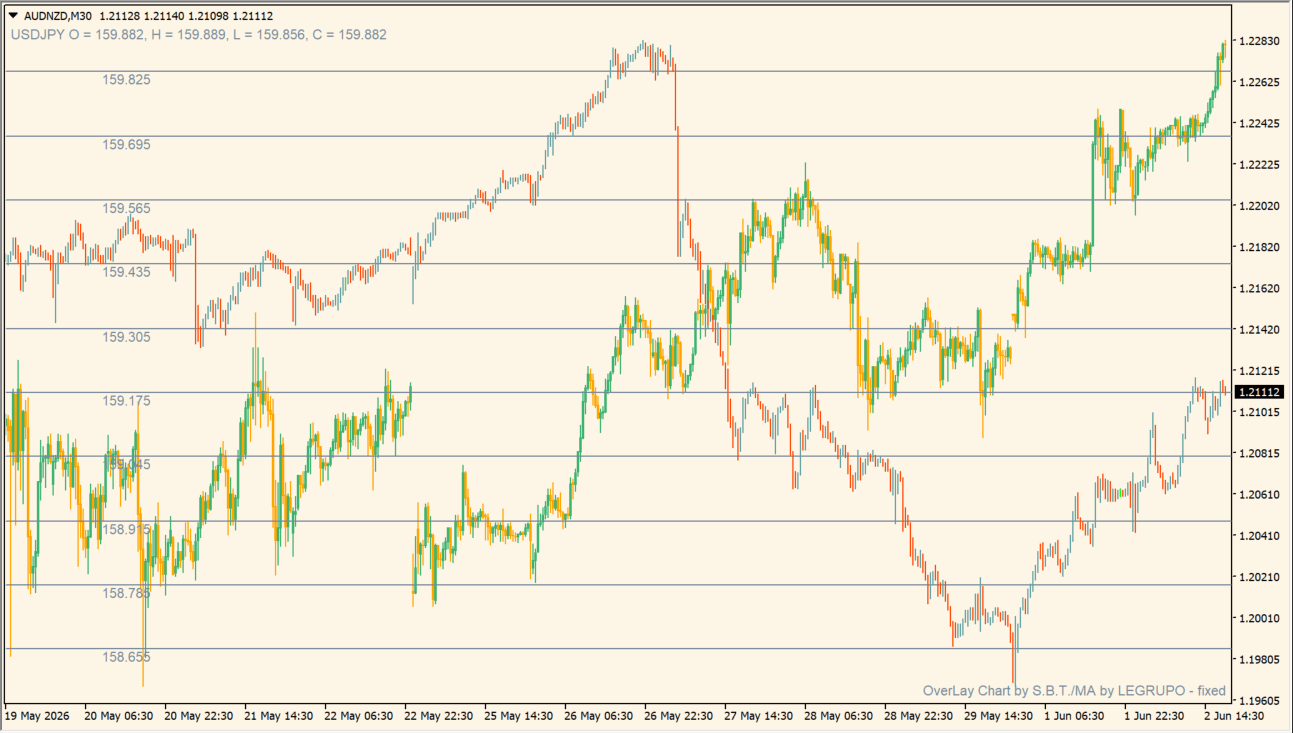
OverLayChart-MA draws a selected comparison symbol over the active MT4 chart. The additional symbol can be shown as colored candles with its own grid and an optional moving-average line.
Mirroring changes the vertical orientation of the comparison series so opposite movement can be inspected in the same visual space. The overlay provides chart comparison; it does not establish a stable correlation or a trading opportunity.
How to use OverLayChart-MA
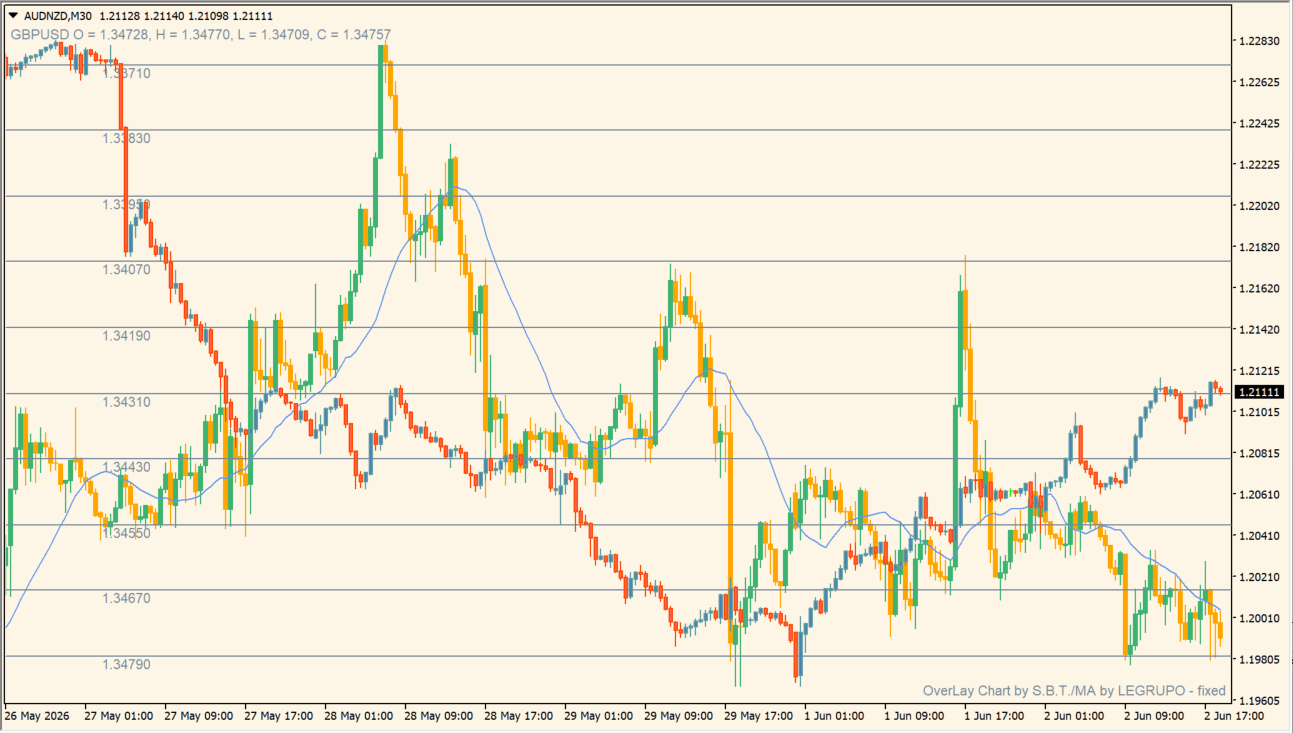
Overlay an available comparison symbol, then compare its candles, optional mirror view, grid, and moving average with the active chart:
- Set SubSymbol to a broker symbol that is available in the terminal before comparing the two series.
- Use ShowCandles, Mirroring, and GridColor to organize the second-symbol display.
- Enable ShowMA and adjust MA_color, MA_line_height, MA_period, and MA_price when a smoothed reference is useful.
- Compare the relationship across different periods, because the similarity between two symbols can change over time.
Correlation is allowed to change
A pair that tracked neatly last month can separate without warning. If you intend to build a spread strategy rather than simply observe correlation, equities often provide more controllable pair relationships than FX. Keep the use case modest unless you have tested the relationship statistically.
Where it helps
Two symbols share one visual space, optional mirroring helps inspect opposite movement, and the moving-average option adds a smoothed comparison reference.
MT4 Indicator Parameters
The table below lists the available MT4 indicator parameters. You can customize these options in the MetaTrader Inputs dialog to match your trading preferences.
| Parameter | Description |
|---|---|
| Comparison Symbol | Sets the broker symbol drawn over the active chart. Default: GBPUSD. |
| Bull Candle Color | Sets the bullish candle color for the comparison symbol. Default: MediumSeaGreen. |
| Bear Candle Color | Sets the bearish candle color for the comparison symbol. Default: Orange. |
| Comparison Grid Color | Sets the price-grid color for the comparison symbol. Default: LightSlateGray. |
| Mirror Comparison Symbol | Flips the comparison series vertically. Default: false. |
| Show Comparison Candles | Shows or hides the comparison candles. Default: true. |
| Show Moving Average | Shows or hides the comparison-symbol moving average. Default: false. |
| Moving Average Color | Sets the comparison moving-average color. Default: CornflowerBlue. |
| Moving Average Width | Sets the moving-average line width. Default: 1. |
| Moving Average Period | Sets the comparison moving-average period. Default: 20. |
| Moving Average Price | Selects the price field used by the moving average. Default: Close. |
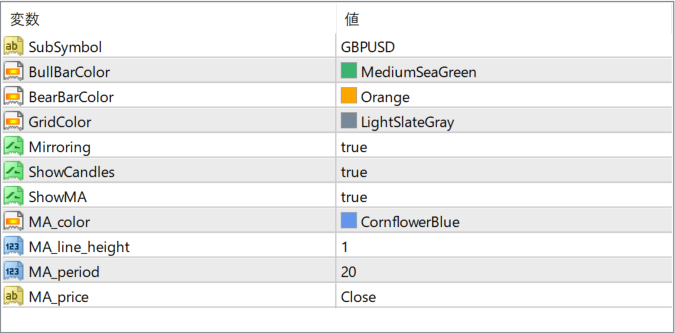
The screenshot above shows the default input parameters in the MT4 settings window.
How to Install .ex4 Indicator in MetaTrader 4
- Download the ZIP file and extract it.
- In MT4, select File → Open Data Folder.
- Open MQL4 → Indicators and copy the EX4 or MQ4 file into it.
- If the package includes library files, copy them to MQL4 → Libraries. Copy TPL files to the top-level templates folder.
- Restart MT4, find the indicator in the Navigator, and drag it onto a chart.
Test the tool on a demo account first. File contents and required folders can vary between packages.


